
To choose the right monitor size for your desk and eyes, consider your work and space availability. Larger screens boost multitasking and visual detail but need more room and a proper viewing distance to prevent strain. Opt for a 24-27 inch monitor if you want versatility and space efficiency. For creative tasks, bigger screens can help, but make certain your desk can support them comfortably. Keep ergonomic adjustments in mind to stay comfortable during long use; more tips follow to help you find the perfect fit.

Get the latest gadgets delivered free with Prime
- Fast, free delivery on millions of items
- Prime Video, Amazon Music and more included
- Member-only deals all year
Key Takeaways
- Consider your desk space and choose a monitor size that fits comfortably without causing clutter or requiring excessive head movement.
- Match monitor size with your typical tasks, opting for larger screens for detailed work and multitasking.
- Maintain a proper viewing distance—about an arm’s length—adjusting for monitor size and resolution.
- Ensure your monitor has ergonomic features like height, tilt, and swivel adjustments for comfortable positioning.
- Prioritize high-resolution displays (1440p or 4K) to keep images sharp on larger screens without eye strain.

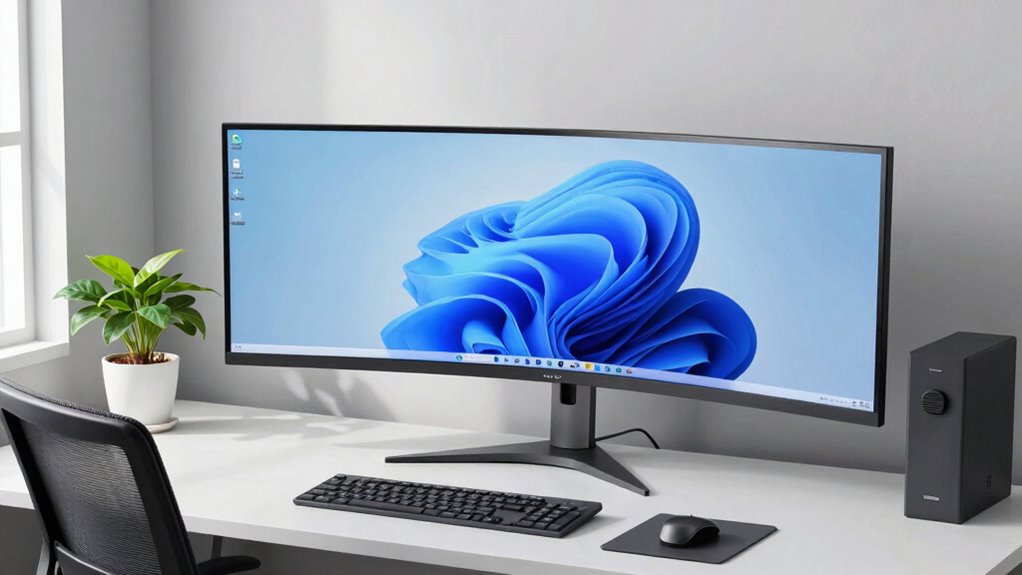
Choosing the right monitor size can considerably enhance your viewing experience and productivity. When you’re selecting a monitor, size matters because it impacts how comfortably you can work, game, or browse without straining your eyes or neck. A larger screen isn’t always better if it overwhelms your desk or forces you to move your head excessively. Conversely, a smaller display might leave you squinting or feeling cramped, especially if you often work with multiple windows or detailed visuals. To find the ideal size, consider your typical tasks and available desk space. A 24- to 27-inch monitor is a versatile choice for most users, providing ample viewing area without taking up too much room. If you need more screen real estate, especially for creative work or multitasking, a 32-inch or larger monitor can be beneficial, but make sure your desk can support it comfortably.
Your viewing distance plays a vital role in selecting the right size. Ideally, you want to sit at a distance where you can see the entire screen comfortably without leaning forward or stretching your neck. For a 24-inch monitor, sitting about 20 inches away works well; for larger screens, you might need to sit further back. Additionally, the resolution of the monitor influences how large you should go. Higher resolutions like 1440p or 4K allow you to enjoy bigger screens without sacrificing sharpness, making detailed work and color calibration more precise. Speaking of color, if you’re into photo editing or design, you should also consider monitors with good color calibration capabilities. A calibrated display ensures your colors are accurate, which is essential for professional work.
Furthermore, understanding the importance of monitor size can help you create an optimal workspace that minimizes strain and maximizes comfort over long periods. Ergonomic adjustments are equally important to make your monitor comfortable for long-term use. Look for monitors that allow height adjustments, tilt, and swivel. Proper ergonomic positioning helps prevent neck and eye strain, especially when you’re working for extended periods. Adjust your monitor so the top of the screen is at or just below eye level, and keep it about an arm’s length away. This setup reduces the need for awkward head movements and minimizes eye fatigue. Incorporating ergonomic features into your monitor choice can significantly improve your overall comfort and reduce fatigue during long work sessions. Additionally, choosing monitors with adjustable stands can further customize your workspace for optimal ergonomic support. Being aware of ergonomic considerations can also help you select accessories or workspace setups that support healthy posture. Keep in mind that proper lighting in your workspace can also reduce glare and improve your viewing comfort, complementing your ergonomic setup. Remember, choosing the right monitor size isn’t just about the screen itself; it’s about creating an environment that promotes comfort and efficiency. Taking into account your desk space, viewing distance, resolution, and ergonomic features will help you make an informed decision that benefits your eyes and your productivity.
As an affiliate, we earn on qualifying purchases.
Frequently Asked Questions
What Monitor Size Is Best for Gaming?
For gaming, a 27-inch monitor strikes a great balance, providing immersive visuals without overwhelming your desk space. Look for high refresh rates—at least 144Hz—to guarantee smooth gameplay, especially in fast-paced games. Also, prioritize color accuracy for vibrant visuals, particularly if you enjoy graphically rich titles. This size and these features enhance your gaming experience, keeping visuals sharp and gameplay fluid, while fitting well on most desks.
How Does Monitor Size Affect Eye Strain?
A larger monitor can reduce eye strain by allowing you to keep a comfortable distance and see details clearly, but it might cause more eye movement if too big. Smaller screens can cause eye fatigue due to constant refocusing. Opt for a monitor with good color accuracy and ergonomic design features like adjustable height, which help lessen eye strain regardless of size. Balance monitor size with these features for a comfortable viewing experience.
Can a Larger Monitor Fit on a Small Desk?
A larger monitor can fit on a small desk, but it requires an ergonomic setup and careful monitor placement. You might need to reposition your desk or choose a mount to maximize space and reduce clutter. Make sure the monitor is at eye level and within comfortable reach, so it doesn’t strain your eyes or neck. Proper monitor placement helps you enjoy a bigger screen without compromising comfort or workspace efficiency.
What’s the Ideal Distance to Sit From Different Monitor Sizes?
Imagine your monitor as the window to your digital world; you want it just right. For ergonomic setup, sit about an arm’s length away for 24-inch screens, and increase distance as monitor size grows—about two feet for 32 inches. Proper monitor placement guarantees your neck stays relaxed and eyes comfortable, preventing strain. Adjust your distance based on monitor size to keep your workspace both efficient and eye-friendly.
Do Curved Monitors Require Different Sizing Considerations?
Curved monitors do require different sizing considerations, especially regarding ergonomics. Their design offers a more immersive experience, but larger sizes may cause you to lean forward or strain your neck if not properly positioned. You should also think about aesthetic appeal, as a curved monitor can look sleek and modern on your desk. To maximize comfort and style, choose a size that aligns with your viewing distance and workspace layout.
ergonomic adjustable monitor stand
As an affiliate, we earn on qualifying purchases.
As an affiliate, we earn on qualifying purchases.
Conclusion
Choosing the right monitor size is like finding the perfect pair of shoes – it should feel natural and fit your space comfortably. By considering your desk size, viewing distance, and your work or gaming needs, you can avoid eyestrain and clutter. Remember, a well-sized monitor is the anchor that keeps your setup steady and your focus sharp. Pick wisely, and your workspace will become a haven where productivity and comfort dance in harmony.
4K resolution monitor for creative work
As an affiliate, we earn on qualifying purchases.
As an affiliate, we earn on qualifying purchases.
monitor with height tilt swivel adjustment
As an affiliate, we earn on qualifying purchases.
As an affiliate, we earn on qualifying purchases.
Fall Picks
fall essentials
As an affiliate, we earn on qualifying purchases.