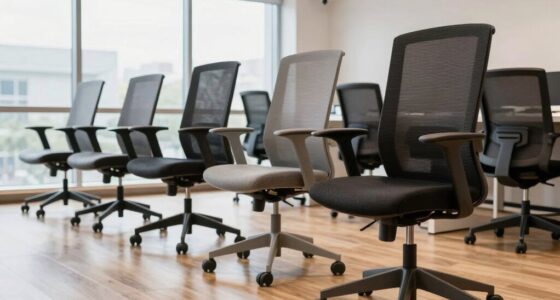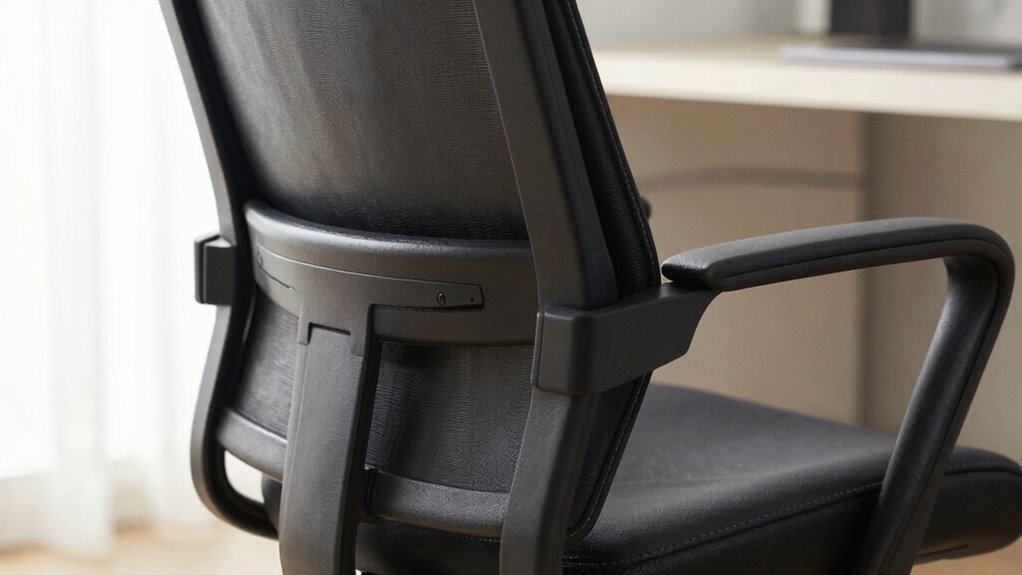

Your lower back notices the lack of proper support first, especially the absence of built-in or adjustable lumbar support. When your chair doesn’t align with your natural spine curve, your lower back starts to feel soreness or stiffness quickly. Poor ergonomic adjustments, like seat height or tilt, can also cause strain. If discomfort persists, it’s a sign you may need to improve your chair’s support features. Keep exploring to find out how the right ergonomic setup can prevent this from happening.

Get the latest gadgets delivered free with Prime
- Fast, free delivery on millions of items
- Prime Video, Amazon Music and more included
- Member-only deals all year
Key Takeaways
- The presence and proper adjustment of lumbar support directly impact the lower back’s comfort.
- Poor ergonomic alignment causes early signals like soreness and stiffness in the lower back.
- An office chair’s seat height and tilt influence lumbar support effectiveness and posture.
- Lack of adjustable lumbar support leads to increased lower back strain and fatigue.
- Persistent discomfort indicates the need to re-evaluate lumbar support and ergonomic settings.

When you spend hours at your desk, your lower back often feels the first signs of discomfort, making it a vital area to support. That discomfort usually signals that your office chair isn’t providing the right ergonomic adjustments or adequate lumbar support. Without proper support, your lower spine takes the brunt of poor posture, leading to soreness, stiffness, and even long-term issues. Recognizing these early signals can help you make quick adjustments to prevent pain from worsening.
The key is to focus on ergonomic adjustments that promote proper alignment. Your chair should allow you to sit with your feet flat on the ground, knees at a 90-degree angle, and your hips slightly higher than your knees. If your chair’s height isn’t adjustable or if it’s set incorrectly, your lower back may arch unnaturally, putting unnecessary strain on your lumbar region. Adjusting the seat height and tilt can make a significant difference, ensuring your pelvis is in a neutral position and reducing pressure on your lumbar spine. Additionally, understanding ergonomic principles can help you optimize your workspace for better comfort. Incorporating proper posture awareness can further enhance your sitting habits and reduce strain. Being mindful of your sitting habits and making small changes can significantly impact long-term comfort and health.
Proper ergonomic adjustment supports natural alignment and reduces lumbar strain during long sitting periods.
Lumbar support plays a crucial role in this process. A good office chair should have built-in lumbar support that fits the natural curve of your lower back. If it’s adjustable, you can fine-tune the support to match your lumbar curve, providing a gentle, consistent pressure that encourages proper posture. Without this support, your lower back muscles may have to work harder to maintain balance, leading to fatigue and discomfort over time. If your chair lacks lumbar support, consider adding a small cushion or ergonomic lumbar pillow designed specifically for office use. Increasing awareness of ergonomic design can help you identify the most suitable features for your needs.
Pay attention to how your back feels during long periods of sitting. If you notice persistent soreness or tightness in your lower back, it’s a sign you need to reevaluate your chair’s ergonomic features. Maintaining awareness of posture correction can help prevent discomfort from becoming chronic. Remember, the goal isn’t just to sit comfortably but to promote healthy spinal alignment and reduce strain on your lumbar region. Making simple adjustments, like repositioning your lumbar support or changing your sitting posture, can prevent minor discomfort from escalating into chronic pain. Consistent ergonomic adjustments are essential for maintaining comfort over time.
In the end, your lower back’s comfort comes down to how well your office chair supports your natural anatomy through proper ergonomic adjustments and lumbar support. Taking the time to optimize these features not only improves your comfort but also boosts your productivity and overall well-being. When your lower back feels supported, you can focus on your work without distraction or discomfort, making ergonomic design a vital investment in your health.
ergonomic office chair with adjustable lumbar support
As an affiliate, we earn on qualifying purchases.
As an affiliate, we earn on qualifying purchases.
Frequently Asked Questions
How Do I Know if My Office Chair Is Ergonomic?
You’ll know your office chair is ergonomic if it has an ergonomic design that supports your posture and reduces strain. Check if it offers adjustable height, so you can sit with your feet flat on the ground and knees at a 90-degree angle. An ergonomic chair also provides lumbar support and adjustable armrests, ensuring comfort during long hours. These features help prevent discomfort and promote proper alignment.
What Are the Best Materials for Lower Back Support?
The best materials for lower back support include memory foam and adjustable height features. Memory foam contours to your back, providing personalized comfort and reducing pressure points. An adjustable height allows you to position the chair properly, ensuring your lower back stays supported throughout the day. Combining these materials helps prevent discomfort and promotes better posture, making your workspace more comfortable and ergonomic.
How Often Should I Replace My Office Chair?
When wondering how often to replace your office chair, consider comfort, condition, and consistency. Generally, you should swap out your chair every 7 to 10 years to maintain proper posture and prevent discomfort. Regularly update your office decor with ergonomic accessories to enhance support and style. If your chair shows signs of wear, sagging, or persistent discomfort, it’s time to replace it to keep your workspace productive and pain-free.
Can a Lumbar Support Cushion Improve My Chair’s Comfort?
Yes, a lumbar support cushion can greatly improve your chair’s comfort. Look for one made of memory foam for better support and pressure relief, especially if you spend long hours sitting. Make sure it’s adjustable in height so you can position it perfectly for your lower back. This combination helps maintain proper posture, reduces strain, and keeps you comfortable throughout your workday.
What Posture Habits Can Reduce Lower Back Strain?
To reduce lower back strain, focus on proper sitting ergonomics by keeping your feet flat on the floor, knees at a 90-degree angle, and your back supported. Take regular stretching routines, especially for your hamstrings and hip flexors, to prevent stiffness. Avoid slouching or leaning forward, and stand up periodically to change positions. These habits help maintain good posture, ease tension, and protect your lower back during long hours of sitting.
ergonomic lumbar support cushion for office chair
As an affiliate, we earn on qualifying purchases.
As an affiliate, we earn on qualifying purchases.
Conclusion
Think of your lower back as the compass guiding your comfort. When your office chair supports it properly, everything else falls into place, like a well-orchestrated symphony. But neglect that support, and discomfort strikes like discordant notes, throwing off your focus. So, pay close attention to your chair’s lumbar feature—it’s the first sign your back gives you. Nurture it, and your entire workday will stay harmonious and pain-free, like a melody that never fades.
adjustable seat height office chair
As an affiliate, we earn on qualifying purchases.
As an affiliate, we earn on qualifying purchases.
office chair tilt and height adjustment
As an affiliate, we earn on qualifying purchases.
As an affiliate, we earn on qualifying purchases.
Halloween Picks
halloween
As an affiliate, we earn on qualifying purchases.