
📊 Full opportunity report: How to Reduce Heat and Noise in a High-Power AI Workstation on ThorstenMeyerAI.com — validation score, market gap, and execution plan.
TL;DR
High-power AI workstations generate significant heat and noise due to sustained GPU loads. Key solutions include undervolting GPUs, improving airflow, and selecting quieter cooling options. This helps maintain performance while reducing operational noise and temperature.
High-power AI workstations often run hotter and louder than expected due to sustained GPU loads and continuous operation, impacting workspace comfort and equipment longevity. Confirmed by industry experts, effective cooling and noise reduction strategies can significantly improve the environment without sacrificing performance.
AI workstations handling large models or long inference tasks operate under constant high load, unlike gaming PCs which handle bursty activity. This sustained load causes GPUs to generate more heat and fans to run continuously at high speeds, increasing noise levels. The primary sources of heat are the GPU, CPU, power supply, and VRMs, with GPU heat accounting for over 70% of thermal output. Fans are the main noise contributors, but coil whine and vibrations also play roles.
The most effective way to reduce heat and noise is to limit power consumption at the source. Undervolting GPUs and capping power limits can cut thermal output by significant margins with minimal performance impact, especially in memory-bound inference workloads. Improving case airflow by optimizing fan placement and case design helps dissipate heat more efficiently, reducing fan speeds and noise. Upgrading to quieter cooling solutions, such as advanced air coolers or liquid cooling, further minimizes noise while maintaining thermal performance.
Experts emphasize that component choice and system configuration are critical. High-quality power supplies with good VRM cooling, and case designs that promote effective airflow, are essential for sustained high-load operation. Additionally, managing vibrations and coil whine through mounting techniques and component selection can further reduce audible noise.
An AI workstation isn’t a gaming PC —
and that’s why it runs hot.
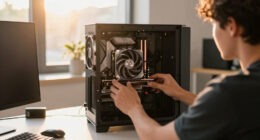
Local inference is a sustained load: the GPU sits near full power for hours with no loading screens, so the heat never dissipates and the fans never get a break. Here’s where the heat comes from — and the five levers that reduce it.
Impact of Effective Cooling on AI Workstation Performance
Implementing these cooling and noise reduction strategies allows AI practitioners to operate high-power workstations more comfortably and reliably. Reduced temperatures can extend hardware lifespan, prevent thermal throttling, and maintain consistent inference speeds. Lower noise levels improve workspace environment, especially for those working in home offices or shared spaces, making high-performance AI workloads more practical and sustainable.
quiet high-performance GPU cooling fan
As an affiliate, we earn on qualifying purchases.
As an affiliate, we earn on qualifying purchases.
Understanding the Unique Thermal Demands of AI Workstations
Unlike gaming PCs, which experience intermittent high loads, AI inference workloads require sustained GPU operation at or near maximum capacity. This continuous demand leads to higher, more stable thermal output and fan activity. Industry guidance highlights that traditional cooling solutions optimized for gaming are often insufficient for prolonged AI workloads. Recent developments in undervolting techniques, case airflow design, and quieter cooling hardware are now being adopted to address these challenges.
“The key to managing heat and noise in AI workstations is understanding that these systems run at near-constant load, unlike gaming PCs. Targeted cooling and power management are essential.”
— Thorsten Meyer, AI hardware expert
liquid cooling system for AI workstation
As an affiliate, we earn on qualifying purchases.
As an affiliate, we earn on qualifying purchases.
Uncertainties in Optimal Cooling Strategies for Diverse Setups
While undervolting and airflow improvements are proven effective, the exact settings and configurations may vary based on specific hardware models, workloads, and case designs. The long-term impact of aggressive undervolting on hardware stability is also still being studied, and some users report compatibility issues with certain components. Further research and testing are ongoing to refine best practices.
high airflow PC case for workstations
As an affiliate, we earn on qualifying purchases.
As an affiliate, we earn on qualifying purchases.
Next Steps for Enhancing AI Workstation Cooling and Noise Control
Manufacturers are expected to release more specialized cooling solutions tailored for AI workloads, including quieter fans and more efficient liquid coolers. Software tools for automatic undervolting and thermal management are also improving, making it easier for users to optimize their systems. Future updates will likely focus on integrating hardware and software solutions for even more effective heat and noise reduction.
undervolting GPU software
As an affiliate, we earn on qualifying purchases.
As an affiliate, we earn on qualifying purchases.
Key Questions
Can undervolting GPUs reduce performance?
In most memory-bound inference workloads, undervolting can significantly lower heat and noise with minimal or no impact on performance. However, aggressive undervolting may cause stability issues in some cases, so it should be tested carefully.
What cooling options are best for quiet operation?
High-quality air coolers with larger heatsinks and quiet fans, as well as liquid cooling solutions with low-noise pumps, are recommended for minimizing noise while maintaining effective thermal management.
How important is case airflow in reducing heat?
Case airflow is critical; well-ventilated cases with strategically placed intake and exhaust fans help dissipate heat more efficiently, reducing fan speeds and noise levels.
Are there risks to modifying power limits or undervolting?
Yes, improper settings can cause system instability or hardware damage. Users should follow manufacturer guidelines and test configurations carefully.
Will new hardware developments improve noise management?
Yes, upcoming cooling hardware and software solutions aim to provide more efficient, quieter operation tailored for high-performance AI workloads.
Source: ThorstenMeyerAI.com