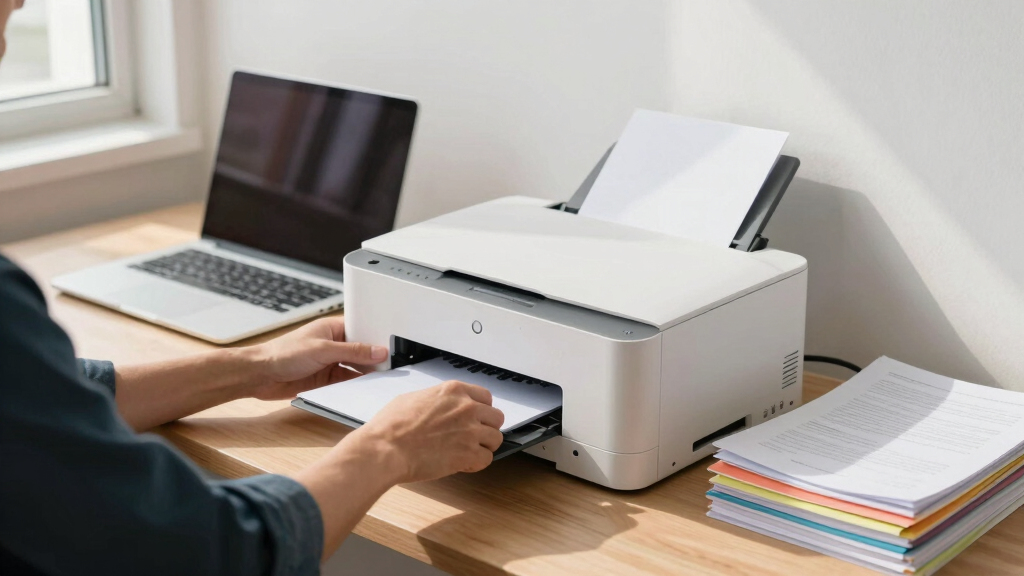

Choosing the best laser printer for a small business involves balancing speed, print quality, functionality, and cost. The HP LaserJet Pro MFP 3101sdw stands out as the best overall for its reliable all-in-one performance, while the Brother MFC-L8930CDW offers exceptional color printing with low operating costs. Many options excel in specific areas like duplexing, security, or compact size, but tradeoffs often include higher prices or limited features. Continue reading for a detailed breakdown of each model and how they compare to meet diverse small business needs.
Key Takeaways
- The top-ranked models balance high print speeds with reliable wireless connectivity, essential for busy small offices.
- Color laser printers tend to be more expensive upfront but offer better versatility for marketing materials and client documents.
- Compact designs are available but may sacrifice paper capacity or expandability, making them better for smaller teams.
- Security features are increasingly important, with some models offering advanced options to protect sensitive business data.
- Cost per page and maintenance are key factors that can significantly impact long-term value, often outweighing initial purchase price.


More Details on Our Top Picks
HP LaserJet Pro MFP 3101sdw Wireless All-in-One Laser Printer, Office Printer, Duplex, Best-for-Small Teams (9D2X4F)
This HP model stands out for its balanced combination of high speed, reliable wireless connectivity, and multifunction capabilities, making it ideal for small teams that need professional-quality black-and-white prints without fuss. Compared with the Brother MFC-L3720CDW, it offers faster print speeds up to 35 ppm and a larger input tray, reducing the frequency of refills. Its auto duplexing and scanning features streamline workflow, though it is somewhat limited to monochrome output, unlike color competitors. Its user-friendly setup and dependable HP chip cartridges mean fewer interruptions, but firmware updates can occasionally restrict third-party cartridges. This pick makes the most sense for small teams prioritizing speed, reliability, and ease of management over color printing or advanced security features.
Pros:- Fast printing speeds up to 35 ppm for high-volume tasks
- Reliable wireless connection with automatic connection optimization
- All-in-one functions including scanning and copying with duplex support
Cons:- Limited to monochrome printing, not suitable for color needs
- Cartridge locking mechanism restricts non-HP cartridges, potentially increasing costs
Best for: Small business teams needing reliable, fast monochrome printing with minimal maintenance
Not ideal for: Businesses requiring color printing or multi-tenant environments with third-party cartridge use
- Printer Type:Laser
- Print Speed:35 ppm black
- Connectivity:Wireless, Ethernet, USB
- Input Tray Capacity:250 sheets
- Automatic Duplexing:Yes
- Maximum Copy Speed:35 ppm
- Maximum Resolution:1200 x 1200 dpi
- Weight:23.1 pounds
- Dimensions:15.7 x 16.5 x 12.3 inches
Bottom line: This printer suits small teams demanding speed and dependability in monochrome workflows without the need for color or advanced security features.
Brother MFC-L8930CDW Business Color Laser All-in-One Printer with Duplex Print, Scan, Copy, Low-Cost Printing, and Advanced Security Features
This Brother model excels for small to medium-sized businesses that need vibrant color output along with high-speed scanning and multi-functionality. Compared to the HP LaserJet Pro 3101sdw, it offers color printing up to 33 ppm and high-speed duplex scanning at 104 ipm, ideal for more dynamic document workflows. Its built-in security and support for creating searchable PDFs stand out in sensitive environments, though it is heavier at 71.2 pounds and has a higher power draw at 630W. Its generous toner yields and expandable paper capacity make it suitable for larger offices, but the initial setup may be more complex. This printer makes the most sense for businesses that value color, security, and high-volume output in a single device.
Pros:- High-speed color printing at 33 ppm with excellent photo quality
- Advanced security features including encrypted scanning and user authentication
- High-capacity toner options for low-cost, high-volume printing
Cons:- Heavy weight and larger footprint, less suitable for small desks
- Higher energy consumption and initial cost compared to monochrome models
Best for: Small to medium-sized businesses needing vibrant color and robust security features
Not ideal for: Startups or home offices with minimal security concerns or low print volume
- Printer Type:Color Laser
- Print Speed:33 ppm color and B&W
- Connectivity:Wireless, Ethernet, USB
- Input Tray Capacity:250 sheets
- Auto Duplex:Yes
- Maximum Copy Resolution:2400 x 600 dpi
- Maximum Scan Speed:104 ipm
- Weight:71.2 pounds
- Dimensions:20.7 x 16.1 x 21.6 inches
Bottom line: Ideal for security-conscious small businesses that require vibrant color output and high-volume document handling.
Brother MFC-L3720CDW Wireless Color Laser Printer with Scanner, Copier and Fax | Auto Duplex and 250-Sheet Capacity | Includes Refresh Subscription Trial
This Brother model makes sense for small offices needing color output with space constraints, offering a compact design and reliable performance. Compared with the Brother HL-L6200DW, it provides color printing at 19 ppm and integrated fax, plus a 3.5″ touchscreen for easy operation. Its 50-sheet auto document feeder and 250-sheet tray support high productivity, though its print speed in color is slower at 19 ppm, and the color resolution maxes at 600 dpi, less sharp than higher-end models. Its versatility with scan, copy, and fax functions makes it suitable for multi-purpose office environments, but it does not match the high-volume throughput of larger workgroup printers. This makes the most sense for small teams that need color but have limited space and moderate volume.
Pros:- Compact footprint suitable for small offices
- Color printing at 19 ppm with a 600 dpi resolution
- Includes fax and scan functions with a user-friendly touchscreen
Cons:- Slower color print speeds compared to high-end models
- Color resolution lower than some competitors, affecting photo quality
Best for: Small offices requiring space-efficient color printing and multi-function capabilities
Not ideal for: High-volume color printing environments or offices needing advanced security features
- Printer Type:Color Laser
- Print Speed:19 ppm color
- Connectivity:Wireless, Ethernet, USB
- Input Tray Capacity:250 sheets
- Auto Duplex:Yes
- Maximum Copy Resolution:600 x 600 dpi
- Maximum Scan Speed:29/22 ipm
- Weight:44 pounds
- Dimensions:15.7 x 16.1 x 12.5 inches
Bottom line: Best for small offices needing space-efficient color printing with multifunction features for moderate volume tasks.
Brother HL-L6210DW Monochrome Laser Printer with Duplex, High-Speed 50 ppm, Advanced Security
This Brother printer is tailored for demanding offices that need fast, reliable monochrome output with high capacity. Compared with the HP LaserJet Pro 3101sdw, it offers a remarkable print speed of 50 ppm, ideal for large print jobs or high-volume environments. Its 520-sheet main tray and 100-sheet multipurpose tray reduce refill frequency, and its security features help protect sensitive documents. While it excels in speed and capacity, it lacks color functions, making it unsuitable for offices that require visual variety. The setup can be more complex, and its weight of nearly 30 pounds requires consideration for placement. Overall, this makes the most sense for high-volume, monochrome needs in busy workspaces where speed and security are priorities.
Pros:- Exceptional speed of 50 ppm for large jobs
- Large paper capacity with expandable trays
- Advanced security features guarding sensitive documents
Cons:- No color printing capabilities
- Heavier and larger, less suitable for small desks
Best for: Offices with large monochrome printing volume and security needs
Not ideal for: Small startups or offices requiring color printing or photo output
- Printer Type:Monochrome Laser
- Print Speed:50 ppm
- Connectivity:Ethernet, USB, Wi-Fi
- Input Tray Capacity:520 sheets
- Auto Duplex:Yes
- Maximum Copy Speed:50 ppm
- Maximum Resolution:1200 x 1200 dpi
- Weight:29.8 pounds
- Dimensions:15.3 x 14.7 x 11.4 inches
Bottom line: This printer is perfect for high-volume monochrome environments where speed, security, and capacity are paramount.
Brother DCP-L2640DW Wireless Compact Monochrome Multi-Function Laser Printer with Copy and Scan, Duplex, Mobile
This Brother model is tailored for small businesses that need reliable monochrome printing, scanning, and copying in a compact footprint. Compared with the HL-L6210DW, it offers a slightly slower speed of 36 ppm but includes multifunctionality and a built-in 50-page auto document feeder, making it excellent for small workgroups with space constraints. Its wireless and Ethernet connectivity support mobile printing and remote management, though it lacks the high capacity of larger models. Its lower power consumption and eco-friendly features make it appealing for budget-conscious offices. However, it provides fewer advanced security options and a maximum paper capacity of 250 sheets, so it’s best for moderate volume needs. It’s ideal for small teams that prioritize space and cost-efficiency without sacrificing essential features.
Pros:- Compact design suitable for tight spaces
- Reliable printing up to 36 ppm with duplex support
- Wireless and Ethernet connectivity for flexible placement
Cons:- Lower paper capacity at 250 sheets
- Slower print speed compared to larger models like HL-L6210DW
Best for: Small businesses needing space-efficient monochrome printing with scanning and copying
Not ideal for: High-volume environments or offices requiring color output
- Printer Type:Monochrome Laser
- Print Speed:36 ppm
- Connectivity:Wireless, Ethernet, USB
- Input Tray Capacity:250 sheets
- Auto Duplex:Yes
- Maximum Copy Resolution:600 x 600 dpi
- Maximum Scan Speed:23.6/7.9 ipm
- Weight:25 pounds
- Dimensions:15.7 x 16.1 x 12.5 inches
Bottom line: This printer makes the most sense for small teams needing space-saving monochrome functions with reliable performance.
Brother HL-L2405W Wireless Compact Monochrome Laser Printer with Mobile Printing, Black & White Output | Includes Refresh Subscription Trial
This Brother model stands out for delivering reliable, crisp monochrome prints at an affordable price, making it ideal for small home offices or casual use. Compared with the HP Color LaserJet Pro, the HL-L2405W sacrifices color capabilities but excels in simplicity, cost-efficiency, and space-saving design. Its 30 ppm speed and 250-sheet tray support high-volume printing without frequent refills, while wireless connectivity and mobile app management add convenience. However, it lacks duplex printing and advanced security features found in more business-oriented models like the HP Color LaserJet Pro, which could be a drawback for more security-conscious or high-volume environments. This pick makes the most sense for budget-conscious users prioritizing straightforward monochrome printing over advanced features.
Pros:- Affordable price point for small budgets
- Compact footprint fits easily on crowded desks
- Mobile printing support via Brother app
Cons:- No duplex printing capability, increasing manual effort for double-sided documents
- Limited security features compared to higher-end models
Best for: Small business owners or home office users needing dependable monochrome printing on a budget
Not ideal for: Businesses requiring color printing, duplex capability, or advanced security features
- Print Speed:30 ppm
- Maximum Paper Capacity:250 sheets
- Connectivity:Wireless, USB
- Print Resolution:1200 x 1200 dpi
- Item Weight:15.1 pounds
- Maximum Media Size:8.5 x 14 inches
Bottom line: This model is perfect for small businesses or home users who need reliable black-and-white printing without extra bells and whistles.
HP Color LaserJet Pro MFP 3301sdw Wireless All-in-One Color Laser Printer, Office Printer, Scanner, Copier, ADF, Duplex, Best-for-Office (499Q3F)
This HP model makes the list for its combination of color printing, scanning, copying, and duplex features, making it suitable for small teams that need versatile, professional-quality outputs. Unlike the Brother HL-L2405W, which focuses solely on monochrome output, the HP Color LaserJet Pro offers vivid color documents, thanks to next-generation TerraJet toner, which helps convey complex reports and marketing materials more effectively. Its auto duplex, ADF, and 250-sheet tray support high productivity, while HP’s reputation for reliability and security adds peace of mind. The tradeoff is that it is larger, more expensive to operate due to color toner, and potentially more complex to set up for non-technical users. This pick is ideal for small businesses that require high-quality color prints and all-in-one functionality within a compact, office-ready device.
Pros:- Vivid, professional-quality color output
- All-in-one functionality with scanner and copier
- Auto duplex and 250-sheet paper tray for high productivity
Cons:- Higher initial cost and ongoing toner expenses
- Larger footprint than monochrome-only printers
- Firmware updates may restrict third-party cartridge use
Best for: Small teams needing a multifunction device capable of color printing, scanning, and copying
Not ideal for: Solo entrepreneurs or users primarily printing in monochrome who want a simpler, less costly device
- Print Speed:26 ppm
- Maximum Paper Capacity:250 sheets
- Connectivity:Wireless, Ethernet
- Print Resolution:1200 x 1200 dpi
- Item Weight:Approx. 46 pounds
- Maximum Media Size:8.5 x 14 inches
Bottom line: This printer is best for small teams that need versatile, color-capable printing with reliable, professional results.

How We Picked
I evaluated these laser printers based on a combination of performance metrics, including print speed, quality, and reliability, along with usability factors like setup, interface, and connectivity options. I also considered build quality, maintenance costs, and overall value for small business owners who need dependable, scalable solutions. The ranking reflects a balance between features and affordability, favoring models that provide versatile functionalities suitable for small teams and office environments. Devices with advanced security, duplexing, and high paper capacity earned higher scores, but I also prioritized models with straightforward operation for less tech-savvy users.Factors to Consider When Choosing Best Laser Printers For Small Business
When selecting a laser printer for your small business, it’s vital to consider several key factors beyond just the initial price. Understanding your specific printing needs, such as color vs. monochrome, volume, and multifunction capabilities, helps narrow options. Additionally, assessing ongoing costs like toner replacement and energy consumption can save money over time. The right choice balances features with ease of use, security, and scalability, ensuring the printer supports your growth without becoming a bottleneck.Print Speed and Volume Capacity
For small businesses with high printing demands, choosing a model with fast print speeds—measured in pages per minute—is essential. A printer with a higher duty cycle can handle larger workloads without frequent jams or downtime. However, if your volume is modest, investing in a high-speed model may be unnecessary, and a more compact unit could suffice. Matching speed and capacity to your actual needs helps avoid overpaying for features you won’t use.
Multifunction Features and Connectivity
Multi-function capabilities like scanning, copying, and faxing add convenience, especially if your business relies on document handling. Wireless connectivity options, including Wi-Fi, Ethernet, and mobile printing, enable flexible placement and easier sharing among team members. However, each added feature can increase the cost and complexity, so consider whether you truly need them. For remote or hybrid teams, seamless mobile integration can be a significant productivity booster.
Cost of Operation
Long-term affordability hinges on toner costs, page yield, and maintenance expenses. Some models have higher upfront prices but lower per-page costs, making them more economical over time. Be cautious about toner cartridge availability and price, as these can dramatically affect your ongoing budget. Also, check for energy efficiency ratings to reduce operating costs and environmental impact.
Security and Scalability
Security features like user authentication and encrypted printing are increasingly relevant for protecting sensitive business data. Additionally, consider models that support expandability, such as larger paper trays or additional paper sources, to accommodate future growth. Overlooking these aspects can lead to costly upgrades or workflow interruptions as your business expands.
Frequently Asked Questions
Should I prioritize color or monochrome laser printers for my small business?
Deciding between color and monochrome models depends on your typical printing needs. Color printers are more versatile for marketing materials, presentations, and client documents, but they come with higher costs for toner and maintenance. Monochrome printers often deliver faster printing speeds, lower costs, and are sufficient if your business primarily prints text-based documents. Consider your volume and document types to choose the best fit for your operations.
How important are security features in a small business laser printer?
Security features are increasingly vital as small businesses handle sensitive information. Look for printers that support user authentication, encrypted printing, and secure management protocols. These safeguards help prevent unauthorized access and protect confidential data, especially if your printer is accessible to multiple employees or remote users. Investing in security can prevent costly data breaches and ensure compliance with privacy standards.
Is it better to buy a multifunction printer or a dedicated printer?
For most small businesses, a multifunction printer that combines printing, scanning, copying, and sometimes faxing offers greater convenience and space savings. It streamlines workflows and reduces clutter by consolidating functions into one device. However, dedicated printers may excel in specific tasks like high-volume monochrome printing or color photo printing, so choose based on your primary document needs and whether multifunctionality aligns with your workflow.
How do I estimate the total cost of ownership for a laser printer?
Calculating total cost of ownership involves considering the initial purchase price, toner cartridge costs, page yield, maintenance, and energy consumption. Check the expected toner lifespan and how much replacement cartridges cost. Models with higher page yields and lower toner costs typically offer better value over time. Also, factor in potential repair costs or service plans, especially for models with advanced features or for high-volume environments.
Can a small business justify spending more on a premium laser printer?
Investing in a premium laser printer makes sense if your business demands high reliability, advanced security, or frequent high-volume printing. Premium models often offer faster speeds, better durability, and expanded features like duplex scanning or cloud integration. If your business relies heavily on print quality and security, the higher upfront cost can translate into lower operational disruptions and better long-term value. For low-volume or casual printing, a more budget-friendly model might be sufficient.
Conclusion
For small business owners seeking the best overall balance of speed, features, and reliability, the HP LaserJet Pro MFP 3101sdw remains a top choice. Those prioritizing color printing and low operating costs will find the Brother MFC-L8930CDW ideal. If budget is a concern, the compact models like the Brother HL-L2405W provide solid performance at a lower price point. For businesses with high-volume needs or advanced security, investing in premium options like the Brother HL-6210DW or HP Color LaserJet Pro MFP 3301sdw makes sense. Ultimately, your decision should reflect your specific print volume, security requirements, and growth plans.