
TL;DR

Get the latest gadgets delivered free with Prime
- Fast, free delivery on millions of items
- Prime Video, Amazon Music and more included
- Member-only deals all year
PaperPilot is a Rust-based PDF toolkit offered through command-line, MCP, REST, desktop and browser WASM interfaces. Its GitHub project says files are processed locally or in browser memory, but the source material provides no independent validation of privacy or performance claims.
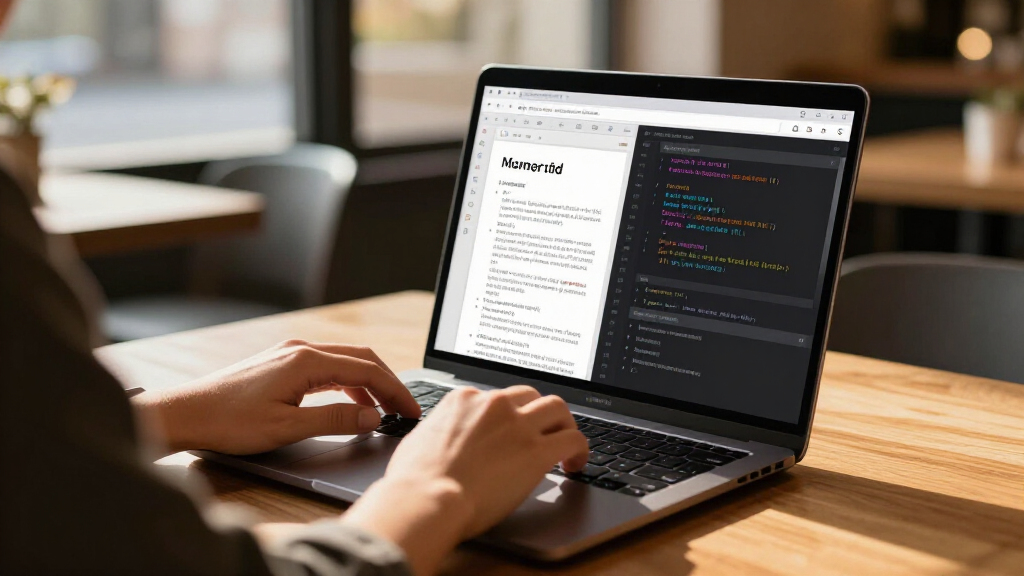
The PaperPilot project has published a v0.6 PDF and document toolkit built around a shared Rust engine, with interfaces for command-line use, AI-agent connections through MCP, a local REST API, a desktop app and browser-based WebAssembly. Its developers say files stay on the user’s machine or in browser memory, positioning the tool as a local alternative for PDF workflows that may involve sensitive documents.
The project’s GitHub documentation lists tools for merging, splitting, rotating, extracting and compressing PDFs, alongside text extraction and optical character recognition. It also describes security-related functions including watermarking, signature validation and removal, personally identifiable information scanning, and deep sanitization. Excel files can be converted to JSON or CSV. These are project-described capabilities; the supplied material does not include independent testing of their accuracy or reliability.
PaperPilot exposes the same Rust core across several surfaces. Users can run its CLI for scripted workflows, connect an MCP server to supported coding assistants and other MCP clients, or start a local REST service documented at port 7823. A Tauri and Svelte desktop app is also listed, as is a browser interface at usepaperpilot.com. The project says the browser version processes files in browser memory and does not upload them.
The repository identifies Apache 2.0 licensing for its Community Edition, which it says includes the CLI, MCP server, REST gateway, WASM engine and desktop app. It lists Rust 1.75 or later as a build requirement, with Node.js and pnpm needed for the desktop app. The project separately describes an Enterprise Edition with SSO, role-based access control, audit logs and data-loss-prevention features; that edition is developed separately.
Local PDF Workflows for AI Tools
PaperPilot brings document operations into environments where users already run scripts or AI coding tools. An MCP connection can let a compatible assistant request PDF tasks, while the local CLI and REST API offer routes for batch jobs and other software integrations. That could reduce the need to send documents to a separate online conversion service, particularly for users handling confidential files.
The privacy benefit depends on how the software is run and on whether the project’s data-handling description holds in practice. The source material provides setup instructions and suggests checking browser network activity, but it does not include an outside security audit, a detailed threat model or independently verified network testing. Users with sensitive documents may want to inspect the code and test the exact build and interface they plan to use.
Offering multiple interfaces over one core may also reduce differences between workflows, though that is an architectural aim rather than a demonstrated result. The repository points users to a benchmark report and says benchmarks can be reproduced with Cargo, but the source material supplied here does not give benchmark figures or comparisons with competing tools.
Popular right now

Breville Bambino Espresso Machine, Brushed Stainless Steel

eufy E25 Robot Vacuum and Mop Combo with HydroJet Roller Mop

TCL 85 Designer Series QD-Mini LED TV (Model 85A400U) with Google Smart TV
As an affiliate, we earn on qualifying purchases.
One Rust Core, Several Interfaces
PaperPilot’s repository describes a workspace made up of components for core functions, PDF handling, natural-language processing, the gateway, MCP, WebAssembly and storage. It names libraries including lopdf, pdf_oxide and rten, and says OCR uses a pure-Rust implementation of PaddleOCR through rten. The project also says it does not rely on a Chromium runtime, a C++ runtime or cloud calls.
The current feature list is labeled v0.6, while the roadmap places additional capabilities in later releases. The stated plans include PDF conversion to Markdown, HTML and JSON in v0.7; export to Word, Excel and PowerPoint in v0.8; and features such as encryption, signing, redaction, forms and annotations in v0.9. Rendering, repair, comparison, PDF/A and Bates numbering are listed for v1.0. These are roadmap items, not confirmed shipped features.
The project offers ready-to-merge MCP configuration for several named clients and documents a local server setup. It also provides an embeddable browser widget and an API documentation page. These options make the project more than a single-purpose desktop utility, but they also mean privacy and functionality may differ by installation, browser and deployment.
“Files never leave your machine.”
— PaperPilot project description on GitHub
Privacy and Performance Need Testing
The supplied material does not establish when v0.6 was released, how many people use PaperPilot, or whether its listed features have been independently evaluated. The project’s statements that files remain local and that browser processing occurs in memory are developer claims; no audit report or independent network analysis is provided here.
It is also unclear how consistently the different interfaces handle every supported PDF, including damaged files, unusual fonts, encrypted documents or complex forms. The repository refers to benchmark methodology and results, but no numbers or named comparisons appear in the source material. The Enterprise Edition is described as separate, without detail on availability or release timing.
Roadmap and Independent Evaluation
The next development milestones described by the project are v0.7’s PDF-to-Markdown, HTML and JSON conversions, followed by office-format exports in v0.8. Those milestones remain planned; the supplied source does not give release dates. The project invites bug reports, feature requests and documentation contributions through its repository.
For users considering adoption, the immediate next step is to review the repository, build or download the version they intend to use, and test its behavior with representative files. Independent checks of network traffic, security handling, OCR accuracy and benchmark results would help clarify how well the project’s privacy and performance claims hold across its browser, desktop and agent-connected versions.
Key Questions
What is PaperPilot?
PaperPilot is a Rust-based PDF and document toolkit. Its project documentation lists a command-line app, MCP server, local REST API, desktop app and browser-based WASM interface.
Does PaperPilot send documents to the cloud?
The project says its tools run locally or process files in browser memory, and that files are not uploaded. That is a developer claim; the supplied material does not include an independent audit confirming it.
Can AI assistants use PaperPilot?
Yes, the project documents an MCP server for compatible clients, including several coding assistants and desktop applications. Its repository provides client configuration guidance.
What features are listed in v0.6?
The project lists PDF organization and compression, text extraction, OCR, watermarking, signature checks and removal, PII scanning, deep sanitization, and Excel-to-JSON or CSV conversion. These are features reported by the project, not independently verified in the supplied material.
Are the roadmap features available now?
No release timing is provided for the planned v0.7 through v1.0 features. PDF conversions to Markdown and office formats, plus signing, redaction, forms and other tools, are presented as future roadmap items.
Source: github.com