TL;DR
A buyer’s guide compares eight drawing tablets across display type, workspace, controls, portability and computer dependence. Its listed specifications point to different tradeoffs, but the source does not provide independent testing or establish that one model is best for every artist.
A buying guide comparing eight drawing tablets, as detailed in the original analysis, recommends the HUION Kamvas 13 (Gen 3) for artists seeking a computer-connected display, the HUION Inspiroy H1060P for a larger screenless workspace, and the Frunsi RubensTab T11 Pro for standalone use. The comparison highlights a practical choice for digital artists: draw on a tablet screen, use a pen surface while viewing a separate monitor, or choose a device designed to work without a computer.

Get the latest gadgets delivered free with Prime
- Fast, free delivery on millions of items
- Prime Video, Amazon Music and more included
- Member-only deals all year
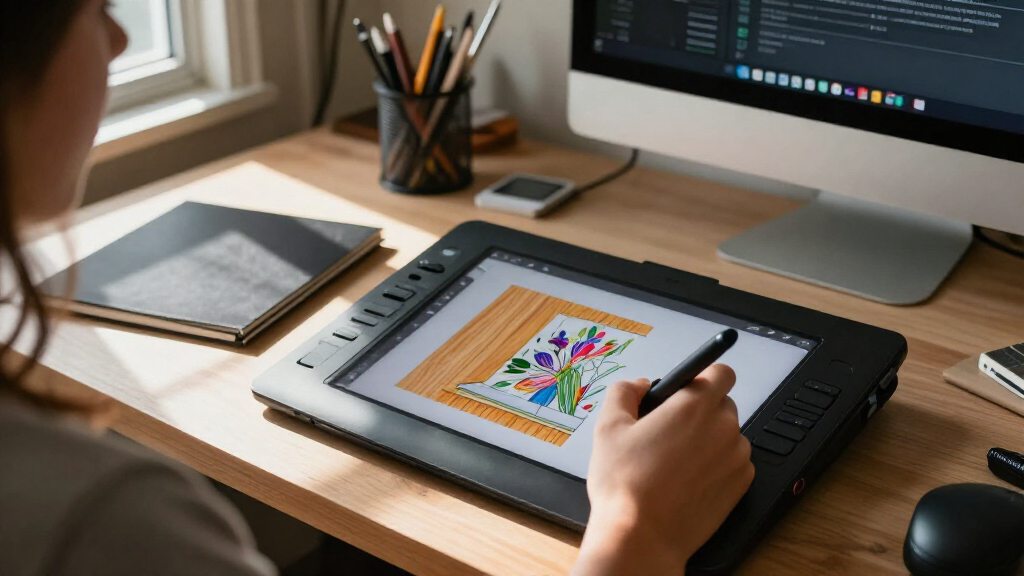
The guide lists the Kamvas 13 (Gen 3) as its overall pen display pick, citing a 13.3-inch screen, dual dial controls and fully laminated Canvas Glass 2.0. It also lists 16,384 pressure levels. The device requires a connected computer or compatible Android device, according to the source, so its screen does not make it a standalone tablet.
For screenless options, the Inspiroy H1060P has a 10-by-6.25-inch working area, while the more compact H640P has a 6-by-4-inch area and weighs 0.61 pounds; other drawing tablet picks at different price points offer additional comparisons. The guide describes the H1060P as suited to desktop work and programmable controls, and the H640P as easier to carry. Both require a separate screen for viewing the artwork. The Wacom Intuos Small is another wired screenless option; its listed battery-free pen avoids recharging, while its USB-A cable can limit placement.
Two entries use the name XP-Pen Artist 13.3 Pro V2. The supplied material gives differing color-coverage figures: one listing says 125% sRGB, 107% Adobe RGB and 95% Display P3; another says 123% sRGB and 88% NTSC. It also describes tilt support up to 60 degrees, a laminated Full HD display and shortcut controls. The guide advises comparing the exact listing and included accessories. For standalone use, it names the Frunsi RubensTab T11 Pro and PicassoTab A10; the Frunsi listing specifies a 10.1-inch 1920-by-1200 display and claims up to five hours of battery use, while AI drawing tablets offer another area to explore.
Eight drawing tablets three ways to create
The guide compares screen displays, screenless surfaces and standalone tablets. The right fit depends on your setup, software and portability needs.
Choose a workflow
Each tablet type changes where you draw and what devices you need.
Draw on screen
The Kamvas 13 (Gen 3) has a display and dual dials, but needs a compatible connected device.
Work at a desk
The H1060P offers a larger drawing area; view your artwork on a separate screen.
Leave the computer behind
The Frunsi RubensTab T11 Pro and PicassoTab A10 are described as standalone options.
Match the workspace
Screenless models trade direct on-screen drawing for a separate viewing setup.
- H1060P: 10-by-6.25-inch surface
- Suited to desktop work and programmable controls
- Requires a separate screen
- H640P: 6-by-4-inch surface
- Listed weight: 0.61 pounds
- Also requires a separate screen
Check compatibility and listings
The specifications are a shortlist, not proof that one tablet performs best for every artist.
Match the tablet to your computer, operating system and art software.
The guide gives differing color figures for two similarly named XP-Pen entries.
Check current specifications, connection needs, cables and accessories with the seller.
Choosing Between Three Workflows
The models represent three distinct digital art workflows. A pen display lets artists draw where they see the image, but ties work to a compatible computer or device. A screenless tablet can cost less and suit a fixed desktop setup, though hand movements happen on a surface separate from the image. A standalone device reduces dependence on a computer, but the guide says Android software may not support some high-end desktop illustration programs.
That makes the specifications useful as a shortlist, rather than a universal ranking. Workspace size, software compatibility, portability and shortcut controls affect how a tablet fits a particular artist’s work. The source does not provide comparable prices, independent performance tests or evidence that its recommended models outperform alternatives.
Popular right now

Ninja SP151 Flip Toaster Oven & Air Fryer, Stainless Steel

LG 77-Inch OLED evo C5 Series Smart TV (2025)

Shark Navigator Robot Vacuum with 30-Day Self-Empty Base, White (AV2110S)
As an affiliate, we earn on qualifying purchases.
How the Eight Models Differ
The guide groups the products by use case, including beginner and portable options, screen displays for illustrators, a larger desktop surface and standalone tablets. Its listed pen specifications include 8,192 pressure levels for the H640P and 16,384 for the Kamvas 13 (Gen 3). Those figures describe the products as presented in the source; they do not by themselves establish drawing quality or a visible advantage in practice.
The source also contains inconsistent XP-Pen color figures across two similarly named entries, and its final PicassoTab A10 description is cut off. It identifies the article as AI-assisted and includes affiliate links, stating that it may earn commission on qualifying purchases. Those details matter when weighing its recommendations: the material is a shopping guide, not a disclosed hands-on test or independent review.
Specifications Need Verification
The supplied material does not establish whether the two XP-Pen Artist 13.3 Pro V2 entries refer to different configurations, revisions or duplicate listings. Their color-coverage figures differ, and the source does not explain why. Buyers should confirm the exact model, specifications and accessories with the seller before purchase.
Several broader points also remain unverified: the guide gives no test method for its recommendations, no like-for-like price comparison, and no detailed compatibility list for the named standalone tablets. The PicassoTab A10 section ends mid-description, leaving its screen, software and other specifications unclear in this material.
Check Listings Before Buying
Readers comparing these products should match the tablet to their computer, operating system and art software, then check the current seller listing for connection requirements, included cables or stands, and the exact pen and display specifications. For a standalone model, confirm that its apps support the intended drawing workflow.
The source provides no future product announcement or review milestone. Prices, availability and listings can change, so the comparison’s recommendations and specifications should be checked against current manufacturer or retailer information before purchase.
Key Questions
Which tablet does the guide recommend overall?
It names the HUION Kamvas 13 (Gen 3) as its overall pen display pick, citing its 13.3-inch screen and dual dials. It still requires a compatible connected device.
Which listed tablet has the largest screenless work area?
The guide lists the HUION Inspiroy H1060P with a 10-by-6.25-inch working area. It has no display, so the artist views the work on a separate screen.
Which options are described as standalone?
The guide identifies the Frunsi RubensTab T11 Pro and PicassoTab A10 as standalone drawing tablets. It does not supply complete PicassoTab specifications in the provided material.
Are the two XP-Pen entries the same configuration?
The source does not clarify that. It lists differing color-coverage figures for two similarly named Artist 13.3 Pro V2 entries, so buyers should check the precise seller listing and included accessories.
Source: Thorsten Meyer AI