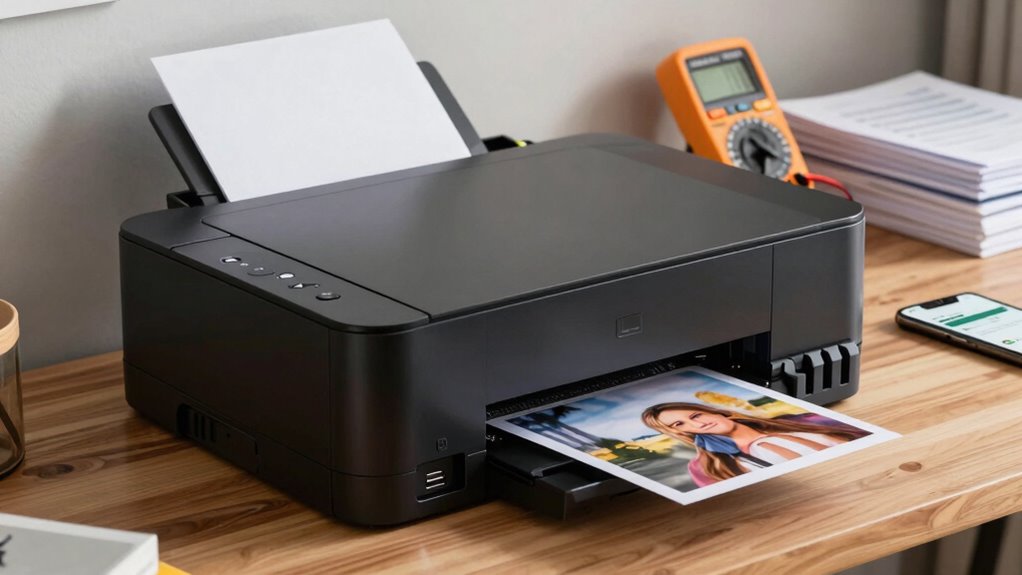

When selecting a printer for home or side hustle use, consider your primary printing needs—whether for documents or high-quality color prints—and choose a model that balances initial cost with ongoing expenses. Check its connectivity options, especially wireless features that let you print from smartphones or tablets easily. Think about print speed, volume capacity, and size to match your workspace. Also, evaluate environmental impact and maintenance costs. If you want a detailed guide to find the perfect fit, keep exploring for more tips.

Get the latest gadgets delivered free with Prime
- Fast, free delivery on millions of items
- Prime Video, Amazon Music and more included
- Member-only deals all year
Key Takeaways
- Determine your primary printing needs and choose a model with suitable print quality, volume capacity, and cost efficiency.
- Ensure the printer supports wireless connectivity and is compatible with your devices for convenient mobile printing.
- Consider the size and design to fit your workspace, especially if space is limited.
- Assess ongoing costs, including ink or toner replacements and maintenance expenses.
- Check environmental impact and maintenance requirements to maintain a healthy, efficient workspace.

Buying a printer can seem straightforward, but there are important factors to take into account to make sure you choose the right one for your needs. One of the first things to consider is the type of printing you’ll do most often. If you’re printing documents for work or side hustles, look for a device that offers reliable, sharp text quality. For occasional personal use, you might prioritize ease of use and cost efficiency. Whatever your purpose, understanding how printer ink works is essential. Some printers require you to buy specific cartridges, which can get expensive over time, especially if you print frequently. Consider models that use high-yield cartridges or ink tank systems, which can save you money and reduce the hassle of frequent replacements. Additionally, it’s helpful to know about print head technology since it impacts print quality and maintenance needs. Wireless connectivity is another key feature to evaluate. If you want to avoid clutter and enjoy the convenience of printing from multiple devices, look for a printer that supports Wi-Fi or wireless network connections. This allows you to print directly from your smartphone, tablet, or laptop without the need for cumbersome cables. Wireless printers also make it easier to set up a shared home or small office printer, making your workflow more seamless. Check that the printer supports your preferred operating systems and devices, and consider whether it offers features like mobile printing apps or cloud integration, which can further streamline your printing tasks. You should also think about the speed and volume of your printing needs. If you’re planning to print large batches of documents regularly, a printer with a higher pages-per-minute rate will save you time. For infrequent printing, a basic model should suffice. Additionally, assess the size and design of the printer—if space is limited, a compact or all-in-one device that combines printing, scanning, and copying might be ideal. It’s also worth noting that print quality can vary significantly between models, especially for color printing. Understanding print quality metrics can help you make a more informed decision. Moreover, considering the cost of consumables upfront and ongoing expenses can help prevent unexpected costs over time. A well-informed choice can also benefit from knowledge about air quality and how it can be affected by the environment of your workspace, which is especially important if you print frequently and want to maintain a healthy indoor space. Lastly, don’t overlook the cost of consumables and maintenance. Besides printer ink, check the price and availability of replacement parts like print heads or rollers. Some printers have cheaper initial prices but higher ongoing costs, so it’s wise to factor in the total cost of ownership. By carefully weighing these elements—ink options, wireless connectivity, speed, size, and ongoing expenses—you’ll be better equipped to select a printer that truly meets your home or side hustle needs.
wireless color inkjet printer for home
As an affiliate, we earn on qualifying purchases.
As an affiliate, we earn on qualifying purchases.
Frequently Asked Questions
Can I Use Third-Party Ink Cartridges With This Printer?
Yes, you can use third-party ink cartridges with this printer, but check ink cartridge compatibility first. Keep in mind, third-party ink quality varies, so choose reputable brands to avoid issues like poor print quality or damage. Some printers may also have firmware updates that restrict third-party ink use. Always research and read reviews to guarantee your chosen cartridges work smoothly with your specific model, saving you money and hassle.
How Long Does It Take to Print a Large Batch?
Printing a large batch depends on your printer’s print speed and batch capacity. Typically, it takes a few minutes to print hundreds of pages, but high-speed models can do this faster. If you have a big job, look for printers with higher print speed and larger batch capacity, which help you save time. Keep in mind, multiple factors like document complexity can also influence the overall time.
Is the Printer Compatible With My Operating System?
Think of your printer as a loyal steed—will it run smoothly on your system? Check its compatibility with your OS to guarantee seamless operation. Focus on printer durability and ink cartridge lifespan; a durable printer with a long-lasting cartridge saves you time and money. Confirm compatibility first, so you avoid surprises, and enjoy consistent, efficient printing, whether you’re working on a side hustle or at home.
What Is the Average Cost of Replacement Ink or Toner?
The average cost of replacement ink or toner varies, but you can expect to spend between $15 and $50 per cartridge. Keep in mind, ink recycling programs can help reduce costs and waste. Also, check the cartridge lifespan; some cartridges last longer and save you money over time. Comparing prices and considering refillable options can make your printing more economical and environmentally friendly.
Does the Printer Support Wireless or Mobile Printing Features?
Yes, your printer should support wireless connectivity and mobile printing features. This allows you to print conveniently from your smartphone, tablet, or laptop without needing cables. Check if it’s compatible with your devices’ operating systems and supports popular apps like AirPrint, Google Cloud Print, or manufacturer-specific solutions. Wireless and mobile printing save you time and make your workflow smoother, especially when working from home or managing side hustle tasks.
high yield toner laser printer for small business
As an affiliate, we earn on qualifying purchases.
As an affiliate, we earn on qualifying purchases.
Conclusion
So, before you rush out and buy that printer, make sure you check all these points—don’t let a tiny mistake turn your home or side hustle into a printing nightmare! Imagine spending your hard-earned cash on a printer that can’t handle your workload, runs out of ink faster than you blink, or refuses to connect when you need it most. Do your homework now, and save yourself from printing chaos later—trust me, your sanity will thank you!
compact all-in-one printer with scanning and copying
As an affiliate, we earn on qualifying purchases.
As an affiliate, we earn on qualifying purchases.
mobile printing compatible printer
As an affiliate, we earn on qualifying purchases.
As an affiliate, we earn on qualifying purchases.
Halloween Picks
halloween
As an affiliate, we earn on qualifying purchases.