
To improve your video calls with small equipment changes, focus on your lighting and camera setup. Use natural light or affordable softboxes to create even, flattering lighting, positioning it slightly above eye level. Keep your camera at eye level and steady, framing yourself with head and shoulders visible. Choose a clean background to stay professional, and experiment with angles and distance for the best shot. Keep exploring for more tips to enhance your on-camera presence even further.

Get the latest gadgets delivered free with Prime
- Fast, free delivery on millions of items
- Prime Video, Amazon Music and more included
- Member-only deals all year
Key Takeaways
- Use soft, diffused lighting like softboxes or ring lights placed slightly above eye level for even illumination.
- Position your camera at eye level and ensure it is stable for natural framing and clarity.
- Keep backgrounds clean and uncluttered to focus attention on you.
- Maintain a moderate distance from the camera to include head and shoulders with proper framing.
- Experiment with lighting angles and camera positions before calls to achieve a polished, professional look.

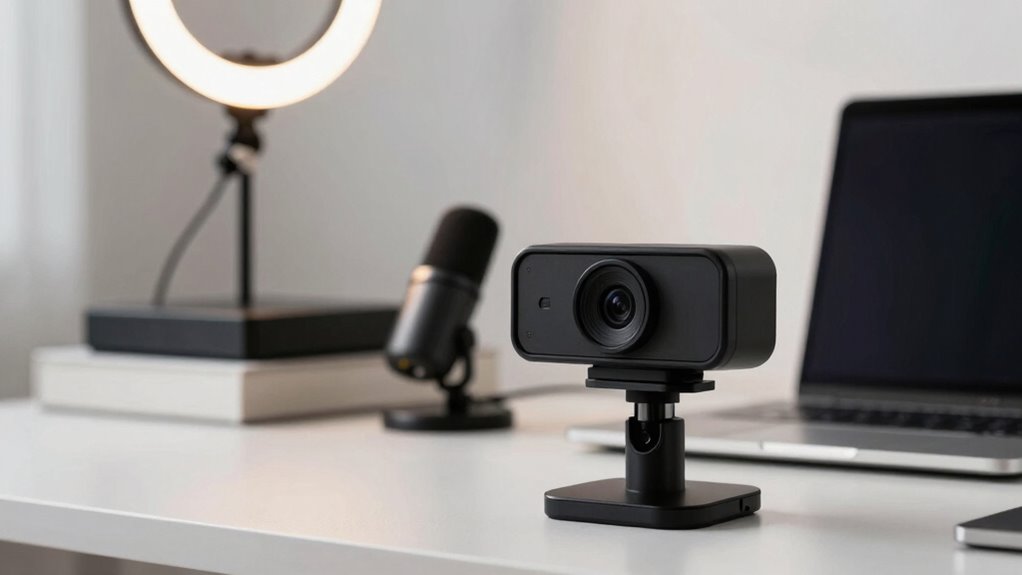
If your video calls often look less polished or blurry, small equipment tweaks can make a big difference. One of the most impactful changes you can make is adjusting your lighting setup. Proper lighting guarantees your face is clearly visible and reduces shadows that can distract viewers. Natural light is ideal—position yourself facing a window during the day, but avoid direct sunlight, which can cause glare. If natural light isn’t enough, invest in affordable softbox lights or ring lights. These tools distribute light evenly, eliminating harsh shadows and giving your face a flattering glow. Position your light source slightly above eye level and angle it toward your face for the most natural look. Consistent, well-placed lighting can dramatically enhance your video quality, making you appear more polished and professional.
Another essential element is your camera angles. The way you position your camera influences how viewers perceive you. Place your camera at eye level to create a natural, engaging perspective. Looking slightly downward or upward can make you seem unbalanced or awkward, so use a stable stand or stack books to elevate your device if needed. Keep the camera steady to avoid shaky footage, which can be distracting and unprofessional. Frame yourself properly, with your head and shoulders visible, and leave some space above your head for a balanced shot. Avoid sitting too close or too far from the camera; being within arm’s reach helps maintain a clear image while also allowing you to use gestures naturally. Also, consider the background behind you—clean and uncluttered backgrounds look more professional and keep the focus on you. Additionally, understanding basic lighting principles can help you optimize your setup even further. Being aware of camera positioning and how it affects your on-screen presence is crucial, especially as many devices now have automatic focus and framing features that can be utilized effectively. Remember that lighting and positioning are just as important as the quality of your device, as it directly impacts how confident and approachable you appear on screen. Incorporating proper sound setup can further boost the overall quality of your video calls, as clear audio is equally vital for effective communication.
Small equipment changes like these—adjusting your lighting setup and camera angles—are simple yet effective. They don’t require a lot of money or complex setup, but the impact on your video quality is significant. When your lighting is bright and even, and your camera is positioned at the right angle, you project confidence and professionalism. These tweaks help you look more engaged and approachable, making your communication more effective. Remember, it’s not just about the equipment; it’s about how you use it. Take a moment to experiment with different lighting and camera positions before your calls, so you’re confident about your setup. With a little effort, your video calls will look sharper, more professional, and more engaging, helping you make a stronger impression every time.
Popular right now

KitchenAid Artisan 5-Quart Tilt-Head Stand Mixer, Almond Cream

Bose QuietComfort Wireless Bluetooth Headphones with Active Noise Cancellation, Mic, USB‑C Charging, Deep Bass, 24‑Hour Battery – White Smok

Dyson Car+Boat Cordless Handheld Vacuum
As an affiliate, we earn on qualifying purchases.
Frequently Asked Questions
Can Lighting Adjustments Improve Video Call Quality Without Extra Equipment?
Yes, lighting adjustments can improve your video call quality without extra equipment. You can position yourself facing natural light or a soft lamp to brighten your face evenly, reducing shadows. Keep your camera at eye level for better angles, and guarantee your microphone quality is clear to avoid audio issues. These small changes make a significant difference, enhancing your overall appearance and professionalism during calls without needing additional gear.
What Smartphone Settings Enhance Video Call Clarity?
To enhance your video call clarity, adjust your smartphone’s camera angle so your face is well-lit and centered, reducing shadows and improving focus. Also, make certain your audio quality is clear by using a noise-canceling microphone or headphones with a mic. These small tweaks help your camera capture a better image and your voice come through crisp and free of background noise, making your calls more professional and engaging.
Are There Affordable Accessories to Boost Video Call Appearance?
Did you know that 85% of video call participants believe image quality impacts professionalism? You can boost your appearance affordably with accessories like virtual backgrounds, which hide distracting backgrounds, and microphone upgrades that improve sound clarity. These small investments make a big difference, enhancing your overall presentation and ensuring you’re seen and heard clearly without breaking the bank.
How Does Background Choice Affect Video Call Professionalism?
Your background choice greatly impacts your professional presence during a video call. A clear, clutter-free background enhances background clarity, making you look more polished and serious. Avoid messy or distracting environments, and opt for a simple, tidy backdrop that reflects professionalism. This focus on background clarity helps others concentrate on you, boosting your credibility and ensuring your message comes across effectively.
Can Internet Speed Impact the Effectiveness of Small Equipment Changes?
Did you know that a slow internet connection can reduce video quality by up to 50%? Yes, internet speed substantially impacts your call’s effectiveness. Network stability and bandwidth optimization are essential—if your internet is unstable or bandwidth is limited, small equipment upgrades won’t help much. To improve your video calls, focus on ensuring a strong, stable connection, which allows your equipment enhancements to work effectively and deliver clearer, more professional visuals.
Conclusion
With just a few small tweaks, you can turn your video calls into a smooth dance of clarity and connection. Think of your equipment as the brushes and palette—simple, yet powerful enough to paint a vivid picture. When you tweak your lighting, upgrade your webcam, and tidy your space, you’re not just improving quality; you’re setting the stage for conversations that shine. So, step up your game and let your presence glow through every call.