
AI assistants like Alexa, Siri, and Google Assistant help you manage daily tasks through simple voice commands, making routines easier and hands-free. You can ask them to set reminders, play music, find directions, or answer questions quickly. They use voice recognition to interact naturally and improve over time. While offering great convenience, it’s important to understand privacy options and settings. Keep exploring to learn how to get the most out of your AI assistant safely and effectively.
Key Takeaways
- AI assistants like Alexa and Siri help manage daily tasks through voice commands such as reminders, music, and directions.
- They use voice recognition technology for hands-free operation, enhancing convenience during activities like cooking or driving.
- Users should review privacy settings, as voice recordings are stored to improve service, raising potential privacy concerns.
- Muting microphones and deleting voice data are safety measures to protect personal information while using AI assistants.
- Balancing convenience with privacy awareness ensures effective assistance without compromising personal security.
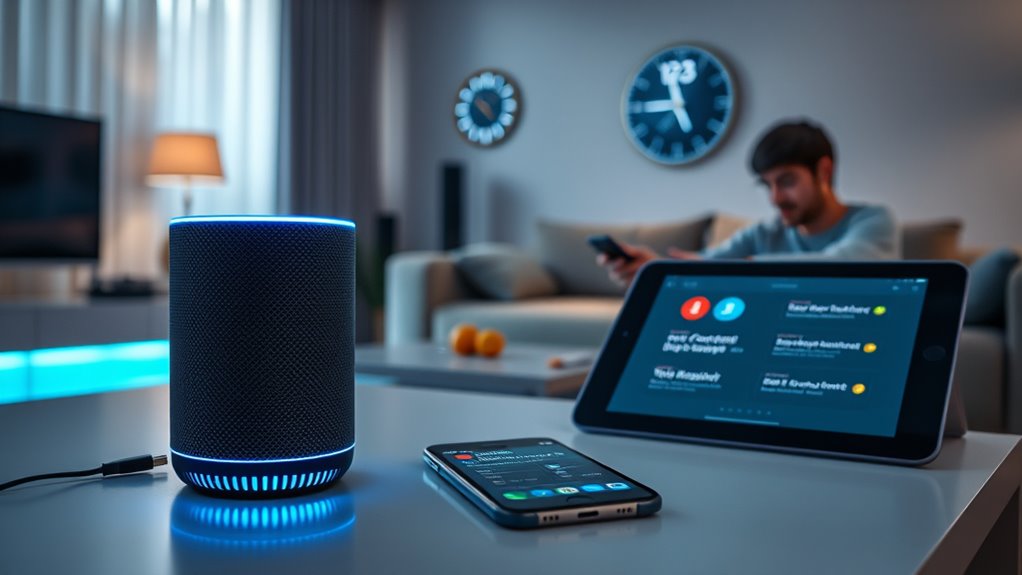
AI assistants are becoming increasingly common in everyday life, helping you manage tasks, answer questions, and streamline routines with ease. Whether it’s asking Siri to set a reminder, Alexa to play your favorite playlist, or Google Assistant to find directions, these tools are designed to make your day smoother. One of their core features is voice recognition, which allows you to interact naturally without needing to type or navigate menus. You simply speak, and the AI processes your words to provide the right response or action. This hands-free convenience is especially useful when you’re busy cooking, driving, or multitasking around the house.
AI assistants simplify daily routines with voice commands, making tasks faster and hands-free.
However, as you rely more on voice recognition technology, privacy concerns naturally come into play. Many AI assistants are always listening for their wake words, which means they’re constantly monitoring sounds in your environment. While this setup enables quick responses, it also raises questions about what data is being collected and how it’s used. Companies typically store recordings of your commands to improve their services, but there’s always a risk that sensitive information could be accessed by unauthorized parties or misused. It’s important to understand the privacy policies of your chosen assistant and to adjust settings to limit data sharing if you’re uncomfortable with the level of access.
You can take steps to protect your privacy while enjoying the benefits of voice recognition. Many AI assistants allow you to delete your voice recordings or disable voice history altogether. You might also opt to mute the microphone when you’re not actively using the device, reducing the chances of accidental listening. Additionally, being mindful of what you say around your device helps prevent sharing personal details unintentionally. While voice recognition technology is impressive and increasingly accurate, it’s not flawless, and occasional misunderstandings can lead to unintended actions or responses. Staying aware of these limitations helps you use your AI assistant more safely and effectively.
Ultimately, integrating AI assistants into your routine offers undeniable convenience, but it’s essential to strike a balance between utility and privacy. Understanding how voice recognition works and being proactive about your privacy settings ensures that you can enjoy seamless assistance without compromising your personal information. As these devices continue to evolve, staying informed about their capabilities and risks allows you to harness their power responsibly. Whether you’re asking for weather updates or controlling smart home devices, being conscious of privacy concerns ensures that your experience remains safe, secure, and truly helpful. Additionally, understanding the underlying AI technology behind these assistants can help you make more informed decisions about their use and privacy settings.
Frequently Asked Questions
Can AI Assistants Understand Multiple Languages Simultaneously?
Yes, AI assistants can understand multiple languages simultaneously. They offer multilingual support, allowing you to communicate in different languages without switching settings. You can speak naturally, and the assistant will recognize the language and respond appropriately. Some devices even support seamless language switching, where you can change languages on the fly during conversations. This makes it easier to interact with your AI assistant in multilingual environments, enhancing your overall experience.
How Secure Is My Personal Data With AI Assistants?
Your personal data with AI assistants is like a delicate butterfly—beautiful but vulnerable. While companies use data encryption to shield your information, privacy concerns still linger like shadows in the night. Trust depends on the provider’s security measures and your own vigilance. Regular updates and careful permissions help keep your data safer, but always stay aware of how your information is stored and shared, because safety is a dance with the unknown.
Can AI Assistants Control Smart Home Devices From Different Brands?
Yes, AI assistants can control smart home devices from different brands, but interoperability challenges may arise. Device compatibility varies, so some gadgets might not work seamlessly with your assistant. To guarantee smooth control, check if your smart devices are compatible with your AI assistant’s ecosystem. Using platforms like Zigbee or Z-Wave can help improve device interoperability, making it easier to manage multiple brands through a single AI assistant.
Do AI Assistants Learn and Adapt to My Preferences Over Time?
Oh, absolutely, your AI assistant is secretly a genius in training, constantly honing its skills through personalization evolution and learning capabilities. It observes your routines, favorite playlists, or morning coffee preferences, then subtly adjusts its responses. Over time, it becomes your digital butler, knowing you better than your best friend. So yes, it learns and adapts, making your life easier—whether you like it or not!
Are AI Assistants Able to Make Phone Calls or Send Messages Automatically?
Yes, your AI assistant can make phone calls or send messages automatically using voice recognition and call automation features. You simply give a voice command, like “Call John,” and it recognizes your request, then dials the number or sends the message. These assistants are designed to handle such tasks seamlessly, making communication quicker and hands-free. Just verify your device’s permissions are set correctly for these features to work smoothly.
Conclusion
Think of AI assistants like trusted sidekicks guiding you through your daily maze. With Alexa, Siri, and their friends, you hold the keys to a smarter, more effortless life. They’re the silent conductors orchestrating your routines, turning chaos into harmony. Embrace these digital companions—they’re the lighthouse in your sea of tasks, illuminating your path forward. With them by your side, each day becomes a journey, not just a destination.