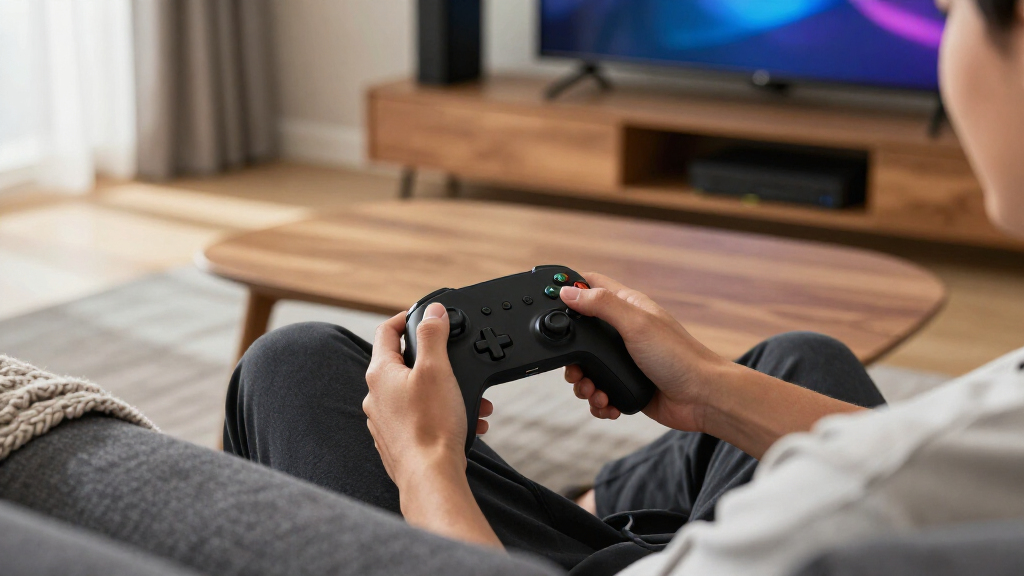
The best wireless gaming controllers balance reliable platform support, comfortable controls, and the features you will actually use. My best overall pick is the GameSir G7 Pro for players who want a controller built around Xbox and PC play, while the 8Bitdo Ultimate 2C stands out as a straightforward PC and Android option and the PlayStation DualSense brings distinctive feedback to supported PlayStation games. The main tradeoffs are platform compatibility, connection options, and specialized features such as Hall Effect sticks, motion controls, or an integrated screen. A controller that works across several devices may not offer the same console-specific functions as a first-party model. Read on for the full breakdown and guidance on choosing the right fit for your setup.

Get the latest gadgets delivered free with Prime
- Fast, free delivery on millions of items
- Prime Video, Amazon Music and more included
- Member-only deals all year
Complete the kit



Key Takeaways
- Platform fit is the first sorting step: the Xbox and DualSense controllers are clearest choices for their respective consoles, while several GameSir, EasySMX, 8Bitdo, and VOYEE models list broader device support.
- Hall Effect controls recur in the lineup: the GameSir Nova Lite, Nova Lite 2, and EasySMX X05Pro make this feature a key point of comparison, but it should not outweigh compatibility or comfort.
- Extra hardware adds setup tradeoffs: the ManbaOne models pair an interactive screen with controller functions, and the dock version adds a charging convenience that may matter more to desk users than travelers.
- Similar names do not mean identical use cases: two VOYEE Switch-oriented listings and three Xbox Wireless Controller color editions make it especially important to compare platform support and included features, not appearance alone.
- Broad compatibility and console-native features serve different buyers: a multi-device controller can simplify a mixed-device setup, while a first-party controller is the more direct route to platform-specific play and controls.
| 8Bitdo Ultimate 2C Wireless Controller for Windows and Android (Green) |  | Best for Fast PC Play | Compatible devices: Windows, Android | Connectivity: USB, 2.4 GHz wireless | Polling rate: 1000 Hz over 2.4 GHz and wired connections | VIEW LATEST PRICE | See Our Full Breakdown |
| EasySMX X05Pro Wireless Gaming Controller for PC, Switch, Android, and iOS |  | Best for Quiet Multi-Platform Play | Compatible devices: PC, Switch/Switch 2, Android, iOS | Connectivity: USB-C, 2.4 GHz wireless, Bluetooth | Polling rate: 1000 Hz wired/2.4 GHz; 125 Hz Bluetooth | VIEW LATEST PRICE | See Our Full Breakdown |
| GameSir G7 Pro Controller for Xbox, PC, and Android | 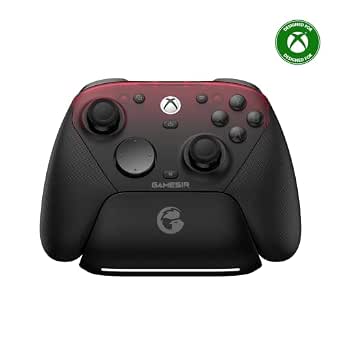 | Best for Xbox and PC Players | Compatible devices: Xbox Series X|S, Xbox One, PC, Android | Connectivity: USB wired, 2.4 GHz wireless, Bluetooth | Stick technology: Mag-Res TMR | VIEW LATEST PRICE | See Our Full Breakdown |
| EasySMX X15 Wireless Gaming Controller for PC, Steam, Switch, Android, and iOS | 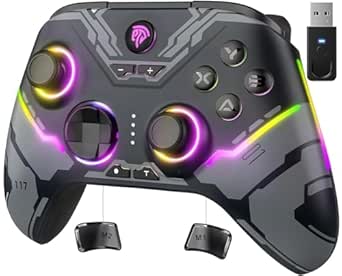 | Best for RGB Customization | Compatible devices: Windows PC, Steam, Nintendo Switch, Android, iOS | Connectivity: 2.4G wireless, Bluetooth, USB-C | Joystick and trigger technology: Hall Effect | VIEW LATEST PRICE | See Our Full Breakdown |
| VOYEE Wireless Controller for Nintendo Switch, Switch Lite, Switch OLED, and PC | 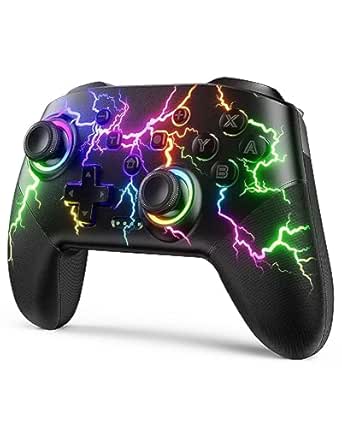 | Best for Switch Motion Controls | Compatible devices: Nintendo Switch, Switch Lite, Switch OLED, Windows PC | PC connection: Wired | Connectivity: Wireless | VIEW LATEST PRICE | See Our Full Breakdown |
| GameSir Nova Lite Wireless Game Controller with Hall Effect Sticks and Triggers |  | Best Multi-Platform Budget Pick | Compatible devices: Windows 10/11, Nintendo Switch, Android, iOS, Steam Deck, PC | Connectivity: Bluetooth, 2.4 GHz wireless, USB-C | Included accessory: 2.4 GHz wireless dongle | VIEW LATEST PRICE | See Our Full Breakdown |
| Xbox Wireless Controller, Deep Pink |  | Best for Xbox and PC Regulars | Compatible devices: Android, iOS, Windows, Xbox Series S, Xbox Series X | Connectivity: Bluetooth, Xbox Wireless, USB-C | Power source: AA batteries | VIEW LATEST PRICE | See Our Full Breakdown |
| Xbox Wireless Controller – Ice Breaker Special Edition |  | Best Special-Edition Xbox Pick | Compatible devices: Android, iOS, Windows, Xbox One, Xbox Series S, Xbox Series X | Connectivity: Xbox Wireless, Bluetooth, USB-C | Battery life: Up to 40 hours | VIEW LATEST PRICE | See Our Full Breakdown |
| PlayStation DualSense Wireless Controller, Cosmic Red |  | Best for PS5 Immersion | Compatible devices: PlayStation 5, PC, Mac, Android, iOS | Connectivity: Bluetooth, wireless, USB-C | Color: Cosmic Red | VIEW LATEST PRICE | See Our Full Breakdown |
| VOYEE Wireless Game Controller for Nintendo Switch, Switch Lite, OLED, and Windows PC |  | Best for Switch Custom Controls | Compatible devices: Nintendo Switch, Switch Lite, Switch OLED, Windows PC | Connectivity: Wireless; USB for PC | Programmable buttons: M1 and M2; single or multiple button mapping | VIEW LATEST PRICE | See Our Full Breakdown |
| AceGamer Aurora II Wireless Bluetooth Game Controller | 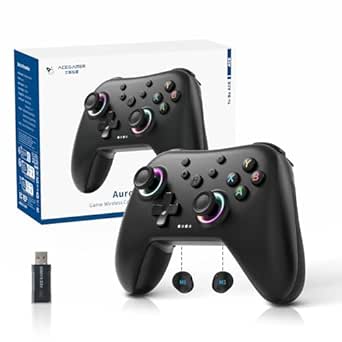 | Best for Simple Multi-Platform Flexibility | Controller type: Gamepad | Connectivity: 2.4 GHz wireless and Bluetooth | Compatible devices: PC, Nintendo Switch, Nintendo Switch 2, Steam Deck, iOS, Android | VIEW LATEST PRICE | See Our Full Breakdown |
| ManbaOne Wireless Gaming Controller with Interactive Screen | 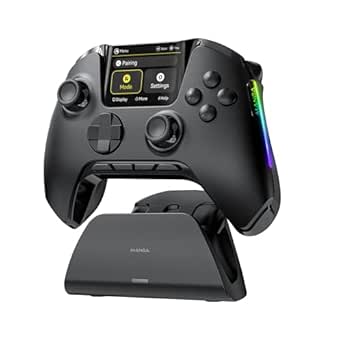 | Best for On-Controller Customization | Display: 2-inch interactive screen | Compatible devices: Nintendo Switch, Switch 2, iOS, Android, Windows PC | Connection options: Wired, Bluetooth, wireless dongle | VIEW LATEST PRICE | See Our Full Breakdown |
| ManbaOne Wireless Gaming Controller with Interactive Screen and Charging Dock |  | Best for Saved Control Profiles | Display: 2-inch interactive screen | Compatible devices: Nintendo Switch, Switch 2, Windows PC, iOS, Android | Connection modes: Wired, Bluetooth, wireless dongle | VIEW LATEST PRICE | See Our Full Breakdown |
| Xbox Wireless Controller – Shock Blue | 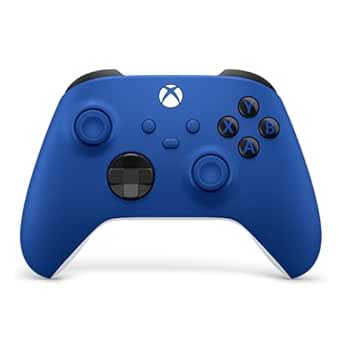 | Best for Xbox and Windows Players | Connectivity: Xbox Wireless, Bluetooth, USB-C | Compatible devices: Xbox Series X|S, Xbox One, Windows 10/11, Android, iOS, VR headsets | Power source: AA batteries | VIEW LATEST PRICE | See Our Full Breakdown |
| GameSir Nova Lite 2 Wireless PC Controller with Hall Effect Sticks |  | Best for Low-Latency Multi-Platform Play | Connectivity: Bluetooth, 2.4G wireless dongle, wired | Polling rate: 1000 Hz | Joystick type: Hall Effect with anti-friction rings | VIEW LATEST PRICE | See Our Full Breakdown |
| wireless gaming controller | Compatible devices | Connectivity |
|---|---|---|
| 8Bitdo Ultimate 2C Wireless Co | Windows, Android | USB, 2.4 GHz wireless |
| EasySMX X05Pro Wireless Gaming | PC, Switch/Switch 2, Android, iOS | USB-C, 2.4 GHz wireless, Bluetooth |
| GameSir G7 Pro Controller for | Xbox Series X|S, Xbox One, PC, Android | USB wired, 2.4 GHz wireless, Bluetooth |
| EasySMX X15 Wireless Gaming Co | Windows PC, Steam, Nintendo Switch, Android, iOS | 2.4G wireless, Bluetooth, USB-C |
| VOYEE Wireless Controller for | Nintendo Switch, Switch Lite, Switch OLED, Windows PC | Wireless |
| GameSir Nova Lite Wireless Gam | Windows 10/11, Nintendo Switch, Android, iOS, Steam Deck, PC | Bluetooth, 2.4 GHz wireless, USB-C |
| Xbox Wireless Controller | Android, iOS, Windows, Xbox Series S, Xbox Series X | Bluetooth, Xbox Wireless, USB-C |
| Xbox Wireless Controller | Android, iOS, Windows, Xbox One, Xbox Series S, Xbox Series X | Xbox Wireless, Bluetooth, USB-C |
| PlayStation DualSense Wireless | PlayStation 5, PC, Mac, Android, iOS | Bluetooth, wireless, USB-C |
| VOYEE Wireless Game Controller | Nintendo Switch, Switch Lite, Switch OLED, Windows PC | Wireless; USB for PC |
| AceGamer Aurora II Wireless Bl | PC, Nintendo Switch, Nintendo Switch 2, Steam Deck, iOS, Android | 2.4 GHz wireless and Bluetooth |
| ManbaOne Wireless Gaming Contr | Nintendo Switch, Switch 2, iOS, Android, Windows PC | — |
| ManbaOne Wireless Gaming Contr | Nintendo Switch, Switch 2, Windows PC, iOS, Android | — |
| Xbox Wireless Controller | Xbox Series X|S, Xbox One, Windows 10/11, Android, iOS, VR headsets | Xbox Wireless, Bluetooth, USB-C |
| GameSir Nova Lite 2 Wireless P | — | Bluetooth, 2.4G wireless dongle, wired |
More Details on Our Top Picks
8Bitdo Ultimate 2C Wireless Controller for Windows and Android (Green)
I’d put the 8Bitdo Ultimate 2C near the top for Windows players who value quick response and low-maintenance controls. Its 1000 Hz polling rate applies over 2.4 GHz wireless and wired connections, while Hall Effect sticks and triggers are designed to reduce wear-related drift. Compared with the EasySMX X05Pro, it has a narrower device list and fewer listed customization features, but its polling rate stays high on both supported connection modes; the X05Pro drops to 125 Hz over Bluetooth. The Ultimate 2C also lets players remap its L4/R4 bumpers without software, a useful shortcut for people who prefer on-controller setup. The tradeoff is straightforward: it suits Windows and Android, not a broad mix of consoles and mobile platforms, and its 1000 Hz figure does not apply to every wireless mode.
Pros:- 1000 Hz polling rate over 2.4 GHz wireless and wired connections
- Hall Effect joysticks and triggers are designed to resist wear-related drift
- L4/R4 bumpers can be remapped without software
- Metal joystick rings are described as wear-resistant
Cons:- Compatibility is limited to Windows and Android
- The 1000 Hz polling rate is specified only for 2.4 GHz and wired use
Best for: Windows players who want responsive 2.4 GHz control, Hall Effect inputs, and button remapping without configuration software
Not ideal for: Players who need one controller for Switch, iOS, Xbox, or PlayStation, or who expect the stated 1000 Hz rate across all wireless connections
- Compatible devices:Windows, Android
- Connectivity:USB, 2.4 GHz wireless
- Polling rate:1000 Hz over 2.4 GHz and wired connections
- Joysticks and triggers:Hall Effect
- Additional controls:Remappable L4/R4 bumpers, turbo function
- Buttons:14
- Weight:280 g
- Color:Green
Our verdict“Choose the Ultimate 2C for responsive Windows or Android play and simple onboard remapping, but skip it if you need wider platform support.”
EasySMX X05Pro Wireless Gaming Controller for PC, Switch, Android, and iOS
The EasySMX X05Pro is the most flexible pick here for players moving among PC, Switch, Android, and iOS. It offers USB-C, 2.4 GHz, and Bluetooth, plus two programmable buttons and adjustable dual-stage triggers, giving it more connection and control options than the Windows-and-Android-only 8Bitdo Ultimate 2C. Its silicone-damped buttons are a practical distinction for shared rooms or late sessions where button noise matters, while the sweat-resistant grip and rechargeable 1000 mAh battery suit longer play. The compromise is that its Bluetooth polling rate is 125 Hz, far below its 1000 Hz wired and 2.4 GHz modes. It also does not support Xbox, PlayStation, Luna, or GeForce, so its broad compatibility still has firm boundaries.
Pros:- USB-C, 2.4 GHz wireless, and Bluetooth support several listed platforms
- Quiet silicone-damped buttons suit shared spaces
- Two programmable buttons and adjustable dual-stage triggers offer control options
- Sweat-resistant grip and rechargeable 1000 mAh battery support extended sessions
Cons:- Not compatible with Xbox, PlayStation, Luna, or GeForce
- Bluetooth polling rate is 125 Hz, compared with 1000 Hz wired or over 2.4 GHz
Best for: Players who switch among PC, Nintendo Switch, Android, and iOS and want quiet buttons with programmable controls
Not ideal for: Xbox or PlayStation owners, and players who rely on Luna or GeForce services or want high polling over Bluetooth
- Compatible devices:PC, Switch/Switch 2, Android, iOS
- Connectivity:USB-C, 2.4 GHz wireless, Bluetooth
- Polling rate:1000 Hz wired/2.4 GHz; 125 Hz Bluetooth
- Joysticks:11-bit Hall Effect
- Triggers:Dual-stage adjustable
- Programmable buttons:2 top-mounted
- Battery capacity:1000 mAh
- Not compatible with:Xbox, PlayStation, Luna, GeForce
Our verdict“Pick the X05Pro if you need quiet, customizable play across its supported platforms, but use 2.4 GHz or wired mode for its higher polling rate.”
GameSir G7 Pro Controller for Xbox, PC, and Android
The GameSir G7 Pro is the strongest fit for players who split time between Xbox and PC and want different connection options on each. Xbox play is wired only, while PC supports wired or 2.4 GHz wireless and Android uses Bluetooth. That makes it less convenient for wireless Xbox sessions than a platform-focused wireless pad, but more adaptable across these three systems than the 8Bitdo Ultimate 2C, which lists only Windows and Android. The G7 Pro pairs TMR sticks with Hall Effect triggers, four extra customizable buttons, and a PC-only gyroscope. A charging station is included to keep the 1200 mAh battery ready between sessions. Buyers should weigh that feature-rich setup against the split platform behavior: gyro features stay on PC, and Xbox requires a cable.
Pros:- Supports wired Xbox, wired or 2.4 GHz PC, and Bluetooth Android connections
- TMR sticks and Hall Effect triggers are designed for responsive, durable input
- Four extra customizable buttons and PC-only gyroscope add control options
- Charging station supports recharging between sessions
Cons:- Xbox connectivity is wired only
- Gyroscope features are limited to PC
Best for: Xbox and PC players who are comfortable with wired Xbox play and want wireless PC use, extra controls, and a charging station
Not ideal for: Players who require wireless Xbox connectivity or want gyroscope features to work on Android as well as PC
- Compatible devices:Xbox Series X|S, Xbox One, PC, Android
- Connectivity:USB wired, 2.4 GHz wireless, Bluetooth
- Stick technology:Mag-Res TMR
- Triggers:Hall Effect analog triggers with switchable micro-switch stops
- Polling rate:Up to 1000 Hz on PC
- Customizable buttons:4 extra buttons
- Battery capacity:1200 mAh
- Charging:Smart auto start-stop charging station
- Audio jack:3.5 mm
Our verdict“Choose the G7 Pro for its Xbox-and-PC control options and included charging station, provided a wired Xbox connection works for you.”
EasySMX X15 Wireless Gaming Controller for PC, Steam, Switch, Android, and iOS
The EasySMX X15 makes sense for players who want a broad device list and a little visual customization without giving up Hall Effect sticks and triggers. It connects through 2.4G wireless, Bluetooth, or USB-C and lists Windows PC, Steam, Switch, Android, and iOS support. Two programmable back buttons offer useful shortcuts, while dual vibration and optional RGB lighting add feedback and personalization. Compared with the EasySMX X05Pro, the X15 lists Steam and RGB lighting, while the X05Pro adds quiet silicone-damped buttons and adjustable dual-stage triggers. The X15’s listed battery capacity is 1000 mAh, with up to 20 hours of playtime claimed. It lacks both a microphone jack and gyro sensor, so players wanting those functions should choose another model. Its listed weight of 0.35 g also appears unreliable.
Pros:- Three connection modes support listed PC, Steam, Switch, Android, and iOS devices
- Hall Effect sticks and triggers are designed to resist stick drift
- Two programmable back buttons enable custom shortcuts
- RGB lighting can be turned off
Cons:- No microphone jack or gyro sensor
- The listed weight of 0.35 g may be inaccurate
Best for: Players seeking a multi-platform controller with Hall Effect inputs, programmable rear buttons, and optional RGB lighting
Not ideal for: Players who need a headset microphone jack, gyro controls, or dependable published weight information
- Compatible devices:Windows PC, Steam, Nintendo Switch, Android, iOS
- Connectivity:2.4G wireless, Bluetooth, USB-C
- Joystick and trigger technology:Hall Effect
- Back buttons:2 programmable
- Battery capacity:1000 mAh
- Battery life:Up to 20 hours
- Polling rate:1000 Hz
- Features:RGB lighting, turbo, dual vibration
Our verdict“Choose the X15 for broad listed compatibility and optional RGB, but skip it if headset audio or gyro control is a priority.”
VOYEE Wireless Controller for Nintendo Switch, Switch Lite, Switch OLED, and PC
The VOYEE S08 is aimed squarely at Switch players who want motion input, vibration choices, and extra buttons in one wireless pad. Its 6-axis gyro, programmable M1/M2 buttons, and three turbo speeds give it a more feature-focused setup than the 8Bitdo Ultimate 2C, whose listed strengths center on Hall Effect controls and high polling for Windows and Android. The S08 also has one-key Switch pairing and wake-up, which can simplify picking up a handheld or docked session. It lists wireless support for Switch models, but PC use is wired only, limiting its value as a cross-platform wireless controller. Runtime is listed at 10–15 hours, with a 3–4 hour charging time. That is a less convenient charging tradeoff than the EasySMX X15’s stated up-to-20-hour battery life.
Pros:- 6-axis motion control supports gyro-based play
- M1/M2 programmable buttons and three turbo speeds add customization
- Four vibration settings let players adjust feedback
- One-key Switch wake-up and 10–15-hour runtime suit regular portable play
Cons:- PC compatibility requires a wired connection
- Charging takes 3–4 hours
- Battery runtime is listed at 10–15 hours, below the EasySMX X15’s stated up-to-20-hour figure
Best for: Nintendo Switch players who want motion controls, adjustable vibration, turbo, and programmable buttons
Not ideal for: PC players who need wireless play, or buyers who prioritize longer listed runtime and shorter charging downtime
- Compatible devices:Nintendo Switch, Switch Lite, Switch OLED, Windows PC
- PC connection:Wired
- Connectivity:Wireless
- Programmable buttons:M1/M2
- Turbo speeds:5, 12, or 20 shots per second
- Motion control:6-axis gyro
- Battery runtime:10–15 hours
- Charging time:3–4 hours
- Vibration settings:Strong, medium, weak, or off
Our verdict“Pick the VOYEE S08 for Switch-focused motion and button customization, but choose another option if you need wireless PC play.”
GameSir Nova Lite Wireless Game Controller with Hall Effect Sticks and Triggers
I’d pick the GameSir Nova Lite for players who switch between a PC, Switch, phone, or Steam Deck and want more than one wireless connection option. Bluetooth suits mobile and supported consoles, while the included 2.4 GHz dongle offers another route for compatible setups; USB-C covers wired play. Its Hall Effect sticks are designed to resist drift, a useful distinction from the standard sticks listed for the Xbox Wireless Controller. Customizable Turbo and vibration settings add flexibility, though they may take more setup than a straightforward Xbox pad. The tradeoffs are a stated battery life of up to 10 hours and a two-hour recharge, both shorter or less convenient than the Xbox controller’s claimed runtime. I’d also treat the listed dimensions cautiously: they appear unusually small for a full-size gamepad.
Pros:- Bluetooth, 2.4 GHz wireless, and USB-C provide flexible connection options.
- Hall Effect sticks are designed to resist drift.
- Customizable Turbo, vibration, button layout, and stick dead zones.
- Rechargeable battery is specified for up to 10 hours of play.
Cons:- Up to 10 hours of battery life is less than the Xbox Wireless Controller’s stated maximum.
- A full recharge takes about two hours.
- Listed dimensions are unusually small and may not reflect the controller’s actual size.
Best for: Players who want one controller for a mix of compatible PC, Switch, mobile, and Steam Deck sessions, with Hall Effect sticks and multiple connection methods.
Not ideal for: Xbox-first players who want native Xbox Wireless support, or anyone prioritizing long sessions between charges.
- Compatible devices:Windows 10/11, Nintendo Switch, Android, iOS, Steam Deck, PC
- Connectivity:Bluetooth, 2.4 GHz wireless, USB-C
- Included accessory:2.4 GHz wireless dongle
- Joystick technology:Hall Effect
- Battery capacity:600 mAh
- Battery life:Up to 10 hours
- Charging time:2 hours
- Turbo function:Customizable 20 Hz for A/B/X/Y/LB/LT/RB/RT
Our verdict“Choose the Nova Lite if cross-device connections and drift-resistant sticks matter more to you than long battery life or native Xbox support.”
Xbox Wireless Controller, Deep Pink
For a buyer whose main setup is Xbox or Windows, I’d put the Deep Pink Xbox Wireless Controller ahead of the more cross-platform-focused GameSir Nova Lite. Its Xbox Wireless connection, Bluetooth, and USB-C cover console, compatible mobile devices, and PC, while the Share button and 3.5 mm headset jack make common gaming tasks easy to reach. Textured grips, triggers, and bumpers, plus a hybrid D-pad, suit players who want a familiar layout with a little extra control under their thumbs. The stated battery life of up to 40 hours is a notable advantage over the Nova Lite, but this pad relies on AA batteries rather than a built-in rechargeable pack. Windows button mapping also requires a separately sold USB-C cable, so customization may take extra equipment.
Pros:- Xbox Wireless, Bluetooth, and USB-C support a range of compatible devices.
- Textured grips, triggers, and bumpers aid handling.
- Hybrid D-pad provides a distinct directional-control option.
- Includes a Share button and 3.5 mm headset jack.
Cons:- Uses AA batteries instead of a built-in rechargeable battery.
- A USB-C cable for Windows button mapping is sold separately.
- Cloud gaming requires a subscription and supported device.
Best for: Xbox Series S or X and Windows players who want a familiar controller layout, a headset jack, and the option to use replaceable AA batteries.
Not ideal for: Buyers who want a built-in rechargeable battery or need the included accessories to cover Windows button mapping.
- Compatible devices:Android, iOS, Windows, Xbox Series S, Xbox Series X
- Connectivity:Bluetooth, Xbox Wireless, USB-C
- Power source:AA batteries
- Battery life:Up to 40 hours; varies with use and accessories
- Weight:13.6 ounces
- Dimensions:6.91 x 5.61 x 2.76 inches
- Audio:3.5 mm headset jack
- Buttons:19
Our verdict“Choose this Xbox pad if you want a familiar console-first layout and replaceable batteries, but skip it if built-in rechargeable power is a priority.”
Xbox Wireless Controller – Ice Breaker Special Edition
The Ice Breaker Special Edition is the Xbox choice for buyers drawn to its frosted-blue finish and grippier rear surface, rather than a different control scheme. Compared with the Deep Pink Xbox Wireless Controller in this lineup, the core appeal remains familiar Xbox Wireless, Bluetooth, and USB-C play, with a Share button, headset jack, and customizable button mapping. The rubberized rear grips and textured triggers are the distinguishing handling details; they may suit players who prefer more tactile contact during longer sessions. Its stated battery life reaches up to 40 hours, but the product is battery powered and the supplied data does not specify a rechargeable pack. Compatibility and customization can also depend on the device, operating system, or a compatible USB-C cable. I’d choose it for its finish and grip, not for a major functional upgrade over the Deep Pink model.
Pros:- Rubberized rear grips and textured triggers add tactile contact.
- Supports Xbox Wireless, Bluetooth, and USB-C.
- Includes a Share button and customizable button mapping.
- Has a 3.5 mm audio jack for compatible headsets.
Cons:- Battery life varies with use and connected accessories.
- Compatibility and customization features can depend on the device, operating system, or cable.
- Its main distinction from the Deep Pink Xbox model is the finish and grip treatment.
Best for: Xbox players who want a distinctive blue finish and rubberized rear grips while keeping the familiar Xbox controller layout.
Not ideal for: Buyers seeking a substantially different feature set from the Deep Pink Xbox controller or a clearly specified built-in rechargeable battery.
- Compatible devices:Android, iOS, Windows, Xbox One, Xbox Series S, Xbox Series X
- Connectivity:Xbox Wireless, Bluetooth, USB-C
- Battery life:Up to 40 hours
- Audio:3.5 mm audio jack
- Weight:14.08 ounces
- Dimensions:6.91 x 5.61 x 2.76 inches
- Buttons:19
- Color:Ice blue
Our verdict“Pick Ice Breaker if its frosted-blue finish and rubberized grips appeal to you; the Deep Pink Xbox controller is the more straightforward alternative if you do not need that styling.”
PlayStation DualSense Wireless Controller, Cosmic Red
I’d choose the Cosmic Red DualSense when a PS5’s game-specific feedback matters more than broad console compatibility. Its haptic feedback and adaptive triggers can make supported actions feel more varied than the standard control experience on the Xbox Wireless Controller, giving the DualSense a clear PS5-focused role in this group. A built-in microphone, dedicated mute button, and headset jack also keep basic communication controls close at hand. Bluetooth and USB-C support compatible PCs, Macs, and mobile devices, but the product data lists console compatibility only for PlayStation 5; it is not the flexible Xbox-and-multiplatform option that the GameSir Nova Lite aims to be. The special feedback also depends on game support, so buyers who mainly play on PC or mobile may not make full use of its defining features.
Pros:- Haptic feedback provides physical responses to supported in-game actions.
- Adaptive triggers can vary their force and tension.
- Built-in microphone, dedicated mute button, and 3.5 mm headset jack.
- Bluetooth and USB-C connect to compatible computers and mobile devices.
Cons:- Listed console compatibility is limited to PlayStation 5.
- Haptic and trigger effects depend on game support.
- Some compatible devices require Bluetooth or a USB-C cable.
Best for: PS5 players who want supported games to use adaptive trigger resistance and haptic feedback, with a built-in mic for communication.
Not ideal for: Xbox owners or players choosing a controller mainly for broad compatibility across console families.
- Compatible devices:PlayStation 5, PC, Mac, Android, iOS
- Connectivity:Bluetooth, wireless, USB-C
- Color:Cosmic Red
- Buttons:14
- Weight:14.4 ounces
- Dimensions:7.68 x 7.48 x 2.87 inches
- Audio:Built-in microphone, mute button, 3.5 mm headset jack
- Distinctive controls:Haptic feedback and adaptive triggers
Our verdict“Choose the DualSense for PS5 games that use its haptics and adaptive triggers; choose the GameSir Nova Lite instead if cross-platform connection flexibility matters more.”
VOYEE Wireless Game Controller for Nintendo Switch, Switch Lite, OLED, and Windows PC
The VOYEE S08 is a Switch-focused alternative for players who want programmable rear-style M1 and M2 controls, motion input, and lighting in one gamepad. Its six-axis gyro supports motion-based control on compatible Switch games, while three turbo rates and adjustable vibration offer more tuning than the standard-featured Xbox Wireless Controller. One-key pairing and support for Switch, Switch Lite, and Switch OLED make the console fit clear; Windows PC play, by contrast, requires a USB connection, so it is less convenient than the Nova Lite’s wireless PC options. The battery is specified for about 10–15 hours with the lights on, followed by a three-to-four-hour recharge. That combination makes sense for Switch players who value customization, but less so for PC-first buyers or anyone seeking a faster recharge.
Pros:- Compatible with Switch, Switch Lite, Switch OLED, and Windows PC.
- Programmable M1 and M2 buttons support single or multiple button mapping.
- Six-axis gyro, adjustable vibration, and three Turbo speeds provide control options.
- Rechargeable battery is specified for about 10–15 hours with LED lighting on.
Cons:- Windows PC connectivity requires a cable.
- Charging takes about three to four hours.
- Battery runtime can vary with lighting settings.
Best for: Nintendo Switch players who want gyro control, programmable M1 and M2 buttons, adjustable vibration, and customizable lighting.
Not ideal for: PC-first players who need wireless computer play, or anyone who wants a shorter charging wait than the stated three to four hours.
- Compatible devices:Nintendo Switch, Switch Lite, Switch OLED, Windows PC
- Connectivity:Wireless; USB for PC
- Programmable buttons:M1 and M2; single or multiple button mapping
- Turbo speeds:5, 12, or 25 shots per second
- Vibration:Dual motors with four levels
- Motion control:Six-axis gyro
- Battery runtime:About 10–15 hours with LED lighting on
- Charging time:3–4 hours
- Wireless range:10 meters
Our verdict“Choose the VOYEE S08 for customizable Switch controls and motion input, but look to the Nova Lite if wireless PC play is part of your setup.”
AceGamer Aurora II Wireless Bluetooth Game Controller
The AceGamer Aurora II is a straightforward fit for players who want one wireless pad for PC, Switch, and mobile without paying for a screen-based setup. Its Hall Effect joysticks are designed to reduce stick-drift concerns, while two programmable back buttons add useful shortcuts without crowding the controls. Unlike the more customizable ManbaOne controllers, it keeps configuration simpler and has fewer rear buttons, but it also avoids their larger feature set and charging dock.
Having both 2.4 GHz and Bluetooth gives buyers a choice of connection methods across compatible devices. The tradeoff is that pairing requires a specific button sequence, and Xbox systems are out. Its 1000 mAh rechargeable battery and RGB lighting round out the package, though the supplied details do not state a runtime.
Pros:- Hall Effect joysticks are designed to reduce stick-drift risk.
- 2.4 GHz and Bluetooth support multiple connection options.
- Two programmable back buttons provide extra control without a complex layout.
- Rechargeable 1000 mAh battery and RGB lighting.
Cons:- Not compatible with Xbox systems.
- Wireless pairing requires a specific button sequence.
- Only two programmable back buttons, fewer than the four on the ManbaOne models.
Best for: PC, Switch, and mobile players who want Hall Effect sticks and a couple of programmable rear controls in a simple multi-device controller.
Not ideal for: Xbox owners, or players who want an on-controller settings screen, four back buttons, or an included charging dock.
- Controller type:Gamepad
- Connectivity:2.4 GHz wireless and Bluetooth
- Compatible devices:PC, Nintendo Switch, Nintendo Switch 2, Steam Deck, iOS, Android
- Joysticks:Hall Effect sensors
- Back buttons:2 programmable buttons
- Battery capacity:1000 mAh
- Xbox compatibility:Not compatible
Our verdict“Choose the Aurora II for a relatively simple wireless controller across PC, Switch, and mobile, but skip it if you need Xbox support or deeper onboard customization.”
ManbaOne Wireless Gaming Controller with Interactive Screen
The ManbaOne with interactive screen stands out for players who want to adjust controls without opening a phone app or PC utility. Its 2-inch display handles button, vibration, joystick, and lighting settings, and four remappable back buttons with macro support allow more elaborate layouts than the two-button AceGamer Aurora II. Four saved configurations make it easier to keep different setups ready for supported games.
Hall Effect sticks and triggers, motion sensing, and wired, Bluetooth, and dongle connections give this controller a broad feature set. The included charging dock is convenient, but its listed weight of 0.67 kg is a notable drawback for players who prefer a lighter pad. PC Bluetooth is described as less stable than the dongle, and this model lacks Xbox, PlayStation, and GeForce Now compatibility; Switch 2 wake-up is also unsupported.
Pros:- Interactive screen changes settings without requiring an app.
- Four remappable back buttons support macros and more involved layouts.
- Hall Effect joysticks and triggers are designed to reduce drift and support linear input.
- Includes a charging dock and wireless receiver.
Cons:- Not compatible with Xbox, PlayStation, or GeForce Now.
- Switch 2 wake-up function is not supported.
- PC Bluetooth is described as less stable than the wireless dongle, and the listed weight is 0.67 kg.
Best for: Switch, PC, and mobile players who frequently change control layouts and want to manage settings directly on the controller.
Not ideal for: Xbox or PlayStation owners, GeForce Now users, and players who prioritize a lightweight controller or Switch 2 wake-up support.
- Display:2-inch interactive screen
- Compatible devices:Nintendo Switch, Switch 2, iOS, Android, Windows PC
- Connection options:Wired, Bluetooth, wireless dongle
- Joystick and trigger technology:Hall Effect
- Back buttons:4, with macro support
- Saved configurations:4
- Battery capacity:1800 mAh
- Charging:Charging dock included
- Compatibility limitations:Not compatible with Xbox, PlayStation, or GeForce Now; Switch 2 wake-up unsupported
Our verdict“Pick this ManbaOne if on-controller configuration and four back buttons matter more than low weight or broad console compatibility.”
ManbaOne Wireless Gaming Controller with Interactive Screen and Charging Dock
This ManbaOne S3-01 suits players who want extensive customization but value switching among saved setups as much as changing individual controls. Its 2-inch screen, four macro-programmable back buttons, and four saved configurations offer more onboard control than the AceGamer Aurora II, which has two programmable rear buttons and no display. Hall Effect sticks and triggers, plus a 6-axis gyroscope, also make this a more feature-heavy choice for supported Switch and PC games.
Wired, Bluetooth, and dongle modes provide flexibility, while the included charging station gives the controller a dedicated place to recharge. The tradeoff is its reported 630 g weight, which may feel substantial during long sessions. PC Bluetooth is described as less stable than the dongle, and the controller does not support Xbox, PlayStation, GeForce Now, or the Switch wake-up function.
Pros:- Interactive screen allows settings changes without an app or PC software.
- Four programmable back buttons and four saved configurations support varied game layouts.
- Hall Effect sticks and triggers are designed to reduce drift.
- Charging station and wireless receiver are included.
Cons:- Reported weight is 630 g, which may be heavy for extended handheld-style play.
- PC Bluetooth is described as less stable than the wireless dongle.
- Not compatible with Xbox, PlayStation, or GeForce Now and lacks Switch wake-up support.
Best for: Switch and PC players who want onboard settings, multiple saved control profiles, motion sensing, and a charging station.
Not ideal for: Players seeking a lightweight pad, Xbox or PlayStation compatibility, GeForce Now support, or Switch 2 wake-up.
- Display:2-inch interactive screen
- Compatible devices:Nintendo Switch, Switch 2, Windows PC, iOS, Android
- Connection modes:Wired, Bluetooth, wireless dongle
- Joystick and trigger technology:Hall Effect
- Back buttons:4, macro programmable
- Saved configurations:4
- Motion sensing:6-axis gyroscope
- Battery capacity:1800 mAh
- Included accessories:Charging station and wireless receiver
Our verdict“Choose the S3-01 for profile switching and built-in customization, but look elsewhere if you need a lighter controller or broader console support.”
Xbox Wireless Controller – Shock Blue
The Xbox Wireless Controller in Shock Blue is the most direct choice here for players whose main system is an Xbox. Its Xbox Wireless connection, Bluetooth, and USB-C support give it a practical path between Xbox consoles, Windows PCs, and mobile devices, while textured grips and sculpted surfaces suit longer sessions. Compared with the multi-platform GameSir Nova Lite 2, this model prioritizes Xbox integration and a dedicated Share button rather than Hall Effect sticks or programmable back buttons.
Button remapping through the Xbox Accessories app adds flexibility, and the 3.5 mm audio jack is useful for a wired headset connection. The main compromise is power: it uses AA batteries, which are not included, rather than a built-in rechargeable battery. A USB-C cable for PC connection is also sold separately, and cloud gaming features require a separate Game Pass subscription.
Pros:- Xbox Wireless, Bluetooth, and USB-C support several connection setups.
- Textured grips and sculpted surfaces are suited to extended play.
- Xbox Accessories app supports button remapping.
- Dedicated Share button and 3.5 mm audio jack add useful console controls.
Cons:- Uses AA batteries, which are not included.
- USB-C cable for PC connection is sold separately.
- Cloud gaming features require a separate Game Pass subscription.
Best for: Xbox players who also want to use one familiar controller with Windows, Android, or iOS devices.
Not ideal for: Buyers who want a rechargeable battery included, Hall Effect sticks, programmable rear buttons, or a controller designed around Switch compatibility.
- Connectivity:Xbox Wireless, Bluetooth, USB-C
- Compatible devices:Xbox Series X|S, Xbox One, Windows 10/11, Android, iOS, VR headsets
- Power source:AA batteries
- Battery life:Up to 40 hours with standard AA batteries
- Audio:3.5 mm audio jack
- Button count:19
- Weight:13.6 ounces
- Color:Shock Blue
Our verdict“Choose the Shock Blue for Xbox-first play and familiar cross-device connectivity, but skip it if rechargeable power or Hall Effect controls are priorities.”
GameSir Nova Lite 2 Wireless PC Controller with Hall Effect Sticks
The GameSir Nova Lite 2 is the strongest fit in this group for players who want a fast-response controller across PC, Switch, and mobile. Its 1000 Hz polling rate is the standout distinction, aimed at frequent input reporting, while Bluetooth, a 2.4G dongle, and wired mode give buyers options for different setups. Compared with the Xbox Wireless Controller, it covers more Switch-oriented use and adds Hall Effect sticks, but gives up Xbox console compatibility and the Xbox model’s dedicated Share button.
Hall Effect sticks with anti-friction rings and a mechanical circular D-pad suit players who care about precise directional input. Customizable back buttons with macro support broaden its control options, though full customization and firmware updates require specific software apps. It is battery powered, so players who prefer a wired-only setup will need to manage charging rather than leave it connected permanently.
Pros:- 1000 Hz polling rate is aimed at low-latency input on supported setups.
- Hall Effect sticks with anti-friction rings are designed to resist drift and recenter smoothly.
- Bluetooth, 2.4G wireless dongle, and wired connection options.
- Customizable back buttons support macros and single-button mapping.
Cons:- Full customization and firmware updates require specific software apps.
- Battery-powered design requires recharging.
- Does not list Xbox compatibility.
Best for: PC and Switch players who prioritize fast input reporting, Hall Effect sticks, and multiple connection modes for gaming across devices.
Not ideal for: Xbox console owners, players who avoid companion software, or anyone who wants a wired-only controller without battery upkeep.
- Connectivity:Bluetooth, 2.4G wireless dongle, wired
- Polling rate:1000 Hz
- Joystick type:Hall Effect with anti-friction rings
- D-pad:Mechanical circular
- Vibration:Dual asymmetric motors
- Compatible platforms:PC, Nintendo Switch, Switch 2, Android, iOS, Steam
- Weight:0.24 kg
- Power source:Battery powered
Our verdict“Pick the Nova Lite 2 for a fast, adaptable PC-and-Switch controller with Hall Effect sticks, but skip it if Xbox support or app-free customization is necessary.”
How We Picked
I ranked these wireless gaming controllers by how clearly they suit a buyer’s setup, how useful their listed features are during play, and how much compromise their design asks of the user. The main criteria were platform compatibility, control features such as Hall Effect sticks and triggers, connection flexibility, charging and maintenance needs, and the practicality of the controller’s form and extras. I gave more weight to clear, useful fit than to a long feature list: broad device support matters only if it matches the devices a buyer owns.
The order favors versatile options with a distinct role, then controllers that make more sense for a specific console, budget-conscious setup, or feature preference. First-party Xbox and PlayStation models remain compelling when platform fit is the priority, but their console focus makes them less flexible picks for mixed-device households. Listings with similar names or color differences are not treated as interchangeable without matching specifications; buyers should verify exact compatibility and included accessories before choosing.
Factors to Consider When Choosing Wireless Gaming Controllers
Before choosing from this lineup, I would narrow the decision by setup and habits rather than by feature count. These factors can prevent a common mismatch: buying a controller for its headline feature, then finding that it does not suit the console, connection method, or play space you actually use.
Match the controller to your platform first
Start with the device you play on most, then check whether the controller supports that exact platform and connection method. A listing that mentions PC, Switch, and mobile does not automatically mean every feature works on each device. Console-specific controls and system functions may differ from what you get on PC or a phone. If you switch between devices, check whether pairing is simple enough for how often you move between them. A broad compatibility claim can be less useful than dependable support for one main system. Avoid buying on brand or appearance alone when two similarly named models have different platform lists.
Choose wireless by connection behavior, not the label
“Wireless” can describe different connection approaches, and the right one depends on your device and play location. Check the product details for supported connection types, included receivers or cables, and whether a particular device needs an adapter. For a console setup, a direct, low-hassle connection may matter more than pairing with several devices. For PC and mobile, flexible pairing can be more useful, especially if you play at a desk and on the go. Do not assume that a controller’s wireless features are identical across platforms. Confirm how it reconnects after sleep or when changing devices if you expect to switch frequently.
Treat Hall Effect sticks as one part of the choice
Hall Effect sticks and triggers can appeal to players who want a different sensing design, but that feature alone cannot tell you whether a controller will feel right. Stick shape, placement, trigger travel, and button layout all affect comfort and control. A feature-rich controller may still be a poor fit if its layout feels awkward during long sessions. Compare the listed controls with the games you play: racing and action games may reward different trigger or stick preferences. Also check whether the product’s other platform or connection tradeoffs make sense for your setup. Pick the controller you can comfortably use, not just the one with the most technical terms.
Decide whether extras justify more complexity
Interactive screens, charging docks, and extra controls can save effort or add customization, but they also make a controller more specialized. Ask whether the feature solves a real problem in your routine, such as keeping a controller charged in a fixed gaming space. A dock can be less useful if you mostly travel or store the controller elsewhere. An integrated screen may appeal to players who want settings at hand, though a simpler controller can be easier to pick up and use. Extra hardware can also add setup steps and take up space. Pay for additions that improve your regular play, not for features that will rarely leave their menu.
Think about upkeep and long-term ownership
Battery approach, charging accessories, replaceable parts, and warranty details affect ownership after the first setup. Confirm what is included rather than assuming a charging dock, cable, or wireless receiver comes in the box. If a controller uses built-in rechargeable power, consider where and how you will charge it between sessions. For controllers with special sticks or triggers, check the manufacturer’s support information and parts policy before purchase. A more affordable or feature-heavy model may still be a poor long-term fit if maintenance is unclear. This is also where a simpler first-party option may suit a buyer who values a familiar console setup over extra customization.
Frequently Asked Questions
Can one wireless controller work well across Xbox, Switch, PC, and a phone?
Some controllers in this roundup list support for multiple device types, but a single model should not be assumed to work identically across all of them. Check the exact product’s compatibility list and connection requirements for each device, including whether a receiver or cable is needed. Button prompts and special controls can vary between platforms, which may affect ease of use. If you play mainly on one console, a controller designed for that system may be the simpler choice. For a mixed-device setup, prioritize verified support for your most-used devices over the broadest-sounding listing.
Are Hall Effect sticks a reason to choose one controller over another?
They can be a useful deciding factor if the feature matters to you, but they should not be the only one. The GameSir Nova Lite, Nova Lite 2, and EasySMX X05Pro make Hall Effect controls part of their appeal, yet their platform support and overall layouts still need to fit your needs. Stick placement, grip, and button feel can matter more to day-to-day comfort. Also check the product details for the exact controls included, since sticks and triggers are separate features. Choose this feature as a tie-breaker after confirming compatibility and ergonomics.
Should I choose a first-party Xbox or PlayStation controller over a multi-platform model?
A first-party controller is a sensible choice when you mainly play on its matching console and want a direct fit with that system. The Xbox Wireless Controller models suit Xbox-focused buyers, while the DualSense is the PlayStation-specific choice in this group. Multi-platform options may be more practical if you regularly move between PC, mobile, and console devices. Their broader support can come with differences in setup or feature behavior between platforms. Decide based on where you play most and whether cross-device flexibility is worth giving up some console-native simplicity.
Is a charging dock or interactive screen worth choosing?
Those extras make the most sense when they improve a routine you already have. A dock can be convenient for a controller that stays near one gaming station, while a screen may appeal to buyers who want settings available on the device. Neither feature is a substitute for checking comfort, platform support, and wireless setup. If you carry your controller between rooms or travel often, a dock may add little value and take up space. Compare the ManbaOne versions by the accessories included, and choose the more elaborate setup only if you will use its added convenience.
How can I tell which similarly named controller listing is the right one?
Compare the full model name, supported platforms, included accessories, and connection details instead of relying on the brand or product family name. This matters for the two VOYEE listings, the two ManbaOne versions, and the Nova Lite models, which are not interchangeable just because their names are close. Color editions of the Xbox Wireless Controller may be primarily a style choice, but buyers should still confirm the exact listing and included contents. Read the manufacturer’s compatibility information before placing an order. If a listing is unclear about a feature you need, choose a model with specifications stated plainly.
Conclusion
For most mixed-device buyers, I would start with the GameSir G7 Pro as the best overall pick in this lineup, while checking its exact platform fit against your setup. The 8Bitdo Ultimate 2C is my best value-style choice for a simpler PC and Android focus, and the PlayStation DualSense is the best fit for players who want a controller made for PlayStation. For beginners, I would choose the first-party Xbox or PlayStation model that matches the console already in the home; its focused role can make setup more straightforward than a feature-heavy multi-platform option. Buyers who want Hall Effect controls should compare the GameSir Nova Lite models and EasySMX X05Pro, while desk-based players drawn to added charging convenience can look at the ManbaOne dock version. The clearest decision is to choose by your main platform first, then pay for specialized features only when they answer a real need.