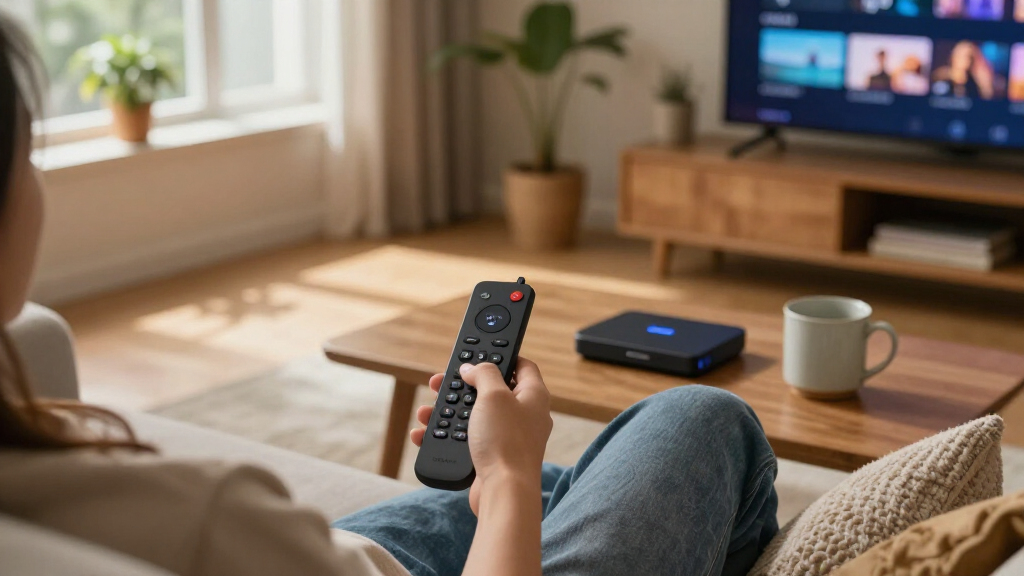

Among Fire TV streaming devices, I’d make the Amazon Fire TV Stick 4K Max (2026 Model) my best overall pick for its 4K streaming and Wi-Fi 6E support. The Fire TV Stick HD is a straightforward choice for a non-4K television, while the Fire TV Cube (3rd Gen) suits buyers who want hands-free Alexa and a more capable hub. The main tradeoffs are streaming resolution, network features, and whether a compact stick or a larger voice-controlled device better fits your room. Some options also bundle a game controller or add a voice remote, so the right choice depends on how you plan to use Fire TV. Read on for the full breakdown of all 10 devices and how I’d match them to different setups.

Get the latest gadgets delivered free with Prime
- Fast, free delivery on millions of items
- Prime Video, Amazon Music and more included
- Member-only deals all year
Complete the kit



Key Takeaways
- The Fire TV Stick 4K Max (2026 Model) ranks first for buyers seeking a feature-rich stick, with 4K and Wi-Fi 6E support; most viewers with simpler needs may not benefit from every upgrade.
- The Fire TV Cube models stand apart from the sticks through hands-free Alexa and a cube-style design, making them a better fit for voice-led control than discreet, plug-in setups.
- The Fire TV Stick HD is the clearest match for HD-only televisions; choosing a 4K model for a screen that cannot display 4K may leave its headline capability unused.
- The Luna Controller bundle is the specialized pick in this group: its appeal depends on wanting game streaming, not just a Fire TV device for shows and movies.
- Several listings cover related hardware in different forms, including a like-new Cube and multiple 4K Stick generations, so buyers should check model details and included accessories rather than relying on the product family name.
| Amazon Fire TV Stick 4K Select |  | Best Compact 4K Pick | Size: 3.9 × 1.2 × 0.6 in (99 × 30 × 14 mm) | Weight: 1.5 oz (42 g) | Processor: Quad-core, 1.7 GHz | VIEW LATEST PRICE | See Our Full Breakdown |
| Amazon Fire TV Stick HD (Newest Model) with Alexa Voice Remote |  | Best for Full HD TVs | Resolution: Full HD | Wi-Fi: Wi-Fi 6 | Power: Powered by TV via USB-C cable | VIEW LATEST PRICE | See Our Full Breakdown |
| Amazon Fire TV Cube (3rd Gen) with Alexa, 4K Ultra HD, Wi-Fi 6E, Hands-Free Streaming |  | Best for Hands-Free Home Theater | Size: 3.38 × 3.38 × 2.99 in (86 × 86 × 77 mm) | Weight: 513 g (1.13 lb) | Processor: Octa-core: 4 × 2.2 GHz and 4 × 2.0 GHz | VIEW LATEST PRICE | See Our Full Breakdown |
| Fire TV Stick 4K Select + Luna Controller Game Streaming Bundle |  | Best Bundle for Luna Gaming | Included: Fire TV Stick 4K Select and Luna Controller | Controller connectivity: Wi-Fi and Bluetooth | Subscription requirement: Prime or Luna subscription required for game access; sold separately | VIEW LATEST PRICE | See Our Full Breakdown |
| Like-New Amazon Fire TV Cube with Alexa, 4K Ultra HD, Wi-Fi 6E, Hands-Free Streaming |  | Best Like-New Premium Option | Condition: Like-New refurbished | Processor: Octa-core: 4 × 2.2 GHz and 4 × 2.0 GHz | Memory and storage: 2 GB memory; 16 GB storage | VIEW LATEST PRICE | See Our Full Breakdown |
| Amazon Fire TV Stick 4K Plus with Alexa Voice Remote and Wi-Fi 6 |  | Best for Balanced 4K Streaming | Processor: Quad-core 1.7GHz | GPU: 650MHz | Storage: 8GB | VIEW LATEST PRICE | See Our Full Breakdown |
| Amazon Fire TV Stick 4K Max (2026 Model) Streaming Device with Alexa+ and Wi-Fi 6E Support |  | Best Premium Stick | Processor: Quad-core 2.0GHz | GPU: 850MHz | Storage: 16GB | VIEW LATEST PRICE | See Our Full Breakdown |
| Amazon Fire TV Stick 4K (Newest Model) |  | Best for Easy Setup | Resolution: 4K with HDR10+ | Wi-Fi: Wi-Fi 6 | Remote: Fire TV Remote with TV controls and shortcut buttons | VIEW LATEST PRICE | See Our Full Breakdown |
| Fire TV Cube with Alexa Voice Remote Pro |  | Best for Hands-Free Control | Processor: Octa-core: 4 × 2.2GHz and 4 × 2.0GHz | Storage and memory: 16GB internal storage; 2GB memory | Wi-Fi: Wi-Fi 6E tri-band | VIEW LATEST PRICE | See Our Full Breakdown |
| Amazon Fire TV Stick 4K (2nd Gen) with Alexa Voice Remote, Wi-Fi 6, 4K Ultra HD, Dolby Vision, HDR, HDR10+, Dolby Atmos |  | Best for Core 4K Formats | Processor: Quad-core 1.7GHz | GPU: 650MHz | Storage: 8GB | VIEW LATEST PRICE | See Our Full Breakdown |
| Fire TV streaming device | Wi-Fi | Processor | Bluetooth | Video formats |
|---|---|---|---|---|
| Amazon Fire TV Stick 4K Select | Dual-band, dual-antenna MIMO | Quad-core, 1.7 GHz | Bluetooth 5.0 | 4K; HDR10, HDR10+, HLG, H.265, H.264, VP9, AV1 |
| Amazon Fire TV Stick HD | Wi-Fi 6 | — | — | — |
| Amazon Fire TV Cube | Tri-band Wi-Fi 6E; supports 802.11a/b/g/n/ac/ax | Octa-core: 4 × 2.2 GHz and 4 × 2.0 GHz | Bluetooth 5.0 + LE | 4K; Dolby Vision, HDR10, HDR10+, HLG, H.265, H.264, VP9, AV1 |
| Fire TV Stick 4K Select + Luna | — | — | — | — |
| Like-New Amazon Fire TV Cube w | Tri-band Wi-Fi 6E; supports 802.11a/b/g/n/ac/ax | Octa-core: 4 × 2.2 GHz and 4 × 2.0 GHz | Bluetooth 5.0 + LE | 4K; Dolby Vision, HDR10, HDR10+, HLG, H.265, H.264, VP9, AV1 |
| Amazon Fire TV Stick 4K Plus w | Wi-Fi 6 dual-band | Quad-core 1.7GHz | Bluetooth 5.2 + BLE | — |
| Amazon Fire TV Stick 4K Max | Wi-Fi 6E tri-band: 2.4GHz, 5GHz, and 6GHz | Quad-core 2.0GHz | Bluetooth 5.2 + BLE | — |
| Amazon Fire TV Stick 4K | Wi-Fi 6 | — | — | — |
| Fire TV Cube with Alexa Voice | Wi-Fi 6E tri-band | Octa-core: 4 × 2.2GHz and 4 × 2.0GHz | — | Dolby Vision, HDR10, HDR10+, HLG, H.265, H.264, and AV1 |
| Amazon Fire TV Stick 4K | Wi-Fi 6 dual-band | Quad-core 1.7GHz | Bluetooth 5.2 + BLE | Dolby Vision, HDR10+, HDR, HLG, H.265, H.264, VP9, and AV1 |
More Details on Our Top Picks
Amazon Fire TV Stick 4K Select
The Fire TV Stick 4K Select is a straightforward way to add 4K streaming to a compatible television without setting aside space for a box. Its HDR10+ support and broad video-format compatibility make it a stronger fit for picture quality than the Full HD Fire TV Stick HD, while the included Alexa Voice Remote keeps searching and playback simple. Dual-band MIMO Wi-Fi suits everyday streaming, and the small HDMI stick is easy to tuck behind a screen or pack for travel.
The tradeoff is its 8 GB of storage, which can limit how many apps you keep installed. It also lacks the Cube’s hands-free Alexa, Wi-Fi 6E, and extra ports. I’d choose this Select for a compact 4K setup, not for a feature-rich home theater or a library of installed apps.
Pros:- Streams up to 4K with HDR10+, HDR10, and HLG support.
- Compact HDMI-stick design is easy to hide or carry.
- Alexa Voice Remote supports voice control.
- Dual-band MIMO Wi-Fi and Bluetooth 5.0.
Cons:- 8 GB of storage can constrain app downloads.
- Needs a compatible 4K HDR television to deliver its best picture.
- Does not offer the Cube’s hands-free Alexa or Wi-Fi 6E.
Best for: Viewers with a 4K HDR television who want a compact stick, a voice remote, and mainstream streaming apps.
Not ideal for: Home theater buyers seeking Dolby Vision, hands-free Alexa, or the Cube’s extra connectivity, and viewers with a large collection of installed apps.
- Size:3.9 × 1.2 × 0.6 in (99 × 30 × 14 mm)
- Weight:1.5 oz (42 g)
- Processor:Quad-core, 1.7 GHz
- Storage:8 GB
- Wi-Fi:Dual-band, dual-antenna MIMO
- Bluetooth:Bluetooth 5.0
- Video formats:4K; HDR10, HDR10+, HLG, H.265, H.264, VP9, AV1
- Ports:HDMI output; micro-USB power
- Warranty:90-day limited warranty
Our verdict“Choose the Fire TV Stick 4K Select for a compact, capable 4K setup; choose the Fire TV Cube if you want hands-free control and more connections.”
Amazon Fire TV Stick HD (Newest Model) with Alexa Voice Remote
The Fire TV Stick HD is the sensible pick when the television is Full HD and 4K features would go unused. It covers a wide range of familiar streaming apps, and Wi-Fi 6 gives compatible home networks a newer wireless connection than the dual-band Wi-Fi listed for the Fire TV Stick 4K Select. Its portable HDMI-stick format and Alexa Voice Remote also make it an approachable add-on for a spare room or travel setup.
The main compromise is the 1080p ceiling: unlike the 4K Select or Fire TV Cube, this model cannot provide 4K output, even when connected to a 4K screen. The supplied details also list no built-in storage, so this is best treated as a streaming appliance rather than a place to keep a large app library. I’d skip it if a 4K upgrade is already part of the plan.
Pros:- Full HD streaming fits televisions that do not support 4K.
- Wi-Fi 6 support works with compatible routers.
- Portable HDMI-stick design is easy to set up.
- Alexa Voice Remote offers voice control and dedicated buttons.
Cons:- Limited to Full HD rather than 4K output.
- No built-in storage is listed in the supplied product details.
- Some streaming content requires separate subscriptions.
Best for: Owners of Full HD televisions who want an uncomplicated streaming stick for a bedroom, guest room, or travel kit.
Not ideal for: Viewers with a 4K television who want Ultra HD playback, or buyers seeking substantial on-device storage.
- Resolution:Full HD
- Wi-Fi:Wi-Fi 6
- Power:Powered by TV via USB-C cable
- Remote:Alexa Voice Remote with dedicated buttons
- Connection:HDMI
- Supported apps:Prime Video, Netflix, YouTube, Disney+, Apple TV, HBO Max, Hulu, Peacock, Paramount+, and more
Our verdict“Pick the Fire TV Stick HD for a Full HD television or secondary screen, but choose the 4K Select if you need 4K playback.”
Amazon Fire TV Cube (3rd Gen) with Alexa, 4K Ultra HD, Wi-Fi 6E, Hands-Free Streaming
The Fire TV Cube (3rd Gen) is the most capable dedicated streamer in this group for a home theater built around voice control and connected equipment. Its octa-core processor, 16 GB storage, and Wi-Fi 6E go beyond the Fire TV Stick 4K Select’s stick-sized basics, while Dolby Vision and Dolby Atmos support suit compatible televisions and sound systems. Hands-free Alexa means you can ask for content without first picking up a remote; HDMI input and output, Ethernet, USB-A, and an IR extender add flexibility the sticks do not provide.
That capability comes with a larger footprint and a more involved setup. At 513 g, it needs a place on the media shelf, and its many connections may be unnecessary for a simple bedroom TV. I’d favor the Cube over the 4K Select when you’ll use the extra ports, formats, and voice control; otherwise the stick is simpler.
Pros:- Octa-core processor, 16 GB storage, and 2 GB memory.
- Supports 4K, Dolby Vision, HDR formats, and Dolby Atmos.
- Hands-free Alexa avoids needing the remote for voice requests.
- Wi-Fi 6E plus HDMI input and output, Ethernet, USB-A, and IR extender.
Cons:- Larger and heavier than the Fire TV Stick models.
- Setup and connections may feel excessive for a basic television.
- Advanced video and audio formats require compatible equipment.
Best for: Home theater owners with compatible 4K and Dolby-capable equipment who want hands-free Alexa, Ethernet, and device connections.
Not ideal for: Buyers who want a small, simple HDMI stick, or anyone whose television and audio setup will not use its advanced formats and ports.
- Size:3.38 × 3.38 × 2.99 in (86 × 86 × 77 mm)
- Weight:513 g (1.13 lb)
- Processor:Octa-core: 4 × 2.2 GHz and 4 × 2.0 GHz
- Memory and storage:2 GB memory; 16 GB storage
- Wi-Fi:Tri-band Wi-Fi 6E; supports 802.11a/b/g/n/ac/ax
- Bluetooth:Bluetooth 5.0 + LE
- Ports:HDMI 2.1 input and output, IR extender, USB-A 2.0, power, Ethernet 10/100 Mbps
- Video formats:4K; Dolby Vision, HDR10, HDR10+, HLG, H.265, H.264, VP9, AV1
- Audio support:Dolby Atmos, 7.1 surround sound, HDMI audio pass-through up to 5.1
Our verdict“Choose the Fire TV Cube if your home theater can use hands-free Alexa, 4K HDR, and its extra connections; otherwise the 4K Select is a simpler fit.”
Fire TV Stick 4K Select + Luna Controller Game Streaming Bundle
This bundle pairs the Fire TV Stick 4K Select with a Luna Controller, making it the most direct route in this lineup for someone who wants to stream games as well as video. The controller’s Cloud Direct technology is intended to reduce input delay with Luna, and the stick still handles 4K streaming and everyday apps. Compared with buying the 4K Select alone, the bundle saves the step of choosing a compatible controller; compared with the Fire TV Cube, it prioritizes game control over extra home-theater ports and hands-free Alexa.
The catch is that the controller does not make Luna access free: a Prime or Luna subscription is required, sold separately. Game choice also depends on Luna’s library, and Bluetooth use beyond Luna depends on compatible devices. I’d choose this bundle for a Luna-focused setup, not for buyers who only want a video streamer or expect a console-style game library without ongoing access requirements.
Pros:- Combines a Fire TV Stick 4K Select and Luna Controller.
- Controller supports Luna Cloud Direct for low-latency gameplay.
- Stick also supports 4K video streaming.
- Controller can connect to compatible devices over Bluetooth.
Cons:- Prime or Luna subscription is required for game access and sold separately.
- Game selection is tied to Amazon Luna’s library and subscription options.
- Bluetooth controller use depends on device compatibility.
Best for: Fire TV buyers who plan to use Amazon Luna and want the compatible controller included with their 4K streaming stick.
Not ideal for: Viewers who only stream films and shows, or players who do not want a separate Prime or Luna subscription to access games.
- Included:Fire TV Stick 4K Select and Luna Controller
- Controller connectivity:Wi-Fi and Bluetooth
- Subscription requirement:Prime or Luna subscription required for game access; sold separately
- Streaming device resolution:4K Ultra HD
- Streaming device video support:HDR10, HDR10+, HLG, H.265, H.264, VP9, AV1
- Streaming device storage:8 GB
Our verdict“Choose this bundle if Luna gaming is part of your plan; for video streaming alone, the Fire TV Stick 4K Select is the more relevant pick.”
Like-New Amazon Fire TV Cube with Alexa, 4K Ultra HD, Wi-Fi 6E, Hands-Free Streaming
This Like-New Fire TV Cube brings the Cube’s high-end feature set to buyers open to a refurbished device. It shares the new third-generation Cube’s octa-core processor, 16 GB storage, Wi-Fi 6E, hands-free Alexa, and 4K support, along with Dolby Vision and Dolby Atmos compatibility. Against the Fire TV Stick 4K Select, it offers a more connected home-theater setup, including HDMI input and output, Ethernet, USB-A, and an IR extender. Those additions matter when the Cube is expected to work with sound or other AV equipment, not just stream through a television.
The central compromise is its Like-New condition: packaging may be generic, and it is not a new retail unit. It also shares the Cube’s larger footprint and setup complexity, while the 16 GB storage remains modest for users who expect extensive local app capacity. I’d pick it over the new Cube only if refurbished condition suits your buying preferences; the core feature set is otherwise similar.
Pros:- Octa-core processing with 16 GB storage and 2 GB memory.
- 4K support includes Dolby Vision, HDR formats, and Dolby Atmos.
- Hands-free Alexa and Wi-Fi 6E support.
- HDMI input and output, Ethernet, USB-A, and IR extender provide connection options.
Cons:- Refurbished condition may include generic packaging.
- Bulkier and more involved to set up than the Fire TV Stick 4K Select.
- 16 GB storage may not suit buyers seeking extensive local app capacity.
Best for: Home theater buyers who want the Fire TV Cube’s hands-free Alexa, Wi-Fi 6E, and AV connections and are comfortable choosing a refurbished unit.
Not ideal for: Buyers who require a new device and retail packaging, or who only need a simple stick for one television.
- Condition:Like-New refurbished
- Processor:Octa-core: 4 × 2.2 GHz and 4 × 2.0 GHz
- Memory and storage:2 GB memory; 16 GB storage
- Size and weight:3.38 × 3.38 × 2.99 in (86 × 86 × 77 mm); 513 g (1.13 lb)
- Wi-Fi:Tri-band Wi-Fi 6E; supports 802.11a/b/g/n/ac/ax
- Bluetooth:Bluetooth 5.0 + LE
- Ports:HDMI 2.1 input and output, IR extender, USB-A 2.0, Ethernet 10/100 Mbps
- Video formats:4K; Dolby Vision, HDR10, HDR10+, HLG, H.265, H.264, VP9, AV1
- Audio support:Dolby Atmos, 7.1 surround sound, HDMI pass-through
Our verdict“Choose the Like-New Fire TV Cube if you want Cube-level home-theater features and accept a refurbished unit; otherwise opt for a new Cube or a smaller stick.”
Amazon Fire TV Stick 4K Plus with Alexa Voice Remote and Wi-Fi 6
The Fire TV Stick 4K Plus suits viewers who want the core premium picture and audio formats without stepping up to the 4K Max’s higher-performance hardware. It supports Dolby Vision, HDR10+, and Dolby Atmos, while Wi-Fi 6 can help keep streams steady on a busy home network. Cloud gaming support adds another use for the stick, though game availability and subscriptions vary. Its quad-core 1.7GHz processor and 8GB storage are more modest than the 4K Max’s 2.0GHz processor and 16GB, so the Max is a stronger fit for heavier app use and gaming. The Plus makes more sense for a straightforward streaming setup; skip it if you do not have a 4K display or want the most storage in this lineup.
Pros:- Supports 4K playback with Dolby Vision, HDR10+, and Dolby Atmos.
- Wi-Fi 6 offers dual-band connectivity for compatible home networks.
- Alexa Voice Remote supports voice control and smart-home commands.
- Cloud gaming support adds an option beyond streaming video.
Cons:- 8GB storage is half the capacity listed for the Fire TV Stick 4K Max.
- Its 1.7GHz quad-core processor is less powerful than the Max’s 2.0GHz chip.
- Full 4K and HDR benefits require a compatible TV, and some content needs separate subscriptions.
Best for: Viewers with a 4K HDR television who want Dolby Vision and Atmos support, Wi-Fi 6, and Alexa control without needing the Max model’s extra storage.
Not ideal for: Frequent cloud gamers or people who install many apps; the 8GB storage and less powerful processor trail the Fire TV Stick 4K Max.
- Processor:Quad-core 1.7GHz
- GPU:650MHz
- Storage:8GB
- Wi-Fi:Wi-Fi 6 dual-band
- Bluetooth:Bluetooth 5.2 + BLE
- Video support:4K; Dolby Vision, HDR10+, HDR, and HLG
- Audio support:Dolby Atmos, 7.1 surround sound, and HDMI pass-through
- Dimensions and weight:99 × 30 × 14 mm housing; 43.5 g
Our verdict“Choose the 4K Plus for capable Dolby Vision streaming on Wi-Fi 6, but pick the 4K Max if you want more storage and faster listed hardware.”
Amazon Fire TV Stick 4K Max (2026 Model) Streaming Device with Alexa+ and Wi-Fi 6E Support
Among these compact Fire TV devices, the Fire TV Stick 4K Max is the performance-first choice: its 2.0GHz quad-core processor and 16GB storage exceed the 4K Plus and 2nd Gen 4K Stick, both listed with a 1.7GHz processor and 8GB. That extra headroom makes the Max better suited to households that switch between apps or want room for more downloads. Wi-Fi 6E adds a 6GHz band, which can help on compatible networks, but it does not improve every connection automatically; the router and home conditions matter. Dolby Vision, HDR10+, and Atmos cover high-end picture and sound formats, while the Cube adds hands-free Alexa and more ports. Choose the Cube for a central smart-home hub, not just a faster stick.
Pros:- 16GB storage provides more room for apps than the 8GB 4K Plus and 2nd Gen 4K Stick.
- 2.0GHz quad-core processor and 850MHz GPU are the strongest stick specifications in this batch.
- Tri-band Wi-Fi 6E includes 2.4GHz, 5GHz, and 6GHz bands.
- Supports Dolby Vision, HDR10+, HLG, and Dolby Atmos.
Cons:- Wi-Fi 6E benefits depend on a compatible router and suitable network conditions.
- Its stick form lacks the Cube’s built-in microphones, speakers, Ethernet port, and HDMI input.
- Some HDR content and cloud-gaming services may require compatible equipment or separate subscriptions.
Best for: 4K TV owners who use several streaming apps, want 16GB of storage, and have—or plan to use—a Wi-Fi 6E router.
Not ideal for: Viewers with a basic HD television or no need for extra storage and faster listed hardware; a simpler Fire TV Stick 4K may fit their setup better.
- Processor:Quad-core 2.0GHz
- GPU:850MHz
- Storage:16GB
- Wi-Fi:Wi-Fi 6E tri-band: 2.4GHz, 5GHz, and 6GHz
- Bluetooth:Bluetooth 5.2 + BLE
- Remote:Alexa Voice Remote Enhanced
- Supported resolution:2160p, 1080p, and 720p up to 60 fps
- Video and audio formats:Dolby Vision, HDR10+, HLG, and Dolby Atmos
Our verdict“Pick the 4K Max when you want the most storage and strongest listed stick hardware, and choose the Cube if hands-free control and connection options matter more.”
Amazon Fire TV Stick 4K (Newest Model)
The Fire TV Stick 4K (Newest Model) keeps its appeal focused on convenient 4K access: plug it into an HDMI port, connect to Wi-Fi, and use the included remote’s TV controls and shortcut buttons for everyday navigation. Wi-Fi 6 and HDR10+ support make it a step beyond an HD-only stick for households with a compatible 4K television. The provided specifications do not list Dolby Vision, Dolby Atmos, processor speed, or storage, so I would not choose it over the 4K Plus or 4K Max for a format-rich home theater or demanding app use. Its simpler feature set may be enough if the priority is a compact, uncomplicated streaming upgrade. Check your TV and desired audio formats before choosing it.
Pros:- Supports 4K streaming with HDR10+.
- Wi-Fi 6 support is included.
- Remote has TV controls and dedicated shortcut buttons.
- HDMI plug-in setup is designed to be simple.
Cons:- The supplied product data does not specify Dolby Vision or Dolby Atmos support.
- Processor and storage capacity are not listed, making performance and app capacity harder to compare.
- Requires an HDMI-equipped TV, Wi-Fi, and separate subscriptions for some services.
Best for: People upgrading a 4K television who want straightforward HDMI setup, Wi-Fi 6, HDR10+, and a remote with TV controls and shortcuts.
Not ideal for: Home theater viewers specifically seeking listed Dolby Vision or Dolby Atmos support, or buyers who want published processor and storage details.
- Resolution:4K with HDR10+
- Wi-Fi:Wi-Fi 6
- Remote:Fire TV Remote with TV controls and shortcut buttons
- Setup:HDMI plug-in connection
- Power:Direct Power support via the TV’s HDMI port
- Smart-home compatibility:Compatible with smart-home devices
Our verdict“Choose this model for a simple 4K HDR10+ upgrade and convenient remote, but favor the 4K Plus if Dolby Vision and Atmos are priorities.”
Fire TV Cube with Alexa Voice Remote Pro
The Fire TV Cube is the clear pick for a living room where streaming control should extend beyond the screen. Its built-in microphones and speakers enable hands-free Alexa, while HDMI input and output, Ethernet, USB-A, and an IR extender give it more connection options than the compact Fire TV sticks. The octa-core processor and 16GB storage also outsize the 4K Plus and 2nd Gen 4K Stick specifications. That flexibility comes with a larger, heavier box and a more involved setup; a stick is simpler to tuck behind a television. The Cube’s Wi-Fi 6E and 4K Dolby Vision and Atmos support make it capable, but it is a better fit for a connected entertainment setup than for someone seeking only a basic streaming upgrade.
Pros:- Built-in microphones and speakers support hands-free Alexa control.
- HDMI input and output, Ethernet, USB-A, and an IR extender offer more connection flexibility than a stick.
- Octa-core processor and 16GB internal storage exceed the listed specifications of the 4K Plus and 2nd Gen 4K Stick.
- Supports 4K formats including Dolby Vision, HDR10+, and Dolby Atmos.
Cons:- At 513g, it is much larger and heavier than the 43.5g Fire TV sticks.
- Its additional connections and device-control features can make setup more involved than a plug-in stick.
- 16GB internal storage may still limit users who want a large installed app library.
Best for: People building a connected living-room system who want hands-free Alexa, Ethernet, HDMI pass-through, and broad control of compatible devices.
Not ideal for: Buyers who want a small plug-in streamer or a quick, simple setup; the Cube takes more space and its range of connections can be unnecessary for basic viewing.
- Processor:Octa-core: 4 × 2.2GHz and 4 × 2.0GHz
- Storage and memory:16GB internal storage; 2GB memory
- Wi-Fi:Wi-Fi 6E tri-band
- Ports:HDMI 2.1 input and output, IR extender, USB-A 2.0, Ethernet 10/100Mbps, and power
- Audio support:Dolby Atmos, 7.1 surround sound, and HDMI audio pass-through up to 5.1
- Video formats:Dolby Vision, HDR10, HDR10+, HLG, H.265, H.264, and AV1
- Output resolution:2160p, 1080p, and 720p up to 60 fps
- Dimensions and weight:86 × 86 × 77 mm; 513g
Our verdict“Choose the Cube for hands-free Alexa and flexible home-theater connections, but pick a Fire TV stick for a smaller, simpler streaming device.”
Amazon Fire TV Stick 4K (2nd Gen) with Alexa Voice Remote, Wi-Fi 6, 4K Ultra HD, Dolby Vision, HDR, HDR10+, Dolby Atmos
The Fire TV Stick 4K (2nd Gen) covers the essential premium formats—Dolby Vision, HDR10+, and Dolby Atmos—alongside Wi-Fi 6 and Alexa voice control. Its 1.7GHz quad-core processor and 8GB storage match the listed hardware of the 4K Plus, so the choice between them is less about raw capacity and more about their supplied feature sets: the Plus specifically lists cloud gaming, while this model lists AV1 video support and a one-year limited warranty. Both sit below the 4K Max’s 16GB storage and faster processor. This stick is a sensible fit for someone who wants broad format support in a compact HDMI device, but the modest storage may pinch if you install many apps, and some viewing options need separate subscriptions.
Pros:- Supports 4K output with Dolby Vision, HDR, HDR10+, and HLG.
- Dolby Atmos, 7.1 surround sound, and HDMI pass-through are supported.
- Wi-Fi 6 and Bluetooth 5.2 + BLE are included.
- AV1 video support and a one-year limited warranty are listed.
Cons:- 8GB storage is limited compared with the 4K Max’s 16GB.
- The 1.7GHz quad-core processor is less powerful on paper than the 4K Max’s 2.0GHz processor.
- 4K and HDR require compatible equipment, and some streaming content requires separate subscriptions.
Best for: 4K television owners who want Dolby Vision, HDR10+, Atmos, Wi-Fi 6, and Alexa control in a compact stick with a stated one-year limited warranty.
Not ideal for: People who keep many apps installed or want the strongest listed hardware; the 4K Max offers 16GB storage and a faster processor.
- Processor:Quad-core 1.7GHz
- GPU:650MHz
- Storage:8GB
- Wi-Fi:Wi-Fi 6 dual-band
- Bluetooth:Bluetooth 5.2 + BLE
- Video formats:Dolby Vision, HDR10+, HDR, HLG, H.265, H.264, VP9, and AV1
- Audio support:Dolby Atmos, 7.1 surround sound, and HDMI pass-through
- Output resolution:2160p, 1080p, and 720p up to 60 fps
- Warranty:1-year limited warranty
Our verdict“Pick the 2nd Gen 4K Stick for broad HDR and audio-format support in a compact device, or choose the 4K Max for more storage and faster listed hardware.”

How We Picked
I ranked these Fire TV streaming devices by how well their hardware and included controls fit common living-room needs. The main criteria were streaming resolution, wireless capability, ease of control, form factor, and whether a bundle or remote adds a distinct use case. I also weighed how likely a buyer is to benefit from each feature: a 4K display can make a 4K stick worthwhile, while Wi-Fi 6E or hands-free Alexa matters most in a compatible network or voice-first setup.
The order favors broad usefulness first, then increasingly specific needs. That puts the 4K Max ahead as the strongest all-around stick, while the Cube leads for hands-free control and the HD Stick makes more sense for simpler screens. Similar models are separated by generation, connectivity, condition, or included accessories rather than treated as interchangeable. Where a product’s appeal depends on a particular use—such as game streaming—I rank it for that audience instead of implying that every buyer needs it.
| Fire TV streaming device | Processor | Wi-Fi | Bluetooth | Audio support |
|---|---|---|---|---|
| Amazon Fire TV Stick 4K Select | Quad-core, 1.7 GHz | Dual-band, dual-antenna MIMO | Bluetooth 5.0 | — |
| Amazon Fire TV Stick HD | — | Wi-Fi 6 | — | — |
| Amazon Fire TV Cube | Octa-core: 4 × 2.2 GHz and 4 × 2.0 GHz | Tri-band Wi-Fi 6E; supports 802.11a/b/g/n/ac/ax | Bluetooth 5.0 + LE | Dolby Atmos, 7.1 surround sound, HDMI audio pass-through up to 5.1 |
| Fire TV Stick 4K Select + Luna | — | — | — | — |
| Like-New Amazon Fire TV Cube w | Octa-core: 4 × 2.2 GHz and 4 × 2.0 GHz | Tri-band Wi-Fi 6E; supports 802.11a/b/g/n/ac/ax | Bluetooth 5.0 + LE | Dolby Atmos, 7.1 surround sound, HDMI pass-through |
| Amazon Fire TV Stick 4K Plus w | Quad-core 1.7GHz | Wi-Fi 6 dual-band | Bluetooth 5.2 + BLE | Dolby Atmos, 7.1 surround sound, and HDMI pass-through |
| Amazon Fire TV Stick 4K Max | Quad-core 2.0GHz | Wi-Fi 6E tri-band: 2.4GHz, 5GHz, and 6GHz | Bluetooth 5.2 + BLE | — |
| Amazon Fire TV Stick 4K | — | Wi-Fi 6 | — | — |
| Fire TV Cube with Alexa Voice | Octa-core: 4 × 2.2GHz and 4 × 2.0GHz | Wi-Fi 6E tri-band | — | Dolby Atmos, 7.1 surround sound, and HDMI audio pass-through up to 5.1 |
| Amazon Fire TV Stick 4K | Quad-core 1.7GHz | Wi-Fi 6 dual-band | Bluetooth 5.2 + BLE | Dolby Atmos, 7.1 surround sound, and HDMI pass-through |
Factors to Consider When Choosing Fire TV Streaming Devices
Before choosing among Fire TV streaming devices, match the hardware to your television, network, and preferred way of controlling playback. A longer feature list can be useful, but only when those features solve a real problem in your setup.
Match Resolution to Your Television
Start with the screen you’ll use most: an HD television does not gain 4K picture detail from a 4K streaming stick. If you expect to replace that screen soon, buying for the next setup can make sense; otherwise, an HD model may be the more direct fit. Also check whether your television supports the HDR formats you care about, since a streamer cannot add display capabilities the screen lacks. A frequent buying mistake is choosing by the streamer’s maximum resolution alone. I’d prioritize a model that matches the television you actually own, then weigh other features such as remote functions or network support.
Treat Wi-Fi Features as a Setup Question
Wi-Fi 6 and Wi-Fi 6E support can help a compatible home network, but the router and placement matter too. A newer wireless standard won’t fix a weak signal caused by distance, walls, or congestion in the room. Before upgrading for connectivity alone, check whether other devices struggle in the same spot and whether your router supports the listed standard. A wired or better-positioned network solution may address buffering more directly than replacing a streamer. Choose advanced Wi-Fi features when they fit your existing network or planned upgrade, not just because the number is higher.
Pick a Control Style That Fits the Room
A voice remote works well for buyers who like speaking search terms or controlling playback without typing, while hands-free Alexa makes the Cube a different kind of room device. That convenience depends on whether you want a microphone-enabled device listening for voice commands in the space. If you prefer physical buttons and direct control, a standard stick and remote may feel more suitable. Also check what remote is included: a bundle or separate remote-focused listing can change the day-to-day experience. Think about who will use the television, since a simple remote can be easier for guests or family members than voice-first control.
Decide Whether You Need a Stick or a Cube
Sticks are compact and connect directly to a television, so they suit buyers who want a low-profile streaming device. The Cube occupies more space but offers a hands-free Alexa approach that can make it a better fit for voice-led use. Consider the area around the television, available power and HDMI access, and whether you want the device to play a broader role in room control. A larger form factor is not automatically an upgrade if you only need to stream with a remote. Choose the Cube for its distinctive control style, rather than buying it solely because it looks like the higher-tier option.
Pay for Specialized Features Only When You’ll Use Them
A game-streaming bundle is aimed at someone who wants to use Luna, not simply watch video. Likewise, Wi-Fi 6E, hands-free voice control, and advanced remote features only add value when your home and habits make use of them. List the features you expect to use weekly, then separate those from specifications that are merely nice to have. This avoids paying for capability that your television, router, or routines cannot take advantage of. For a mixed-use household, a flexible 4K stick may be a better choice than a more specialized bundle.
Check Generation, Condition, and Included Accessories
Product names in this lineup can be similar while referring to different generations, connectivity features, or included remotes. Confirm the exact model designation and what comes in the box before deciding, especially when comparing a current listing with a second-generation device. A like-new product is also distinct from a standard listing, so check its condition description and included components. Do not assume that every Fire TV Stick 4K has identical wireless support or accessories. Comparing the full listing details helps prevent a mismatch between the feature you want and the device you receive.
Frequently Asked Questions
Should I choose a 4K Fire TV device if my television is only HD?
For a television that will remain HD, an HD Fire TV Stick is usually the more direct match because the display cannot show 4K detail. A 4K model may still make sense if you plan to replace the television soon or want a particular connectivity or control feature. Check that those other benefits matter to your setup before choosing on resolution alone. If you expect to keep the same screen for years, put the difference toward a feature you will use now. The device should fit the display and your plans, not just the largest specification.
Is Wi-Fi 6E worth prioritizing for Fire TV streaming?
Wi-Fi 6E support is most relevant when your router also supports it and the streamer can connect in a suitable location. It does not automatically improve a weak broadband connection or a poor signal through several walls. If your current setup streams reliably, the newer wireless feature may have little practical effect for you. If you are upgrading your network or face congestion, it can be a useful compatibility advantage. Check the router and room conditions before making Wi-Fi support your deciding factor.
What is the main reason to choose a Fire TV Cube over a Stick?
The strongest reason is hands-free Alexa control: the Cube is designed for voice interaction without picking up the remote for every command. That can suit a room where voice control is part of how you want to manage entertainment. A Stick is the better fit if you prefer a compact device and standard remote-based operation. The Cube’s form and voice-first approach may be unnecessary if you mainly open apps and watch with a remote. Choose by control style and room use, not by assuming the Cube is the right upgrade for everyone.
Do I need the Luna Controller bundle if I already want a Fire TV device?
No—the bundle is specifically relevant if game streaming through Luna is part of your plan. If your main goal is streaming films and television, a regular Fire TV Stick is a simpler match and does not require a game controller. Before choosing the bundle, check that the games and service fit your interests and that your network can handle game streaming. The controller adds a distinct use, but it is not a general-purpose improvement to video playback. Treat it as a gaming choice rather than the default Fire TV option.
How should I compare similar Fire TV Stick 4K listings?
Compare the exact generation, wireless standard, remote, and any bundled accessories instead of relying on the shared “4K” name. Those details can affect network compatibility and how convenient the device is to control. Also check whether the listing describes a newer model, an earlier generation, or a bundle, since those are not necessarily equivalent packages. If a feature such as Wi-Fi 6E matters to you, verify that it is specifically listed for the model you are selecting. This approach helps avoid paying attention to a product-family label while missing the differences that shape everyday use.
Conclusion
For most buyers seeking a capable streaming stick, I’d start with the Fire TV Stick 4K Max (2026 Model) as the best overall choice. The Fire TV Stick HD is my value-oriented pick for an HD television and my best option for beginners who want a straightforward remote-based setup. For a premium, voice-first experience, choose the Fire TV Cube (3rd Gen); the like-new Cube or the Cube with Voice Remote Pro may suit buyers comparing condition or remote options. If gaming is your specific need, consider the 4K Select + Luna Controller bundle; if you mainly want 4K streaming without the Max’s focus on newer wireless support, compare the other 4K Stick listings by generation and included remote. Match the model to your screen, network, and control habits, and the choice becomes much clearer.