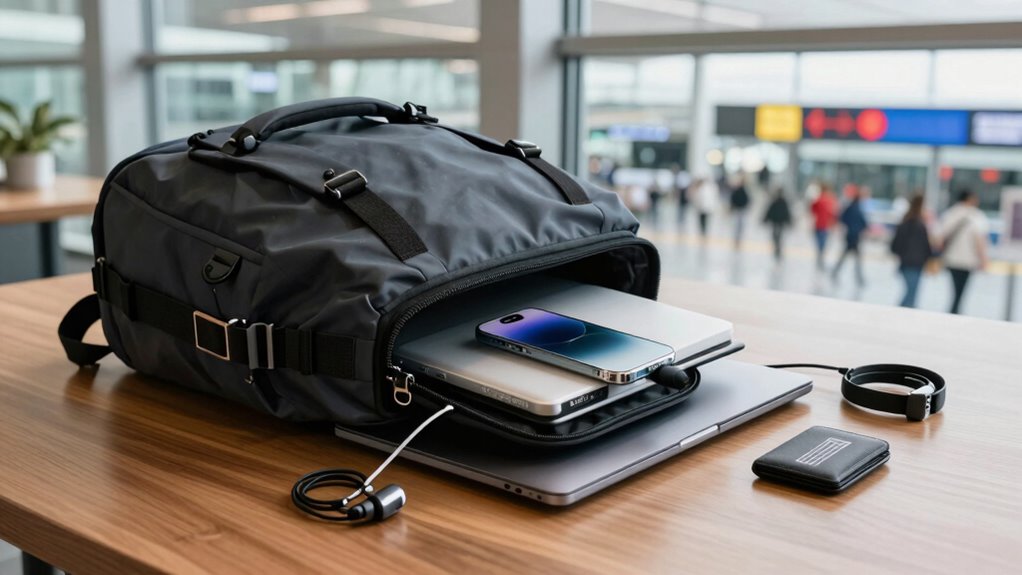

To protect your devices when traveling, enable device encryption and make sure software and apps are always up to date. Use strong, unique passwords and activate two-factor authentication on important accounts. Avoid public Wi-Fi for sensitive activities—use a trusted VPN instead. Never leave devices unattended, and set up remote tracking and wiping features in case of theft. Staying vigilant and prepared will help safeguard your data—keep exploring to find out more tips to stay secure on the go.

Get the latest gadgets delivered free — and shop member deals
- Fast, free delivery on millions of items
- Access to Prime Big Deal Days deals on October 6–7
- Prime Video, Amazon Music and more included
Key Takeaways
- Enable device encryption to protect data if devices are lost or stolen.
- Use trusted VPNs to secure your internet connection on public Wi-Fi networks.
- Keep software and apps updated, and enable two-factor authentication for important accounts.
- Never leave devices unattended and set up remote tracking and wiping features.
- Stay informed about cybersecurity threats and combine digital security with physical device safeguards.

Traveling exposes your devices to a range of risks, from theft to malware. As you move through airports, hotels, and public Wi-Fi hotspots, your devices become vulnerable to cyber threats and physical loss. To keep your information safe, it’s essential to adopt effective cybersecurity tips that minimize these risks. One of the most important steps you can take is enabling device encryption. When your device is encrypted, any data stored on it remains protected even if it falls into the wrong hands. This means that if someone steals your phone or laptop, they won’t be able to access your personal information without the encryption password or key. It’s a straightforward but powerful measure that adds a critical layer of security.
Encrypt your devices to protect personal data from theft and unauthorized access during travel.
Beyond device encryption, you should also be cautious about the networks you connect to. Public Wi-Fi hotspots are notorious for being insecure, making it easier for hackers to intercept your data. Always use a trusted VPN (Virtual Private Network) when connecting to public networks. A VPN encrypts your internet traffic, preventing outsiders from spying on your online activities. It’s a simple yet effective cybersecurity tip that keeps your browsing private and your data safe. Additionally, avoid accessing sensitive accounts or conducting financial transactions over unsecured networks. Instead, wait until you’re on a secure, private connection. Using secure connections is crucial to maintaining your privacy and preventing potential data breaches. Remember, staying informed about potential cybersecurity threats can help you respond quickly if issues arise.
Another essential safeguard is keeping your devices’ software and apps up to date. Developers regularly release updates that patch security vulnerabilities, so neglecting these updates leaves you exposed. Before your trip, check for any pending updates and install them promptly. This proactive step ensures your devices have the latest protections against malware and cyberattacks. Also, consider enabling two-factor authentication (2FA) on important accounts. This adds an extra barrier, requiring a second verification step to access your accounts, which markedly reduces the risk of unauthorized access even if your passwords are compromised. Regularly reviewing your security settings and permissions can further enhance your device security.
Finally, be mindful of physical security. Never leave your devices unattended in public spaces, and use strong, unique passwords for your devices and accounts. Consider setting up remote tracking and wiping features, so you can locate or erase your device if it’s lost or stolen. Additionally, understanding the importance of device encryption can significantly enhance your security, especially in case of theft or loss. By combining these cybersecurity tips with device encryption and vigilant physical security, you create a thorough shield that helps keep your devices and personal information secure throughout your travels. Staying alert and prepared is your best defense against the many risks that come with traveling with digital devices.
device encryption software for laptops
As an affiliate, we earn on qualifying purchases.
As an affiliate, we earn on qualifying purchases.
Frequently Asked Questions
How Can I Remotely Wipe My Devices if Lost?
If you lose your device, you can perform a remote wipe through your device’s security settings or a dedicated app, like Find My iPhone or Android Device Manager. First, locate your device using device tracking features, then initiate the remote wipe to erase all data. This prevents unauthorized access. Make sure you’ve set up these tools beforehand so you can act quickly if your device goes missing.
Are VPNS Effective on Public Wi-Fi Networks?
Think of a VPN on public Wi-Fi as a secret tunnel hiding your data from prying eyes. Yes, VPN effectiveness is high; it encrypts your connection, making it difficult for hackers to intercept sensitive info. I once used a VPN during a coffee shop visit, and it felt like walking through a crowded street with a private umbrella—your data stays safe, even amid the chaos of public Wi-Fi networks.
What Are the Best Physical Security Measures for Devices?
You should use physical locks and device encryption to secure your devices. Lock your devices with strong passwords or biometric security, and keep them in a safe place when not in use. Using physical locks, like cable locks or safes, prevents theft. Combining these with device encryption guarantees your data remains protected even if someone gains physical access, giving you peace of mind during your travels.
How Do I Detect if My Device Has Been Hacked?
You can detect if your device has been hacked by checking for unusual activity, like unexpected pop-ups or slow performance. Make sure your device encryption is active, as it helps secure your data. Run malware detection scans regularly with trusted software to identify any malicious programs. Keep your operating system updated, and look out for strange emails or messages, which can be signs of hacking attempts.
Should I Disable Bluetooth and NFC While Traveling?
Better safe than sorry, they say. You should disable Bluetooth and NFC while traveling to enhance your Bluetooth security and avoid NFC vulnerabilities. These features can unwittingly expose your devices to hacking or data theft if left active in unfamiliar places. Turning them off minimizes your attack surface, especially in crowded or high-risk areas. Keep your devices secure by practicing this simple step, giving you peace of mind on your journey.
As an affiliate, we earn on qualifying purchases.
Conclusion
Traveling with devices is like steering through a busy marketplace—you need to stay alert and cautious. By following simple tips like using strong passwords, avoiding public Wi-Fi, and keeping your devices close, you can protect your data and devices from harm. Remember, your devices are like trusted companions on your journey; treat them with care. Stay vigilant, stay safe, and enjoy your travels without worries, knowing you’ve taken steps to keep your tech secure.
remote device tracking and wiping tools
As an affiliate, we earn on qualifying purchases.
As an affiliate, we earn on qualifying purchases.
two-factor authentication security devices
As an affiliate, we earn on qualifying purchases.
As an affiliate, we earn on qualifying purchases.
Fall Picks
fall essentials
As an affiliate, we earn on qualifying purchases.