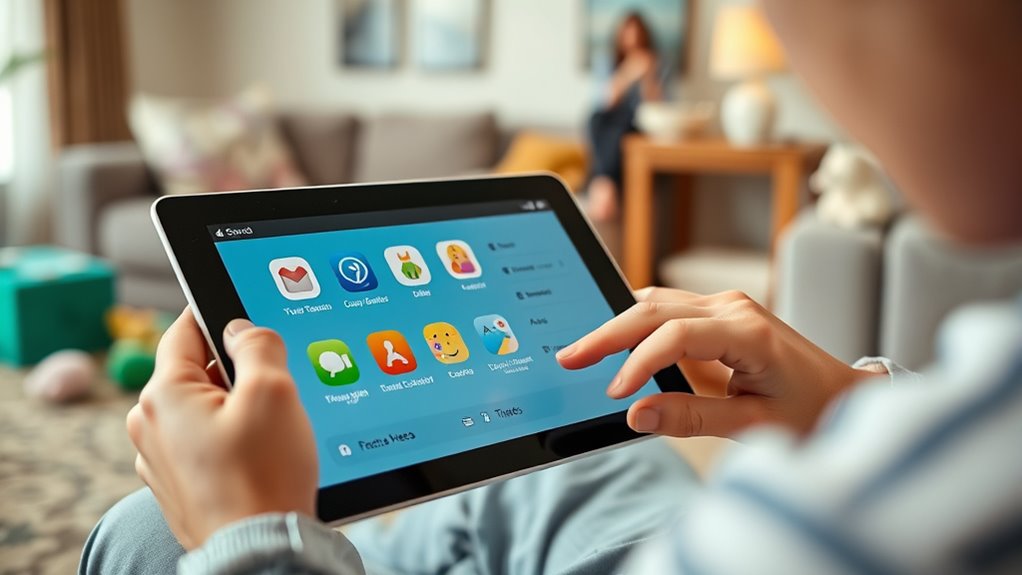

To keep your kids safe on devices, use parental controls to manage screen time, filter inappropriate content, and set boundaries that suit their age. These tools help prevent overuse, protect against harmful websites, and encourage healthier digital habits. Regularly review and update the settings as your child grows. By implementing these measures, you build trust and open communication. Keep exploring how to guarantee your child’s online safety with effective parental controls.
Key Takeaways
- Set screen time limits to promote healthy device usage and prevent overuse.
- Use content filters to block inappropriate websites and age-restricted apps.
- Regularly review activity reports and update controls as your child grows.
- Explain the purpose of controls to build trust and encourage responsible online behavior.
- Balance device use with offline activities to support overall well-being and development.
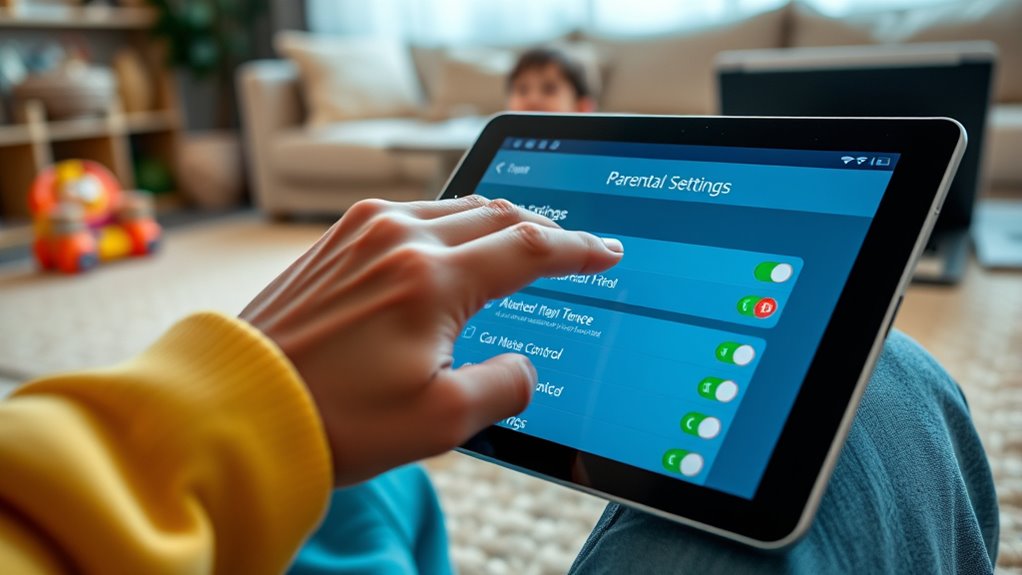
Have you ever wondered how to keep your kids safe online? As a parent, you want to ensure they enjoy their devices without exposing them to harmful content or excessive screen time. Parental controls are designed to help you do just that. They allow you to set boundaries, monitor activity, and filter content, giving you peace of mind while your kids explore the digital world.
One of the most effective tools is managing screen time. Kids can easily lose hours scrolling through apps or playing games, often without realizing how much time has passed. Setting limits on screen time helps balance their digital activities with other important parts of life, like homework, outdoor play, and family time. Many devices and apps come with built-in options to restrict usage during certain hours or for specific durations. By doing this, you’re encouraging healthier habits and preventing overuse, which can lead to issues like eye strain, disrupted sleep, and decreased focus.
Content filtering is another critical aspect of parental controls. Not all online content is suitable for children, and without filters, they might accidentally stumble upon inappropriate material. Content filtering tools allow you to block access to explicit websites, restrict certain categories of content, or set age-appropriate restrictions on apps and media. These filters act as a safeguard, ensuring your child encounters only suitable content based on their age and maturity level. Most devices, web browsers, and parental control apps offer customizable filtering options, making it easier to tailor the online experience to your child’s needs.
Implementing these controls isn’t just about restricting access; it’s also about fostering open communication. Talk to your kids about why you’re setting these boundaries. Explain that screen time limits are for their health, and content filtering helps keep them safe from harmful material. Encourage them to come to you if they encounter something confusing or uncomfortable online. This approach builds trust and helps them develop responsible digital habits.
Additionally, regular monitoring and adjustments are essential. As your child grows and their interests change, so should your controls. Keep an eye on their online activity and update filters and limits accordingly. Many parental control tools provide activity reports, so you can see what your kids are doing and address any concerns proactively.
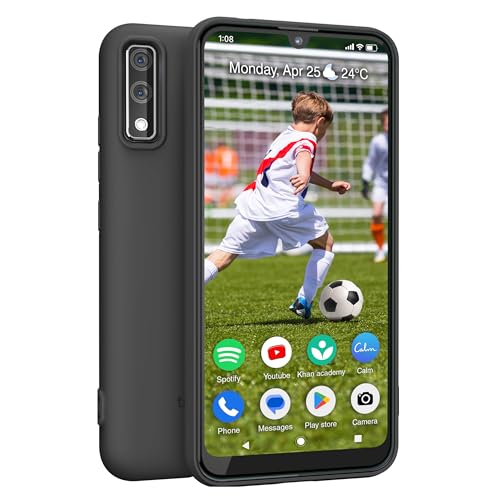
Teracube Thrive Kids Smart Phone – Safe Android Phone for Kids & Teens with Parental Controls, Block/Limit Social Media and Internet, GPS, Talk & Text, Spam Blocker (Monthly Plan Required)
- All-in-One Kids Smartphone: Safe Android device with 64GB storage
- Parental Control Features: Remote monitoring, social media limits, screen time management
- Easy Setup & Management: No technical skills needed, manage via Thrive Parent App
As an affiliate, we earn on qualifying purchases.
As an affiliate, we earn on qualifying purchases.
Frequently Asked Questions
How Do I Customize Parental Controls for Different Age Groups?
You can customize parental controls for different age groups by setting age-specific restrictions and content filtering options. Start by accessing device or app settings, then choose the appropriate profile for each child. Adjust restrictions based on their age, limiting access to mature content and enabling content filtering. This way, you guarantee each child’s experience is tailored, safe, and appropriate, giving you peace of mind while letting them explore their devices responsibly.
Can Parental Controls Be Bypassed by Tech-Savvy Kids?
Think of parental controls as your digital fortress, but beware—tech-savvy kids can sometimes find ways around it. They might use device hacking or tech manipulation to bypass restrictions. While no system is foolproof, updating controls regularly and monitoring device activity helps reduce risks. Encourage open conversations about online safety too. Remember, a combination of strong settings and trust-building is your best defense against tech tricks.
What Are the Best Apps for Monitoring Device Activity?
You should consider apps like Qustodio, Bark, and Norton Family for monitoring device activity. These apps excel in screen time management and app usage tracking, helping you set limits and monitor what your kids are doing online. They provide real-time alerts, detailed reports, and easy controls, making it simple to stay informed and keep your children safe while they use their devices.
How Often Should I Review and Update Parental Settings?
Think of your child’s device as a garden that needs regular tending. You should review and update parental settings weekly to manage screen time and refine content filtering. This ongoing attention guarantees their digital environment stays safe and appropriate, preventing weeds of harmful content from spreading. Like tending a garden, consistent care helps your child grow healthy and secure in their online experiences.
Are There Parental Controls That Work Across Multiple Devices?
Yes, there are parental controls with cross platform compatibility that work across multiple devices. These controls utilize device synchronization, allowing you to manage settings from a single dashboard. Whether your kids use smartphones, tablets, or computers, you can set restrictions consistently. Look for solutions like Google Family Link or Apple Screen Time, as they offer seamless device integration, making it easier to keep your kids safe across all their devices.
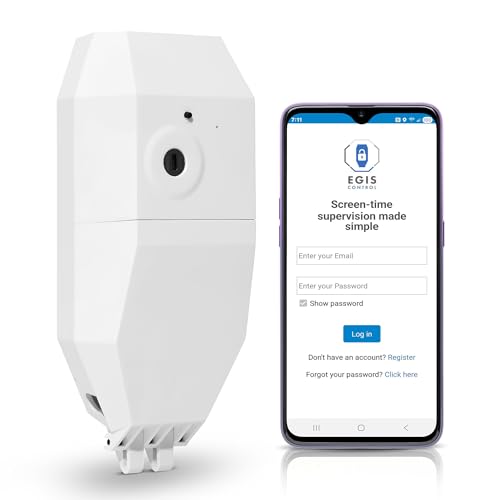
Egis Control Locking Smart Plug for Kids' Screen Time – Supports Consistent Screen Time Boundaries for TVs, Gaming Consoles & Computers – No Monthly Fees
- Supports Screen Time Boundaries: Physical lock prevents tampering
- Compatible with Major Devices: Works with Xbox, PlayStation, PC, TV
- Secure, Hidden Cords: Locks cords inside enclosure
As an affiliate, we earn on qualifying purchases.
As an affiliate, we earn on qualifying purchases.
Conclusion
By setting up parental controls, you’ve taken a vital step in safeguarding your kids. But remember, technology is always evolving, and so are the risks. Staying vigilant means regularly updating settings and having open conversations. The real challenge lies ahead—you’ll never know when a new threat might emerge. Are you ready to stay one step ahead? Keep monitoring, keep communicating, and your children’s safety will remain in your hands—because the next surprise could be just around the corner.

Safe Vision: control YouTube for kids
- Parental Control: Manage what kids watch on YouTube
- Custom Content Selection: Whitelist videos and channels easily
- Ad-Free Experience: No ads or sidebar videos
As an affiliate, we earn on qualifying purchases.
As an affiliate, we earn on qualifying purchases.

KYA AAPKA BACHCHA SURAKSHIT HAI?: Ensuring Your Child's Safety in Today's World (Hindi Edition)
As an affiliate, we earn on qualifying purchases.
As an affiliate, we earn on qualifying purchases.