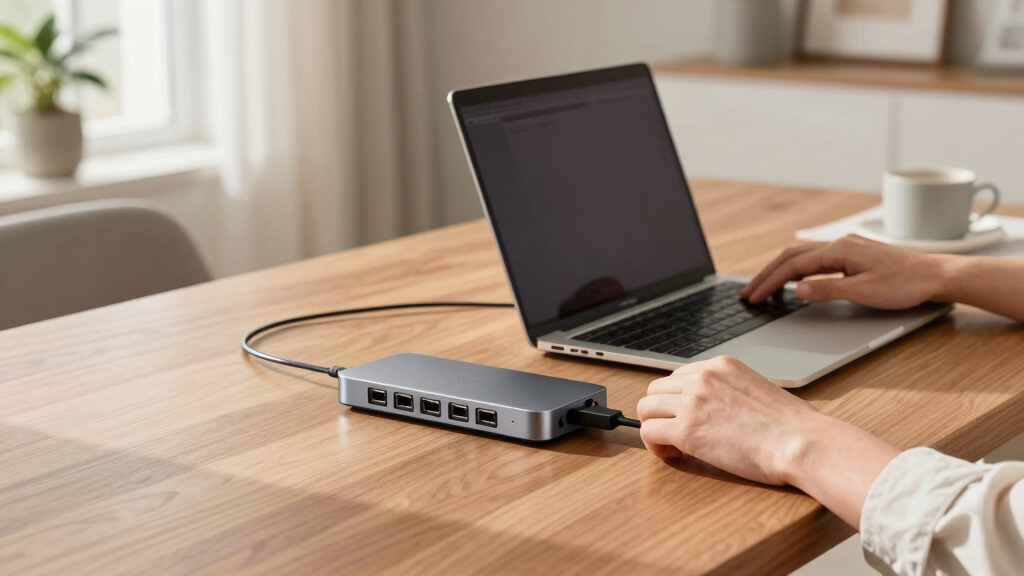

When searching for the best Thunderbolt docking stations, the key factors are speed, connectivity options, and build quality. The CalDigit TS4 stands out for its extensive port selection and 98W charging, making it ideal for power users. Meanwhile, the Satechi Thunderbolt 4 Slim Hub offers a sleek design with 100W charging for those prioritizing portability. The main tradeoffs often involve balancing high port counts with compact size or choosing premium features over value. Continue reading for a detailed comparison to find the best fit for your setup.

Get the latest gadgets delivered free — and shop member deals
- Fast, free delivery on millions of items
- Access to Prime Big Deal Days deals on October 6–7
- Prime Video, Amazon Music and more included
Complete the kit



Key Takeaways
- Top docking stations balance port variety with fast data transfer, often prioritizing Thunderbolt 4 or 5 for future-proofing.
- Higher port counts typically come with larger form factors; compact options may offer fewer connections but better portability.
- Charging power varies, with 100W or more becoming standard, which is essential for charging high-power laptops.
- Build quality and compatibility with different Mac and Windows devices significantly influence long-term satisfaction.
- Premium models like CalDigit TS5 or Dell SD25TB4 provide advanced features but at a higher cost, making them ideal for professional workflows.
| CalDigit TS4 18-Port Thunderbolt 4 Dock with 98W Charging, Space Gray, 0.8m Certified Cable | 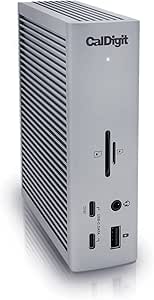 | Best Overall Thunderbolt Dock for Versatile, High-Performance Connectivity | Ports: 18 | Thunderbolt 4 Ports: 3 | USB-C Ports: 3 | VIEW LATEST PRICE | See Our Full Breakdown |
| Satechi Thunderbolt 4 Slim Hub Pro Docking Station with 100W USB-C Charging |  | Best Compact Thunderbolt Dock for Portability and High-Res Output | Hardware Interface: Thunderbolt 4, USB 3.2 Gen 2, USB | Compatible Devices: MacBook Pro 14/16, MacBook Air 13/15, iPad Pro, Mac Mini, iMac, Mac Studio, Lenovo ThinkPad, Microsoft Surface | Total USB Ports: 1 | VIEW LATEST PRICE | See Our Full Breakdown |
| Plugable Thunderbolt 4 Dock for M4/M5 MacBook Air & Pro |  | Best Driverless Dual-Monitor Dock for MacBook Users | Ports: 13 | Display Support: Dual 4K HDMI or single 6K | Power Delivery: 100W | VIEW LATEST PRICE | See Our Full Breakdown |
| Anker Prime Docking Station, 14-in-1 Laptop Docking Station Dual Monitor |  | Best Versatile Dock for Power and Productivity with Dual 4K Support | Connectivity: 14-in-1 | Total Power Output: 160W | USB-C Ports: 3 at 100W each | VIEW LATEST PRICE | See Our Full Breakdown |
| CalDigit TS5 Thunderbolt 5 Dock – 15 Ports, 140W Charging, Dual 8K Displays, Space Gray |  | Best Premium Thunderbolt Dock for Dual 8K and Extensive Connectivity | Ports: 15 | Thunderbolt 5 Ports: 4 | USB-C Ports: 3 | VIEW LATEST PRICE | See Our Full Breakdown |
| Anker 13-in-1 USB-C Docking Station with Triple Display |  | Best Overall for Versatile Professional Workstations | Hardware Interface: HDMI, MicroSD, USB | Compatible Devices: Full Functional USB C/Thunderbolt3/4/5, Lenovo/HP/Dell laptops, Macbook | Total USB Ports: 4 | VIEW LATEST PRICE | See Our Full Breakdown |
| UGREEN 13-in-1 Thunderbolt 4 Docking Station, Dual 4K@60Hz, 3xTBT4 |  | Best for High-Resolution Dual 4K and Silent Operation | Number of ports: 13 | Thunderbolt 4 ports: 3 | USB-A ports: 3 | VIEW LATEST PRICE | See Our Full Breakdown |
| Anker Prime TB5 Docking Station, 14-in-1 Thunderbolt 5 Dock for Laptops |  | Best for Cutting-Edge Dual 8K Visuals and High-Speed Data | Hardware Interface: Thunderbolt | Compatible Devices: MacBook M4, M1/M2/M3 Pro/Max; Thunderbolt 5/4 Windows Laptops | Total USB Ports: 8 | VIEW LATEST PRICE | See Our Full Breakdown |
| UGREEN 8-in-1 Thunderbolt 4 Docking Station, Dual 4K@60Hz, 3xTBT4, 40Gbps |  | Best Budget-Friendly Dual 4K Solution with Solid Performance | Hardware Interface: Thunderbolt 4 | Compatible Devices: Most Thunderbolt 4, 3, USB4, or USB-C computers and tablets | Total USB Ports: 3 | VIEW LATEST PRICE | See Our Full Breakdown |
| Dell Pro Thunderbolt 4 Smart Dock SD25TB4 – USB-C Station 130W, 4 Displays 4K, 2X DP 1.4, HDMI 2.1, 2X Thunderbolt 4, 2.5GbE, Wi-Fi, Sustainable Design |  | Best for Enterprise-Grade Security and Multi-Display Power | Power Delivery: 130W | Display Support: Up to 4 4K monitors | Video Outputs: 2x DisplayPort 1.4, HDMI 2.1 | VIEW LATEST PRICE | See Our Full Breakdown |
| thunderbolt docking station | Display Support | Number of Ports |
|---|---|---|
| CalDigit TS4 18-Port Thunderbo | 8K@30Hz or dual 6K@60Hz | — |
| Satechi Thunderbolt 4 Slim Hub | — | 5 |
| Plugable Thunderbolt 4 Dock fo | Dual 4K HDMI or single 6K | — |
| Anker Prime Docking Station | Dual 4K @ 60Hz or 1080p @ 60Hz | — |
| CalDigit TS5 Thunderbolt 5 Doc | Dual 8K@60Hz or dual 6K@60Hz on Windows | — |
| Anker 13-in-1 USB-C Docking St | — | 13 |
| UGREEN 13-in-1 Thunderbolt 4 D | — | 13 |
| Anker Prime TB5 Docking Statio | — | 14 |
| UGREEN 8-in-1 Thunderbolt 4 Do | Dual 4K@60Hz or 8K | 8 |
| Dell Pro Thunderbolt 4 Smart D | Up to 4 4K monitors | — |
More Details on Our Top Picks
CalDigit TS4 18-Port Thunderbolt 4 Dock with 98W Charging, Space Gray, 0.8m Certified Cable
The CalDigit TS4 stands out for its extensive port selection, supporting up to 18 connections including Thunderbolt 4, USB-A, Ethernet, and SD card readers, making it the most flexible choice for professional workflows. Its ability to support dual 6K displays or an 8K single monitor surpasses many competitors like the Satechi Thunderbolt 4 Slim Hub Pro, which is limited to dual 4K output. The TS4’s powerful 98W charging ensures laptops stay powered through intensive tasks, though it does require a certified Thunderbolt or USB4 cable for optimal performance, and some Mac models may be restricted to a single external display due to hardware limitations. This dock is ideal for users who need maximum expandability and high-resolution support across multiple devices. However, those seeking a compact, portable solution or a simpler setup might find it too bulky and feature-rich for their needs.
Pros:- Supports up to 18 ports, including high-speed Ethernet and SD card readers
- Dual 6K or 8K display support for high-resolution workflows
- Powerful 98W charging for demanding laptops
Cons:- Requires certified Thunderbolt or USB4 cable for peak performance
- Limited to single display on some Mac models due to hardware restrictions
Best for: Creative professionals and multi-device power users who demand maximum connectivity and high-resolution display support across various operating systems.
Not ideal for: Casual users or those with limited desk space who prefer a more compact, straightforward docking solution.
- Ports:18
- Thunderbolt 4 Ports:3
- USB-C Ports:3
- USB-A Ports:5
- Ethernet:2.5GbE
- Display Support:8K@30Hz or dual 6K@60Hz
- Charging Power:98W
- Cable Length:0.8m
Our verdict“This is the best choice for users needing maximum port variety and high-resolution display options in a single dock.”
Satechi Thunderbolt 4 Slim Hub Pro Docking Station with 100W USB-C Charging
The Satechi Thunderbolt 4 Slim Hub Pro excels in offering a compact, durable design with high-performance capabilities, supporting up to three Thunderbolt 4 ports, dual 4K displays, and 100W charging—perfect for on-the-go professionals. Compared to the larger CalDigit TS4, its smaller footprint makes it more portable without sacrificing much display or power support. Its aluminum construction provides passive cooling, reducing noise and heat, though it only offers five ports total, which limits expandability for users with many peripherals. While it supports high-res output and fast charging, some Mac models may not support high refresh rates over HDMI, and full functionality depends on having compatible Thunderbolt 4 or USB4 devices. This dock is ideal for MacBook users who prioritize portability and high-resolution performance but don’t need extensive port options.
Pros:- Supports dual 4K displays or one 8K display for high-res productivity
- Provides up to 100W charging, suitable for MacBook and Windows laptops
- Compact, durable aluminum design with passive cooling
Cons:- Limited to only five ports overall
- Some Mac models do not support high refresh rates over HDMI
Best for: MacBook users and mobile professionals seeking a sleek, lightweight dock with dual 4K support and high power delivery.
Not ideal for: Users who require numerous USB ports or extensive connectivity options for complex setups or multiple peripherals.
- Hardware Interface:Thunderbolt 4, USB 3.2 Gen 2, USB
- Compatible Devices:MacBook Pro 14/16, MacBook Air 13/15, iPad Pro, Mac Mini, iMac, Mac Studio, Lenovo ThinkPad, Microsoft Surface
- Total USB Ports:1
- Number of Ports:5
- Wattage:96W
- Dimensions:5.31″L x 0.67″W x 2.91″H
Our verdict“This dock is ideal for users prioritizing portability, high-resolution display output, and fast charging in a small form factor.”
Plugable Thunderbolt 4 Dock for M4/M5 MacBook Air & Pro
The Plugable Thunderbolt 4 Dock offers a driverless, plug-and-play experience with 13 ports, including dual 4K HDMI outputs and 100W charging, making it a strong fit for MacBook M4/M5 users. It supports dual 4K displays on M4/M5 systems, a step above the Satechi Slim Hub, which may only support a single external monitor on some Mac models. Its 13-in-1 port array includes SD card readers, Ethernet, and audio, providing comprehensive connectivity. The dock’s high compatibility and reliable performance come at a higher price point, which could be a concern for casual users. Limitations include the fact that base M1/M2 MacBooks still support only one external display, and full functionality depends on Thunderbolt 4 or USB4 standards. This solution suits Mac users who need easy dual-monitor setups without driver issues.
Pros:- Supports dual 4K HDMI displays without drivers
- Powerful 100W charging for MacBooks
- Full compatibility and plug-and-play setup
Cons:- Base M1/M2 MacBooks may support only one external display
- Higher cost compared to some multi-port hubs
Best for: MacBook M4/M5 owners requiring a driverless, dual 4K display setup and high-power charging in a straightforward package.
Not ideal for: Users with older MacBooks or Windows systems that need more than two external displays or extensive port options.
- Ports:13
- Display Support:Dual 4K HDMI or single 6K
- Power Delivery:100W
- Connectivity:Thunderbolt 4, USB-C, USB-A, SD/microSD, Ethernet, 3.5mm audio
- Compatibility:M4/M5 MacBook Air & Pro, M1/M2/M3 MacBooks, Windows
Our verdict“This dock is tailored for MacBook M4/M5 users seeking reliable dual 4K display support with effortless setup.”
Anker Prime Docking Station, 14-in-1 Laptop Docking Station Dual Monitor
The Anker Prime Docking Station provides a balanced combination of power, versatility, and dual 4K display support, making it suitable for busy professionals managing multiple devices. Its 14-in-1 port array includes three USB-C ports with 100W power each, plus additional USB-A, Ethernet, and data ports, enabling flexible device management. The impressive 160W total power output ensures simultaneous charging of multiple laptops and peripherals, outperforming less capable docks like the Satechi Slim Hub. However, it doesn’t support monitors with ultra-wide resolutions like 5120×1440 and may have limited compatibility with Linux systems. Its dual 4K support at 60Hz is suitable for most professional tasks but not for high-refresh-rate gaming or specialized visual work. This dock is most appropriate for users who need high power delivery and multiple high-resolution displays.
Pros:- Supports dual 4K @ 60Hz for crisp, high-quality visuals
- 160W total power output for multiple device charging
- Versatile ports for extensive device connectivity
Cons:- Does not support ultra-wide 5120×1440 monitors
- Limited Linux compatibility
Best for: Professionals needing high power delivery and dual 4K monitors on a Windows or ChromeOS environment.
Not ideal for: Users with ultra-wide monitors, Linux-based systems, or those seeking very compact solutions.
- Connectivity:14-in-1
- Total Power Output:160W
- USB-C Ports:3 at 100W each
- Display Support:Dual 4K @ 60Hz or 1080p @ 60Hz
- Compatibility:Windows 10/11, ChromeOS, Thunderbolt, DP Alt Mode
Our verdict“This dock offers a powerful, flexible setup for users demanding high power and dual high-resolution displays in a versatile form.”
CalDigit TS5 Thunderbolt 5 Dock – 15 Ports, 140W Charging, Dual 8K Displays, Space Gray
The CalDigit TS5 elevates high-end setups with its Thunderbolt 5 support, offering 15 ports including four Thunderbolt 5, USB-C, USB-A, Ethernet, SD card readers, and audio options. Its support for dual 8K @ 60Hz or dual 4K @ 240Hz displays makes it ideal for creative professionals and demanding workloads. Compared to the TS4, the TS5’s Thunderbolt 5 ports and higher power delivery of 140W better serve users with cutting-edge hardware. The sleek aluminum chassis doubles as a heat sink, ensuring thermal stability during intensive tasks. Its reliance on Thunderbolt 5 or USB4 v2 host for full performance may limit compatibility with older hardware, and the cost reflects its premium build and capabilities. For users who need the absolute highest resolution and fastest data transfer, this dock makes the most sense, but it’s less suitable for casual or budget-conscious users.
Pros:- Supports dual 8K @ 60Hz or high-refresh-rate 4K on Windows
- Includes four Thunderbolt 5 ports for maximum bandwidth
- Provides 140W charging and comprehensive port options
Cons:- Requires Thunderbolt 5 or USB4 v2 host for full performance
- Limited compatibility with older Thunderbolt systems
Best for: High-end creative professionals and tech enthusiasts with Thunderbolt 5 systems needing dual 8K support and maximum bandwidth.
Not ideal for: Owners of older Thunderbolt 4 or Thunderbolt 3 systems, or those on a tighter budget, given its premium price and hardware requirements.
- Ports:15
- Thunderbolt 5 Ports:4
- USB-C Ports:3
- USB-A Ports:2
- Ethernet:2.5GbE
- SD Card Reader:SD 4.0 & microSD 4.0 UHS-II
- Display Support:Dual 8K@60Hz or dual 6K@60Hz on Windows
- Power Delivery:140W
Our verdict“This is the best premium dock for users with Thunderbolt 5 hardware seeking ultimate resolution, bandwidth, and expandability.”
Anker 13-in-1 USB-C Docking Station with Triple Display
This Anker dock stands out for its impressive 13 ports, supporting up to three external displays, making it ideal for multitasking professionals who need a comprehensive setup. Its inclusion of a 135W power supply enables fast charging for laptops and accessories, surpassing many competitors like the UGREEN 8-in-1, which offers fewer ports and less charging power. The compact vertical design helps save desk space, but MacOS users should be aware that external monitor support is limited to mirror mode, which could restrict productivity. The dock’s wide device compatibility and multiple display options make it a flexible choice, though device-specific limitations mean some features may not work fully on all systems.
Pros:- Supports triple display setup for expanded multitasking
- Includes a 135W power adapter for fast charging
- Multiple ports including HDMI, DisplayPort, Ethernet, and SD card reader
- Compact vertical design saves desk space
Cons:- MacOS limits external monitors to mirror mode
- Requires checking USB-C DP Alt Mode and Power Delivery compatibility
- Some features may be limited depending on device compatibility
Best for: Professionals needing a comprehensive, space-saving dock with multiple ports and high power delivery, especially Windows or ChromeOS users.
Not ideal for: Mac users who require extended desktop modes or who prefer simpler setups, as MacOS may limit display options and feature support.
- Hardware Interface:HDMI, MicroSD, USB
- Compatible Devices:Full Functional USB C/Thunderbolt3/4/5, Lenovo/HP/Dell laptops, Macbook
- Total USB Ports:4
- Number of Ports:13
- HDMI Ports:2
- Wattage:85W
Our verdict“This dock suits power users who need multiple ports and high charging power in a space-efficient package, primarily on Windows or ChromeOS.”
UGREEN 13-in-1 Thunderbolt 4 Docking Station, Dual 4K@60Hz, 3xTBT4
Compared with the Anker 13-in-1, the UGREEN Thunderbolt 4 Dock emphasizes high-resolution display support, offering dual 4K at 60Hz or an 8K option. Its fanless, passive cooling design makes it ideal for quiet office environments, but it requires active adapters for HDMI, which could add some inconvenience. The 3 Thunderbolt 4 ports ensure high bandwidth and fast data transfer, surpassing the lower bandwidth of some USB-C-only docks. However, its size is quite large, which may be a concern for users with limited desk space, and some features depend on specific cables or adapters, making setup potentially more complex.
Pros:- Supports dual 4K@60Hz or single 8K display
- High-speed Thunderbolt 4 with 40Gbps bandwidth
- Fanless design ensures silent operation
- Powerful 180W adapter with 96W charging
Cons:- DP port does not support DP++, limiting compatibility with some monitors
- Requires active adapters for HDMI connection
- Limited information on compatibility with all laptop models
Best for: Content creators or professionals who need dual 4K displays at 60Hz and value silent operation in a stable, high-performance dock.
Not ideal for: Users seeking a compact or budget-friendly solution, or those who prefer plug-and-play simplicity without needing extra adapters.
- Number of ports:13
- Thunderbolt 4 ports:3
- USB-A ports:3
- USB-C ports:2 (1 with 20W PD)
- SD/TF card reader:Yes, dual 3.0, 200MB/s
- Power adapter:180W
Our verdict“This dock is perfect for professionals needing high-res dual displays and silent operation, but it requires specific cables and ample space.”
Anker Prime TB5 Docking Station, 14-in-1 Thunderbolt 5 Dock for Laptops
The Anker Prime TB5 makes a compelling case for high-end users needing dual 8K display support, far surpassing the capabilities of the UGREEN or Anker 13-in-1 with its Thunderbolt 5 technology. Its 150Gbps transfer speeds and 140W charging power cater to demanding workflows, but its larger size and premium price tag mean it’s best suited for users with space and budget flexibility. Compatibility is limited to Thunderbolt 5/4 laptops, which could exclude many users with older equipment. The active cooling system helps maintain performance during intensive tasks, yet the dock’s size may be less ideal for compact workspaces.
Pros:- Supports dual 8K display output
- Fast data transfer speeds up to 150Gbps
- Multiple ports including SD/TF card readers, Ethernet, and audio
- Supports up to 140W charging for multiple devices
Cons:- Relatively large size, requiring ample desk space
- Premium price point may be prohibitive
- Requires compatible Thunderbolt 5 or 4 laptops for full features
Best for: High-end professionals and creators who demand the highest resolution visuals, lightning-fast data transfer, and maximum future-proofing with Thunderbolt 5.
Not ideal for: Budget-conscious users or those with older Thunderbolt 3 or USB-C laptops, as full functionality requires Thunderbolt 4/5 compatibility.
- Hardware Interface:Thunderbolt
- Compatible Devices:MacBook M4, M1/M2/M3 Pro/Max; Thunderbolt 5/4 Windows Laptops
- Total USB Ports:8
- Number of Ports:14
- HDMI Ports:1
- Wattage:140W
Our verdict“This dock is best for users seeking cutting-edge visuals and ultra-fast data transfer, provided they have compatible hardware and space.”
UGREEN 8-in-1 Thunderbolt 4 Docking Station, Dual 4K@60Hz, 3xTBT4, 40Gbps
Compared to larger docks like the UGREEN 13-in-1, this smaller 8-in-1 offers a more streamlined setup with dual 4K@60Hz support, making it appealing for users who want high-resolution displays without excess ports. Its high data transfer rate of 40Gbps and support for dual displays make it a practical choice for high-performance tasks, yet it lacks some of the expandability features found in pricier options. The compact size and lower price point make it suitable for those who prioritize simplicity, but some users may find it limiting if they need more ports or higher power delivery.
Pros:- Supports dual 4K@60Hz displays
- High-speed data transfer up to 40Gbps
- Compact, space-saving design
- Provides 85W charging with included charger
Cons:- Limited to 8 ports, fewer expansion options
- Requires connection to power to enable charging
- Compatibility checks needed for some devices
Best for: Creative professionals or remote workers needing dual 4K displays and high data speeds at a more affordable price point.
Not ideal for: Power users requiring many ports or maximum charging capabilities, as it only offers 85W charging and fewer connections overall.
- Hardware Interface:Thunderbolt 4
- Compatible Devices:Most Thunderbolt 4, 3, USB4, or USB-C computers and tablets
- Total USB Ports:3
- Number of Ports:8
- Wattage:140W
- Display support:Dual 4K@60Hz or 8K
Our verdict“This dock offers a solid balance of display and data performance for budget-conscious users needing dual 4K output.”
Dell Pro Thunderbolt 4 Smart Dock SD25TB4 – USB-C Station 130W, 4 Displays 4K, 2X DP 1.4, HDMI 2.1, 2X Thunderbolt 4, 2.5GbE, Wi-Fi, Sustainable Design
Compared to the other docks, the Dell SD25TB4 emphasizes security features and sustainability, supporting up to four 4K displays and 130W power delivery. Its dual DisplayPort 1.4 outputs and HDMI 2.1 provide flexible high-resolution options, ideal for enterprise environments or professionals needing extensive multitasking. Setup may be complex for casual users, and its premium price reflects its advanced security and eco-friendly design. Compatibility is mainly within Dell and select systems, so users with non-Dell hardware should verify support before purchase. Its focus on security features like WPA3 and DMA protection makes it more suitable for corporate use than home setups.
Pros:- Supports up to four 4K monitors for extensive multitasking
- Fast 130W charging for Dell laptops
- Versatile connectivity with HDMI, DisplayPort, and Ethernet
- Eco-friendly design with recycled materials
Cons:- Setup may be complex for non-technical users
- Premium pricing limits accessibility for budget-conscious buyers
- Limited compatibility outside Dell systems
Best for: Enterprise users or security-conscious professionals who need extensive multi-display support in a durable, eco-friendly package.
Not ideal for: Home users or those on a tight budget, as its advanced security features and premium materials come at a higher cost.
- Power Delivery:130W
- Display Support:Up to 4 4K monitors
- Video Outputs:2x DisplayPort 1.4, HDMI 2.1
- Thunderbolt Ports:2
- Ethernet:2.5GbE
- Design:65% recycled plastic
Our verdict“This dock excels for security-focused, enterprise environments requiring multiple high-resolution displays and sustainability.”

How We Picked
The products in this roundup were evaluated based on performance, port selection, build quality, compatibility, and value for money. We prioritized docks that support Thunderbolt 4 or 5 standards for speed and future-proofing, and we assessed real-world usability through port variety, charging capacity, and ease of setup. Our rankings emphasize models that offer a balanced mix of features and affordability while ensuring reliable performance for demanding users. These criteria help identify the best options for different types of buyers, from casual users to professionals.Factors to Consider When Choosing Best Thunderbolt Docking Stations
Choosing the best Thunderbolt docking station involves more than just looking at port count. Consider your specific needs, such as whether you prioritize fast charging, multiple high-resolution displays, or compact size. Compatibility with your device and future-proofing with Thunderbolt 4 or 5 are also critical. Additionally, think about the overall build quality and whether the dock includes features like Ethernet, SD card readers, or audio jacks. Being aware of potential tradeoffs—such as size versus port options—helps you make a smarter purchase.Port Selection and Compatibility
Ensure the dock offers the ports you need, such as multiple Thunderbolt ports, USB-C, USB-A, Ethernet, SD card readers, and audio jacks. Compatibility with your laptop’s Thunderbolt version and operating system is essential to prevent performance issues. Opt for docks with versatile port arrangements if you frequently connect different devices, but beware of overloading with unnecessary ports that can increase size or cost without added value.
Power Delivery and Charging
Many docks now support high-wattage charging, often 100W or more, allowing you to power your laptop while connected. This feature reduces clutter and eliminates the need for separate chargers. Be cautious, however, as not all docks deliver the same power; mismatched wattage can slow charging or cause device instability. Check your device’s power requirements and match them with the dock’s capabilities for optimal performance.
Size and Portability
Size matters if you plan to carry your dock between locations. Compact models tend to have fewer ports but are easier to pack, while larger docks often include more connections suitable for a desktop setup. Balance your need for portability with your connectivity requirements. Some docks also include mounting options or stands to save space on your desk.
Build Quality and Future-Proofing
Durability and reliability are vital for professional setups. Look for docks with high-quality materials and solid construction. Future-proofing comes from supporting Thunderbolt 4 or 5 standards, which ensure compatibility with upcoming devices and faster data transfer speeds. Investing in a well-built, standards-compliant dock reduces the need for replacements down the line.
Additional Features and Value
Extras like Ethernet ports, SD card slots, and audio jacks add convenience but can also increase costs and size. Consider whether these features are necessary for your workflow. Additionally, compare warranties and customer support, as these can influence satisfaction over time. Sometimes, paying a bit more for a premium model offers better longevity and support, especially for professional use.
Frequently Asked Questions
Can I use a Thunderbolt dock with a non-Thunderbolt USB-C port?
While some Thunderbolt docks may work with regular USB-C ports, full functionality is not guaranteed. Thunderbolt introduces features like daisy chaining and higher data transfer speeds that standard USB-C cannot support. For optimal performance, it’s best to connect a Thunderbolt dock to a Thunderbolt port on your device. Attempting to use it with a non-compatible port might limit speeds or disable certain features.
Is it better to choose a Thunderbolt 4 or Thunderbolt 5 dock?
Thunderbolt 5 offers faster data transfer rates and enhanced features compared to Thunderbolt 4, making it more future-proof. However, Thunderbolt 4 docks are more common and widely compatible with current devices, often at a lower price. If your device supports Thunderbolt 5 and you want the latest technology, opting for a Thunderbolt 5 dock makes sense. Otherwise, a well-built Thunderbolt 4 dock provides excellent performance for most users.
Do I need a docking station if I already have a high-quality USB-C hub?
While USB-C hubs can provide basic connectivity, Thunderbolt docks typically deliver higher data transfer speeds, more reliable power delivery, and support for multiple high-resolution displays. If your workflow involves large data transfers or professional video output, a Thunderbolt dock offers noticeable advantages. However, for light use or simple device connections, a USB-C hub might suffice and save you money.
How do I know if a dock supports dual 4K or 8K displays?
Check the specifications for supported resolutions per port. Many Thunderbolt docks list dual 4K@60Hz or even 8K support for certain outputs, but actual performance depends on your device’s graphics capabilities. For professional workflows involving high-resolution displays, ensure the dock explicitly states support for multiple 4K or 8K monitors, and verify your laptop can handle the required output.
Are more expensive docks always better?
Not necessarily. While higher-priced docks often include more features, better build quality, and higher performance, it’s important to match features with your actual needs. For example, if you only require basic connectivity, a mid-range dock may provide the best value. Conversely, if you need professional-grade features like multiple 8K outputs or enterprise-level support, investing in a premium model is justified.
Conclusion
For most users, the CalDigit TS4 offers a compelling balance of port variety, build quality, and power, making it the best overall choice. Budget-conscious buyers or those with simpler setups will find the Satechi Thunderbolt 4 Slim Hub to be a smart value. Professionals seeking the highest performance might lean toward the CalDigit TS5 Thunderbolt 5 Dock or the Dell SD25TB4 for advanced features. Beginners or casual users should prioritize docks with easy setup and essential ports, while power users with demanding workflows should focus on models supporting multiple high-resolution displays and high wattage charging. Carefully matching your specific needs with these recommendations will ensure a satisfying purchase.
As an affiliate, we earn on qualifying purchases.Fall Picks
fall essentials