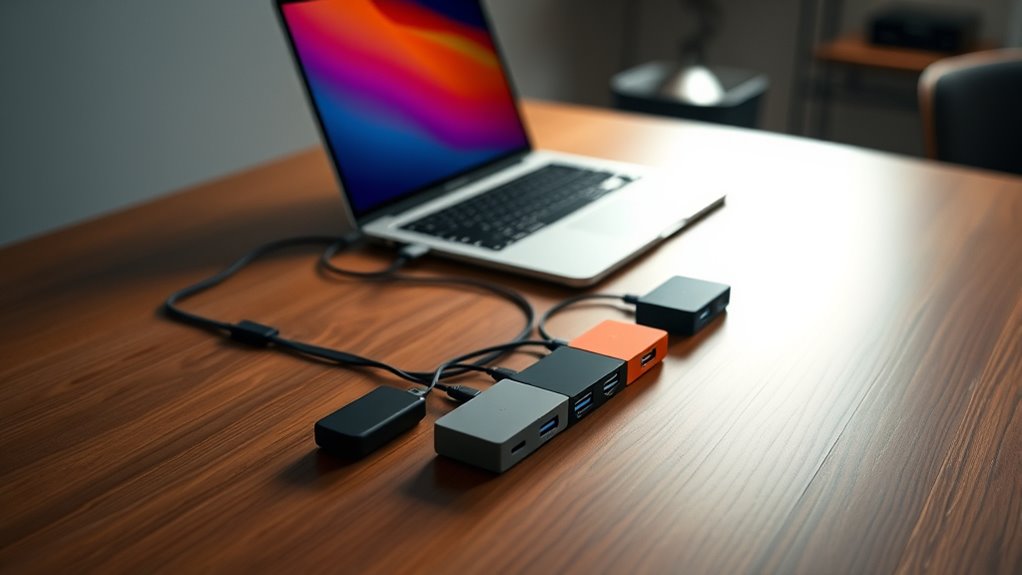

USB-C hubs are essential tools for expanding the connectivity of modern laptops and tablets, offering a versatile array of ports in a compact form. The best options balance performance, build quality, and compatibility, but they vary widely in features and price. The Belkin 100W 10Gbps Multiport USB-C Hub stands out as the overall top pick for its speed and power delivery, while the Rosonway 7 Ports Powered USB 3.2 Hub provides excellent value with multiple ports and robust power. Buyers often face tradeoffs between port selection, charging capabilities, and size—more ports mean more complexity and cost, but fewer ports can limit versatility. Continue reading for a detailed comparison that helps clarify the best choice for your setup.

Get the latest gadgets delivered free with Prime
- Fast, free delivery on millions of items
- Prime Video, Amazon Music and more included
- Member-only deals all year
Complete the kit



Key Takeaways
- High-speed data transfer (10Gbps or more) is a key advantage for advanced users needing quick file transfers.
- Power delivery (PD) support varies; prioritize hubs with at least 60W for charging laptops efficiently.
- Size and portability must match your mobility needs—compact hubs are better for travel, while larger models often pack more ports.
- Build quality and compatibility are critical; metal enclosures and broad device support extend product lifespan and usability.
- Multiple ports, including SD/TF card readers and HDMI, significantly increase versatility but often come with a higher price tag.
| Acer USB C Hub, 5-in-1 USB-C to HDMI Adapter with 4K@60Hz for Laptop and Mac |  | Best Overall USB-C Hub for Versatility and High-Resolution Video | Hardware Interface: HDMI, USB 2.0, USB 3.0, USB Type C | Additional Features: 100W Power Delivery, 4K@60Hz High Resolution, 5Gbps High-Speed Data Transfer, Compact & Lightweight, Plug and Play | Support Devices: USB-C Devices with DisplayPort Alt Mode (e.g., MacBook, Surface, Dell XPS), Laptops, Tablets, Smartphones, Monitors, Gaming Consoles | VIEW ON AMAZON | See Our Full Breakdown |
| Rosonway 7 Ports Powered USB 3.2/USB C Hub with 10Gbps Speed and Power Adapter |  | Best for High-Speed Data Transfer and Versatile Connectivity | Hardware Interface: USB, USB Type C | Additional Features: 10Gbps Fast Data Transfer, Indicator Light, Plug and Play, Powered, Surge Protection | Total USB Ports: 7 | VIEW ON AMAZON | See Our Full Breakdown |
| Belkin 100W 10Gbps Multiport USB-C Hub Adapter for Laptop, iPad, PC, & More |  | Best for Ultra-High-Speed Data and Versatile Device Compatibility | Ports: 4 USB-C 3.2 Gen 2 | Transfer Speed: Up to 10Gbps | Power Delivery: Up to 100W | VIEW ON AMAZON | See Our Full Breakdown |
| Anker USB-C Hub, 5-in-1 USB Hub for Laptops, 4K HDMI Multiport Adapter |  | Best for 4K Video and Basic Expansion in a Compact Form | Hardware Interface: USB Type C | Additional Features: HDMI™, USB C Hub | Total USB Ports: 4 | VIEW ON AMAZON | See Our Full Breakdown |
| USB C Hub 10-in-1 with 4K HDMI, SD/TF Card Reader, 100W PD Charging, USB 3.0 & 2.0 Ports |  | Most Versatile Hub for External Displays, Storage, and Power | Hardware Interface: HDMI, MicroSD, USB 2.0, USB 3.0 | Additional Features: 4K HDMI, SD/TF Card Reader, 100W PD, 10 Ports | Total Usb Ports: 10 | VIEW ON AMAZON | See Our Full Breakdown |
| intpw Powered USB Hub 10Gbps, 9-Port USB 3.2/USB C Hub with 65W Power Adapter |  | Best Overall USB-C Hub for Power and Speed | Hardware Interface: USB, USB 2.0, USB 3.0, USB Type C | Additional Features: Fast Charging, Fast Data Transfer, Heat Resistant, Powered | Compatible Devices: Card Readers, Keyboards, Laptops, Mouse, Printers | VIEW ON AMAZON | See Our Full Breakdown |
| Anker USB C Hub, 7-in-1 Multi-Port USB Adapter, 4K@60Hz USBC to HDMI Splitter |  | Best for High-Definition Video and Versatile Connectivity | Hardware Interface: USB 3.0 | HDMI: Yes | SD/TF Card Reader: Yes | VIEW ON AMAZON | See Our Full Breakdown |
| BENFEI USB C Hub 5-in-1 with 4K HDMI, 100W Power Delivery, 3 USB-A Ports, Aluminum Case, Compatible with MacBook Pro/Air, iPad Pro, iMac, iPhone 15 Pro/Pro Max, XPS, Thinkpad |  | Best Portable Power and Display Hub for Broad Compatibility | Hardware Interface: USB Type C | Additional Features: Silicone and Woven Design Cable | Compatible Devices: MacBook Pro, iMac, MacBook, Surface, Samsung Galaxy | VIEW ON AMAZON | See Our Full Breakdown |
| UGREEN Revodok Pro USB-C Hub 6-in-1, 10Gbps, 4K 60Hz HDMI |  | Best for Versatile Connection and High-Speed Data | Hardware Interface: HDMI, USB, USB Type C | Additional Features: Portable, Compatible Devices | Total USB Ports: 4 | VIEW ON AMAZON | See Our Full Breakdown |
| UGREEN USB C Hub 5-in-1 Multiport USB Adapter with 4K HDMI and 100W Power Delivery |  | Best for Compact, All-in-One Expansion | Hardware Interface: USB Type C | Additional Features: Silicone and Woven Design Cable | Compatible Devices: MacBook Pro, iMac, MacBook, Surface, Samsung Galaxy | VIEW ON AMAZON | See Our Full Breakdown |
| Anker USB C Hub, 5-in-1 USB-C to HDMI Splitter with 4K Display |  | Best Overall USB-C Hub for Versatility and Power | Hardware Interface: HDMI, USB 3.0, USB Type C | Additional Features: Fast Charging, Pass Through Charge | Compatible Devices: Windows and MacBook computers supporting USB-C with DP Alt Mode and Power Delivery | VIEW ON AMAZON | See Our Full Breakdown |
| Acer 10 Gbps USB C Hub, 5-in-1 Multiport Adapter with 4 USB-C 3.2 Ports and 100W Power Delivery |  | Best for High-Speed Data and Durable Portability | Hardware Interface: USB Type C | Additional Features: Only 10Gbps Shared Fast Data Transfer, Portable, Plug & Play | Compatible Devices: Laptops, Tablets, Keyboards, Smartphones, Hard Disk Drive, iPad Pro, MacBook Pro, iPhone 16/15 Pro, Surface Pro, Dell XPS, Chromebook | VIEW ON AMAZON | See Our Full Breakdown |
| Acer USB C Hub, 7-in-1 Multi-Port Adapter for Laptop and Mac Devices |  | Best for Extensive Port Expansion with 4K Output | Hardware Interface: HDMI, MicroSD, USB 3.0, USB Type C | Additional Features: 5Gbps Fast Data Transfer, Heat Resistant, PD 100W Fast Charging, Plug and Play | Total USB Ports: 7 | VIEW ON AMAZON | See Our Full Breakdown |
| usbc hub | Hardware Interface | Total USB Ports | Data Transfer Rate | Additional Features |
|---|---|---|---|---|
| Acer USB C Hub | HDMI, USB 2.0, USB 3.0, USB Type C | 3 | 5 gigabits_per_second | 100W Power Delivery, 4K@60Hz High Resolution, 5Gbps High-Speed Data Transfer, Compact & Lightweight, Plug and Play |
| Rosonway 7 Ports Powered USB 3 | USB, USB Type C | 7 | 10 gigabits_per_second | 10Gbps Fast Data Transfer, Indicator Light, Plug and Play, Powered, Surge Protection |
| Belkin 100W 10Gbps Multiport U | — | — | — | — |
| Anker USB-C Hub | USB Type C | 4 | 5Gbps | HDMI™, USB C Hub |
| USB C Hub 10-in-1 with 4K HDMI | HDMI, MicroSD, USB 2.0, USB 3.0 | 10 | 5 gigabits_per_second | 4K HDMI, SD/TF Card Reader, 100W PD, 10 Ports |
| intpw Powered USB Hub 10Gbps | USB, USB 2.0, USB 3.0, USB Type C | 9 | 10 gigabits_per_second | Fast Charging, Fast Data Transfer, Heat Resistant, Powered |
| Anker USB C Hub | USB 3.0 | 3 | 5 Gbps | — |
| BENFEI USB C Hub 5-in-1 with 4 | USB Type C | 3 | 10 Gbps | Silicone and Woven Design Cable |
| UGREEN Revodok Pro USB-C Hub 6 | HDMI, USB, USB Type C | 4 | 10 Gbps | Portable, Compatible Devices |
| UGREEN USB C Hub 5-in-1 Multip | USB Type C | 3 | 10 Gbps | Silicone and Woven Design Cable |
| Anker USB C Hub | HDMI, USB 3.0, USB Type C | 3 | 5 gigabits_per_second | Fast Charging, Pass Through Charge |
| Acer 10 Gbps USB C Hub | USB Type C | 5 | 10 gigabits_per_second | Only 10Gbps Shared Fast Data Transfer, Portable, Plug & Play |
| Acer USB C Hub | HDMI, MicroSD, USB 3.0, USB Type C | 7 | 5 gigabits_per_second | 5Gbps Fast Data Transfer, Heat Resistant, PD 100W Fast Charging, Plug and Play |
More Details on Our Top Picks
Acer USB C Hub, 5-in-1 USB-C to HDMI Adapter with 4K@60Hz for Laptop and Mac
This Acer hub stands out for combining high-quality 4K@60Hz video output with reliable pass-through charging up to 100W, making it ideal for professionals who need crisp visuals and uninterrupted power. Compared to the Belkin 100W hub, it offers a broader compatibility with multiple ports in a compact form, though it supports fewer USB connections overall. Its aluminum enclosure ensures durability and heat dissipation, but the limited USB ports mean you might need additional hubs for extensive peripherals. The requirement for devices supporting DisplayPort Alt Mode is a caveat for some users. Overall, this pick makes the most sense for users who prioritize high-resolution video and reliable charging in a portable package.
Pros:- Supports 4K@60Hz video output for crisp, smooth visuals
- Provides up to 100W pass-through charging for uninterrupted power
- Compact aluminum design for portability and heat dissipation
Cons:- Power adapter and cable for full 90W charging are not included
- Limited USB ports may require additional hubs for extensive peripherals
Best for: Professionals who need a sleek, reliable hub with 4K video and pass-through charging for daily use on compatible laptops and tablets.
Not ideal for: Power users with extensive peripheral needs, as it offers only three USB ports and limited expansion options.
- Hardware Interface:HDMI, USB 2.0, USB 3.0, USB Type C
- Additional Features:100W Power Delivery, 4K@60Hz High Resolution, 5Gbps High-Speed Data Transfer, Compact & Lightweight, Plug and Play
- Support Devices:USB-C Devices with DisplayPort Alt Mode (e.g., MacBook, Surface, Dell XPS), Laptops, Tablets, Smartphones, Monitors, Gaming Consoles
- Total USB Ports:3
- Data Transfer Rate:5 gigabits_per_second
- Operating System:Chrome OS, Linux, Windows, macOS
Our verdict“This hub is best suited for users who need high-quality video output and reliable charging in a portable form factor.”
Rosonway 7 Ports Powered USB 3.2/USB C Hub with 10Gbps Speed and Power Adapter
The Rosonway 7-port hub excels at offering blazing-fast data transfer rates up to 10Gbps across all ports, making it ideal for transferring large files or backing up data quickly. Its multiple USB-C 3.2 and USB-A 3.2 ports provide flexibility for connecting various devices, surpassing the limited port options of the Anker 5-in-1. However, it does not support video output or Power Delivery for charging, which makes it less suitable for users who need a single hub for both peripherals and external displays. The requirement for an external 36W power adapter is a minor inconvenience, but its surge protection adds a layer of safety absent in some competitors. This model is best for those prioritizing high-speed data transfer and device expansion over video capabilities.
Pros:- Supports data transfer speeds up to 10Gbps on all ports
- Includes multiple USB-C and USB-A ports for versatile device connection
- Built-in surge protection and safety features
Cons:- No video output or Power Delivery support
- Requires external power supply for full functionality
- Limited to data transfer, not suitable for powering or displaying video
Best for: Home users, content creators, or professionals who need rapid data transfer and multiple device connections without requiring video output or power delivery.
Not ideal for: Users seeking a hub that supports 4K video or charging, as this hub’s focus is on data speed and connectivity only.
- Hardware Interface:USB, USB Type C
- Additional Features:10Gbps Fast Data Transfer, Indicator Light, Plug and Play, Powered, Surge Protection
- Total USB Ports:7
- Data Transfer Rate:10 gigabits_per_second
- Minimum Required Operating System:Mac OS 14 Sonoma, Ubuntu 22.04 Jammy Jellyfish, Windows 10
- Cable Length:3.3ft
Our verdict“This hub is ideal for high-speed data transfer and connecting multiple peripherals without the need for video output or charging capabilities.”
Belkin 100W 10Gbps Multiport USB-C Hub Adapter for Laptop, iPad, PC, & More
The Belkin 100W hub offers a sleek, durable design with four USB-C 3.2 Gen 2 ports supporting speeds up to 10Gbps, making it a solid choice for users who need fast data transfer across multiple devices. Its support for 100W pass-through charging ensures your devices stay powered during intensive tasks, unlike some hubs that lack sufficient power delivery. Compared to the Acer hub, it has fewer ports but emphasizes universal compatibility and eco-friendliness, with a notable 2-year warranty. Its performance is dependent on the host device’s capabilities, and it’s limited to four ports, which might restrict users with extensive peripherals. This pick works well for portable, high-speed workflows involving laptops and tablets.
Pros:- Supports 10Gbps data transfer on all ports
- Provides up to 100W pass-through charging
- Universal compatibility with MacBook, iPad, Chromebook, and PC
Cons:- Limited to four ports, which may be restrictive
- Performance depends on host device capability
- Requires USB-C power source for full functionality
Best for: Creative professionals or students needing high-speed data transfer and full device compatibility in a portable package.
Not ideal for: Power users with many peripherals or those requiring multiple video outputs, as this hub focuses on data and charging only.
- Ports:4 USB-C 3.2 Gen 2
- Transfer Speed:Up to 10Gbps
- Power Delivery:Up to 100W
- Warranty:2 years
- Material:Minimum 72% post-consumer recycled content
- Support Devices:MacBook, iPad, Chromebook, PC
Our verdict“This hub is best suited for users who need high-speed data transfer and reliable charging in a compact, eco-friendly design.”
Anker USB-C Hub, 5-in-1 USB Hub for Laptops, 4K HDMI Multiport Adapter
The Anker 5-in-1 hub emphasizes 4K HDMI output combined with multiple USB-A ports, making it a practical choice for users who want simple, reliable expansion for media and peripherals. Its support for 4K at 60Hz ensures sharp visuals, but it depends heavily on the host device supporting DisplayPort Alt Mode, limiting compatibility with some systems. The inclusion of Power Delivery up to 90W provides decent charging, yet the device’s plastic construction and relatively limited port count mean it’s less durable and less expandable than larger hubs like the USB C 10-in-1. It’s perfect for casual or portable use but falls short for those needing extensive peripherals or Linux compatibility.
Pros:- Supports 4K HDMI output at 60Hz for high-quality video
- Includes multiple USB-A ports for peripherals
- Provides 90W Power Delivery for charging
Cons:- Requires host device support for DP Alt Mode
- Charger not included, so full charging might require additional accessories
- Not compatible with Linux
Best for: Casual users or travelers who need a compact hub for 4K video and basic device connections with decent charging support.
Not ideal for: Power users or those with extensive peripherals, as it offers only five ports and limited expandability.
- Hardware Interface:USB Type C
- Additional Features:HDMI™, USB C Hub
- Total USB Ports:4
- Data Transfer Rate:5Gbps
- Minimum Required Operating System:Chrome OS 134, Windows 10
- Color:Gray
Our verdict“This hub is best for users seeking a simple, portable solution for 4K video and basic peripheral connectivity on compatible devices.”
USB C Hub 10-in-1 with 4K HDMI, SD/TF Card Reader, 100W PD Charging, USB 3.0 & 2.0 Ports
This 10-in-1 hub offers a broad range of features, including 4K@60Hz HDMI, SD/TF card readers, multiple USB ports, and 100W Power Delivery, making it a strong choice for users who need all-in-one connectivity. It surpasses the smaller, more focused hubs like the Anker or Belkin by providing additional storage options, but its reliance on DisplayPort Alt Mode for video output means compatibility can vary. The plastic enclosure is lightweight but less durable, and the hub’s size, while still portable, is larger than simpler models. It’s a great pick for those who want a comprehensive connection station for work or media, though it sacrifices some portability and simplicity.
Pros:- Supports 4K@60Hz HDMI output for high-res display
- Includes SD/TF card readers for quick media access
- Power delivery up to 100W for fast charging
Cons:- Requires device support for DisplayPort Alt Mode
- Limited to one HDD/SSD connection, which may restrict storage expansion
- Larger size reduces portability for some users
Best for: Content creators, photographers, or multitasking professionals who need a wide array of ports in one hub for external displays, storage, and charging.
Not ideal for: Those seeking a minimal, lightweight hub solely for basic peripherals or on the go, as this model is more feature-rich but bulkier.
- Hardware Interface:HDMI, MicroSD, USB 2.0, USB 3.0
- Additional Features:4K HDMI, SD/TF Card Reader, 100W PD, 10 Ports
- Total Usb Ports:10
- Data Transfer Rate:5 gigabits_per_second
- Operating System:Windows, macOS
- Color:Gray/Black
Our verdict“This hub is best for users who need a full-featured, all-in-one solution for external displays, storage, and charging in a semi-portable form.”
intpw Powered USB Hub 10Gbps, 9-Port USB 3.2/USB C Hub with 65W Power Adapter
This powered hub excels in high-speed data transfer and reliable power delivery, making it ideal for users who need quick file sharing and device charging. Its 10Gbps transfer rate outclasses many competitors like the Anker 7-in-1, which offers only 5Gbps, and the sturdy aluminum build provides durability absent in plastic models. However, it lacks video output support, unlike the Anker 7-in-1, which does include HDMI. The dedicated 45W charging ports are perfect for everyday device recharging but aren’t suitable for high-power peripherals like external SSDs or multiple devices simultaneously. Its design is sleek and ergonomic, fitting well into professional setups, but the absence of video output limits multi-purpose use for content creators or presentation needs.
Pros:- High-speed 10Gbps data transfer for quick file handling
- Includes dedicated 45W fast charging ports
- Sturdy aluminum design for stability and heat resistance
- Compatible with a wide range of USB-C devices
Cons:- No video output support limits multimedia use
- Charging ports do not support data transfer
- Not suited for high-power external SSDs or multiple simultaneous charging
Best for: Power users who prioritize fast data transfer and device charging in a stable, durable hub.
Not ideal for: Creative professionals needing video output or those wanting simultaneous charging and data transfer on the same port.
- Hardware Interface:USB, USB 2.0, USB 3.0, USB Type C
- Additional Features:Fast Charging, Fast Data Transfer, Heat Resistant, Powered
- Compatible Devices:Card Readers, Keyboards, Laptops, Mouse, Printers
- Total Usb Ports:9
- Data Transfer Rate:10 gigabits_per_second
- Item Dimensions:2.5″L x 1″W x 7″H
- Item Weight:0.57 kg
Our verdict“This hub suits users seeking fast data transfer and reliable charging without the need for video output capabilities.”
Anker USB C Hub, 7-in-1 Multi-Port USB Adapter, 4K@60Hz USBC to HDMI Splitter
This sleek, compact hub shines in delivering high-resolution video output, supporting 4K@60Hz, which outperforms many similar models like the UGREEN Revodok Pro that maxes at 4K 30Hz. Its 85W Power Delivery ensures fast laptop charging, making it ideal for professionals on the go. The multiple USB-A ports facilitate data transfer, but only the HDMI port supports video, unlike some hubs that combine video and data on multiple ports, such as the UGREEN Revodok Pro. Its price might be higher due to premium features, but for those needing crisp visuals and fast charging, it’s a worthwhile investment. The hub’s compact metal design also adds a premium feel, perfect for travel or workspace use, although the limited number of ports may restrict extensive peripheral connections.
Pros:- Supports 4K@60Hz high-definition video output
- High-capacity 85W charging for laptops
- Slim, durable metal construction for portability
- Multiple USB-A ports for data peripherals
Cons:- Video only supported on HDMI port, others are data-only
- Higher price point compared to simpler hubs
- Limited number of ports for extensive device connections
Best for: Creative professionals or remote workers who need high-quality 4K video and reliable charging in a portable package.
Not ideal for: Those requiring multiple video outputs or extensive USB port options for complex setups, where the limited ports may be restrictive.
- Hardware Interface:USB 3.0
- HDMI:Yes
- SD/TF Card Reader:Yes
- USB C Hub Compatible Devices:Windows and MacBook computers supporting USB-C with DP Alt Mode and Power Delivery
- Total USB Ports:3
- Data Transfer Rate:5 Gbps
Our verdict“This hub is best suited for users needing sharp 4K visuals alongside fast charging in a compact form factor.”
BENFEI USB C Hub 5-in-1 with 4K HDMI, 100W Power Delivery, 3 USB-A Ports, Aluminum Case, Compatible with MacBook Pro/Air, iPad Pro, iMac, iPhone 15 Pro/Pro Max, XPS, Thinkpad
This hub stands out for its combination of 4K HDMI output, robust 100W charging, and a sleek aluminum case, making it a versatile choice for users who prioritize portability. Unlike larger multiport hubs, its streamlined 5-in-1 layout emphasizes essential connectivity, similar to the UGREEN Revodok Pro, but with a focus on compatibility with Apple and Windows devices alike. The silicone woven cable adds durability, though its short length may limit placement flexibility, especially for desktop setups. It does not support data transfer on the Type-C port itself, which might be a drawback for users needing simultaneous data and power on the same port. Still, its lightweight design makes it perfect for on-the-go professionals who need reliable display and charging capabilities.
Pros:- Supports 4K HDMI output for high-quality visuals
- Provides 100W power delivery for fast charging
- Lightweight, portable aluminum design
- Durable silicone woven cable for added longevity
Cons:- Short cable length limits setup flexibility
- No data transfer support on Type-C port
- Limited to basic connectivity needs
Best for: Mobile professionals seeking a compact, all-in-one hub compatible with both Mac and Windows devices.
Not ideal for: Power users needing multiple USB ports or video outputs beyond 4K HDMI, or those with extensive peripheral needs.
- Hardware Interface:USB Type C
- Additional Features:Silicone and Woven Design Cable
- Compatible Devices:MacBook Pro, iMac, MacBook, Surface, Samsung Galaxy
- Total USB Ports:3
- Data Transfer Rate:10 Gbps
Our verdict“This hub offers a balanced blend of portability, display quality, and power for users on the move with compatible devices.”
UGREEN Revodok Pro USB-C Hub 6-in-1, 10Gbps, 4K 60Hz HDMI
The UGREEN Revodok Pro offers a solid balance of multiple ports, including dual USB-C 3.2 Gen 2, dual USB-A 3.2 Gen 2, HDMI with 4K 60Hz, and 100W Power Delivery, making it a flexible choice for users needing broad device support. Compared to the Anker 7-in-1, it provides more USB-C ports, which is advantageous for those connecting newer peripherals. However, detailed build quality information is limited, and it lacks SD card slots, which might be a disappointment for photographers or content creators. Its support for 10Gbps transfer speeds and 4K 60Hz HDMI makes it suitable for multi-device workstations, but it’s less compact than some lightweight options, adding some bulk to travel setups. It’s a good all-rounder for those who need multiple high-speed connections without sacrificing power delivery.
Pros:- Supports 10Gbps high-speed data transfer
- Includes multiple USB-C and USB-A ports for diverse peripherals
- Offers 4K@60Hz HDMI output
- Provides 100W Power Delivery for charging
Cons:- Limited info on overall build durability
- Lacks SD/TF card support
- Somewhat bulkier for ultra-portable needs
Best for: Multi-device users needing fast data, multiple USB-C and USB-A ports, and high-quality video output in a portable form.
Not ideal for: Users seeking extensive multimedia features like SD card slots or extra video outputs, or those prioritizing ultra-lightweight portability.
- Hardware Interface:HDMI, USB, USB Type C
- Additional Features:Portable, Compatible Devices
- Total USB Ports:4
- Data Transfer Rate:10 Gbps
- Number of Ports:6
Our verdict“This hub is best for users who need multiple high-speed connections and 4K output in a versatile yet portable package.”
UGREEN USB C Hub 5-in-1 Multiport USB Adapter with 4K HDMI and 100W Power Delivery
This affordable, all-in-one hub combines 4K HDMI output, 100W Power Delivery, and multiple USB-A ports, making it a practical choice for everyday expansion. Its 5-in-1 layout provides core functionalities similar to the Benfei 5-in-1, but with a focus on compatibility with a broad range of devices including MacBooks, Surface, and Galaxy series. The aluminum case adds a premium feel, while the short cable limits flexibility in some setups, unlike larger hubs with extended cables. It does not support data transfer on the Type-C port, which could be limiting for users wanting to connect external drives directly to the hub. Despite this, its straightforward design and reliable video and power output make it suitable for most daily productivity tasks.
Pros:- Supports 4K HDMI display for crisp visuals
- Provides 100W charging for quick power-up
- Sleek aluminum and woven cable design for durability
- Easy to carry and set up
Cons:- No data transfer on the Type-C port
- Short cable may restrict placement options
- Limited port count for complex peripherals
Best for: Budget-conscious users who want reliable display and charging in a compact form factor.
Not ideal for: Power users requiring extensive port options or data transfer capabilities on the Type-C port itself.
- Hardware Interface:USB Type C
- Additional Features:Silicone and Woven Design Cable
- Compatible Devices:MacBook Pro, iMac, MacBook, Surface, Samsung Galaxy
- Total USB Ports:3
- Data Transfer Rate:10 Gbps
Our verdict“This hub is ideal for users needing a simple, portable solution for display and charging on the go with broad device compatibility.”
Anker USB C Hub, 5-in-1 USB-C to HDMI Splitter with 4K Display
This Anker USB C Hub stands out for its balanced combination of high-quality video output, multiple connectivity options, and pass-through charging. Compared with the Acer 10 Gbps USB C Hub, it offers a broader range of ports, including USB-A and USB-C, making it more adaptable for various peripherals. However, unlike the Acer hub, its USB-C port does not support video output, which could be limiting for users needing a single-cable setup. The pass-through charging at 85W is a strong feature for powering laptops while connected, but the charger isn’t included, adding to the total cost. Its compact design makes it ideal for mobile professionals who prioritize convenience without sacrificing performance. The main tradeoff is that it lacks Linux support and the USB-C port’s video capability, which may be crucial for some users.
Pros:- Supports 4K HDMI output for high-quality video streaming
- Multiple ports including USB-A and USB-C provide versatile connectivity
- Pass-through charging up to 85W keeps devices powered during use
Cons:- USB-C port does not support video output, limiting single-cable setups
- Charger not included, increasing overall cost
- Not compatible with Linux operating systems
Best for: Laptops or MacBooks needing versatile connectivity and reliable charging in a portable package
Not ideal for: Linux users or those requiring multiple high-bandwidth video outputs simultaneously
- Hardware Interface:HDMI, USB 3.0, USB Type C
- Additional Features:Fast Charging, Pass Through Charge
- Compatible Devices:Windows and MacBook computers supporting USB-C with DP Alt Mode and Power Delivery
- Total USB Ports:3
- Data Transfer Rate:5 gigabits_per_second
- Item Dimensions:4.78″L x 1.59″W x 0.45″H
- Item Weight:1.44 ounces
Our verdict“This hub suits users who want a reliable, compact solution for expanding laptop ports with decent video and charging support, but those needing Linux compatibility or full USB-C video should consider alternatives.”
Acer 10 Gbps USB C Hub, 5-in-1 Multiport Adapter with 4 USB-C 3.2 Ports and 100W Power Delivery
The Acer 10 Gbps USB C Hub is designed for users who need fast data transfer and reliable charging in a compact, durable form. Its four USB-C 3.2 ports support 10Gbps speeds, making it ideal for large file transfers and high-bandwidth tasks. Compared with the Anker 5-in-1 Hub, it offers significantly higher data transfer speeds, though it’s limited to 5 ports, which may be insufficient for more extensive setups. The aluminum enclosure ensures durability and efficient heat dissipation, suitable for on-the-go use. However, it requires a 10Gbps-capable port to reach its maximum transfer speeds, which could be a limitation on older laptops. It doesn’t include additional video or Ethernet ports, so users needing more connectivity options might find it restrictive. Overall, this pick is best for those prioritizing speed and build quality over port variety.
Pros:- High-speed 10Gbps data transfer supports large files and videos
- Powerful 100W PD port for fast device charging
- Aluminum enclosure offers durability and heat dissipation
Cons:- Requires a 10Gbps-capable port for maximum speed, limiting compatibility
- Limited to 5 ports, which may not suffice for complex setups
- No additional video or Ethernet ports included
Best for: Mobile professionals who need rapid data transfer and reliable charging in a lightweight, durable hub
Not ideal for: Users requiring multiple video outputs or extensive port options beyond USB-C
- Hardware Interface:USB Type C
- Additional Features:Only 10Gbps Shared Fast Data Transfer, Portable, Plug & Play
- Compatible Devices:Laptops, Tablets, Keyboards, Smartphones, Hard Disk Drive, iPad Pro, MacBook Pro, iPhone 16/15 Pro, Surface Pro, Dell XPS, Chromebook
- Total USB Ports:5
- Data Transfer Rate:10 gigabits_per_second
- Color:Grey
- Item Weight:0.06 kg
Our verdict“This hub is perfect for those needing rapid data transfer and solid build quality, but users with extensive port needs or older laptops may find it restrictive.”
Acer USB C Hub, 7-in-1 Multi-Port Adapter for Laptop and Mac Devices
The Acer 7-in-1 Multi-Port Adapter offers a broad set of features, making it ideal for users needing multiple ports from a single USB-C connection. It includes HDMI 4K, SD card slots, USB-A, and USB-C ports, providing comprehensive connectivity for work and entertainment. Compared with the Anker 5-in-1 Hub, it expands to seven ports, but only supports 4K at 30Hz, which may be a drawback for those needing smoother video at 60Hz. Its aluminum build ensures durability and heat management, suitable for frequent travel. The data transfer rate is limited to 5Gbps, which is standard but not high-speed. It requires DP Alt Mode and Power Delivery support, which some older or less capable devices may lack. This hub best serves users who want a versatile, multi-purpose solution but can accept the lower refresh rate for HDMI output.
Pros:- Expands a single USB-C port to multiple useful ports including HDMI, SD, and USB-A
- Supports 4K HDMI output for compatible devices
- Durable aluminum construction with heat dissipation
Cons:- Supports only 4K at 30Hz, not 60Hz, limiting smoothness for some users
- Data transfer ports do not support video or audio transfer
- Requires devices with DP Alt Mode and PD support for full functionality
Best for: Professionals or creatives who need multiple ports and 4K video support on a variety of devices
Not ideal for: Users requiring high refresh rate 4K video at 60Hz or extensive high-speed data transfer
- Hardware Interface:HDMI, MicroSD, USB 3.0, USB Type C
- Additional Features:5Gbps Fast Data Transfer, Heat Resistant, PD 100W Fast Charging, Plug and Play
- Total USB Ports:7
- Data Transfer Rate:5 gigabits_per_second
- Minimum Required Operating System Version:ChromeOS 137, Mac OS 12 Monterey, Windows 11
- Color:Space grey
- Item Dimensions:5.1″L x 1.4″W x 0.7″H
Our verdict“This hub suits users needing broad port options and 4K output, but those prioritizing high refresh rates or fast data transfers should consider alternatives.”

How We Picked
These USB-C hubs were evaluated based on performance, build quality, port variety, charging capabilities, and user reviews. I prioritized products that offer reliable data transfer speeds, broad compatibility with laptops and tablets, and durable construction. Port selection was a key factor—hubs with a mix of USB-A, USB-C, HDMI, and card readers generally provide more value. Price was also considered, aiming to highlight options that deliver excellent features at various budget levels. The ranking reflects a balance between these factors, with an emphasis on real-world usability and longevity.Factors to Consider When Choosing Usbc Hubs
Choosing the right USB-C hub involves understanding your specific needs and balancing features against your budget. While many hubs look similar, subtle differences in port types, power delivery, and build quality can significantly impact usability. A well-chosen hub enhances productivity without cluttering your workspace, but selecting the wrong one can lead to frustration or limited functionality. Here are key factors to consider beyond the specs listed on the box.Port Selection and Versatility
Consider what types of connections you need daily. A hub with multiple USB-A and USB-C ports, HDMI output, and an SD card reader provides maximum flexibility. However, more ports often mean a larger size and higher cost. Think about your primary use cases—if you mainly connect peripherals, prioritize USB ports; if you need to connect an external display, HDMI or DisplayPort support is essential. Avoid hubs with too many ports you won’t use, as they add unnecessary complexity and cost.
Power Delivery and Charging
Power delivery (PD) support is critical if you want your hub to charge your device while in use. Look for hubs with at least 60W PD if you want to power a laptop efficiently; 100W is ideal for larger or more power-hungry models. Keep in mind that some hubs with high port counts may compromise on charging power. Also, check if the hub supports pass-through charging to avoid disconnecting your device for charging, ensuring seamless workflow.
Build Quality and Compatibility
Durability matters, especially if you travel frequently. Metal enclosures tend to last longer and dissipate heat better than plastic. Compatibility is equally vital—ensure the hub supports your device’s specifications. Some hubs are optimized for MacBooks, while others work better with Windows or Linux devices. Reading user reviews can reveal compatibility issues that aren’t obvious from product descriptions.
Size and Portability
Your workflow influences your choice here. Compact and lightweight hubs are perfect for travel and everyday carry, but they might sacrifice port variety. Larger models often include more ports and better heat management but can be cumbersome to carry. Consider where you’ll use the hub most—at a desk, in a bag, or on the go—and choose accordingly. Balancing size with port needs prevents the hassle of carrying an oversized accessory when portability is key.
Price and Value
While it can be tempting to opt for the cheapest option, investing in a higher-quality hub often pays off in longevity and performance. Cheaper hubs may skimp on build quality, have slower data transfer, or lack sufficient power delivery. Conversely, premium models with extensive port options and robust construction cost more but suit users who rely on their setup daily. Match your budget with your specific requirements—extra features often justify the higher price if they enhance your workflow.
Frequently Asked Questions
Can I use a USB-C hub with my tablet or smartphone?
Many USB-C hubs are compatible with tablets and smartphones, especially those supporting USB-C Power Delivery and video output. However, compatibility depends on the device’s USB-C port specifications. Verify that your device supports data transfer, video output, and charging through USB-C before purchasing. Using a hub designed for mobile devices can prevent issues like insufficient power or limited port functionality.
Is it better to choose a hub with more ports or fewer ports?
This depends on your specific needs. If you frequently connect multiple peripherals, a hub with more ports offers increased convenience, reducing the need for multiple adapters. However, larger hubs can be bulkier and more expensive. If your setup is simple—like just connecting a monitor and charging—fewer ports may suffice and keep the device more portable. Consider your typical use case to avoid overpaying for unused ports.
Do all USB-C hubs support 4K video output?
No, not all hubs support 4K video output at 60Hz. Some cheaper models may only support 4K at 30Hz or lower, which can affect display clarity and smoothness. Look for hubs explicitly stating 4K@60Hz support if you need high-quality video, especially for professional work or gaming. Confirm your device’s compatibility with the hub’s video output specifications to avoid disappointment.
Can a USB-C hub charge my laptop while connected?
Many hubs support pass-through charging, allowing you to power your laptop while using other ports. The key is to check the hub’s power delivery capacity; 60W is sufficient for most ultrabooks, but larger laptops may require 100W or more. Be aware that some hubs with multiple features may limit charging power to accommodate data transfer or additional ports, so always verify the wattage before buying if charging is a priority.
Are cheaper USB-C hubs reliable for daily use?
Cheaper hubs can be hit-or-miss. While some offer decent basic functionality, they often compromise on build quality, data transfer speeds, and durability. They may also lack sufficient power delivery or have compatibility issues over time. If you plan to use your hub daily, investing in a mid-range or premium model can reduce frustrations and ensure consistent performance, ultimately saving money and hassle in the long run.
Conclusion
For users seeking the best all-around performance, the Belkin 100W 10Gbps Multiport USB-C Hub offers a balanced mix of speed, power, and port variety. Those prioritizing value should consider the Rosonway 7 Ports Powered USB 3.2 Hub, which delivers solid features at a lower price point. If you’re new to USB-C hubs or need something simple and portable, the Anker 5-in-1 USB-C Hub provides reliable basic functionality. Power users and professionals demanding high-speed data and extensive port options will find the Acer USB C Hub, 7-in-1 Multi-Port Adapter an excellent premium choice. Tailor your pick based on your specific device, portability needs, and budget to get the best fit.