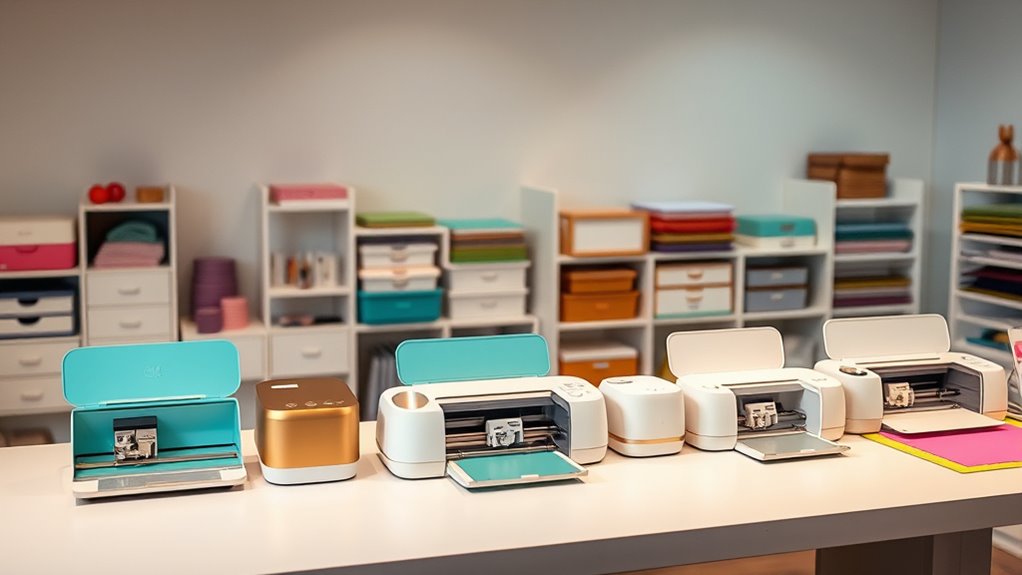
If you’re exploring Cricut machines, you’re likely seeking a versatile tool for crafting, DIY projects, or personalized designs. The Cricut Maker 4 stands out as the best overall pick thanks to its advanced cutting capabilities and wide material compatibility. The Cricut Joy 2 offers a compact, budget-friendly option perfect for small projects or beginners, while the Cricut Explore 5 models provide a balanced mix of features and affordability. The major tradeoffs involve balancing price against versatility, size, and ease of use. Keep reading for a detailed breakdown of each model and what makes them unique.

Get the latest gadgets delivered free with Prime
- Fast, free delivery on millions of items
- Prime Video, Amazon Music and more included
- Member-only deals all year
Complete the kit



Key Takeaways
- The top-tier Cricut Maker 4 excels in versatility, handling a wide range of materials and complex projects, but comes at a higher price.
- Compact models like the Cricut Joy 2 are perfect for small projects and portability, though they sacrifice some advanced features.
- Bundles with digital content and accessories provide better value for beginners or casual crafters, while standalone machines suit more experienced users.
- The newer Explore 5 series balances affordability and functionality, making it a strong choice for most users.
- Size and compatibility with accessories or mats are key considerations that influence ease of use and project scope.
| Cricut Joy 2 Cutting Machine with Rainbow Essentials Sampler Bundle |  | Best Value Starter Bundle | Weight: 2+ lbs (0.91 kg) | Cutting Width: 4.5 in (11.4 cm) | Compatible Materials: 75+ (vinyl, iron-on, printable materials, cardstock) | VIEW ON AMAZON | See Our Full Breakdown |
| Cricut Joy Machine & Digital Content Library Bundle |  | Best Budget Pickup for Occasional Crafters | Weight: 3.9 lbs | Material Compatibility: 50+ materials including cardstock, vinyl, iron-on | Cutting Length: Up to 4 ft per shape, 20 ft repeated cuts | VIEW ON AMAZON | See Our Full Breakdown |
| Cricut Joy 2 Essential Bundle with Digital Content, Blue |  | Best Gift Pick for First-Time Crafters | Cutting Width: 4.5 in (11.4 cm) | Weight: 2+ lbs (0.91 kg) | Compatible Materials: 75+ | VIEW ON AMAZON | See Our Full Breakdown |
| Cricut Maker 4 – Smart Cutting Machine (Seashell) with Engagement Plus Bundle |  | Best Premium All-in-One Setup | Model: Cricut Maker 4 | Color: Seashell | Material Compatibility: 300+ including leather, wood, HTV, cardstock | VIEW ON AMAZON | See Our Full Breakdown |
| Cricut Maker 4 – Smart Cutting Machine (Seashell) | Engagement Bundle |  | Best Power Machine Without the Premium Price | Model: Cricut Maker 4 | Color: Seashell | Material Compatibility: 300+ including leather, wood, vinyl, HTV, cardstock | VIEW ON AMAZON | See Our Full Breakdown |
| Cricut Maker 4 T-Shirt Making Bundle with EasyPress SE Heat Press, Vinyl & Iron-On Kit |  | Best All-in-One Bundle for Custom Apparel Creators | Brand: Cricut | Model: z20-11084-N10 | Included Components: Cricut Maker 4, EasyPress SE, vinyl, tools | VIEW ON AMAZON | See Our Full Breakdown |
| Cricut Explore 5 Essential Bundle + Rainbow Sampler |  | Best Versatile Machine for Beginners and Small Projects | Material Compatibility: Vinyl, heat transfer vinyl, cardstock, printable materials, paper, felt | Cutting Capabilities: 100+ materials, matless cuts up to 12 feet | Connectivity: Bluetooth | VIEW ON AMAZON | See Our Full Breakdown |
| Cricut Explore 5 Essential Bundle + Multicolor Sampler |  | Best for Colorful, Multi-Material Projects with Wireless Ease | Model: Explore 5 | Materials Included: Smart Vinyl, Smart Iron-On, cardstock, printable vinyl | Cutting Capabilities: 100+ materials, 12-foot matless cuts | VIEW ON AMAZON | See Our Full Breakdown |
| Cricut Explore 5 Ultimate Bundle + Digital Content Cutting Machine, Taupe |  | Best for Extensive Digital Content and Versatile Crafting | ASIN: B0GJFNVJ49 | Color: Taupe | Cutting Width: 12 in | VIEW ON AMAZON | See Our Full Breakdown |
| Cricut Explore 5 Essential Bundle with Rainbow Sampler + EasyPress 9×9 |  | Best for Beginners and Workspace-Conscious Makers | Machine Model: Cricut Explore 5 | Heat Press: EasyPress 9″ x 9″ | Max Heat: 400°F (205°C) | VIEW ON AMAZON | See Our Full Breakdown |
| Cricut Joy Xtra Smart Cutting Machine with Digital Content Bundle | 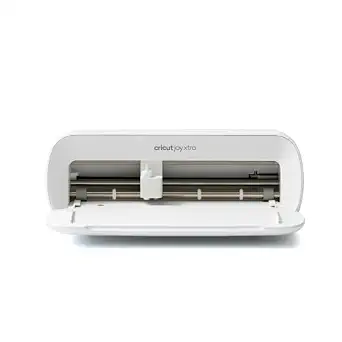 | Best for Versatile Small-Scale Projects | Brand: Cricut | Functions: Cuts, draws, foils, writes | Compatible Materials: Vinyl, iron-on HTV, cardstock, stickers, and more | VIEW ON AMAZON | See Our Full Breakdown |
| Cricut Explore 5 Essential Bundle with Digital Content, Taupe | 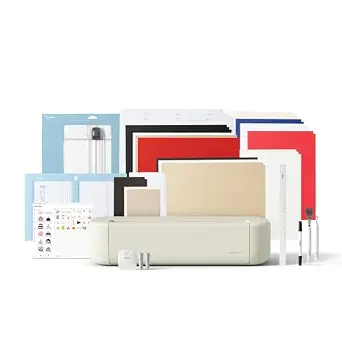 | Best for Intermediate Crafters with a Focus on Value | Cutting width: 12 in (30.5 cm) | Compatible materials: 100+ including vinyl, iron-on, cardstock, printable materials | Compatible tools: 6 tools (Deep Cutting Tool sold separately) | VIEW ON AMAZON | See Our Full Breakdown |
| Cricut Explore 5 Cutting Machine with Deluxe Bundle and Digital Content, Taupe |  | Best for Serious Hobbyists Needing Extensive Supplies | Cutting width: 12 in (30.5 cm) | Compatible materials: 100+ including vinyl, iron-on, cardstock, printable | Compatible tools: 6 tools (sold separately) | VIEW ON AMAZON | See Our Full Breakdown |
| Cricut Maker 4 Smart Cutting Machine (Seashell) with Digital Content Bundle |  | Best for Advanced and Professional-Grade Projects | Color: Seashell | Compatible Materials: 300+ including leather, wood, vinyl, cardstock | Cutting Speed: Up to 2X faster | VIEW ON AMAZON | See Our Full Breakdown |
| cricut machine | Connectivity | Color |
|---|---|---|
| Cricut Joy 2 Cutting Machine w | Bluetooth | — |
| Cricut Joy Machine & Digital C | Wireless Bluetooth | — |
| Cricut Joy 2 Essential Bundle | Bluetooth | Blue |
| Cricut Maker 4 | — | Seashell |
| Cricut Maker 4 | — | Seashell |
| Cricut Maker 4 T-Shirt Making | — | — |
| Cricut Explore 5 Essential Bun | Bluetooth | — |
| Cricut Explore 5 Essential Bun | Bluetooth | — |
| Cricut Explore 5 Ultimate Bund | Bluetooth | Taupe |
| Cricut Explore 5 Essential Bun | Bluetooth | — |
| Cricut Joy Xtra Smart Cutting | — | — |
| Cricut Explore 5 Essential Bun | Bluetooth | Taupe |
| Cricut Explore 5 Cutting Machi | Bluetooth | Taupe |
| Cricut Maker 4 Smart Cutting M | — | Seashell |
More Details on Our Top Picks
Cricut Joy 2 Cutting Machine with Rainbow Essentials Sampler Bundle
Most entry bundles give you a machine and a pat on the back — this one gives you enough materials for up to 75 projects, which is genuinely rare at this price point. The Cricut Joy 2 is built around one idea: small, fast, everyday crafting. Compared with the original Cricut Joy bundle (B0BJGRH85F), you get a lighter machine, 25 more compatible materials, and a far more generous physical sampler of Smart Vinyl, Iron-On, and printable vinyl. The tradeoff is structural rather than incidental: a 4.5-inch cutting width means no large banners or full T-shirt graphics. Anyone eyeing the Cricut Maker 4 for leather or wood should skip this entirely. But for card makers, labelers, and sticker lovers who want a machine that lives in a desk drawer, the value-per-dollar here is hard to beat.
Pros:- Up to 75 projects’ worth of included materials — one of the most generous starter bundles available
- Ultra-light 2+ lb design stores in a drawer and sets up anywhere
- Pairs with a home inkjet printer for full-color printable stickers
- Free Design Space library with 3,000+ images requires zero design experience
Cons:- 4.5-inch cutting width rules out most apparel and large decor projects
- Useful tools and premium content sit behind separate purchases or a Cricut Access subscription
Best for: Casual crafters and card/sticker makers who want maximum supplies included at the lowest possible entry cost
Not ideal for: Anyone planning large-format projects like oversized decals, apparel graphics, or home decor — the 4.5-inch width is a hard ceiling
- Weight:2+ lbs (0.91 kg)
- Cutting Width:4.5 in (11.4 cm)
- Compatible Materials:75+ (vinyl, iron-on, printable materials, cardstock)
- Connectivity:Bluetooth
- Software:Cricut Design Space (free app)
- Free Content Library:3,000+ images, 100+ fonts, 1,000+ projects
- Bundle Supplies:Enough for up to 75 projects
Our verdict“The smartest low-cost entry into Cricut crafting if your projects stay small and you want supplies included on day one.”
Cricut Joy Machine & Digital Content Library Bundle
This is the leanest way into the Cricut ecosystem, and that restraint is the whole point. Where the Cricut Joy 2 bundles load up on physical materials, this package focuses on the basics — machine, blade, pen, mat, and a modest digital library of 30 images. The payoff is price: it typically undercuts every other bundle in this lineup. It also cuts up to 4 ft per shape, a clever trick for long, thin repeated designs like borders and banners that machines with mats can’t match. The catch is that 50+ compatible materials trails the Joy 2’s 75+, and you’ll be buying vinyl and iron-on separately almost immediately since no project materials are included. Compared with the Joy 2 Essential Bundle (B0GJFS6L4M), you save money now but spend it back later.
Pros:- Lowest-cost entry point into the Cricut ecosystem in this roundup
- Continuous cutting up to 4 ft per shape — unique among compact machines
- Genuinely portable at 3.9 lbs with wireless Bluetooth setup
- Includes a StandardGrip mat, pen, and blade so it’s functional out of the box
Cons:- No project materials included, so extra spending starts immediately
- 50+ material compatibility lags the newer Joy 2’s 75+
- Requires a phone or computer for every operation
Best for: Budget-conscious buyers who already own craft supplies or only want occasional decal and label projects
Not ideal for: First-time crafters expecting to start projects on day one — no physical materials are in the box beyond a pen and mat
- Weight:3.9 lbs
- Material Compatibility:50+ materials including cardstock, vinyl, iron-on
- Cutting Length:Up to 4 ft per shape, 20 ft repeated cuts
- Connectivity:Wireless Bluetooth
- Included Content:30 images, 50 projects, Cricut Access free trial
- In the Box:Blade, housing, fine point pen, StandardGrip mat, power adapter
Our verdict“Buy it only if the upfront price is your deciding factor and you’re willing to supply your own materials.”
Cricut Joy 2 Essential Bundle with Digital Content, Blue
This bundle occupies the middle ground between the bare-bones original Cricut Joy and the 75-project Rainbow Sampler version — roughly 35 projects’ worth of materials plus 25 premium images and a bonus font that the free library doesn’t include. That premium digital content is what makes it my gift recommendation: a new crafter gets curated designs that feel special without tripping into subscription territory on day one. Like the other Joy 2 configurations, it cuts, writes, draws, foils, and scores, and the print-then-cut sticker workflow with a home inkjet is the most satisfying beginner project there is. The limitations are shared across the whole Joy family — the 4.5-inch width caps project size — and this blue finish is purely cosmetic. If you want maximum supplies rather than digital extras, the Rainbow Sampler bundle delivers more physical material.
Pros:- 25 premium images and 1 included font go beyond the free library
- Five functions in one compact machine: cut, write, draw, foil, score
- Balanced bundle of Smart Vinyl, Iron-On, cardstock, and insert cards
- Dinstinctive blue finish stands out from standard white units
Cons:- Fewer included projects than the comparable Rainbow Essentials bundle
- 4.5-inch width limits project scale like all Joy machines
- Not intended for children 12 and under
Best for: Gift-givers and true beginners who want a polished unboxing experience with curated designs included
Not ideal for: Volume crafters — 35 projects of supplies runs out faster than the Rainbow Sampler bundle, and refills add up
- Cutting Width:4.5 in (11.4 cm)
- Weight:2+ lbs (0.91 kg)
- Compatible Materials:75+
- Connectivity:Bluetooth
- Color:Blue
- Bundle Supplies:Up to 35 projects
- Digital Content:Free library plus 25 premium images and 1 font
Our verdict“The most gift-ready Joy 2 package — thoughtful digital extras make it feel complete without a subscription hook.”
Cricut Maker 4 – Smart Cutting Machine (Seashell) with Engagement Plus Bundle
This is the most complete package in the roundup — and the most expensive-feeling one. Beyond the Cricut Maker 4 itself, the Engagement Plus bundle adds an EasyPress 2 heat press, pressing mat, tote bag, transfer tape, and a full spread of Smart Iron-On and Smart Vinyl. In practical terms, that means you can finish a personalized shirt the same afternoon you unbox it, with no accessory shopping gap. No Explore 5 bundle matches this machine’s material range: 300+ materials including leather, wood, and debossed metal put it in a different class from every Joy or Explore option. The cutting speed is rated up to 2X faster than the previous Maker generation, which matters on intricate multi-layer designs. The honest tradeoffs: it’s a large machine with a steep accessory ecosystem to learn, and full-color Print-Then-Cut still demands a separate inkjet printer. The sibling Engagement Bundle (B0DTQ8BGM9) costs less but omits the EasyPress and tote.
Pros:- 300+ material compatibility including leather, wood, and engraving-capable surfaces
- EasyPress 2 and pressing mat included — true out-of-box HTV workflow
- Up to 2X faster cutting than the previous Maker generation
- Tote bag and transfer tape round out a genuinely complete kit
Cons:- The accessory pile can overwhelm first-time Cricut owners
- Print-Then-Cut in full color requires a separate compatible inkjet printer
- Premium price point relative to every Joy and Explore bundle here
Best for: Serious hobbyists and small business sellers who want a full heat-transfer and cutting workstation in one purchase
Not ideal for: Complete beginners with modest goals — the price and accessory volume overshoot what card and sticker projects require
- Model:Cricut Maker 4
- Color:Seashell
- Material Compatibility:300+ including leather, wood, HTV, cardstock
- Cutting Speed:Up to 2X faster than previous model
- Key Bundle Items:EasyPress 2 (SE), pressing mat, tote bag, blades, pens, tools
- Materials Included:Smart Iron-On, Smart Vinyl, cardstock, transfer tape
- Software:Cricut Design Space app
Our verdict“If you want one purchase that covers cutting, heat pressing, and pro-grade materials, this is the ceiling of the lineup.”
Cricut Maker 4 – Smart Cutting Machine (Seashell) | Engagement Bundle
Same engine, smaller trailer. This bundle pairs the Cricut Maker 4 with blades, mats, tools, materials, and digital images — everything needed to start cutting leather, wood, and intricate vinyl immediately — but skips the EasyPress 2 and tote bag that push the Engagement Plus bundle (B0DTQ91BNL) upmarket. For crafters who already own a heat press, or who don’t do apparel at all, that omission is pure savings rather than a compromise. The machine itself is identical: 300+ materials, engraving and debossing capability, and speed that embarrasses the Explore 5 bundles on dense, detailed cuts. Where a Joy 2 fails at a thick leather cuff, this doesn’t break a sweat. The real cost is complexity — the tool ecosystem (blades, housings, mats, settings) has a learning curve, and Design Space requires an internet connection along with nudges toward Cricut Access for the fuller content library.
Pros:- Full Maker 4 capability: engraving, debossing, and 300+ materials
- Meaningfully cheaper than the Engagement Plus bundle while keeping core tools
- Fast, precise cutting suited to detailed multi-layer work
- Print-Then-Cut support with inkjet printers for professional stickers
Cons:- No heat press included — HTV projects need separately purchased equipment
- Steeper learning curve than Explore or Joy machines
- Internet connection and potential subscription costs for full content access
Best for: Experienced or ambitious crafters who want flagship cutting power and already own heat-press equipment
Not ideal for: Casual users with light needs — a Joy 2 handles cards and labels at a fraction of the cost and complexity
- Model:Cricut Maker 4
- Color:Seashell
- Material Compatibility:300+ including leather, wood, vinyl, HTV, cardstock
- Cutting Speed:Up to 2X faster than previous model
- Bundle Includes:Blades, mats, tools, materials, digital images
- Software:Cricut Design Space app, inkjet printer compatible
Our verdict“The smart way to buy flagship Maker 4 performance when you don’t need the bundled heat press.”
Cricut Maker 4 T-Shirt Making Bundle with EasyPress SE Heat Press, Vinyl & Iron-On Kit
This bundle combines the powerful Cricut Maker 4 with the EasyPress SE for a seamless experience in making personalized clothing and accessories. Compared to standalone machines like the Explore 5, the Maker 4 offers more cutting force and compatibility with a wider range of materials, making it ideal for serious hobbyists and small business owners. The inclusion of the EasyPress SE ensures professional results with consistent heat and pressure, but the bundle’s limited supplies of vinyl and HTV mean you might need to purchase extras for larger projects. Additionally, there’s a learning curve in mastering both design software and heat press settings, which could challenge newcomers. This pick makes the most sense for those who want a comprehensive, ready-to-go setup for apparel projects without multiple separate purchases.
Pros:- All-in-one package with machine, heat press, and materials
- EasyPress SE delivers uniform heat for durable transfers
- Supports professional-quality custom apparel production
- Safety features including auto-shutoff
Cons:- Limited vinyl and HTV supplies included, requiring additional purchases
- Steep learning curve for software and heat press settings
Best for: Small business entrepreneurs and DIY hobbyists focused on apparel and accessory creation
Not ideal for: Casual crafters or those seeking only occasional, small-scale projects due to the bundle’s initial investment
- Brand:Cricut
- Model:z20-11084-N10
- Included Components:Cricut Maker 4, EasyPress SE, vinyl, tools
- Warranty:1 Year
- Best Sellers Rank:#8,379 in Arts, Crafts & Sewing
- Compatibility:Multiple HTV and vinyl types
- Power:120V
- Materials Supported:Vinyl, HTV, iron-on, fabric
Our verdict“This bundle is perfect for committed small-scale apparel makers who want a complete, ready-to-use setup.”
Cricut Explore 5 Essential Bundle + Rainbow Sampler
The Cricut Explore 5 Essential Bundle offers a compact yet capable platform for creating decals, labels, cards, and more, with the advantage of matless cutting up to 12 feet. Compared with the larger Maker series, the Explore 5 saves space and costs while still supporting over 100 materials, making it ideal for beginners or casual crafters. The included rainbow sampler provides a variety of materials to start right away, but the device’s reliance on Cricut’s Design Space and the need for compatible Smart Materials for longer projects might limit flexibility for advanced users. The learning curve is manageable, especially with the guided tutorials, but some may find setup a bit complex initially. This machine makes the most sense for those just starting out or with limited workspace who want a reliable, versatile cutter.
Pros:- Supports over 100 materials with precision
- Compact size ideal for small spaces
- Includes a variety of starter materials for immediate use
- Wireless Bluetooth connectivity
Cons:- Limited to materials compatible with Cricut Smart Materials
- Requires familiarity with Design Space software
Best for: Beginners and hobbyists seeking an affordable, space-saving crafting machine
Not ideal for: Advanced crafters or small business owners needing extensive material compatibility and high-volume output
- Material Compatibility:Vinyl, heat transfer vinyl, cardstock, printable materials, paper, felt
- Cutting Capabilities:100+ materials, matless cuts up to 12 feet
- Connectivity:Bluetooth
- Dimensions:30% more compact than previous models
- Included Accessories:Smart Vinyl, Smart Iron-On, cardstock, printable vinyl
- Warranty:Not specified
Our verdict“This is a great choice for beginners or crafters with limited space who want a reliable, versatile cutting machine.”
Cricut Explore 5 Essential Bundle + Multicolor Sampler
The Cricut Explore 5 Essential Bundle paired with the Multicolor Sampler makes creating vibrant decals, stickers, and personalized gifts straightforward, especially for those who want a variety of colors and finishes. It supports over 100 materials, including vinyl, HTV, and cardstock, with the ability to cut up to 12 feet without a mat using Smart Materials—ideal for larger projects. While the wireless Bluetooth connection simplifies design transfer, the setup requires some familiarity with the Cricut Design Space platform. Compared to the Taupe version, this bundle emphasizes color options, but it doesn’t include the heat press or extensive digital content—making it better suited for versatile, colorful crafting rather than small-scale apparel.
Pros:- Supports matless cutting of 100+ materials
- Includes a multicolor sampler for diverse project options
- Wireless Bluetooth for seamless design transfer
- Compact and space-efficient
Cons:- Limited to projects compatible with included materials
- Requires familiarity with Design Space for best use
Best for: Crafters who prioritize vibrant designs and quick, wireless project setup
Not ideal for: Users seeking a complete apparel-making bundle or extensive digital content out of the box
- Model:Explore 5
- Materials Included:Smart Vinyl, Smart Iron-On, cardstock, printable vinyl
- Cutting Capabilities:100+ materials, 12-foot matless cuts
- Connectivity:Bluetooth
- Dimensions:30% more compact
- Included Accessories:Multicolor vinyl sampler
Our verdict“Ideal for color-focused crafters who want easy wireless operation and broad material support.”
Cricut Explore 5 Ultimate Bundle + Digital Content Cutting Machine, Taupe
The Cricut Explore 5 Ultimate Bundle in Taupe offers a comprehensive package with enough supplies to complete up to 135 projects, plus a digital content library with thousands of images, fonts, and templates. Compared to the simpler bundles, this one provides a robust assortment of tools, including the EasyPress Mini LT, making it suitable for more complex or multi-step crafts. The machine’s ability to write, draw, foil, and score expands creative possibilities, but access to the full content library and advanced features requires a Cricut Access subscription, adding ongoing costs. Its Bluetooth connectivity and compact size make it suitable for dedicated craft spaces, though some included tools are sold separately. This option makes the most sense for dedicated hobbyists or small businesses ready to invest in a versatile, content-rich machine.
Pros:- Cuts 100+ materials with high precision
- Supports writing, drawing, foiling, and scoring
- Includes enough supplies for many projects plus digital content
- Compact design with an intuitive interface
Cons:- Full content access requires a paid subscription
- Additional tools like Deep Cutting Tool are sold separately
- Some features need high-speed internet and compatible devices
Best for: Serious hobbyists and small business crafters seeking extensive digital content and multi-functionality
Not ideal for: Casual crafters or those on a tight budget, due to subscription costs and extra tools
- ASIN:B0GJFNVJ49
- Color:Taupe
- Cutting Width:12 in
- Tools Supported:6 (including write, draw, foil, score)
- Connectivity:Bluetooth
- Included Accessories:Smart vinyl, Smart iron-on, cardstock, printable vinyl, EasyPress Mini LT
- Projects Supported:Up to 135
- Digital Content:25 images, 1 font, 3,000+ images
Our verdict“Best suited for dedicated crafters who want a content-rich, feature-packed machine with multiple functions.”
Cricut Explore 5 Essential Bundle with Rainbow Sampler + EasyPress 9×9
This bundle pairs the Cricut Explore 5 with a 9×9 EasyPress and a diverse set of materials, making it an excellent starter kit for newcomers and small-scale crafters. The machine’s ability to cut over 100 materials with precision—especially with Smart Materials for matless cutting—provides flexibility for various projects, from decals to fabric designs. The included EasyPress 9×9 offers larger coverage and consistent heat, ideal for apparel and larger projects. Compared to smaller setups like the Joy, this bundle offers more robust capabilities suitable for more ambitious projects, but it requires some familiarity with Design Space and additional investments for full digital content. It’s perfect for beginners who want a comprehensive, easy-to-use package for home or small business crafts.
Pros:- Complete bundle with machine, heat press, and materials
- Supports 100+ materials including Smart Materials
- Easy to use with guided tutorials and free app
- Larger EasyPress heats evenly for professional results
Cons:- Additional content or tools require separate purchase
- Bundle takes up more space and costs more than machine alone
Best for: Beginners, DIY enthusiasts, and small business owners needing a versatile starter kit
Not ideal for: Crafters seeking high-volume production or advanced digital features without additional subscriptions
- Machine Model:Cricut Explore 5
- Heat Press:EasyPress 9″ x 9″
- Max Heat:400°F (205°C)
- Materials Supported:100+ including vinyl, HTV, printable vinyl
- Smart Materials Support:Yes
- Connectivity:Bluetooth
- Included Materials:6 Smart Vinyl sheets, Smart HTV, cardstock, printable vinyl
- Content Library:3,000+ images, 100+ fonts
Our verdict“Ideal for beginners or small entrepreneurs wanting a full-featured, easy-to-manage crafting setup.”
Cricut Joy Xtra Smart Cutting Machine with Digital Content Bundle
The Cricut Joy Xtra stands out for its ability to handle over 50 materials, including vinyl, iron-on, and stickers, making it a flexible choice for small projects. Unlike the Cricut Explore 5, which offers a larger workspace and more advanced features, the Joy Xtra emphasizes compactness and ease of use, ideal for hobbyists with limited space. Its support for Print-Then-Cut with inkjet printers broadens creative options, but the full content library relies on a paid subscription, and bonus digital images are only accessible after registration. This makes it a good pick for casual crafters who want variety without complexity, but less suitable for those seeking advanced tools or extensive design libraries without extra costs.
Pros:- Handles over 50 materials including vinyl, iron-on, and stickers
- Supports cutting, drawing, foiling, and Print-Then-Cut projects
- Includes useful accessories and 30 bonus digital images
Cons:- Expanded content library requires a paid Cricut Access subscription
- Bonus digital content is only available after machine registration
- Free trial is limited to new subscribers
Best for: Crafters who prioritize versatility in a compact form and enjoy experimenting with different materials.
Not ideal for: Advanced users who need a larger cutting area or more sophisticated features without subscription costs.
- Brand:Cricut
- Functions:Cuts, draws, foils, writes
- Compatible Materials:Vinyl, iron-on HTV, cardstock, stickers, and more
- Printer Compatibility:Compatible with most inkjet printers for Print-Then-Cut
- Software:Design Space app
- Digital Content:30 bonus images
- Included Components:Cricut Joy Xtra, accessories, practice materials
- Warranty:1-year manufacturer
Our verdict“This machine is perfect for beginners or casual crafters seeking a versatile, space-saving option with digital content benefits.”
Cricut Explore 5 Essential Bundle with Digital Content, Taupe
The Cricut Explore 5 offers a substantial upgrade in precision and material compatibility, cutting over 100 materials including printable and specialty crafts. Compared to the Cricut Joy Xtra, it provides a larger 12-inch workspace, which is better suited for bigger projects. The simplified interface and Bluetooth connectivity make it accessible, but it still relies on the free Design Space app and requires optional tools like the Deep Cutting Tool for thicker materials, which are sold separately. The bundle is a solid choice for those wanting a balance of power and affordability, though some content features and advanced tools come with extra costs, making it less ideal for users seeking an all-in-one package without additional purchases.
Pros:- Cuts, writes, draws, foils, and scores over 100 materials with precision
- 30% more compact than previous Explore models
- Includes enough supplies for up to 65 projects out of the box
Cons:- Deep Cutting Tool sold separately for thicker materials
- Some content and features require a Cricut Access subscription
- Additional tools and materials like the Deep Cutting Tool are extra costs
Best for: Intermediate crafters looking for a versatile machine with a larger cutting area and good content options.
Not ideal for: Total beginners or those wanting a ready-to-go package without purchasing additional tools or subscriptions.
- Cutting width:12 in (30.5 cm)
- Compatible materials:100+ including vinyl, iron-on, cardstock, printable materials
- Compatible tools:6 tools (Deep Cutting Tool sold separately)
- Connectivity:Bluetooth
- Software:Design Space
- Included content library:3,000+ images, 100+ fonts, 1,000+ projects
- Bundle project capacity:Up to 65 projects
- Color:Taupe
Our verdict“This model is ideal for hobbyists seeking a reliable, compact machine with extensive material compatibility and moderate investment.”
Cricut Explore 5 Cutting Machine with Deluxe Bundle and Digital Content, Taupe
The Cricut Explore 5 Deluxe Bundle elevates crafting with enough tools and materials for up to 100 projects, including a variety of vinyl, iron-on, and printable options. It shares the same core capabilities as the standard Explore 5 but adds bonus digital content, making it suitable for users who want a comprehensive starter kit. Its 12-inch cutting width and Bluetooth connectivity facilitate versatile project creation, but access to the full digital library and some advanced features depends on a Cricut Access subscription. For those who prefer an all-in-one package that minimizes additional purchases, this bundle makes a convincing case, although it may be overkill for casual users or beginners seeking a simpler setup.
Pros:- Cuts 100+ materials with high precision
- Includes tools and materials for up to 100 projects
- 30% more compact with an intuitive interface
Cons:- Full content library and some features require a Cricut Access subscription
- Some tools and materials, like the Deep Cutting Tool, are sold separately
- Requires compatible Bluetooth device and reliable internet
Best for: Dedicated hobbyists wanting a well-stocked machine with plenty of digital content and project options.
Not ideal for: Casual users or absolute beginners who prefer a simple, less expensive setup without the need for many accessories upfront.
- Cutting width:12 in (30.5 cm)
- Compatible materials:100+ including vinyl, iron-on, cardstock, printable
- Compatible tools:6 tools (sold separately)
- Connectivity:Bluetooth
- Color:Taupe
- Bundle includes:Tools and materials for 100 projects
- Projects possible with bundle:Up to 100
- Free content library:3,000+ images and fonts
Our verdict“This machine is suited for dedicated crafters who want an expansive, ready-to-use package for frequent projects.”
Cricut Maker 4 Smart Cutting Machine (Seashell) with Digital Content Bundle
The Cricut Maker 4 offers remarkable versatility by cutting, drawing, foiling, scoring, engraving, debossing, and perforating across over 300 materials, including leather and wood. It’s significantly faster—up to 2X—compared to earlier models, making it the top choice for complex, high-volume projects. While its broad material compatibility and advanced functions surpass the capabilities of the Explore 5 series, access to the extensive digital library requires a paid Cricut Access subscription, and some features like Print-Then-Cut need a separate inkjet printer. This machine is tailored for experienced users or professionals who need speed, power, and a wide material range, but it may be excessive for casual crafters or those just starting out.
Pros:- Cuts, draws, foils, scores, engraves, debosses, and perforates over 300 materials
- Cuts up to 2X faster than previous models
- Includes starter tools, materials, and 30 bonus images
Cons:- Full access to the 1.5 million image library requires a paid subscription
- Print-Then-Cut feature needs a compatible inkjet printer
- Some advanced features and materials are sold separately
Best for: Professional crafters or advanced hobbyists seeking a powerful, multi-function machine for complex projects.
Not ideal for: Beginners or casual users who do not need the advanced features or wide material compatibility.
- Color:Seashell
- Compatible Materials:300+ including leather, wood, vinyl, cardstock
- Cutting Speed:Up to 2X faster
- Software:Design Space
- Included Accessories:Fine-point blade, materials sampler, pen, weeder
- Bonus Digital Content:30 images
- Full Library (Subscription):1.5 million images, 1,000+ fonts
- Features:Engraving, debossing, perforating
Our verdict“This machine suits experienced users demanding speed, versatility, and high-quality output for professional-grade projects.”
How We Picked
To determine the best Cricut machines, I evaluated each model based on performance, usability, build quality, and value. Performance factors included cutting precision, material compatibility, and speed. Usability considered ease of setup, interface, and accessory compatibility. Build quality assessed durability and reliability over time. Value was judged by the features offered relative to the price, including bundled accessories and digital content. The ranking reflects a balance between these factors, prioritizing versatility and user experience for different crafting needs.| cricut machine | Connectivity | Color |
|---|---|---|
| Cricut Joy 2 Cutting Machine w | Bluetooth | — |
| Cricut Joy Machine & Digital C | Wireless Bluetooth | — |
| Cricut Joy 2 Essential Bundle | Bluetooth | Blue |
| Cricut Maker 4 | — | Seashell |
| Cricut Maker 4 | — | Seashell |
| Cricut Maker 4 T-Shirt Making | — | — |
| Cricut Explore 5 Essential Bun | Bluetooth | — |
| Cricut Explore 5 Essential Bun | Bluetooth | — |
| Cricut Explore 5 Ultimate Bund | Bluetooth | Taupe |
| Cricut Explore 5 Essential Bun | Bluetooth | — |
| Cricut Joy Xtra Smart Cutting | — | — |
| Cricut Explore 5 Essential Bun | Bluetooth | Taupe |
| Cricut Explore 5 Cutting Machi | Bluetooth | Taupe |
| Cricut Maker 4 Smart Cutting M | — | Seashell |
Factors to Consider When Choosing Cricut Machines
Choosing the right Cricut machine depends on your specific crafting needs, budget, and skill level. Understanding key features and tradeoffs can help you make an informed decision that maximizes your investment and project success.Performance and Material Compatibility
Consider what materials you plan to cut regularly. The Cricut Maker 4 handles a wide range of materials from paper to leather and even balsa wood, making it suitable for complex and diverse projects. Conversely, models like the Cricut Joy are more limited to thinner materials like paper or vinyl, which is ideal for quick, small projects. Matching your project scope with the machine’s capabilities prevents frustration and ensures smooth operation.
Ease of Use and Interface
Ease of setup and operation varies across models. Simpler interfaces with fewer buttons and clear digital controls benefit beginners, while more advanced screens and connectivity options appeal to experienced crafters. Look for machines with intuitive apps and software that integrate well with your devices to streamline workflows and reduce learning curves.
Size and Portability
Size matters if you have limited space or need to craft on the go. Compact models like the Cricut Joy are lightweight and portable, but may sacrifice some features. Larger machines like the Maker 4 are more suitable for dedicated craft spaces and larger projects, but require more room and setup time. Consider your workspace and project scale before choosing.
Bundled Features and Accessories
Many Cricut machines come with bundles that include tools, mats, and digital content, offering greater value. However, bundles can also include unnecessary items that inflate the price. Evaluate whether the included accessories match your crafting style and whether additional purchases will be needed later.
Price and Long-term Investment
Higher-priced models like the Cricut Maker 4 tend to offer broader capabilities and durability, making them a better investment for frequent or professional use. Budget-friendly options like the Cricut Joy are suitable for casual crafters or those just starting out. Weigh your budget against how much you’ll use the machine, and consider future needs that might justify investing in a more versatile model later.
Frequently Asked Questions
Can I use my Cricut machine without a computer?
Yes, most newer Cricut models, including the Cricut Joy and Explore series, feature built-in Bluetooth connectivity and touchscreen controls, allowing you to design and operate them independently of a computer. However, you might miss out on some advanced design features available through desktop software and apps. For casual projects, these standalone features are often sufficient, but for more complex designs, a computer connection provides greater flexibility.
What materials can a Cricut machine cut?
The range of materials varies by model. The Cricut Maker 4 can handle everything from paper and vinyl to thicker materials like leather, balsa wood, and fabric with the right tools. Smaller models like the Cricut Joy are best suited for paper, adhesive vinyl, and iron-on materials. Always check the machine’s specifications to ensure it can handle your intended projects, and remember that thicker materials may require additional accessories or specific blades.
Is it worth buying a bundle or digital content with my Cricut machine?
Bundles often provide better overall value, including essential tools, mats, and digital designs that help you get started quickly. For beginners, bundles can significantly reduce additional expenses and offer a more comprehensive crafting setup. However, compare bundle contents carefully to avoid paying for unnecessary items, and consider whether you’ll need extra accessories or digital content separately in the future.
How important is the software that comes with Cricut machines?
The software and app ecosystem is fundamental to a smooth crafting experience. Cricut’s Design Space software is free and compatible with many devices, providing a user-friendly interface for designing and sending projects to the machine. Reliable, well-supported software reduces frustration and expands creative options. Some models offer more advanced features or easier integration, which is worth considering if you plan to do intricate or large-scale projects.
Should I prioritize a machine with more cutting force?
Yes, higher cutting force allows the machine to cut through thicker or more stubborn materials, expanding your project possibilities. The Cricut Maker 4, with its increased strength, can handle materials like balsa wood and leather, making it suitable for more advanced projects. If you mainly work with paper or vinyl, a machine with moderate cutting force may suffice, saving you money without limiting your creative options.
Conclusion
For most casual crafters or those new to Cricut, the Cricut Explore 5 series offers a balanced mix of features and affordability. If you prioritize versatility and plan to tackle a wide range of projects, the Cricut Maker 4 stands out as the best overall choice, especially for frequent or serious DIYers. Budget-conscious buyers and beginners will find the Cricut Joy 2 to be a compact, straightforward option. For those with specific project needs like T-shirt making, specialized bundles with heat presses and accessories provide tailored solutions. Ultimately, your ideal Cricut machine depends on your project scope, budget, and how much you plan to craft.
As an affiliate, we earn on qualifying purchases.Fall Picks
fall essentials