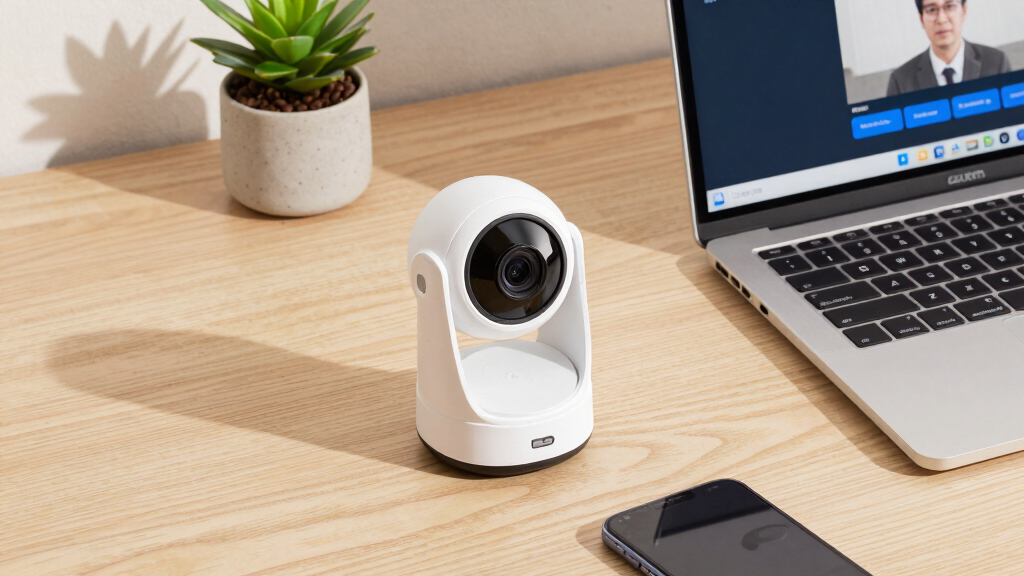

Choosing the best webcam for Zoom meetings involves balancing video quality, ease of setup, and compatibility. The EMEET C960 4K Webcam stands out for its ultra-high-definition resolution, ideal for professional presentations. The Logitech C920e offers reliable 1080p quality with built-in microphones and proven compatibility. Meanwhile, the Logitech Brio 4K excels with 4K resolution, but at a higher price point. The main challenge is finding a webcam that balances superb video quality with straightforward usability and good microphone performance. Continue reading for a detailed breakdown of these options and how they compare.
Key Takeaways
- The highest resolution webcams, like the Logitech Brio 4K, deliver exceptional detail but come with a higher price tag and larger size.
- Built-in microphones vary significantly; models with dual or noise-cancelling mics offer clearer audio for professional meetings.
- Plug-and-play ease is common among mid-range options like the NexiGo N60 and EMEET C960, making setup straightforward for most users.
- Compatibility with meeting platforms and operating systems is key; certified models like the C920e ensure seamless integration.
- Price often correlates with features like light correction, wide FOV, and auto-focus, but some budget models still deliver solid performance.


More Details on Our Top Picks
EMEET C960 4K Webcam for PC, 4K UHD CMOS Sensor, PDAF Auto Focus, Dual Omnidirectional Mics, Auto Light Correction, 73° FOV, Plug&Play Webcam w/Privacy Cover, Works w/Zoom/Teams/Skype/Google Meet
The EMEET C960 4K makes a compelling case as the best choice for those prioritizing ultra-high-definition video, especially compared to the Logitech Brio. Its true 4K sensor provides crisp details that are ideal for professional presentations or educational content, though you must switch to 4K via software since default resolution is 1080p. The PDAF autofocus and auto light correction ensure stable, clear visuals in varying lighting, but this comes with a slightly higher price and complexity in setup. The dual omnidirectional microphones enhance audio clarity, making it suitable for conference calls, yet it lacks the broad compatibility of some competitors. Its plug-and-play USB connection and privacy cover add security and ease of use.
This webcam suits remote workers or educators who need high-quality visuals with reliable focus and lighting, but those on a tighter budget or seeking plug-and-play simplicity might prefer alternatives like the NexiGo N60.Pros:- Genuine 4K resolution for ultra-clear video quality
- PDAF autofocus and auto light correction for stability
- Dual omnidirectional microphones for natural audio
Cons:- Requires software to switch to 4K resolution, which may be less convenient
- Higher price point compared to 1080p alternatives
Best for: Professionals and educators who need detailed 4K visuals and stable auto-focus.
Not ideal for: Budget-conscious users or those who prefer straightforward, plug-and-play setups without software adjustments.
- Video Capture Resolution:4K UHD
- Focus Type:PDAF Auto Focus
- Microphone:Dual Omnidirectional
- FOV:73°
- Connectivity:USB
- Compatibility:Windows, Mac, Linux, Android TV
Bottom line: Ideal for users who need the highest resolution and detailed visuals for professional or educational use, despite the additional setup effort.
Logitech C920e HD 1080p Mic-Enabled Webcam, Certified for Zoom, Microsoft Teams Compatible, TAA Compliant
The Logitech C920e stands out for delivering dependable 1080p video at a budget-friendly price, making it a solid alternative to the EMEET C960 for those who do not need 4K clarity. Its 78° fixed field of view offers a balanced framing suitable for individual or small group meetings, and the built-in dual microphones ensure clear audio. The auto-focus and light correction features improve visibility in varying conditions, but its fixed FOV limits versatility compared to the adjustable options of higher-end models like the Brio. The privacy cover adds security, and its compatibility with most conferencing platforms makes it ideal for remote work. However, it lacks the advanced features and resolution of premium webcams, which could matter for detailed presentations.
This webcam is perfect for users seeking consistent HD quality without extra bells and whistles, especially in corporate or educational settings.Pros:- Reliable 1080p HD video quality
- Built-in dual microphones for clear sound
- Automatic light correction for better visibility
Cons:- Fixed 78° field of view limits framing flexibility
- Lacks 4K resolution and advanced features of higher-end webcams
Best for: Small business users and remote workers needing reliable HD video at a reasonable price.
Not ideal for: Content creators or professionals requiring 4K resolution or extensive customization options.
- Video Resolution:1080p
- FOV:78°
- Microphones:Dual omnidirectional
- Focus:Auto
- Compatibility:Zoom, Teams, Meet
- Connectivity:USB
Bottom line: A dependable choice for everyday professional video calls with excellent value for HD quality.
Logitech Brio 4K Webcam, Video Calling, Noise-Cancelling mic, HD Auto Light Correction, Wide Field of View, Windows Hello Works with Microsoft Teams, Zoom, Google Meet, PC/Mac/Laptop/MacBook/Tablet
The Logitech Brio 4K excels as a premium option, offering adjustable fields of view, 4K resolution at 30 fps, and Windows Hello support, making it more versatile than the EMEET C960. Its 5x digital zoom and multiple dFOV presets allow precise framing, while the noise-canceling microphones ensure clear audio in noisy environments. Its auto light correction and HDR technologies help you look your best in any lighting, but the high cost and complex settings may be overkill for casual users. The built-in privacy shutter adds security, and compatibility with Mac and ChromeOS broadens its appeal. Compared to the NexiGo N60, it provides exceptional image quality and personal customization options, though it’s bulkier and pricier.
This webcam is well-suited for professionals needing high flexibility, detailed video, and seamless integration with Windows Hello.Pros:- Supports 4K resolution at 30 fps with excellent detail
- Multiple dFOV presets and 5x digital zoom for flexibility
- Windows Hello support for secure login
Cons:- Higher price and more complex setup than basic webcams
- Bulkier build may be less portable
Best for: Executives and content creators who demand premium video quality and customization features.
Not ideal for: Budget-conscious users or those seeking a simple plug-and-play device without extensive setup.
- Video Resolution:4K at 30 fps
- Field of View:65°, 78°, 90° presets
- Zoom:5x digital
- Microphones:Noise-canceling dual mics
- Compatibility:Windows, Mac, ChromeOS
- Features:Windows Hello, HDR
Bottom line: Best suited for professionals who need high-resolution, flexible framing, and biometric login features, despite the premium price.
NexiGo N60 1080P Webcam with Microphone, Software Control & Privacy Cover, USB HD Computer Web Camera, Plug and Play, for Zoom/Skype/Teams, Conferencing and Video Calling
The NexiGo N60 offers a straightforward and budget-friendly solution for those who need reliable 1080p video, making it an attractive alternative to the EMEET C960 for basic conferencing. Its 1080p resolution and fixed focus lens provide sharp visuals optimized for indoor use within a typical range. The built-in noise-canceling microphone enhances audio clarity, and the included privacy cover adds peace of mind. Its compatibility with a broad range of operating systems and plug-and-play setup makes it accessible for most users. However, it lacks advanced features like auto light correction, adjustable FOV, or 4K resolution, which could limit its usefulness for more demanding applications. Its simple design and ease of use make it perfect for entry-level users or small teams.
Pros:- Sharp 1080p video quality
- Built-in noise-canceling microphone
- Easy plug-and-play setup
Cons:- Fixed focus and limited FOV options
- Lacks features like auto light correction and higher resolutions
Best for: Small teams, students, and casual users who need dependable 1080p video at an affordable price.
Not ideal for: Power users or professionals requiring 4K quality or extensive customization.
- Video Resolution:1080p
- Focus:Fixed
- Microphone:Built-in noise-canceling
- Connectivity:USB
- Compatibility:Windows, Mac, Linux, Android, ChromeOS
- Water Resistance:Not water resistant
Bottom line: A reliable, cost-effective webcam for everyday video calls and online classes, suitable for beginners.
EMEET C960 1080P Webcam with Microphone, 2 Mics, 90° FOV, USB Type-A & A-to-C Adapter, Fixed Focus, Plug&Play Computer Camera for Zoom/Teams/Facetime/YouTube/Google Meet/Switch 2 Camera, 2025 Version
The EMEET C960 1080p offers a broad 90° FOV, making it a flexible choice for users who want to capture more of their environment or multiple participants, surpassing the narrower view of models like the NexiGo N60. Its 1080p resolution ensures sharp visuals, and the dual microphones improve audio clarity for meetings. The fixed focus lens simplifies setup, while the USB Type-A and C adapters ensure compatibility with various devices. Its plug-and-play nature makes it accessible for users who prefer a straightforward experience, but the lack of auto light correction or 4K support limits its appeal for high-end streaming or professional presentations. The privacy cover enhances security, making it suitable for home or office use.
Pros:- Wide 90° field of view for capturing more surroundings
- Reliable 1080p video quality
- Dual microphones for better audio pickup
Cons:- Fixed focus may not be suitable for close-up tasks
- No auto light correction or 4K support
Best for: Home office users and small teams needing a wider shot in a simple, reliable package.
Not ideal for: Content creators or professionals looking for high resolution, auto-focus, or advanced features.
- Video Resolution:1080p
- FOV:90°
- Microphones:2 Omnidirectional
- Focus:Fixed
- Connectivity:USB Type-A & C
- Compatibility:Windows, Mac, Android TV
Bottom line: Great for indoor environments where a wider angle helps include more participants or background, with simplicity and security in mind.
Logitech C920x HD Pro PC Webcam, Full HD 1080p/30fps Video, Clear Audio, HD Light Correction, Works with Microsoft Teams, Google Meet, Zoom, Nintendo Switch 2’s new GameChat Mode, Mac/Tablet- Black
The Logitech C920x HD Pro stands out for its consistent 1080p resolution at 30fps, offering crisp, detailed video that surpasses the quality of cheaper options like the Logitech Brio 101. Its HD autofocus and light correction ensure clear images even in less-than-ideal lighting, making it perfect for professional meetings. The dual mics produce natural sound, a key advantage over webcams with weaker audio, though it lacks the ultra-wide field of view of some high-end models. The absence of advanced AI features means it’s less suited for content creators or streamers. Compared with the Logitech MX Brio, it’s more straightforward and budget-friendly, sacrificing some premium controls. Its no-frills plug-and-play setup makes it accessible for most users, but those needing specialized features or ultra-wide angles should look elsewhere. Ideal for professionals who want reliable, high-quality video without fuss.
Pros:- Crisp Full HD 1080p video at 30fps with autofocus
- Automatic light correction for consistent image quality
- Dual stereo microphones deliver clear, natural sound
Cons:- Lacks higher frame rate options like 60fps for smoother motion
- No ultra-wide lens or advanced AI features for background blurring
Best for: Small to medium business users and remote workers who prioritize dependable HD video and clear audio for daily meetings.
Not ideal for: Streamers and content creators who require advanced features like 4K resolution or customizable settings.
- Video Resolution:1080p at 30fps
- Audio:Stereo dual mics
- Lighting Correction:HD Light Correction
- Autofocus:Yes
- Connectivity:USB
- Compatibility:Windows, Mac
- Lens Type:Five-element glass lens
- Field of View:78 degrees
Bottom line: A dependable, straightforward webcam ideal for professionals seeking high-quality HD video and audio for everyday meetings.
Logitech MX Brio Ultra HD 4K Webcam for Collaboration and Streaming, 1080p 60 FPS, Show Mode, Works with Microsoft Teams, Zoom, Google Meet, Nintendo Switch 2, Graphite
The Logitech MX Brio excels in delivering stunning 4K video at 30fps or 1080p at 60fps, making it better suited for high-end streaming and professional presentations than the Logitech C920x. Its AI-enhanced image processing provides twice the face visibility and finer details in challenging lighting conditions, giving it an edge over standard webcams. The extensive manual controls for ISO, shutter speed, and white balance allow curated image quality, ideal for content creators or those needing precise adjustments. The dual noise-reducing microphones further improve audio clarity, surpassing models like the Brio 101 for professional-grade sound. Its tilt-down Show Mode enables seamless sharing of physical notes, perfect for collaborative work. However, its higher price and complexity might be overkill for basic users. This pick makes the most sense for professionals who need top-tier video quality with customizable settings.
Pros:- Ultra HD 4K resolution at 30fps, or 1080p at 60fps for ultra-smooth video
- AI-enhanced image quality with twice the face visibility
- Extensive manual controls for lighting, ISO, and white balance
- Built-in Show Mode for sharing notes or sketches
Cons:- Premium price point not suitable for casual users
- Larger size and more complex setup may be intimidating for beginners
Best for: Video producers, educators, and corporate users who demand ultra-sharp 4K quality and detailed image adjustments.
Not ideal for: Casual users or those on a tight budget who only need basic HD video for occasional calls.
- Video Resolution:4K at 30fps / 1080p at 60fps
- Audio:Dual noise-reducing microphones
- Controls:ISO, Shutter Speed, White Balance
- Field of View:90 degrees
- Connectivity:USB-C
- Compatibility:Windows, Mac, Chrome OS, Linux
- Special Feature:Show Mode for sharing notes
- Lens Type:Prime focus
Bottom line: A top-tier webcam designed for professionals seeking exceptional video quality and extensive image customization options.
Logitech Brio 101 Full HD 1080p Webcam for Meetings, Streaming, Desktop, Laptop, PC – Built-in Mic, Shutter, Works with Zoom, Microsoft Teams, Nintendo Switch 2’s new GameChat Mode, USB-A,-Black
The Logitech Brio 101 offers reliable 1080p video at 30fps with a sleek, compact design, making it very suitable for users who need a portable webcam for regular meetings. Its RightLight technology enhances brightness and reduces shadows, providing decent image quality without the complexity of extensive manual controls. The built-in mic is adequate for most meeting needs, and the privacy slide adds peace of mind. It’s compatible with most platforms, including Zoom, Teams, and Google Meet, with an easy plug-and-play setup. Although it doesn’t support 4K or advanced AI features like the MX Brio, its lower price and straightforward functionality make it attractive for casual users or those with basic video needs. The smaller size makes it ideal for travel or multiple device setups. This webcam is best for users who want a simple, affordable HD solution for daily meetings.
Pros:- Reliable 1080p resolution at 30fps with automatic light adjustment
- Compact, portable design for travel or secondary setups
- Built-in privacy shutter for security
- Plug-and-play with most video platforms
Cons:- Limited to 1080p at 30fps, not suitable for high-motion streaming
- No advanced AI features or ultra-wide field of view
Best for: Remote workers or students needing a reliable, portable webcam for everyday HD video calls on a budget.
Not ideal for: Content creators or professionals who require 4K quality or customizable settings for streaming or presentations.
- Video Resolution:1080p at 30fps
- Audio:Mono built-in mic
- Lighting:Automatic Brightness (RightLight)
- Privacy:Slide Shutter
- Connectivity:USB-A
- Compatibility:Windows, Mac, Chrome OS
- Lens Type:Fixed focus
- Size:Small, portable
Bottom line: A budget-friendly, portable webcam that reliably covers everyday HD video calling needs for remote workers and students.
How We Picked
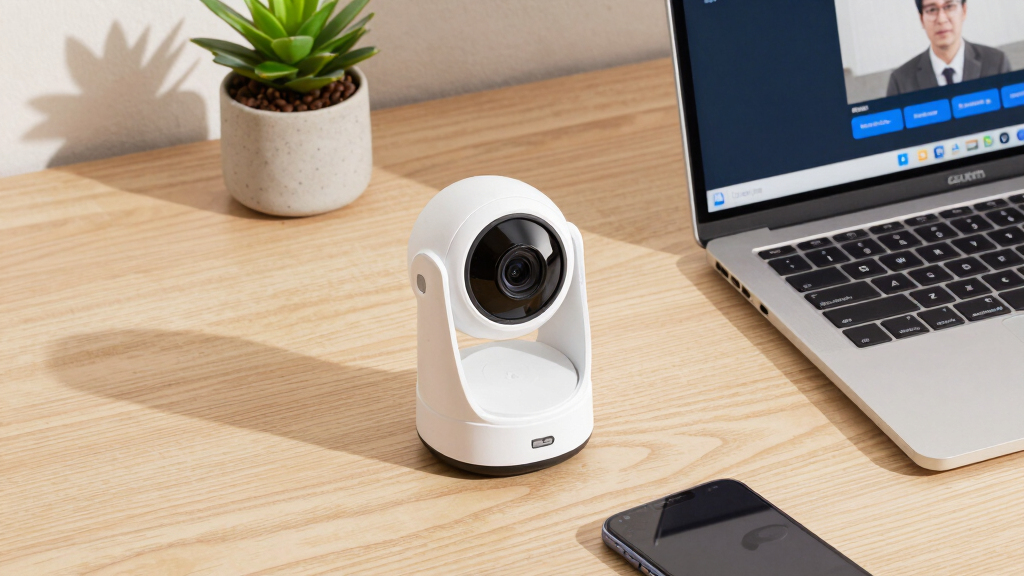
The selection process focused on a combination of video quality, microphone clarity, ease of use, build quality, and compatibility with popular conferencing platforms like Zoom. We prioritized webcams that offer a good balance of features for both professional and casual users, emphasizing plug-and-play functionality to minimize setup headaches. Cost-effectiveness was also considered, ensuring that choices represent good value for their feature set. The ranking reflects an overall assessment of performance, usability, and versatility, with top picks excelling across these areas while acknowledging tradeoffs like price and size.Factors to Consider When Choosing Best Webcams For Zoom Meetings
When choosing the best webcam for Zoom meetings, it’s important to consider several factors that influence your overall experience. Video quality impacts how professional you appear; higher resolution offers sharper images. Microphone quality ensures your voice comes through clearly, reducing misunderstandings. Compatibility and ease of setup can save you time and frustration, especially if you need a quick plug-and-play device. Additional features like light correction, wide FOV, and privacy covers can enhance usability, but also add to the cost. Balancing these factors against your specific needs and budget helps you find the right fit.Video Resolution and Image Quality
For most Zoom meetings, a 1080p webcam provides sharp, clear images suitable for professional settings. Higher resolutions, such as 4K, can offer even more detail, which is beneficial if you frequently present or record content. However, 4K webcams tend to be more expensive and demand better hardware for smooth streaming. Consider your typical use case: if video quality is paramount, investing in a higher-resolution model makes sense. Otherwise, 1080p models often deliver excellent results at a more accessible price point.
Microphone Quality
The built-in microphone quality varies widely and can significantly impact your meeting experience. Dual omnidirectional or noise-cancelling microphones provide clearer audio and reduce background noise. Cheaper webcams may have basic mics that pick up echo or ambient sounds, requiring external mics for better clarity. For professional or frequent meetings, prioritize webcams with high-quality, integrated microphones to avoid the hassle of additional equipment and ensure your voice comes through crisp and natural.
Ease of Use and Compatibility
Most users value plug-and-play setups that don’t require complicated drivers or software. Certified models for platforms like Zoom or Teams often guarantee seamless integration. Compatibility with multiple operating systems (Windows, Mac, Linux) broadens usability, especially in mixed device environments. Additionally, features like auto-focus, light correction, and privacy covers contribute to a smoother experience, reducing the need for manual adjustments during calls.
Additional Features to Consider
Features such as wide FOV, auto light correction, and adjustable mounts enhance usability but can also increase cost. Wide FOV is useful if you want to include more of your environment or multiple people, but it may distort images if overused. Light correction ensures clear video in poorly lit rooms, a common challenge during remote work. Privacy covers are a simple yet effective way to secure your camera when not in use. Weigh these extras against your primary needs and budget to avoid overpaying for features you don’t need.
Budget vs. Premium Options
Budget webcams, like the NexiGo N60, often deliver decent 1080p quality with basic features and are suitable for casual or occasional Zoom use. Mid-range models such as the C920e strike a good balance between affordability and performance, with reliable compatibility and decent audio. Premium options like the Logitech Brio 4K provide superior resolution, advanced light correction, and versatile mounting options, making them ideal for professional environments or content creation. Remember, investing more usually means better longevity and feature set, but evaluate whether those extras are necessary for your use case.