
Portable monitors for laptops can add a single, easy-to-pack screen or expand your workspace with a multi-screen extender. My best overall pick is the InnoView 15.6-Inch Portable FHD Monitor, a practical single-screen option with USB-C, HDMI, speakers, and a protective case. For more room across several apps, the AetherSpark 16-Inch Triple Extender stands out for its larger 1920×1200 panels, while the VisionOwl 18.5-Inch Monitor favors a bigger viewing area over compact packing. The main tradeoffs are portability versus screen space, simple connections versus laptop compatibility, and one extra display versus a wider multi-screen setup. Read on for the full breakdown and guidance on which style fits your laptop and routine.

Get the latest gadgets delivered free with Prime
- Fast, free delivery on millions of items
- Prime Video, Amazon Music and more included
- Member-only deals all year
Complete the kit



Key Takeaways
- Single-screen monitors are the simplest way to add workspace: the InnoView pairs a 15.6-inch FHD display with USB-C, HDMI, speakers, and a protective case, while the Cocopar and ForHelp offer more straightforward portable-screen formats.
- Triple-screen extenders prioritize simultaneous views, not minimal luggage: the AetherSpark uses three 1920×1200 IPS panels, while 14-inch models such as the Macsecor and Vixtan trade panel size for a smaller footprint.
- Screen size changes the portability equation: the VisionOwl’s 18.5-inch display offers more viewing area than 15.6-inch options, but a larger panel can be less convenient to carry and position.
- Detachable designs and laptop-fit claims need extra checking: the Wixzet and several triple-screen models attach to a laptop, so panel dimensions, laptop size, ports, and support arrangements matter as much as the display resolution.
- Connection flexibility varies across the lineup: USB-C and HDMI appear on several single-screen models, but buyers should check whether their laptop can send video over USB-C rather than assuming every USB-C port supports a display.
| InnoView 15.6-Inch Portable FHD Monitor with HDMI, USB-C, Speakers, and Protective Case |  | Best Overall | Screen size: 15.6 inches | Resolution: 1920 × 1080 (FHD) | Panel: IPS LCD | VIEW LATEST PRICE | See Our Full Breakdown |
| Cocopar 15.6-Inch Portable FHD Monitor with USB-C and HDMI |  | Best Value for a Lightweight Everyday Setup | Screen size: 15.6 inches | Resolution: 1920 × 1080 (FHD) | Panel: IPS LCD | VIEW LATEST PRICE | See Our Full Breakdown |
| Macsecor 14-Inch FHD Triple Laptop Screen Extender |  | Best for Triple-Screen Productivity | Display configuration: Two 14-inch screens | Resolution: 1920 × 1080 per screen | Panel: IPS LCD | VIEW LATEST PRICE | See Our Full Breakdown |
| AetherSpark 16-Inch Triple Portable Laptop Monitor Extender, 1920×1200 IPS, USB-C and HDMI |  | Best Premium Large-Workspace Extender | Display configuration: Dual 16-inch displays | Resolution: 1920 × 1200 | Aspect ratio: 16:10 | VIEW LATEST PRICE | See Our Full Breakdown |
| ForHelp 15.6-Inch Portable Monitor, 1080p IPS Display with USB-C and Mini HDMI |  | Best Lightweight Complete Kit | Screen size: 15.6 inches | Resolution: 1920 × 1080 | Panel and finish: IPS LCD, matte | VIEW LATEST PRICE | See Our Full Breakdown |
| Wixzet 15.6-Inch Detachable Laptop Screen Extender |  | Best for Flexible Multi-Screen Setups | Screen size: 15.6 inches | Resolution: 1920 × 1080 | Display technology: IPS LCD | VIEW LATEST PRICE | See Our Full Breakdown |
| Vixtan 14-Inch Triple Laptop Screen Extender |  | Best for Lightweight Travel | Screen size: 14 inches | Resolution: 1920 × 1080 | Display technology: IPS LCD | VIEW LATEST PRICE | See Our Full Breakdown |
| VisionOwl 18.5-Inch Portable FHD Monitor |  | Best for a Larger Standalone Screen | Screen size: 18.5 inches | Resolution: 1920 × 1080 | Refresh rate: 100 Hz | VIEW LATEST PRICE | See Our Full Breakdown |
| 15.6-Inch FHD Triple-Screen Laptop Monitor Extender |  | Best for a Three-Panel Workspace | Screen size: 15.6 inches per display | Resolution: 1920 × 1080 per display | Display technology: IPS LCD | VIEW LATEST PRICE | See Our Full Breakdown |
| KYY Portable Monitor 15.6″ 1080P Computer Monitor Screen Extender w/Cover | 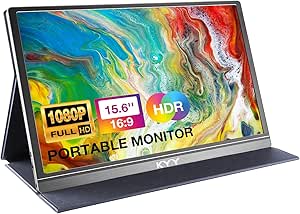 | Best Lightweight Standalone Pick | Screen size: 15.6 inches | Resolution: 1920 × 1080 | Display type: LCD | VIEW LATEST PRICE | See Our Full Breakdown |
| 15.6″ Laptop Screen Extender, 1080P FHD Triple Portable Monitor for Laptops |  | Best for Larger Laptop Setups | Screen size: Two 15.6-inch displays | Resolution: 1920 × 1080 per display | Panel: IPS LCD | VIEW LATEST PRICE | See Our Full Breakdown |
| 14-Inch 1080p FHD Triple Laptop Screen Extender |  | Best for Compact Triple-Screen Travel | Screen size: Two 14-inch displays | Resolution: 1920 × 1080 per display | Panel type: IPS | VIEW LATEST PRICE | See Our Full Breakdown |
| MNN 15.6″ 1080P Portable Monitor IPS USB-C HDMI Gaming Screen for Laptop |  | Best for a Simple Single-Screen Add-On | Screen size: 15.6 inches | Resolution: 1920 × 1080 | Panel: IPS LCD | VIEW LATEST PRICE | See Our Full Breakdown |
| KYY Laptop Screen Extender, 15.6″ 1080P Triple Portable Monitor for Laptop |  | Best for Flexible Screen Positioning | Screen size: Two 15.6-inch displays | Resolution: 1920 × 1080 per display | Refresh rate: 60 Hz | VIEW LATEST PRICE | See Our Full Breakdown |
| Synnov 15.6-Inch FHD Laptop Screen Extender |  | Best for No-Driver Setup | Screen size: 15.6 inches | Resolution: 1920 × 1080 | Display technology: IPS LCD | VIEW LATEST PRICE | See Our Full Breakdown |
| portable monitors for laptop | Resolution | Brightness | Refresh rate | Screen size |
|---|---|---|---|---|
| InnoView 15.6-Inch Portable FH | 1920 × 1080 (FHD) | 250 cd | 60 Hz | 15.6 inches |
| Cocopar 15.6-Inch Portable FHD | 1920 × 1080 (FHD) | 280 cd/m² | 60 Hz | 15.6 inches |
| Macsecor 14-Inch FHD Triple La | 1920 × 1080 per screen | 300 cd | 60 Hz | — |
| AetherSpark 16-Inch Triple Por | 1920 × 1200 | 350 nits | 60 Hz | — |
| ForHelp 15.6-Inch Portable Mon | 1920 × 1080 | 300 cd/m² | 60 Hz | 15.6 inches |
| Wixzet 15.6-Inch Detachable La | 1920 × 1080 | 300 nits | 60 Hz | 15.6 inches |
| Vixtan 14-Inch Triple Laptop S | 1920 × 1080 | 300 nits | — | 14 inches |
| VisionOwl 18.5-Inch Portable F | 1920 × 1080 | 320 cd/m² | 100 Hz | 18.5 inches |
| 15.6-Inch FHD Triple-Screen La | 1920 × 1080 per display | 300 nits | 60 Hz | 15.6 inches per display |
| KYY Portable Monitor 15.6" 108 | 1920 × 1080 | 300 cd/m² | 60 Hz | 15.6 inches |
| 15.6" Laptop Screen Extender | 1920 × 1080 per display | 280 nits | 60 Hz | Two 15.6-inch displays |
| 14-Inch 1080p FHD Triple Lapto | 1920 × 1080 per display | 300 nits | 60 Hz | Two 14-inch displays |
| MNN 15.6" 1080P Portable Monit | 1920 × 1080 | 300 nits | Not specified | 15.6 inches |
| KYY Laptop Screen Extender | 1920 × 1080 per display | 300 nits | 60 Hz | Two 15.6-inch displays |
| Synnov 15.6-Inch FHD Laptop Sc | 1920 × 1080 | 280 cd/m² | 60 Hz | 15.6 inches |
More Details on Our Top Picks
InnoView 15.6-Inch Portable FHD Monitor with HDMI, USB-C, Speakers, and Protective Case
I’d choose the InnoView as the most balanced standalone second screen here: its 15.6-inch FHD IPS panel, matte finish, and wide viewing angles suit document work and video calls, while both USB-C and HDMI keep it useful with a range of laptops. Its cover becomes a stand and supports portrait or landscape placement, a more flexible setup than the ForHelp’s two-groove cover. Unlike the Macsecor and AetherSpark extenders, this is one screen rather than a three-display arrangement, so it takes up less space and adds less setup complexity. The tradeoff is power: HDMI needs a separate power cable, which is not included, and an underpowered connection may cause flicker or restarts. I’d also check USB-C video compatibility before relying on a single cable.
Pros:- 15.6-inch FHD IPS display with matte finish and 178-degree viewing angles
- USB-C and HDMI connections accommodate different laptop setups
- Protective cover doubles as a stand for portrait or landscape use
- Built-in speakers and HDR support add useful everyday features
Cons:- HDMI use requires a separate power cable that is not included
- USB-C video requires Thunderbolt 3/4 or USB-C DisplayPort Alt Mode
- May flicker or restart if the monitor does not receive enough power
Best for: Laptop users who want one portable, full-size second screen with flexible USB-C and HDMI connections.
Not ideal for: Travelers who need the lightest setup or buyers whose laptop lacks USB-C DisplayPort Alt Mode and who want to avoid a separate HDMI power cable.
- Screen size:15.6 inches
- Resolution:1920 × 1080 (FHD)
- Panel:IPS LCD
- Refresh rate:60 Hz
- Brightness:250 cd
- Connectivity:2 full-function USB-C ports; 1 HDMI port
- Weight:2.7 lb
- Stand:PU leather cover; portrait and landscape positions
Our verdict“Choose the InnoView for a versatile single-screen laptop setup, provided your connection and power needs fit its requirements.”
Cocopar 15.6-Inch Portable FHD Monitor with USB-C and HDMI
The Cocopar makes the most sense for laptop owners who want a standard 15.6-inch second screen without carrying a heavier monitor. At 1.5 lb without its cover, it is markedly lighter than the InnoView, while still providing FHD IPS resolution, matte coating, and USB-C and HDMI options. Its VESA mounting holes give it an advantage over both the InnoView and ForHelp if you want to place it on a compact monitor arm or orient it vertically at a desk. The included cover also works as a stand for mobile use. Its 280 cd/m² brightness is a practical limit in bright rooms, and one-cable USB-C operation depends on video-capable USB-C. This is a straightforward screen, not a multi-display extender like Macsecor.
Pros:- Light 1.5 lb monitor weight before adding the cover
- Matte FHD IPS display with 178-degree viewing angles
- VESA mounting supports desk setups and vertical placement
- USB-C, HDMI, and a cover stand provide flexible connection and placement options
Cons:- 280 cd/m² brightness may be limiting in bright rooms
- Single-cable USB-C video requires a compatible device
- Adding the cover raises the listed weight to 2.4 lb
Best for: Commuters and hybrid workers who want a light, conventional 15.6-inch monitor that can also mount at a desk.
Not ideal for: People working in very bright spaces or anyone expecting USB-C to carry video from a laptop without DisplayPort Alt Mode support.
- Screen size:15.6 inches
- Resolution:1920 × 1080 (FHD)
- Panel:IPS LCD
- Refresh rate:60 Hz
- Brightness:280 cd/m²
- Connectivity:2 USB-C ports, HDMI, 3.5 mm audio
- Weight:1.5 lb without cover; 2.4 lb with cover
- Mounting:VESA mountable; included cover stand
Our verdict“Pick the Cocopar if low carry weight and VESA mounting matter more than extra brightness or multiple screens.”
Macsecor 14-Inch FHD Triple Laptop Screen Extender
When a single portable display is not enough workspace, the Macsecor adds two 14-inch FHD IPS panels around a laptop screen, giving it a different job from the InnoView and Cocopar. Its adjustable aluminum stand and support for portrait and landscape layouts suit people who move between spreadsheets, reference material, and calls. The 300 cd brightness is also higher than the InnoView’s listed 250 cd, though its glossy finish may reflect nearby lights more than the matte surfaces on those single-screen options. Compatibility deserves a check before buying: USB-C needs full-featured video support, and some M1/M2/M3 MacBooks require an additional H5-T cable. The listed weight also conflicts between the product information and description, so I would not treat its carry weight as settled.
Pros:- Two additional 14-inch FHD IPS displays expand the laptop workspace
- Supports extended, mirrored, portrait, and landscape modes
- Adjustable aluminum stand reaches up to 90 degrees
- 300 cd brightness and blue-light filtering features
Cons:- Some M1/M2/M3 MacBooks require an additional H5-T cable
- USB-C connection requires full-featured video support
- Product information gives conflicting weight figures, and the screens have a glossy finish
Best for: Multitasking laptop users who regularly need two additional screens for research, spreadsheets, coding, or presentations.
Not ideal for: Travelers prioritizing a simple, light second screen, or MacBook owners unwilling to check whether an additional cable is needed.
- Display configuration:Two 14-inch screens
- Resolution:1920 × 1080 per screen
- Panel:IPS LCD
- Refresh rate:60 Hz
- Brightness:300 cd
- Connectivity:HDMI and USB-C
- Laptop compatibility:13–17.3 inches
- Stand and rotation:Adjustable aluminum stand up to 90°; 180° rotation
Our verdict“Choose the Macsecor when two extra displays are worth the added setup and compatibility checks.”
AetherSpark 16-Inch Triple Portable Laptop Monitor Extender, 1920×1200 IPS, USB-C and HDMI
The AetherSpark is the most expansive and substantial pick in this group: its two 16-inch, 1920 × 1200 IPS displays give more vertical room than the Macsecor’s 14-inch FHD panels, while the 16:10 format suits long documents and code. At 350 nits, it also has the highest listed brightness among these five products. The aluminum frame and support for mirror, extend, and presentation modes make it a more capable workstation-style extender than the InnoView or ForHelp, which each add only one screen. That extra workspace comes at a clear portability cost: 4.4 lb is a substantial addition to a laptop bag, and its 17.4-inch listed width may not suit every travel setup. Its two-cable USB-C arrangement is specified for compatible devices, so check laptop support first.
Pros:- Two 16-inch displays provide a broad workspace
- 1920 × 1200 resolution and 16:10 aspect ratio add vertical working room
- 350-nit brightness is the highest listed in this group
- Aluminum frame and 180-degree rotation support a range of work setups
Cons:- At 4.4 lb, it adds considerable weight to a laptop bag
- 17.4-inch listed width may be awkward with smaller laptops and compact workspaces
- Two-cable USB-C setup requires a compatible full-featured device
Best for: Professionals who regularly travel with a larger laptop and need two bright, spacious screens for document-heavy work.
Not ideal for: Frequent light-packers, owners of smaller laptops, or anyone seeking a simple single-screen companion.
- Display configuration:Dual 16-inch displays
- Resolution:1920 × 1200
- Aspect ratio:16:10
- Brightness:350 nits
- Refresh rate:60 Hz
- Connectivity:USB-C and HDMI
- Compatibility:12–17-inch laptops
- Weight:4.4 lb
Our verdict“Choose the AetherSpark for a larger two-screen mobile workstation, not for the lightest everyday laptop accessory.”
ForHelp 15.6-Inch Portable Monitor, 1080p IPS Display with USB-C and Mini HDMI
The ForHelp stands out for buyers who want a light, ready-to-connect single monitor: it weighs 1.52 lb and includes a magnetic cover, a full-function USB-C cable, and Mini HDMI and USB-A power cables. That accessory set makes it a more self-contained travel choice than the InnoView, whose HDMI power cable is not included. Its 15.6-inch matte FHD IPS screen reaches 300 cd/m², above the InnoView’s listed 250 cd, and the aluminum-alloy body keeps the design slim. The tradeoff is stand flexibility: the cover has only two viewing-angle grooves, unlike the Cocopar’s VESA mounting option. USB-C video still depends on DisplayPort Alt Mode, so the included cable alone cannot make an incompatible laptop send a display signal.
Pros:- Lightweight 1.52 lb design with a slim aluminum-alloy body
- Matte FHD IPS panel with 300 cd/m² brightness and 178-degree viewing angle
- Includes USB-C, Mini HDMI, and USB-A power cables
- Magnetic cover doubles as a stand and protective case
Cons:- USB-C video requires Thunderbolt 3/4 or USB-C DisplayPort Alt Mode
- Cover stand offers only two viewing-angle grooves
- Mini HDMI may be less convenient than full-size HDMI
Best for: Mobile workers who want a lightweight single monitor with its key connection cables and cover included.
Not ideal for: Laptop owners without USB-C DisplayPort Alt Mode who expect USB-C video, or users who need a VESA mount or many stand angles.
- Screen size:15.6 inches
- Resolution:1920 × 1080
- Panel and finish:IPS LCD, matte
- Brightness:300 cd/m²
- Refresh rate:60 Hz
- Connectivity:2 USB-C ports and 1 Mini HDMI port
- Weight:1.52 lb
- Included accessories:Magnetic cover, 1.5 m Mini HDMI and USB-A power cables, 1.2 m full-function USB-C cable
Our verdict“Choose the ForHelp for a lightweight, well-equipped single-screen travel kit, especially if its two stand angles suit your work setup.”
Wixzet 15.6-Inch Detachable Laptop Screen Extender
I’d pick the Wixzet when a fixed two-screen arrangement feels limiting. Its detachable displays support different dual- and triple-screen configurations, while 235° folding and 90° rotation give more control over how the panels sit beside a laptop. That flexibility is the main distinction from the Vixtan 14-Inch Triple Laptop Screen Extender, which is lighter and more travel-focused but does not list detachable panels. Wixzet also offers a 15.6-inch Full HD IPS display with a stated 120% sRGB gamut and plug-and-play setup. The tradeoff is carrying bulk: the listed total weight is 5 pounds, and each detachable screen is listed at 1.5 pounds. Its glossy finish can also reflect bright surroundings, and HDMI use needs an extra USB-A-to-USB-C power cable.
Pros:- Detachable panels allow multiple dual- and triple-screen configurations.
- 15.6-inch Full HD IPS display with HDR and a stated 120% sRGB color gamut.
- No-driver setup supports a broad range of operating systems.
- 235° folding and 90° rotation allow flexible positioning.
Cons:- Listed total weight is 5 pounds, making it heavier than the 3-pound Vixtan extender.
- Glossy finish may reflect nearby light.
- HDMI setup requires an additional USB-A-to-USB-C cable for power.
Best for: Laptop users who regularly switch between dual- and triple-screen layouts and can accommodate a heavier travel setup.
Not ideal for: Frequent travelers prioritizing a light bag, or people working in bright spaces where a glossy screen may reflect light.
- Screen size:15.6 inches
- Resolution:1920 × 1080
- Display technology:IPS LCD
- Refresh rate:60 Hz
- Brightness:300 nits
- Color gamut:120% sRGB
- Weight:5 lbs
- Connectivity:HDMI, USB-A, USB-C, Thunderbolt
- Laptop compatibility:13–17.3 inches
Our verdict“Choose the Wixzet if rearrangeable dual- and triple-screen setups matter more to you than keeping your laptop bag light.”
Vixtan 14-Inch Triple Laptop Screen Extender
The Vixtan suits laptop owners who want an attached second screen without carrying the heft of larger multi-panel rigs. At 3 pounds and 0.3 inches thick, it is lighter and more compact than the 5-pound Wixzet, though its 14-inch display gives up some workspace. The Full HD IPS panel has an anti-glare coating and a 178-degree viewing angle, useful when working in varied seating or lighting. Its adjustable stand also rotates horizontally, so the screen can be repositioned rather than staying locked beside the laptop. Included cables make setup more straightforward, but MacBook M1, M2, and M3 owners should note the limitation: the listed setup supports only one added screen without a DisplayLink adapter. A separate power adapter may also be needed if brightness drops or flickering occurs.
Pros:- At 3 pounds and 0.3 inches thick, it is easier to carry than the 5-pound Wixzet.
- Anti-glare Full HD IPS panel has a 178-degree viewing angle.
- Adjustable stand offers multiple height settings and 180-degree horizontal rotation.
- Includes USB-C, USB-A, and HDMI cables for flexible connections.
Cons:- M1, M2, and M3 MacBooks support only one added screen without a DisplayLink adapter.
- May need a separate 5V/3A-or-higher power adapter if brightness is low or flickering occurs.
- Its 14-inch panel provides less workspace than the 15.6-inch Wixzet.
Best for: Laptop commuters who want an attached Full HD screen, carry their setup regularly, and do not need two added screens from an M1, M2, or M3 MacBook.
Not ideal for: MacBook M1, M2, or M3 owners seeking a dual-screen extender without an extra DisplayLink adapter, or users who want a larger panel.
- Screen size:14 inches
- Resolution:1920 × 1080
- Display technology:IPS LCD
- Brightness:300 nits
- Color gamut:100% sRGB
- Weight:3.0 lbs
- Thickness:0.3 inches
- Connectivity:USB-C, USB-A, HDMI
- Stand:Multi-level height adjustment and 180-degree horizontal rotation
Our verdict“Pick the Vixtan for a lighter attached-screen setup, provided its Mac compatibility limits match your laptop.”
VisionOwl 18.5-Inch Portable FHD Monitor
Rather than attaching extra panels to a laptop, the VisionOwl gives you one unusually large portable workspace. Its 18.5-inch matte IPS display offers more room for documents, timelines, or side-by-side windows than the 15.6-inch KYY monitor, while the 100 Hz refresh rate makes motion look smoother than on either screen extender in this group. A built-in kickstand, speakers, and 75 × 75 mm VESA mounting make it easier to use on a desk or mount in a compact workstation. It weighs 2.6 pounds, but its larger footprint still takes more bag space than a 14-inch attached extender such as the Vixtan. A single-cable USB-C connection also depends on having a Thunderbolt or full-featured USB-C port; HDMI is available when that connection is not supported.
Pros:- 18.5-inch screen provides more workspace than the 15.6-inch KYY portable monitor.
- 100 Hz refresh rate is higher than the 60 Hz panels listed for the extenders.
- Matte finish, built-in kickstand, and VESA mounting support flexible use.
- Includes two USB-C ports, HDMI, and built-in speakers.
Cons:- Larger dimensions make it less convenient to pack than smaller portable monitors.
- Single-cable USB-C use requires a Thunderbolt or full-featured USB-C port.
- It is a standalone monitor rather than an attached dual- or triple-panel extender.
Best for: Laptop users who want a larger portable second display for desk work, video, or gaming and have room in their bag for an 18.5-inch panel.
Not ideal for: Commuters with limited bag space or users whose laptop lacks a full-featured USB-C or Thunderbolt port and who want a simple single-cable setup.
- Screen size:18.5 inches
- Resolution:1920 × 1080
- Refresh rate:100 Hz
- Brightness:320 cd/m²
- Contrast ratio:1200:1
- Screen finish:Matte
- Weight:2.6 pounds
- Ports:2 USB-C, 1 HDMI
- Mounting:75 × 75 mm VESA
Our verdict“Choose the VisionOwl if you want a spacious portable monitor for a desk-like setup and can spare the bag space.”
15.6-Inch FHD Triple-Screen Laptop Monitor Extender
This extender is aimed at buyers who want a broad workspace while keeping the screens physically attached to the laptop. It adds two 15.6-inch Full HD IPS displays, making it a more direct triple-panel choice than the standalone VisionOwl, which offers a larger single screen instead. The aluminum body is listed at 3.9 pounds and only 0.18 inches thick, with a carry bag included; that is still a substantial load, but lighter than the Wixzet’s listed 5 pounds. No-driver setup and an adjustable stand help keep the arrangement practical on the move. The main catch is connection compatibility: the laptop needs video output through its ports, some Mac setups need a separate H5 cable, and standard M1, M2, and M3 MacBook chips do not support dual-screen functionality as described. The glossy panels may also reflect light.
Pros:- Adds two independent 15.6-inch Full HD IPS displays for a triple-screen workspace.
- Slim 0.18-inch body and included carry bag support travel.
- Adjustable stand fits laptops from 12 to 17.3 inches.
- No-driver setup and USB-C or HDMI connection options.
Cons:- Requires compatible laptop video-output ports; some Mac setups need a separately obtained H5 cable.
- Does not support dual-screen functionality on standard M1, M2, or M3 MacBook chips.
- Glossy finish may reflect ambient light.
Best for: Windows laptop users who need two additional attached screens for spreadsheet-heavy work, multitasking, or presentations and have compatible video-output ports.
Not ideal for: Standard M1, M2, or M3 MacBook users seeking two added screens, or buyers who work in bright rooms and prefer matte displays.
- Screen size:15.6 inches per display
- Resolution:1920 × 1080 per display
- Display technology:IPS LCD
- Refresh rate:60 Hz
- Brightness:300 nits
- Weight:3.9 lbs
- Thickness:0.18 inches
- Connectivity:2 USB-C or USB-C and HDMI
- Laptop compatibility:12–17.3 inches
Our verdict“Choose this extender for an attached three-panel workspace if your laptop’s ports and operating system support the required display output.”
KYY Portable Monitor 15.6″ 1080P Computer Monitor Screen Extender w/Cover
The KYY is the straightforward choice for adding one portable screen without the hardware of an attached multi-panel extender. At 1.7 pounds and 0.35 inches thick, it is far easier to carry than the 3.9-pound triple-screen extender, though it gives you just one 15.6-inch display rather than two extra panels. Its matte Full HD IPS screen, HDR support, and 178-degree viewing angle suit mixed laptop, gaming, and phone use; two full-function USB-C ports and mini-HDMI offer useful connection choices. The PU-leather cover protects the screen and folds into a stand, but its two angle grooves provide less positioning freedom than the VisionOwl’s kickstand and VESA mounting options. A single USB-C cable works only when the connected device supports video over USB-C or Thunderbolt, so some setups will need HDMI and separate power.
Pros:- At 1.7 pounds, it is lighter than the listed attached triple-screen extender options.
- Matte Full HD IPS display includes HDR and a 178-degree viewing angle.
- Two full-function USB-C ports and mini-HDMI support a range of devices.
- Protective cover doubles as a stand, with built-in speakers and a 3.5 mm audio input.
Cons:- Provides one external display rather than the two added panels offered by the 15.6-inch triple-screen extender.
- Single-cable USB-C use requires a compatible video-output port.
- Cover stand offers only two listed viewing-angle grooves.
Best for: Traveling laptop users who want one light, multipurpose external display with a protective cover and USB-C or mini-HDMI input.
Not ideal for: Buyers who need two added displays, extensive stand adjustment, or a single-cable setup from a device without USB-C video output.
- Screen size:15.6 inches
- Resolution:1920 × 1080
- Display type:LCD
- Refresh rate:60 Hz
- Brightness:300 cd/m²
- Contrast ratio:1000:1
- Weight:1.7 pounds
- Dimensions:8.85 × 14.48 × 0.35 inches
- Connectivity:2 full-function USB-C ports, mini-HDMI, 3.5 mm audio
Our verdict“Pick the KYY if portability and a simple single-screen setup matter more than the extra workspace of an attached triple-screen extender.”
15.6″ Laptop Screen Extender, 1080P FHD Triple Portable Monitor for Laptops
This ZUMWALT P7 suits buyers who want two full-size 15.6-inch panels rather than the smaller displays on the 14-inch triple extenders in this roundup. The extra screen area gives spreadsheets, reference documents, and side-by-side windows more room, while the aluminum shell and included carry bag make it a travel-oriented alternative to a fixed desktop setup. When a laptop supports full-featured USB-C, the two-cable connection is presented as a simpler route to a triple-screen workspace. The catch is compatibility: some laptops, including M1–M3 MacBooks, need an H5-T cable, HDMI and USB-A connections, external power, and driver installation. At 4 lb, it also asks more of a travel bag than a single portable monitor such as the MNN 15.6-inch. Choose it for screen area, not the lightest carry.
Pros:- Two 15.6-inch FHD displays provide more workspace than the 14-inch triple extenders.
- Aluminum shell and included carry bag suit mobile work.
- Supports extend, mirror, and portrait display modes.
- 280-nit IPS panels have 178-degree viewing angles.
Cons:- The 4 lb assembly is considerably heavier than a single portable monitor.
- Some laptop and MacBook configurations require an extra cable, external power, and driver installation.
- The panels are listed at 280 nits, which may be limiting in bright surroundings.
Best for: Professionals with 13–17.3-inch laptops who regularly work across several windows and have compatible USB-C or are prepared for the alternate cable setup.
Not ideal for: Frequent flyers prioritizing a light bag, or MacBook owners who want a no-driver, one-cable setup.
- Screen size:Two 15.6-inch displays
- Resolution:1920 × 1080 per display
- Panel:IPS LCD
- Brightness:280 nits
- Refresh rate:60 Hz
- Viewing angle:178 degrees
- Weight:4 lb (1.8 kg)
- Laptop compatibility:12–17.3 inches listed; description specifies 13–17.3 inches
Our verdict“Pick this extender if two large side screens matter more than minimizing carry weight or connection complexity.”
14-Inch 1080p FHD Triple Laptop Screen Extender
This 14-inch extender prioritizes a smaller, thinner travel setup over the wider viewing area offered by the 15.6-inch ZUMWALT P7 and KYY X90D. Its two FHD IPS panels still give a compatible laptop a triple-screen arrangement, while the built-in stand adjusts up to 90 degrees to support different desk and viewing positions. Matte screens and a stated 300-nit brightness are useful for everyday office work, and the display settings let users tune brightness, contrast, and backlighting. The tradeoff is the familiar extender compatibility hurdle: some USB-C setups and M1–M3 MacBooks need an H5-T cable, HDMI and USB-A connections, external power, and driver installation. The listed weight also varies between 3 and 3.37 lb. I’d favor this over the larger extenders when bag space matters; choose the MNN instead if one simple extra display is enough.
Pros:- Two 14-inch 1080p IPS panels add a triple-screen workspace in a smaller format.
- Slim 0.3-inch body is designed for portability.
- Built-in stand adjusts up to 90 degrees.
- Matte finish, 300-nit brightness, and adjustable display settings suit office use.
Cons:- Some USB-C configurations and M1–M3 MacBooks need extra cables, power, and driver installation.
- The product information gives two different weights: 3 lb and 3.37 lb.
- Its 14-inch panels offer less viewing area than the 15.6-inch extenders.
Best for: Mobile professionals with 13–17-inch laptops who want two additional screens but need a slimmer, smaller assembly for travel.
Not ideal for: Buyers who want an uncomplicated USB-C setup on every laptop, or who prefer maximum screen area over a compact extender.
- Screen size:Two 14-inch displays
- Resolution:1920 × 1080 per display
- Panel type:IPS
- Brightness:300 nits
- Color gamut:100% sRGB
- Refresh rate:60 Hz
- Thickness:0.3 inches
- Stand adjustment:Up to 90 degrees
- Laptop compatibility:13–17 inches
Our verdict“Choose this when a more compact triple-screen kit matters more than larger panels or universally simple connections.”
MNN 15.6″ 1080P Portable Monitor IPS USB-C HDMI Gaming Screen for Laptop
Unlike the ZUMWALT P7 and KYY X90D, which attach two side screens to a laptop, the MNN is a standalone 15.6-inch monitor. That distinction makes it the more straightforward pick for anyone who wants one extra display without carrying a triple-screen assembly. Its 1080p IPS panel, 300-nit brightness, and 178-degree viewing angle suit document work, meetings, and casual video use, while USB-C and HDMI broaden its connection options. A single USB-C cable can carry power and display signal when the source device supports Thunderbolt 3 or USB-C DP Alt Mode. The smart cover doubles as a stand and protects the screen in transit. In exchange, you get only one added screen, and the glossy display can reflect surrounding light. Its listed 1.5 lb weight makes it easier to pack than the heavier dual-panel extenders.
Pros:- Standalone monitor is simpler to carry and position than a dual-screen extender.
- USB-C and HDMI support several connection options.
- Smart cover protects the panel and folds into a stand.
- 300-nit IPS display offers 178-degree viewing angles.
Cons:- Adds one screen rather than the two provided by the ZUMWALT P7 or KYY X90D.
- One-cable USB-C use requires a source device with video-capable USB-C.
- Glossy finish can reflect nearby lights and windows.
Best for: Students, remote workers, and travelers who want one portable second screen for a compatible laptop, phone, or gaming device.
Not ideal for: Multitaskers who need two extra screens attached to their laptop, or people working in bright spaces where a glossy screen may reflect light.
- Screen size:15.6 inches
- Resolution:1920 × 1080
- Panel:IPS LCD
- Brightness:300 nits
- Contrast ratio:1000:1
- Viewing angle:178 degrees
- Refresh rate:Not specified
- Connections:USB-C and HDMI
- Weight:1.5 lb
Our verdict“Choose the MNN if a light, self-contained second screen matters more than turning your laptop into a triple-display workstation.”
KYY Laptop Screen Extender, 15.6″ 1080P Triple Portable Monitor for Laptop
The KYY X90D stands apart from the MNN’s single-panel format with two 15.6-inch screens, but its strongest distinction within the dual-screen group is movement: each panel rotates up to 360 degrees, and the built-in stand adjusts to 90 degrees. That flexibility can help when sharing a display across a desk or arranging one panel vertically. It also offers a one-USB-C-cable connection for supported laptops, plus USB-A and other USB-C connectivity; however, the listing says drivers must be downloaded first, so this is not as plug-and-play as the Synnov extender claims to be. The 300-nit matte panels and aluminum body suit work travel, though the 15.6-inch dual-screen assembly still takes more space than a standalone monitor. It is specifically not compatible with PS5 or Xbox Series X, so I’d pick it for laptop productivity rather than console use.
Pros:- Two 15.6-inch FHD IPS displays create a broad triple-screen workspace.
- Each panel rotates up to 360 degrees for flexible orientation and sharing.
- Built-in stand adjusts up to 90 degrees.
- Matte 300-nit panels and aluminum construction suit mobile work.
Cons:- Drivers must be downloaded before use, despite the one-cable connection claim.
- Not compatible with PS5 or Xbox Series X.
- Two attached displays take up more packing and desk space than the MNN standalone monitor.
Best for: Laptop-based analysts, programmers, and presenters who need two large extra displays and want to rotate panels for different desk or sharing arrangements.
Not ideal for: Console gamers or laptop owners seeking a driver-free setup with no installation steps.
- Screen size:Two 15.6-inch displays
- Resolution:1920 × 1080 per display
- Refresh rate:60 Hz
- Brightness:300 nits
- Contrast ratio:1200:1
- Viewing angle:178 degrees
- Panel rotation:Up to 360 degrees per screen
- Stand adjustment:Up to 90 degrees
- Connectivity:USB-C and USB-A; video output requires a full-function USB-C port or compatible connection
Our verdict“Pick the X90D for a laptop-centered triple-screen workspace with unusually flexible panel positioning, not for console use or driver-free convenience.”
Synnov 15.6-Inch FHD Laptop Screen Extender
The Synnov is a two-screen laptop extender for buyers who value a claimed no-driver setup more than a lightweight travel load. Its 15.6-inch 1080p IPS panels add plenty of room for parallel documents, and the extender supports extended, mirrored, and portrait modes. Compared with the KYY X90D, the Synnov is pitched as easier to set up because it does not require a driver; the KYY, by contrast, offers 360-degree panel rotation. Synnov’s connections include USB-C and HDMI, with cables, a power adapter, and a carry bag in the package. Compatibility deserves attention before buying: the laptop needs a full-featured USB-C port, and the listing notes limits for M1–M3 MacBooks. At 4 lb, this aluminum-bodied assembly is also substantially less convenient to carry than the MNN’s single portable screen.
Pros:- Two 15.6-inch FHD IPS screens provide a generous triple-screen workspace.
- Listed as plug-and-play with no driver required.
- Supports extended, mirrored, and portrait modes.
- Includes cables, power adapter, and carry bag.
Cons:- Requires a full-featured USB-C port, and the listing notes M1–M3 MacBook limitations.
- At 4 lb, the dual-screen assembly is heavy for frequent travel.
- The 280-nit glossy display may be less comfortable in bright, reflective settings.
Best for: Windows or other compatible laptop owners who want two additional 15.6-inch screens and prefer a listed no-driver setup.
Not ideal for: M1–M3 MacBook owners, people without full-featured USB-C, and travelers who prioritize a lightweight monitor.
- Screen size:15.6 inches
- Resolution:1920 × 1080
- Display technology:IPS LCD
- Brightness:280 cd/m²
- Refresh rate:60 Hz
- Viewing angle:178 degrees
- Screen finish:Glossy
- Weight:4 lb
- Connectivity:USB-C and HDMI
Our verdict“Choose Synnov if your laptop is compatible and you want a no-driver dual-screen extender, but skip it if low carry weight or M1–M3 Mac support is a priority.”

How We Picked
I ranked these portable monitors for laptop use by how clearly their designs solve different mobile-work needs. I weighed display size and resolution against carryability, then looked at the practical value of USB-C and HDMI connections, included covers or cases, speakers, and whether a model adds one screen or several. For extenders, laptop fit and the extra space required to set up multiple panels matter as much as the stated screen size.
The order favors flexible, straightforward setups before products that suit narrower needs. The InnoView leads as a well-rounded single-screen choice with useful accessories and connection options. The AetherSpark earns a distinct place for buyers who want a three-panel workspace and higher vertical resolution, while smaller 14-inch extenders and the 18.5-inch VisionOwl serve opposite portability priorities. Product names alone do not confirm compatibility: I treat laptop support, power needs, and port capabilities as questions buyers should verify before choosing.
Factors to Consider When Choosing Portable Monitors For Laptops
Choosing a portable monitor is less about finding the biggest panel and more about matching the display format to your laptop, bag, and work habits. These checks can help prevent an attractive spec sheet from turning into an awkward setup.
Choose One Extra Screen or a Multi-Panel Extender
A single portable monitor is usually the simpler choice when you need a larger document view, a second app, or an occasional presentation screen. Triple extenders can keep several windows visible at once, but they add physical width and more setup steps around your laptop. Think about whether your work truly benefits from three separate panels or whether one external display would cover most tasks. A wider setup can also be harder to use on a small desk, airplane tray, or shared workspace. Do not choose an extender just because it advertises more screens; choose it when your routine depends on keeping multiple views open together.
Check Laptop Fit Before Buying an Extender
Screen size is not the same as the size or shape of the complete extender. A model described as fitting a range of laptop sizes may still need enough lid width, clearance, or rear support to sit securely. Compare the product’s full dimensions with your laptop, including its bezel and any raised camera area. Also check whether the mounting arrangement works with your laptop’s design and whether the panels can be positioned without blocking ports or ventilation. If you regularly switch between laptops, a freestanding single monitor can be more adaptable than a model that attaches directly to the lid.
Verify Video Output, Power, and Cable Needs
USB-C describes a connector, not a guarantee that a laptop can send video through it. Check your laptop’s specifications for USB-C video output, such as DisplayPort Alt Mode, before relying on a one-cable setup. If that support is absent, an HDMI connection may be an option, though the display may still need a separate power connection. Multi-panel extenders can place more demands on ports, cables, and power than a single monitor. Before buying, map each display’s video and power connections to the ports you actually have, and check whether any required adapter is included.
Balance Display Area Against Carrying Comfort
A larger screen can make spreadsheets and side-by-side documents easier to read, but it takes more room in a bag and on a work surface. The 18.5-inch class is best for buyers who value a roomy view and can accommodate a larger panel; a 14-inch extender better suits a compact mobile setup. Weight, thickness, and the size of a case can matter more on a daily commute than a small difference in resolution. Consider how often the monitor will travel and where it will be opened, not just the desk where it will look best. If the display stays at a fixed workstation most days, portability may deserve less weight in your decision.
Match Resolution and Display Layout to Your Work
Full HD is a common fit for portable screens around 15.6 inches, offering a practical balance for documents, browsing, and video. A 1920×1200 panel, like the AetherSpark’s, adds vertical room that can help with long pages and code, though the overall workspace still depends on your operating system and app layout. Triple panels help only if your software can place windows across the extra displays in a way that suits you. Check whether your laptop can drive the intended number of external screens, especially if you rely on a Mac or a computer with limited display support. For text-heavy work, prioritize comfortable scaling and readable size over simply counting panels.
Decide Which Extras Reduce Daily Friction
A protective case can make a portable monitor easier to pack and guard against scratches, while built-in speakers can be convenient for calls or casual video. These extras do not replace checking panel support, connection compatibility, or the stability of a stand. A cover that doubles as a stand may simplify packing, but its viewing angles and desk footprint should suit where you work. If you already use headphones and a laptop sleeve, speakers and an included case may matter less than a lighter design or broader connection options. Pay for features that remove a recurring hassle rather than features that merely sound useful on a product page.
Frequently Asked Questions
Will a USB-C portable monitor work with any laptop that has a USB-C port?
No. The port must support video output, not just charging or data, for a direct USB-C display connection to work. Check your laptop specifications for DisplayPort Alt Mode or another stated video-output capability. If your USB-C port does not support video, a monitor with HDMI may still work if your laptop has HDMI output, though power may need a separate connection. Confirm the cable and power requirements for both devices before you order.
Is a triple-screen extender a better choice than a single portable monitor?
It is a better fit only if your work benefits from viewing several apps at once and your laptop can support the extra displays. An extender can keep reference material, communication tools, and a main task visible together, but it is wider and typically takes more effort to set up than one portable screen. A single monitor is often easier to carry, reposition, and share between computers. Check your operating system’s external-display limits before choosing a multi-panel model, since display support can vary by laptop.
How can I tell whether a laptop screen extender will fit my laptop?
Check the extender’s stated laptop-size range, then compare the full dimensions and attachment method with your laptop’s lid. Screen diagonal alone does not tell you whether the panels will clear the bezel, camera, hinges, or nearby ports. Look for installation guidance that matches your laptop’s design, and consider whether the added weight or mounting pressure is suitable for its lid. If you use several laptops or often work in different places, a freestanding monitor may avoid fit problems.
Can I use a portable monitor with a laptop that has only one video output?
Possibly, but the answer depends on how that output works and how many displays the laptop can drive. A USB-C port with video support may provide another display connection, while some multi-panel extenders use software or specific connection arrangements. A port splitter does not automatically create multiple independent displays, and your operating system may impose its own limits. Check the monitor’s connection instructions alongside your laptop’s supported external-display count before assuming a triple setup will work.
Should I pick a larger portable monitor or a smaller triple-screen extender for travel?
Choose based on how you use the screen and how much room you can spare, rather than panel count alone. A larger single monitor can offer a more open view with a simpler setup, but it takes more space in a bag. A smaller triple extender can provide several working areas, yet its assembled width and attachment hardware may make it less convenient in tight spaces. Compare packed dimensions and weight where available, then think about whether you will use the setup on a small table or mostly at a desk. For frequent travel, ease of packing and positioning can matter more than the largest possible workspace.
Conclusion
For most laptop owners who want one added screen, I recommend the InnoView 15.6-Inch Portable FHD Monitor as the best overall pick: its USB-C and HDMI options, speakers, and protective case make it a balanced everyday choice. The ForHelp 15.6-Inch or Cocopar 15.6-Inch makes more sense for buyers seeking a straightforward FHD portable display, while the AetherSpark 16-Inch Triple Extender is my premium-style pick for a wider workspace and 1920×1200 panels. Beginners should start with a single-screen model such as InnoView rather than a laptop-mounted extender, since the setup is simpler and fit is less of a concern. For compact multi-screen use, compare the 14-inch Macsecor and Vixtan; for a larger single viewing area, consider the VisionOwl 18.5-Inch. My final check would be laptop video support, panel fit, and packed size—those details decide whether a portable display works in your actual routine.