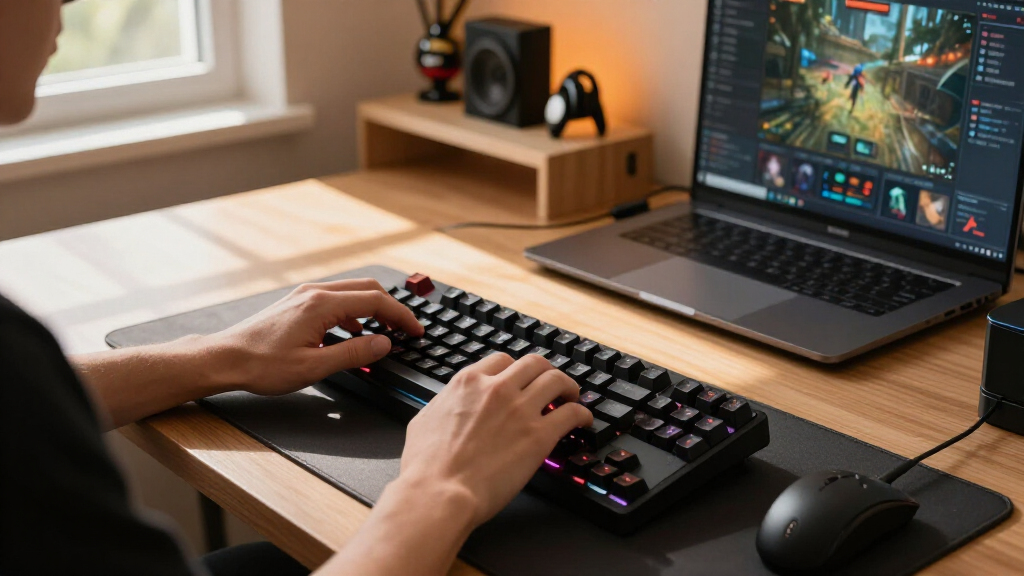

Shopping for gaming mechanical keyboards in 2026 means sorting through a crowded field where switch feel, build quality, and price vary wildly. The ASUS ROG Strix Scope II 96 Wireless earned my best overall pick for combining a compact 96% layout, hot-swappable switches, and wireless freedom without sacrificing tournament-grade performance. The AULA F75 Pro stands out as the value champion at a fraction of the price, while the SteelSeries Apex 5 appeals to buyers who want a hybrid feel with an OLED display. The main tradeoff you’ll face: premium models deliver smoother stock switches and sturdier cases, but budget boards like the Redragons now offer hot-swap sockets that used to cost three times as much. Read on for the full ranked breakdown, including a few boards I’d steer away from despite their popularity.

Get the latest gadgets delivered free with Prime
- Fast, free delivery on millions of items
- Prime Video, Amazon Music and more included
- Member-only deals all year
Complete the kit



Key Takeaways
- Hot-swappable sockets have migrated down to sub-$50 boards — the AULA F75 Pro and Redragon models offer customization that once required premium pricing, which is why they outrank several bigger brands here.
- Two products in this lineup (Logitech G213 and both SteelSeries Apex 3 models) are not true mechanical keyboards — they’re membrane or hybrid boards marketed to gamers, and they rank lower for anyone who specifically wants mechanical switch feel.
- The 75% layout emerged as the sweet spot this year: the AULA F75 Pro and Womier SK80 deliver full gaming functionality with more desk space than full-size boards like the Redragon K668.
- Wireless capability is no longer a premium-only feature — both the ROG Strix Scope II 96 Wireless and the budget AULA F75 Pro offer it, so paying over $100 for a wired-only board needs justification elsewhere.
- Extra features like OLED displays (Apex 5) and multimedia screens (Womier SK80) add personality but didn’t move boards up the ranking unless the core typing and gaming experience backed them up.
| Logitech G213 Prodigy Wired RGB Gaming Keyboard – Black |  | Best Budget-Friendly Starter | Lighting: 5 customizable zones, 16.8M colors | Connectivity: Wired | Design: Full-sized slim body with integrated palm rest | VIEW LATEST PRICE | See Our Full Breakdown |
| ASUS ROG Strix Scope II X Wired Mechanical Gaming Keyboard |  | Best Premium Full-Size | Connectivity: Wired USB-C | Switch Type: Hot-swappable ROG NX Snow or Storm | Keycaps: PBT doubleshot | VIEW LATEST PRICE | See Our Full Breakdown |
| SteelSeries Apex 3 TKL RGB Gaming Keyboard |  | Best Quiet Compact Pick | Form Factor: Tenkeyless | RGB Illumination: 8-Zone PrismSync | Water & Dust Resistance: IP32 | VIEW LATEST PRICE | See Our Full Breakdown |
| Logitech G413 SE Full-Size Mechanical Gaming Keyboard – Black |  | Best No-Nonsense Mechanical | Keycaps: PBT, heat- and wear-resistant | Switches: Tactile mechanical | Lighting: White LED backlit | VIEW LATEST PRICE | See Our Full Breakdown |
| Redragon Mechanical Gaming Keyboard Wired, 11 Backlit Modes, Hot-Swappable Red Switch |  | Best Value Hot-Swap Pick | Backlit Modes: 11 (fixed color) | Switch Type: Red, linear, hot-swappable | Keycaps: Double-shot PBT | VIEW LATEST PRICE | See Our Full Breakdown |
| AULA F75 Pro Wireless Mechanical Keyboard |  | Best Wireless Value | Connection Modes: Bluetooth 5.0, 2.4GHz, USB wired | Battery Capacity: 4000mAh | Switch Support: 3-pin and 5-pin hot-swappable | VIEW LATEST PRICE | See Our Full Breakdown |
| Razer BlackWidow V4 X Mechanical Gaming Keyboard |  | Best for Competitive Gaming | Switch Type: Yellow Mechanical Linear Switches | Number of Keys: 104 | Connectivity: Wired | VIEW LATEST PRICE | See Our Full Breakdown |
| RisoPhy Mechanical Gaming Keyboard, RGB 104 Keys |  | Best Budget Pick | Switch Type: Blue Switch | Number of Keys: 104 | Connectivity: USB-A wired | VIEW LATEST PRICE | See Our Full Breakdown |
| SteelSeries USB Apex 5 Hybrid Mechanical Gaming Keyboard |  | Best Feature-Rich Design | Switch Type: Hybrid Blue Mechanical | Display: OLED Smart Display | Frame Material: Aircraft Grade Aluminum Alloy | VIEW LATEST PRICE | See Our Full Breakdown |
| ASUS ROG Strix Scope II 96 Wireless Mechanical Gaming Keyboard |  | Best Premium Pick | Size: 96% full-size with num pad | Connectivity: Bluetooth, 2.4GHz wireless, USB wired | Switches: Hot-swappable ROG NX Snow linear or ROG NX Storm clicky | VIEW LATEST PRICE | See Our Full Breakdown |
| Corsair K70 Core RGB Mechanical Wired Gaming Keyboard with Palmrest |  | Best Quieter Premium Feel | Switch Type: MLX Red Linear (pre-lubricated) | Keycaps: ABS Double-Shot | Top Plate: Aluminum | VIEW LATEST PRICE | See Our Full Breakdown |
| SteelSeries Apex 3 RGB Gaming Keyboard |  | Best for Late-Night Quiet on a Budget | Switch Type: Whisper Quiet gaming switches | Water Resistance: IP32 | RGB Illumination: 10-zone with reactive effects | VIEW LATEST PRICE | See Our Full Breakdown |
| Redragon K668 108-Key Hot-Swap Wired RGB Gaming Keyboard |  | Best Value for Tinkerers | Number of Keys: 108 | Switch Compatibility: 3-pin or 5-pin hot-swappable | Lighting: RGB with 19 preset modes | VIEW LATEST PRICE | See Our Full Breakdown |
| Redragon K580 Wired RGB Mechanical Gaming Keyboard |  | Best for Macro-Heavy Gamers | Macro Keys: 5 dedicated (G1-G5) | Switch Type: Hot-swappable (accepts almost any switch) | Keycap Material: Double-shot | VIEW LATEST PRICE | See Our Full Breakdown |
| Womier SK80 75% Mechanical Gaming Keyboard with Color Multimedia Display |  | Best Compact Statement Piece | Layout: 75% compact | Display: Color multimedia screen with custom GIFs | Mounting: Gasket mount | VIEW LATEST PRICE | See Our Full Breakdown |
| gaming mechanical keyboard | Connectivity | Switch Type |
|---|---|---|
| Logitech G213 Prodigy Wired RG | Wired | Membrane-tactile hybrid (non-mechanical) |
| ASUS ROG Strix Scope II X Wire | Wired USB-C | Hot-swappable ROG NX Snow or Storm |
| SteelSeries Apex 3 TKL RGB Gam | — | Whisper Quiet gaming switch |
| Logitech G413 SE Full-Size Mec | — | — |
| Redragon Mechanical Gaming Key | Wired | Red, linear, hot-swappable |
| AULA F75 Pro Wireless Mechanic | — | — |
| Razer BlackWidow V4 X Mechanic | Wired | Yellow Mechanical Linear Switches |
| RisoPhy Mechanical Gaming Keyb | USB-A wired | Blue Switch |
| SteelSeries USB Apex 5 Hybrid | — | Hybrid Blue Mechanical |
| ASUS ROG Strix Scope II 96 Wir | Bluetooth, 2.4GHz wireless, USB wired | — |
| Corsair K70 Core RGB Mechanica | Wired | MLX Red Linear (pre-lubricated) |
| SteelSeries Apex 3 RGB Gaming | Wired | Whisper Quiet gaming switches |
| Redragon K668 108-Key Hot-Swap | Wired | — |
| Redragon K580 Wired RGB Mechan | Wired | Hot-swappable (accepts almost any switch) |
| Womier SK80 75% Mechanical Gam | — | — |
More Details on Our Top Picks
Logitech G213 Prodigy Wired RGB Gaming Keyboard – Black
Let me be upfront: the G213 Prodigy is not truly mechanical, and that distinction shapes where it belongs on this list. What it offers instead is a low-cost entry point with five-zone RGB lighting, a spill-resistant deck, and dedicated media controls — a package that undercuts every genuine mechanical option here, including the Redragon hot-swappable model. Compared with the SteelSeries Apex 3 TKL, the G213 keeps a full number pad and integrated palm rest, which matters if you bounce between gaming and spreadsheet work. The tradeoff is fundamental, though: membrane-adjacent keys can’t match the crisp actuation of the Logitech G413 SE’s tactile mechanical switches. This pick makes the most sense for buyers testing whether a gaming keyboard upgrade is worth it before committing real money.
Pros:- Very low price for five-zone RGB customization
- Spill-resistant construction survives accidental drink disasters
- Integrated palm rest and full number pad for productivity
- Dedicated media controls rare at this price
Cons:- Not a true mechanical keyboard despite the gaming branding
- Full customization locked behind Logitech G Hub software
- Wired-only connection with no portability options
Best for: Budget-constrained students and casual gamers who want RGB flair and media controls without paying mechanical keyboard prices
Not ideal for: Competitive or enthusiast gamers — the non-mechanical key feel lacks the tactile feedback and actuation speed serious play demands
- Lighting:5 customizable zones, 16.8M colors
- Connectivity:Wired
- Design:Full-sized slim body with integrated palm rest
- Durability:Resists liquids, crumbs, and dirt
- Key Features:Anti-ghosting, programmable macros, media controls
- Switch Type:Membrane-tactile hybrid (non-mechanical)
Our verdict“A sensible first gaming keyboard for casual players on tight budgets — just don’t expect mechanical feel.”
ASUS ROG Strix Scope II X Wired Mechanical Gaming Keyboard
The ROG Strix Scope II X sits at the top of this lineup because it checks nearly every enthusiast box: hot-swappable ROG NX V2 switches, PBT doubleshot keycaps, an aluminum top plate, a multi-function wheel, and a detachable wrist rest. Compared with the ASUS ROG Strix Scope II 96 Wireless, this full-size version trades wireless freedom for a complete 104-key layout — a better fit for streamers and players who rely on macro keys and a numpad. It also outclasses the Corsair K70 Core on paper with its hot-swap sockets, meaning switch replacement takes minutes instead of a full purchase. The real drawback is price and complexity: casual buyers will pay for features they never touch, and the deep software ecosystem has a genuine learning curve.
Pros:- Hot-swappable switches allow cheap customization and repair
- Aluminum top plate and PBT keycaps resist shine and wear
- Multi-function wheel plus macro keys streamline streaming and media
- Detachable wrist rest and adjustable typing angles
Cons:- Premium price well above most wired competitors
- Wired-only despite similarly priced wireless alternatives
- Feature complexity can overwhelm non-technical users
Best for: Enthusiast gamers and streamers who want a customizable, full-featured board they can tune for years
Not ideal for: Casual players or first-time mechanical keyboard buyers — the price and feature depth are wasted on light use
- Connectivity:Wired USB-C
- Switch Type:Hot-swappable ROG NX Snow or Storm
- Keycaps:PBT doubleshot
- Backlight:RGB
- Number of Keys:104
- Material:Aluminum top plate
- Extras:Detachable wrist rest, macro keys, multi-function wheel
Our verdict“The pick for buyers who want a long-term, fully tunable full-size board and are willing to pay for it.”
SteelSeries Apex 3 TKL RGB Gaming Keyboard
Night-owl gamers and shared-office players get the most from the Apex 3 TKL, whose Whisper Quiet switches are the quietest in this batch — a stark contrast to the clicky RisoPhy blue-switch board, which announces every keystroke to the room. The tenkeyless layout frees mouse space for low-sensitivity aiming, and IP32 water and dust resistance adds peace of mind that most membrane boards skip entirely. Compared with its sibling, the full-size SteelSeries Apex 3, this version trades the number pad for a tighter footprint — a real sacrifice for anyone doing data entry. Like the Logitech G213, it isn’t a true mechanical board, so buyers chasing that poppy actuation feel should look toward the G413 SE instead.
Pros:- Whisper-quiet switches ideal for shared or nighttime environments
- Tenkeyless layout improves ergonomics and frees desk space
- IP32 water and dust resistance adds durability
- Broad compatibility including Xbox and PlayStation consoles
Cons:- No number pad limits productivity work
- Not a true mechanical keyboard for enthusiasts
- Wired-only with no wireless flexibility
Best for: Apartment gamers, late-night players, and anyone in shared spaces who needs quiet keystrokes and a compact footprint
Not ideal for: Number-pad-dependent users and mechanical purists — the TKL cut and non-mechanical switches will both disappoint
- Form Factor:Tenkeyless
- RGB Illumination:8-Zone PrismSync
- Water & Dust Resistance:IP32
- Switch Type:Whisper Quiet gaming switch
- Key Durability:20+ million keystrokes
- Compatibility:Windows, Mac OS X, Xbox Series S/X, PS4, PS5
Our verdict“The right choice if silence and space matter more to you than mechanical key feel.”
Logitech G413 SE Full-Size Mechanical Gaming Keyboard – Black
The G413 SE earns its spot by refusing to pad the bill with gimmicks. You get genuine tactile mechanical switches, heat-resistant PBT keycaps, and a brushed aluminum-magnesium alloy chassis at a price far below the ASUS ROG Strix Scope II X. That simplicity is the point: compared with RGB-saturated rivals like the Redragon hot-swappable board, its clean white LED backlight reads as understated rather than cheap, and the build feels more solid than the price suggests. The tradeoffs are honest ones — no hot-swap sockets, no wireless, and customization options that stop at basics. Buyers who want to tinker with switches later should spend up for the ROG or Redragon, but anyone who just wants a dependable mechanical board that lasts should start here.
Pros:- Real tactile mechanical switches at an accessible price
- PBT keycaps resist shine far longer than standard ABS
- Aluminum-magnesium alloy frame feels premium and rigid
- 6-key rollover and anti-ghosting handle fast gaming inputs
Cons:- No hot-swap support limits future switch changes
- Single-color white backlight only, no RGB
- Full-size body eats space in compact setups
Best for: Practical gamers and office hybrid users who want authentic mechanical quality and metal construction without RGB excess
Not ideal for: Tinkerers and RGB enthusiasts — the fixed switches and single-color backlight cap customization potential
- Keycaps:PBT, heat- and wear-resistant
- Switches:Tactile mechanical
- Lighting:White LED backlit
- Layout:Full-size (TKL option available)
- Material:Brushed aluminum-magnesium alloy
- Features:6-key rollover, anti-ghosting, media controls
Our verdict“The best-value true mechanical pick for buyers who prioritize build quality over lighting and features.”
Redragon Mechanical Gaming Keyboard Wired, 11 Backlit Modes, Hot-Swappable Red Switch
Hot-swappable switches usually command a premium — the ASUS ROG Strix Scope II X proves that — but this Redragon board brings them to a budget price, and it even ships with four spare switches and extra keycaps in the box. The linear red switches suit fast-paced gaming with smooth, low-resistance actuation, and double-shot PBT keycaps at this price undercut nearly everything else in the roundup. The catch is aesthetic: the backlight color is fixed, so despite eleven lighting modes, buyers wanting a rainbow board like the Redragon K668 should spend a little more. Macro support and full anti-ghosting round out a package that prioritizes function over flash — a philosophy that fits budget-first buyers perfectly.
Pros:- Hot-swappable sockets rare at this price point
- Spare switches and keycaps included for easy maintenance
- Double-shot PBT keycaps resist wear and shine
- Linear red switches and anti-ghosting handle competitive play
Cons:- Backlight color cannot be changed
- Lighting software is limited compared with Logitech or ASUS ecosystems
- Wired-only with no passthrough or wireless option
Best for: First-time mechanical keyboard buyers and tinkerers on a budget who want hot-swap flexibility without enthusiast pricing
Not ideal for: RGB-focused buyers — the single backlight color and limited lighting software will frustrate anyone chasing full color customization
- Backlit Modes:11 (fixed color)
- Switch Type:Red, linear, hot-swappable
- Keycaps:Double-shot PBT
- Anti-Ghosting:Yes
- Macro Support:Yes
- Included Extras:4 spare switches, extra keycaps
- Multimedia Keys:12
- Connectivity:Wired
Our verdict“The smartest cheap way into hot-swappable mechanical keyboards — ideal if lighting color doesn’t matter to you.”
AULA F75 Pro Wireless Mechanical Keyboard
The AULA F75 Pro packs tri-mode connectivity, hot-swappable switches, and a 4000mAh battery into a price bracket where most rivals are wired-only. Compared with the RisoPhy 104-key, you trade a number pad and spill resistance for wireless freedom and a genuinely customizable switch platform — a fair deal for most gamers. The 75% layout keeps arrow keys while freeing desk space, and the multi-function knob handles volume and media without leaving a game. The side-printed PBT keycaps resist shine far longer than the ABS caps on the Razer BlackWidow V4 X. The tradeoffs are real: the software has a learning curve, and at this weight it’s not a grab-and-go travel board.
Pros:- Tri-mode connectivity (Bluetooth, 2.4GHz, wired) for multiple devices
- Hot-swappable 3-pin and 5-pin switch support for easy customization
- Durable double-injection PBT side-printed keycaps
- 16.8 million RGB colors with 16 preset effects plus a multi-function knob
Cons:- Feature-rich software has a steep learning curve for newcomers
- Heavy and bulky for anyone wanting a portable board
- Limited factory switch options compared to rivals
Best for: Budget-conscious gamers who want wireless flexibility and hot-swappable switches without paying premium prices
Not ideal for: Beginners who want plug-and-play simplicity — the software and feature set take time to learn
- Connection Modes:Bluetooth 5.0, 2.4GHz, USB wired
- Battery Capacity:4000mAh
- Switch Support:3-pin and 5-pin hot-swappable
- Key Layout:75% compact with arrow keys
- Keycaps:Side-printed PBT, double injection molded
- Backlight:16.8 million RGB colors, 16 preset effects
- Additional Features:Multi-function knob, macros, N-key rollover, WIN key lock
Our verdict“The strongest wireless value pick for gamers who want to tinker — skip it if you just want to plug in and play.”
Razer BlackWidow V4 X Mechanical Gaming Keyboard
Razer’s BlackWidow V4 X is built around one priority: fast, quiet, repeatable inputs. The Yellow linear switches are near-silent, which sets it apart from the clicky RisoPhy blue-switch board and the SteelSeries Apex 5’s noisy hybrid switches — a genuine advantage for streamers and late-night players. The full 104-key layout plus dedicated macro keys and media controls gives competitive players in-game shortcuts that compact boards like the AULA F75 Pro simply don’t have room for. What you give up is flexibility: it’s wired-only, the ABS keycaps will shine faster than PBT alternatives, and there’s no hot-swap support, so switch changes mean a new keyboard.
Pros:- Quiet, fast Yellow linear switches ideal for rapid inputs and streaming
- Dedicated macro and media keys for in-game control
- RGB lighting with 16.8 million customizable colors
- Doubleshot ABS keycaps with wear-resistant molding
Cons:- Wired-only connection limits setup flexibility
- No hot-swap support — switches are permanent
- No water resistance, unlike the RisoPhy’s spill-proof design
Best for: Competitive and marathon gamers who want quiet, rapid linear switches and dedicated macro keys
Not ideal for: Multi-device users and anyone wanting wireless — this is a corded, PC-focused board with no hot-swap support
- Switch Type:Yellow Mechanical Linear Switches
- Number of Keys:104
- Connectivity:Wired
- Backlighting:RGB, 16.8 million colors
- Keycap Material:Doubleshot ABS
- Additional Features:Macro keys, media controls, sound dampening, stabilizers
- Compatibility:PC; Mac OS 14 Sonoma, Windows 11
Our verdict“The pick for serious players who value silent speed and macro control over wireless convenience.”
RisoPhy Mechanical Gaming Keyboard, RGB 104 Keys
This RisoPhy board proves you can get a full mechanical experience — clicky blue switches, full RGB, and a complete 104-key layout — at an entry-level price. Where the AULA F75 Pro asks you to learn software and manage batteries, this one keeps things simple: plug in the USB cable and go. Its standout budget feature is spill resistance with drainage holes, something even the pricier Razer BlackWidow V4 X lacks, which matters for desks that double as snack stations. The tradeoffs are predictable at this price: blue switches are loud in shared spaces, there’s no wireless mode, and the ABS keycaps won’t age as gracefully as PBT. No wrist rest in the box either, unlike the SteelSeries Apex 5.
Pros:- Tactile, clicky blue switches with quick, satisfying response
- Spill-resistant design with hydrophobic drainage holes
- Full-size 104-key layout with anti-ghosting and media keys
- Adjustable tilt with foldable kickstands for ergonomic comfort
Cons:- Blue switches are disruptive in quiet environments
- Wired USB-A connection only, no wireless flexibility
- No included wrist rest for long sessions
Best for: First-time mechanical keyboard buyers and budget gamers who want a full-size, clicky typing experience
Not ideal for: Shared rooms or quiet offices — the blue switches are loud, and there’s no wireless option
- Switch Type:Blue Switch
- Number of Keys:104
- Connectivity:USB-A wired
- Backlight:RGB
- Water Resistance:Water resistant with drainage holes
- Compatibility:PC, Mac, Xbox
- Anti-Ghosting:100%
- Ergonomics:Adjustable tilt with foldable rear kickstands
Our verdict“The cheapest credible path into mechanical gaming — as long as your roommates can tolerate the click.”
SteelSeries USB Apex 5 Hybrid Mechanical Gaming Keyboard
The SteelSeries Apex 5 earns its spot through sheer personality: a small OLED smart display that shows GIFs, Discord messages, and game info — a trick nobody else in this lineup, not even the Womier SK80 with its color display, executes this neatly alongside a full-size frame. Its hybrid blue switches split the difference between the RisoPhy’s clicky blues and a membrane board’s smoothness, rated for 20 million presses, and the aircraft-grade aluminum frame feels sturdier than anything plastic in this price neighborhood. The magnetic wrist rest is a comfort win over the RisoPhy, which ships without one. But that large footprint demands serious desk space, and the switches still lean noisy for quiet settings.
Pros:- Unique OLED smart display for GIFs, notifications, and game info
- Hybrid blue switches balancing tactile feedback with smooth, quiet-ish presses
- Aircraft-grade aluminum alloy frame built to last
- Magnetic wrist rest included for extended comfort
Cons:- Very large footprint won’t fit compact desk setups
- Premium features push the price above simpler rivals
- Hybrid switches still produce noticeable noise in quiet rooms
Best for: Gamers who love on-keyboard customization and info displays, plus a plush wrist rest for long sessions
Not ideal for: Small-desk setups — at 35 inches wide, it’s one of the biggest boards here, and it’s wired-only
- Switch Type:Hybrid Blue Mechanical
- Display:OLED Smart Display
- Frame Material:Aircraft Grade Aluminum Alloy
- Keypress Durability:20 million keypresses
- Backlighting:Dynamic per-key RGB
- Dimensions:35.43 x 11.81 inches
- Wrist Rest:Magnetic, included
Our verdict“The best choice for players who want their keyboard to be a customizable gadget, not just an input device.”
ASUS ROG Strix Scope II 96 Wireless Mechanical Gaming Keyboard
The ROG Strix Scope II 96 is the luxury end of this batch, and it shows: up to 1,500 hours of wireless battery life dwarfs the AULA F75 Pro’s 4000mAh cell in endurance terms, and the clever 96% layout keeps a number pad in a footprint closer to a 75% board. Hot-swappable ROG NX switches (linear Snow or clicky Storm) let you change feel without tools, matching the AULA’s customization but with better stock switches. The bundled wrist rest, keycap puller, and USB extender round out a genuinely complete package. The catches: it’s the most expensive option here, the feature depth can overwhelm first-time mechanical buyers, and 2.4GHz wireless can stutter in crowded signal environments.
Pros:- Exceptional battery life up to 1,500 hours in wireless mode
- Tri-mode connectivity with Bluetooth, 2.4GHz, and wired options
- Hot-swappable ROG NX Snow linear or Storm clicky switches
- Generous accessory bundle including wrist rest, pullers, and USB extender
Cons:- Premium price point well above the rest of this lineup
- Feature complexity can overwhelm mechanical keyboard newcomers
- 2.4GHz wireless may suffer interference in crowded environments
Best for: Enthusiasts and streamers who want near-unlimited battery life, hot-swap switches, and a full feature set in a compact frame
Not ideal for: First-time mechanical keyboard buyers — the price and customization depth are overkill for casual use
- Size:96% full-size with num pad
- Connectivity:Bluetooth, 2.4GHz wireless, USB wired
- Switches:Hot-swappable ROG NX Snow linear or ROG NX Storm clicky
- Battery Life:Up to 1,500 hours wireless
- Lighting:Per-key RGB
- Compatibility:PC and Mac
- Included Accessories:Wrist rest, keycap & switch puller, wireless receiver, USB extender, spacebar keycap, USB cable
Our verdict“The premium pick for gamers who plan to keep and customize one keyboard for years.”
Corsair K70 Core RGB Mechanical Wired Gaming Keyboard with Palmrest
This option stands out for its pre-lubricated MLX Red switches, which deliver a smoother, quieter keystroke out of the box than most keyboards that need aftermarket lubing to feel this refined. Compared with the Redragon K580, the K70 Core trades macro-programmable extras for a more polished experience: factory sound dampening, a magnetic soft-touch palm rest, and a rotary media dial that makes volume and playback adjustments effortless mid-game. The aluminum top plate keeps the board planted during frantic inputs, something budget plastic chassis like the RisoPhy can’t match. The tradeoff is price — this sits well above the Redragon options — and the wired-only connection limits anyone wanting a cleaner desk setup. This pick makes the most sense for buyers who prioritize smoothness and quiet over raw customization.
Pros:- Pre-lubricated switches feel smooth and quiet with no modification needed
- Factory sound dampening keeps late-night sessions quiet
- Magnetic palm rest and media dial add daily comfort and convenience
- Aluminum top plate eliminates flex and sliding during intense play
Cons:- Wired-only connectivity limits desk setups
- Priced well above similarly featured budget boards
Best for: Gamers and typists who want a smooth, quiet mechanical feel and premium comfort without DIY tinkering
Not ideal for: Budget-conscious buyers or anyone wanting wireless — the Redragon K668 offers hot-swapping for far less money
- Switch Type:MLX Red Linear (pre-lubricated)
- Keycaps:ABS Double-Shot
- Top Plate:Aluminum
- Features:Sound Dampening, Media Control Dial, Magnetic Palm Rest
- Connectivity:Wired
- Layout:Full-size QWERTY NA
Our verdict“Buy the K70 Core if you want near-silent, silky keystrokes and a premium build, and skip it if hot-swap customization on a budget matters more.”
SteelSeries Apex 3 RGB Gaming Keyboard
The Apex 3 earns its place by solving two problems at once: whisper-quiet switches and an IP32 water-resistant design that shrugs off the inevitable energy drink spill. Unlike the Corsair K70 Core, which quiets things down through premium engineering at a premium price, the Apex 3 achieves near-silence cheaply — a big deal for shared bedrooms or dorm setups. The 10-zone RGB is reactive and looks good, though it can’t compete with the per-key lighting on the Redragon K668 for anyone wanting intricate effects. Broad compatibility with consoles, Windows, and Mac makes it a flexible couch companion. The honest caveat: these are membrane-style whisper switches, so it lacks the crisp tactile feedback mechanical purists expect from boards like the Logitech G413 SE.
Pros:- Near-silent switches won’t disturb roommates or family
- IP32 water resistance protects against accidental spills
- Magnetic wrist rest included at a budget price
- Works with Windows, Mac, Xbox, and PlayStation consoles
Cons:- 10-zone lighting limits per-key RGB effects
- Switch feel lacks the crispness of true mechanical switches
Best for: Students and late-night gamers in shared spaces who need near-silent keys and spill protection without spending much
Not ideal for: Mechanical keyboard enthusiasts who want true switch feel and per-key RGB customization
- Switch Type:Whisper Quiet gaming switches
- Water Resistance:IP32
- RGB Illumination:10-zone with reactive effects
- Wrist Rest:Premium magnetic
- Connectivity:Wired
- Compatibility:Windows, Mac OS X, Xbox Series S/X, PS4, PS5
Our verdict“Pick the Apex 3 for quiet, spill-proof gaming on a budget; choose a true mechanical board if switch feel is non-negotiable.”
Redragon K668 108-Key Hot-Swap Wired RGB Gaming Keyboard
This model is better suited to first-time customizers than any other budget board in this lineup. The hot-swappable switch sockets accept both 3-pin and 5-pin switches, meaning buyers can experiment endlessly without soldering — the same flexibility the Womier SK80 offers, but in a full-size layout and at a lower price. Redragon even includes two keycap sets, which is nearly unheard of at this tier and lets owners change the look without buying aftermarket caps. Four dedicated hotkeys and full-key anti-ghosting round out a genuinely competitive gaming package. Compared with the SteelSeries Apex 3, you give up water resistance and quiet switches, but gain a real mechanical feel. The 108-key footprint eats desk space, and unlocking the full RGB suite means installing Redragon’s software.
Pros:- Hot-swappable sockets accept 3-pin and 5-pin switches
- Two included keycap sets allow free restyling
- RGB with 19 preset modes works without software
- Full-key anti-ghosting keeps inputs accurate in fast games
Cons:- Software required for macro and deep lighting customization
- Full-size layout demands considerable desk space
Best for: Budget-minded gamers who want to experiment with different switches and keycaps without buying a new keyboard
Not ideal for: Owners of compact desks or minimalists who’d find a 108-key footprint plus software dependencies annoying
- Number of Keys:108
- Switch Compatibility:3-pin or 5-pin hot-swappable
- Lighting:RGB with 19 preset modes
- Extra Hotkeys:4 dedicated
- Included Keycaps:2 sets
- Anti-Ghosting:Full-key
- Connectivity:Wired
Our verdict“The K668 is the cheapest legitimate entry into the switch-swapping hobby, ideal for tinkerers who can tolerate its size.”
Redragon K580 Wired RGB Mechanical Gaming Keyboard
Where the Redragon K668 focuses on customization freedom, the K580 leans into competitive control: five dedicated G-keys put macros, item loadouts, or stream commands a single press away. Combined with full 104-key anti-ghosting and a 50-million-keystroke durability rating, this board is built for MOBA and MMO players who hammer the same keys for years. The hot-swappable sockets accept almost any switch, so the stock blue switches — loud enough to bother anyone nearby — can be swapped for quieter alternatives, an option the SteelSeries Apex 3 can’t offer. The double-shot keycaps resist wear better than printed caps. Downsides are real: no wireless, software needed for advanced RGB, and out of the box this is one of the noisier boards in the roundup.
Pros:- Five dedicated macro keys for complex in-game commands
- Hot-swappable sockets accept almost any switch type
- 50-million-keystroke rating withstands years of heavy use
- Full 104-key anti-ghosting prevents missed inputs
Cons:- Stock blue switches are loud for shared spaces
- No wireless option and software needed for advanced RGB
Best for: MMO and MOBA players who rely on macros and want durable, remappable hardware keys
Not ideal for: Quiet-environment gamers who won’t immediately swap out the loud stock blue switches
- Macro Keys:5 dedicated (G1-G5)
- Switch Type:Hot-swappable (accepts almost any switch)
- Keycap Material:Double-shot
- Keystroke Durability:50 million
- Anti-Ghosting:Full 104-key
- Connectivity:Wired
Our verdict“Grab the K580 if macro keys are your priority and you’re willing to swap switches; skip it if noise is a concern out of the box.”
Womier SK80 75% Mechanical Gaming Keyboard with Color Multimedia Display
The SK80 is the most personality-driven board in this batch. Its color multimedia display — capable of showing custom GIFs, system stats, or clock faces — sets it apart from every other pick here, including the SteelSeries Apex 5 and its monochrome OLED. The 75% gasket-mount layout frees up mouse space for low-sensitivity FPS players while retaining arrows and function keys, a smarter middle ground than the Redragon K668’s space-hogging full-size frame. Hot-swappable 3-pin/5-pin sockets and the detachable Type-C cable add enthusiast credibility, and the gasket construction produces a soft, cushioned typing feel that the Redragon K580’s rigid tray-mount design can’t replicate. The catch: getting the most from the display and lighting takes software familiarity, and casual users may find the customization depth more burden than benefit.
Pros:- Color display supports custom GIFs and real-time system info
- Gasket mount delivers a soft, premium typing feel
- 75% layout preserves function keys while saving desk space
- Hot-swappable sockets and detachable Type-C cable add flexibility
Cons:- Display and lighting customization demand software know-how
- Feature set can overwhelm casual users who want simplicity
Best for: Enthusiast-minded FPS players and desk-setup hobbyists who want a compact board with genuine visual flair
Not ideal for: Set-and-forget buyers who just want to plug in and play without learning customization software
- Layout:75% compact
- Display:Color multimedia screen with custom GIFs
- Mounting:Gasket mount
- Switch Compatibility:3-pin or 5-pin hot-swappable
- Lighting:RGB with 19 effects and 9 colors
- Connection:Detachable Type-C cable
- Compatibility:Mac and Windows
Our verdict“The SK80 is for players who see their keyboard as part of the aesthetic; anyone wanting plug-and-play simplicity should look elsewhere.”
How We Picked
My ranking logic starts with one question: how good does this board feel and perform in games? I evaluated switch quality and consistency, actuation feel for fast-paced titles, anti-ghosting and polling reliability, and whether the stabilizers on larger keys rattle or stay quiet. Build quality came next — case stiffness, keycap material (PBT vs. cheaper ABS), and whether the board flexes under pressure. Because gamers upgrade in stages, hot-swappability and customizability carried real weight: a board that accepts third-party switches and keycaps holds its value longer.
From there, I scored value against price tier. A $40 board isn’t judged against a $150 one; it’s judged on whether it punches above its weight, which is why the Redragon and AULA entries rank higher than their brand recognition might suggest. I also penalized products marketed as mechanical that aren’t — the Logitech G213 and SteelSeries Apex 3 use membrane switches, which matters if mechanical feel is the whole reason you’re shopping. Finally, I factored in layout practicality and connectivity, since a board that frees desk space or cuts the cable earns its keep beyond raw specs.
| gaming mechanical keyboard | Connectivity |
|---|---|
| Logitech G213 Prodigy Wired RG | Wired |
| ASUS ROG Strix Scope II X Wire | Wired USB-C |
| SteelSeries Apex 3 TKL RGB Gam | — |
| Logitech G413 SE Full-Size Mec | — |
| Redragon Mechanical Gaming Key | Wired |
| AULA F75 Pro Wireless Mechanic | — |
| Razer BlackWidow V4 X Mechanic | Wired |
| RisoPhy Mechanical Gaming Keyb | USB-A wired |
| SteelSeries USB Apex 5 Hybrid | — |
| ASUS ROG Strix Scope II 96 Wir | Bluetooth, 2.4GHz wireless, USB wired |
| Corsair K70 Core RGB Mechanica | Wired |
| SteelSeries Apex 3 RGB Gaming | Wired |
| Redragon K668 108-Key Hot-Swap | Wired |
| Redragon K580 Wired RGB Mechan | Wired |
| Womier SK80 75% Mechanical Gam | — |
Factors to Consider When Choosing Gaming Mechanical Keyboards
Before you commit to any of the boards above, it helps to understand what actually separates a satisfying gaming keyboard from an expensive disappointment. These are the factors that shaped my rankings — and the mistakes I see buyers make most often.
Switch Type Matters More Than RGB
The single biggest mistake gamers make is prioritizing lighting effects over switch feel, because switches determine how the board performs in every game you play. Linear switches (like Razer Yellows) offer fast, quiet actuation suited to shooters where rapid key repeats matter. Clicky switches (like the blues on the RisoPhy) give satisfying tactile feedback but can drive you and your teammates crazy on voice chat. Tactile switches sit in the middle and work well for players who split time between gaming and typing. If you’re unsure, buy a hot-swappable board — every hot-swap model in this roundup lets you change your mind later for about $10 in switches rather than $100 on a new keyboard.
True Mechanical vs. Membrane Marketing
Several popular boards — including the Logitech G213 and SteelSeries Apex 3 in this list — are membrane keyboards dressed in gaming aesthetics. That’s not automatically bad; membrane boards are quieter and cheaper. But if you searched specifically for mechanical keyboards, you’re presumably after the crisp actuation, durability, and repairability that mechanical switches provide. Marketing terms like “mecha-membrane” or “hybrid mechanical” blur this line deliberately. Check for individually stated mechanical switches and hot-swap support before buying, because return policies rarely cover buyer’s remorse over switch type.
Layout Size: The Desk Space Tradeoff
Full-size boards (like the Redragon K668) include a numpad, which matters for productivity but wastes space for most gamers who never touch it in-game. TKL and 75% layouts — seen in the Apex 3 TKL, AULA F75 Pro, and Womier SK80 — free up inches of mouse room, which genuinely improves low-sensitivity aiming. The 96% layout on the ROG Strix Scope II 96 squeezes the numpad in while cutting the footprint, a smart compromise if you do spreadsheets between matches. My advice: measure your desk and mousepad setup first, because layout is the one thing you can’t change after purchase.
Wireless: When It’s Worth Paying For
Wireless mechanical keyboards used to mean input lag and battery anxiety, but current boards like the ROG Strix Scope II 96 Wireless deliver latency that competitive players can’t perceive. The real question is whether you need it. If your PC sits within two feet of your keyboard, wireless is a convenience, not a necessity — and a wired board like the Corsair K70 Core will never need charging mid-session. If you game from a couch setup, travel to LANs, or simply hate cable clutter, wireless becomes the feature worth stretching your budget for. Also check the connection options: 2.4GHz dongles outperform Bluetooth for gaming, so a Bluetooth-only board is a red flag.
Build Quality Signals: What to Check Before Buying
Two specs predict long-term satisfaction better than anything else: keycap material and mounting style. PBT keycaps (standard on the AULA F75 Pro and Redragon models listed) resist shine and worn legends for years, while ABS caps go glossy within months of heavy play. Case material matters too — a plastic case with good internal foam can feel better than a badly assembled metal one, but genuinely flexy cases develop annoying pings over time. Read reviews specifically for words like “stabilizer rattle” and “case ping,” because these flaws don’t show up in spec sheets but define the daily experience. A board with a one-year warranty from an established brand also saves headaches that ultra-cheap imports can’t match.
Budget Strategy: Where to Spend and Where to Save
The price-performance curve in mechanical keyboards has flattened dramatically, which changes how you should allocate money. Between $40 and $70, boards like the AULA F75 Pro and Redragon K668 now include hot-swap sockets, PBT caps, and wireless options — features that defined $150 boards two years ago. Above $100, you’re paying for refinements: better stock switches, aluminum cases, dampened builds, and brand support, as seen in the Corsair K70 Core and ROG offerings. My suggested approach for most buyers: buy a solid hot-swappable budget board and spend the savings on switches and keycaps you actually like. That path beats an expensive stock board you end up tolerating rather than loving.
Frequently Asked Questions
Is it worth buying a hot-swappable keyboard if I’m new to mechanical keyboards?
Yes, and the reason is flexibility rather than immediate need. Most new mechanical keyboard owners can’t predict whether they’ll prefer linear, tactile, or clicky switches until they’ve gamed on one type for a few weeks. A hot-swappable board like the Redragon or AULA models means a $10 set of switches fixes a wrong guess instead of a full replacement purchase. The one caveat: check that the board supports 3-pin or 5-pin switches as advertised, since some budget boards have sockets that fit poorly with certain switch brands. If you’re happy with the stock switches forever, hot-swap costs you nothing — it’s essentially free insurance at this price point.
Why are the Logitech G213 and SteelSeries Apex 3 ranked lower if they’re so popular?
Popularity usually reflects price and shelf placement at big retailers, not mechanical quality — and that’s the core issue here. The G213 and both Apex 3 models use membrane or mecha-membrane switches, so they don’t deliver the crisp actuation and durability that people shopping for mechanical keyboards are actually seeking. They’re fine boards for general use and quiet offices, and I’d rather see someone buy one knowingly than overspend on features they won’t use. But ranked against true mechanical boards with similar price tags — like the Redragon hot-swap models — they fall short on the specific criteria this comparison is built around. If quiet operation matters more than switch feel, they become reasonable picks again.
Do I need a full-size keyboard with a numpad for gaming?
Almost no modern game requires a numpad, so the decision really comes down to your non-gaming life. If you enter numbers in spreadsheets, do data entry, or use design software with numpad hotkeys, a full-size board like the Redragon K668 or Logitech G413 SE earns its footprint. If gaming is the primary use, a TKL or 75% board gives your mouse more room, which measurably helps if you play shooters at lower sensitivities. The 96% layout on the ROG Strix Scope II 96 splits the difference by keeping a compressed numpad. One warning for compact buyers: check that the board has dedicated arrow keys or a function-layer you can live with, because that’s the adjustment that frustrates new compact users most.
What’s the real difference between a $50 and a $150 mechanical gaming keyboard?
The gap has narrowed, but it hasn’t disappeared — the differences are now in refinement rather than core function. A $150 board like the Corsair K70 Core or ROG Strix Scope II typically delivers smoother factory-lubed switches, quieter stabilized large keys, a stiffer case, better software support, and longer warranties. A $50 board like the Redragon or AULA options covers the fundamentals — mechanical switches, RGB, often hot-swap — but may arrive with slightly scratchy switches or rattly stabilizers that enthusiasts fix with $5 of lube. For most gamers, the budget board plus minor tinkering is the better value. The premium board makes sense when you want a polished experience out of the box and plan to keep it for five-plus years.
Are blue (clicky) switches bad for gaming?
Blue switches work fine for gaming mechanically — the click point actuates the keypress just as reliably as a linear switch, and some players genuinely benefit from the audible feedback confirming inputs. The practical problems are environmental: the noise annoys anyone sharing your space and bleeds into microphones during voice chat, which teammates will notice before you do. Clicky switches can also feel fatiguing during long sessions because of the sharper tactile bump. If you game alone with headphones and love the sound, blues like the ones on the RisoPhy are perfectly viable. If you’re on Discord regularly or share a room, linear switches like Razer Yellows or reds are the safer choice, and that’s reflected in how I ranked the boards here.
Conclusion
After comparing all 15 boards, the right choice comes down to who you are as a buyer. For best overall, the ASUS ROG Strix Scope II 96 Wireless justifies its premium price with wireless flexibility, a space-smart layout, and refinement across every category I scored. The AULA F75 Pro takes best value — hot-swap sockets, wireless connectivity, and PBT caps at a budget price make it the smartest money in this lineup. For beginners, the Redragon hot-swappable model is the safest entry point: cheap enough to experiment with, flexible enough to grow with you.
If you want best premium with a full-size experience, the Corsair K70 Core with its palmrest delivers comfort for marathon sessions, while the ASUS ROG Strix Scope II X suits wired-preferring gamers who still want flagship quality. For specific needs: the Womier SK80 fits streamers and tinkerers who want a color display and 75% footprint, the SteelSeries Apex 5 suits hybrid-switch curious buyers, and the Redragon K580 works for macro-heavy MMO players. Whatever you choose, prioritize switch feel and hot-swappability over RGB — those are the features you’ll still care about a year from now.