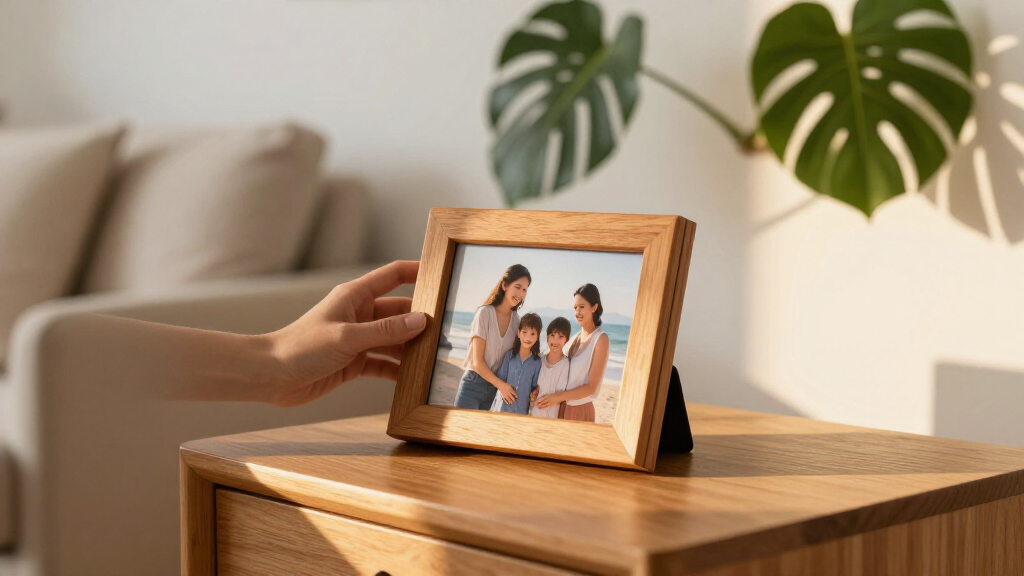

Digital photo frames have quietly become one of the easiest ways to keep far-flung family connected, and the market in 2026 is dominated by two ecosystems: Frameo-based frames and premium closed platforms like Aura and Skylight. My top pick is the Frameo 15.6″ WiFi Digital Picture Frame, because its large 1080p display and phone-based photo sharing strike the best balance between screen size, image quality, and simplicity. If budget matters more than screen real estate, the Frameo 10.1″ with 32GB delivers the same sharing experience in a smaller, cheaper package, while the Aura Carver is the standout choice if design and unlimited cloud storage matter more than local control. The main tradeoff you’ll face is between big 15.6-inch displays that need wall space and desk-friendly 10.1-inch frames, plus the choice between open Frameo app sharing and Aura’s polished but subscription-free cloud model. Read on for the full breakdown of all 15 frames.

Get the latest gadgets delivered free with Prime
- Fast, free delivery on millions of items
- Prime Video, Amazon Music and more included
- Member-only deals all year
Complete the kit



Key Takeaways
- Ten of the fifteen frames run the Frameo app ecosystem, which means the real differentiators are screen size, resolution, storage and build — not software features.
- The 15.6-inch models only make sense if you have the wall or shelf space; at typical desk viewing distances, the 10.1-inch frames look just as sharp at 1280×800.
- Aura Carver is the only frame here with unlimited free cloud storage, but it lacks local memory expansion and locks you into Aura’s platform.
- Every Frameo frame in this lineup includes 32GB (or 64GB) of storage, so paying attention to screen quality matters more than storage capacity when choosing between them.
- Auto-rotate and IPS touch screens are now standard rather than premium features — treat them as baseline, not reasons to pay extra.


| digital photo frame | Connectivity | Resolution | Internal Storage | Expandable Storage |
|---|---|---|---|---|
| Frameo Digital Picture Frame 9 | Wi-Fi (2.4GHz), SD card, Type-C, USB-A | 1920×1080 Full HD IPS touchscreen | 32GB | SD card up to 64GB |
| 64GB 15.6" Frameo Digital Pict | Wi-Fi (2.4GHz only) | 1920×1080 IPS Full HD touchscreen | 64GB | SD card / USB flash drive (32GB recommended, FAT32) |
| AiMOR 10.1 Inch Smart Digital | Wi-Fi | 1280×800 HD IPS touchscreen | 32GB | Micro SD up to 64GB |
| Frameo 10.1 Inch WiFi Digital | Wi-Fi | 1280×800 HD IPS touchscreen | 32GB | microSD (FAT32, up to 32GB recommended) |
| BIGASUO 10.1" Frameo Digital P | Wi-Fi | 1280×800 HD IPS touchscreen | 32GB | Micro SD card |
| 10.1-Inch WiFi Digital Picture | Wi-Fi (2.4 GHz) | 1280×800 | 32GB | micro SD card (FAT32 up to 32GB) |
| Skylight Digital Picture Frame | Wi-Fi | 1280×800 | — | — |
| AEEZO 10.1 Inch Digital Pictur | Wi-Fi | 1280 x 800 | 32GB | — |
| 32GB FRAMEO 10.1 Inch Smart Wi | Wi-Fi | 1280×800 IPS LCD Touch Screen | 32GB | Micro SD card |
| Frameo 15.6" Digital Picture F | WiFi, USB-C | 1920×1080 (FHD) | 32GB | — |
| Digital Picture Frame | Wi-Fi, SD card, USB drive, USB-C to computer | 1920 x 1080 FHD IPS | — | — |
| Frameo 10.1" Digital Picture F | Wi-Fi, Micro SD, TF card, USB-C drive, USB-C cable | 1280 x 800 | — | — |
| Aura Digital HD Picture Frame | Wi-Fi | — | — | — |
| Anna Bella 10.1 Inch Digital P | Wi-Fi | 1280 x 800 | — | Up to 128GB SD card |
| 1280×800 HD Touch Screen Digit | App, SD card, USB | 1280 x 800 | — | — |
More Details on Our Top Picks
Frameo Digital Picture Frame 94% sRGB Stardust Black 15.6″ WiFi 1920 * 1080
Among the 15.6-inch frames in this roundup, this Apveelveer model stands out for one reason: 94% sRGB color coverage. Most budget frames in this size class, including the 64GB 15.6″ Frameo model, make vague claims about “vivid colors” — this one actually specifies its color gamut, and that precision shows in skin tones and landscape shots that look the way they did on your phone. The 1920×1080 Full HD IPS panel at this size hits a comfortable pixel density for a coffee-table viewing distance.
The stardust black finish is a genuine design differentiator if the frame will live in a formal living room rather than a bedside table. Tradeoffs exist, though. Storage is 32GB versus 64GB on the competing large Frameo frame, and expansion caps out at a 64GB SD card. Like every frame here, it needs constant power and 2.4GHz Wi-Fi only.
Pros:- 94% sRGB coverage delivers noticeably truer color than typical budget panels
- 15.6-inch Full HD IPS screen suits both close viewing and across-the-room display
- Distinctive stardust black finish elevates it above generic plastic frames
- Frameo app sharing works with captions and cross-platform photo delivery
Cons:- 32GB internal storage trails the 64GB competing large frame
- No battery — requires a continuous power connection
- 2.4GHz-only Wi-Fi may conflict with modern 5GHz-only networks
Best for: Display-quality-focused buyers who want the most color-accurate large frame for a prominent spot in the home
Not ideal for: Heavy archival users — 32GB of storage is half what the 64GB 15.6″ Frameo model offers, and expansion is limited
- Screen Size:15.6 inches
- Resolution:1920×1080 Full HD IPS touchscreen
- Color Coverage:94% sRGB
- Internal Storage:32GB
- Expandable Storage:SD card up to 64GB
- Connectivity:Wi-Fi (2.4GHz), SD card, Type-C, USB-A
- Aspect Ratio:16:9
- Power Source:Corded electric
Our verdict“This pick makes the most sense for buyers who care most about color fidelity on a big screen and don’t need massive storage.”
64GB 15.6″ Frameo Digital Picture Frame WiFi, Large Electronic Photo Frames
If the frame’s job is to hold a lifetime of photos rather than a curated highlight reel, this is the one. With 64GB of internal storage, it doubles the capacity of the Stardust Black 15.6″ frame and every 10.1-inch option in this roundup, meaning you can dump entire year-long archives without ever managing space. The 178° viewing angle on the IPS panel also makes it a better wall-mount candidate than most smaller frames.
Compared with the Frameo 10.1″ gift-oriented model, the bigger canvas makes photos legible from across a room — but that size comes with compromises. The Type-C power port is fragile if unplugged at an angle, a documented failure point. And expandability has quirks: the manufacturer recommends 32GB SD cards and USB drives only, since larger capacities may not work, which undercuts the high-storage premise.
Pros:- 64GB internal storage is the largest in this lineup
- 15.6-inch Full HD IPS screen with wide 178° viewing angle
- Plays unlimited-length videos from SD card or USB, bypassing the 15-second app limit
- Emoji reply feature lets less tech-savvy relatives respond to photos
Cons:- Type-C port can be damaged if the plug is removed at the wrong angle
- Recommended expansion tops out at 32GB SD/USB drives for compatibility
- USB port cannot be used for computer transfers, only flash drives
Best for: Families pooling decades of photos and videos from multiple contributors who never want to delete anything
Not ideal for: Dense archival users who planned to plug in 128GB drives — larger cards are explicitly unsupported despite the big internal capacity
- Screen Size:15.6 inches
- Resolution:1920×1080 IPS Full HD touchscreen
- Viewing Angle:178°
- Internal Storage:64GB
- Expandable Storage:SD card / USB flash drive (32GB recommended, FAT32)
- Connectivity:Wi-Fi (2.4GHz only)
- Media Formats:JPG, JPEG, BMP, PNG, MP4
- Power Source:Corded electric (Type-C)
Our verdict“Buy this if storage volume and screen size matter more than refinement; skip it if you want polished hardware details.”
AiMOR 10.1 Inch Smart Digital Picture Frame with 32GB Memory and HD IPS Touch Screen
The AiMOR’s standout feature is that unlimited family members can contribute to the shared gallery — a meaningful difference from Frameo-based frames like the BIGASUO 10.1″, where every contributor needs to be individually invited and managed. For an extended family group chat dynamic, this model is better suited to constant, spontaneous photo flow.
The ambient light sensing is another differentiator: brightness adjusts automatically, which matters for a bedroom frame that would otherwise glow at full output at night. What holds it back is flexibility. Unlike the Frameo 10.1″ smart cloud frame, which plays longer videos straight from a microSD card, the AiMOR cannot play media directly from SD — everything must be imported to internal memory first. Videos are also capped at 15 seconds with no card workaround.
Pros:- Unlimited contributor sharing keeps the gallery actively updated
- Ambient light sensor auto-adjusts brightness for day and night viewing
- 32GB storage covers tens of thousands of photos without a subscription
- Compact 10.1-inch size fits nightstands, shelves, and desks
Cons:- No direct playback from SD cards — content must be copied to internal storage
- Videos limited to 15 seconds regardless of source
- Instant sharing depends entirely on a Wi-Fi connection
Best for: Extended families with many contributors who want an always-flowing shared gallery with zero curation effort
Not ideal for: Anyone wanting to showcase long video clips — imports must go through internal memory and app videos stop at 15 seconds
- Screen Size:10.1 inches
- Resolution:1280×800 HD IPS touchscreen
- Internal Storage:32GB
- Expandable Storage:Micro SD up to 64GB
- Connectivity:Wi-Fi
- Image Formats:JPG, JPEG, BMP, PNG
- Video Format:MP4 (with sound)
- Color:Black
Our verdict“This option stands out for families whose priority is many people sharing often, not long videos or offline flexibility.”
Frameo 10.1 Inch WiFi Digital Picture Frame, Smart Cloud Electronic Photo Frame with HD IPS Touch Screen Slideshow 32GB Memory Auto-Rotate Wall Mount
Gifting a frame to a grandparent is a different buying problem than buying one for yourself — setup friction and ongoing simplicity matter more than specs. This Frameo model earns its spot for being explicitly grandparent-friendly: invited relatives send photos from their phones, and the recipient simply watches them arrive. Compared with the AiMOR 10.1″, the privacy model is stricter — only invited people can send content, which prevents surprises.
The microSD workaround is the smartest detail here: longer videos can bypass the 15-second app cap by loading a card directly, something the AiMOR can’t do at all. Extras like calendar sync, collage mode, and holiday greetings add daily usefulness beyond photo display. The compromises are real, though: 1280×800 resolution is modest next to the Full HD 15.6-inch frames, microSD compatibility is finicky (FAT32, 32GB recommended), and like all frames here it’s corded.
Pros:- Invitation-only sharing keeps unwanted content off the frame
- Longer videos playable via microSD, bypassing the 15-second app limit
- One-year warranty transfers fully to gift recipients
- Calendar, weather, collage, and greeting features add daily utility
Cons:- 1280×800 resolution trails the Full HD 15.6-inch options
- microSD compatibility is picky — FAT32 format and 32GB cards recommended
- Requires constant corded power, limiting shelf placement
Best for: Adult children gifting a frame to parents or grandparents who will receive photos from a curated circle of family
Not ideal for: Detail-focused buyers wanting maximum sharpness — 1280×800 on this size is outclassed by the Full HD large frames
- Screen Size:10.1 inches
- Resolution:1280×800 HD IPS touchscreen
- Aspect Ratio:16:10
- Internal Storage:32GB
- Expandable Storage:microSD (FAT32, up to 32GB recommended)
- Connectivity:Wi-Fi
- Mounting:Wall mount, auto-rotate portrait/landscape
- Warranty:1-year replacement plus lifetime support
Our verdict“This pick makes the most sense as a gift where simplicity, privacy, and warranty support outweigh raw display specs.”
BIGASUO 10.1″ Frameo Digital Picture Frame with 32GB Memory
For a first digital frame or a low-risk gift, the BIGASUO covers the fundamentals without asking much in return. It runs the same Frameo app ecosystem as the pricier Frameo 10.1″ smart cloud frame, so remote sharing from family phones works identically — the difference is what surrounds that core. There’s no calendar sync or collage mode here, just slideshow, auto-rotate, brightness, and sleep mode.
Against the 15.6-inch frames, the smaller footprint is a genuine advantage for nightstands, office desks, and shelves where a 15-inch panel would dominate. The 1280×800 IPS screen holds up fine at close viewing distance even if it can’t match the Full HD large models for across-the-room display. The honest tradeoff is build: matte plastic construction feels light next to the stardust-finish Apveelveer, and the corded requirement constrains placement like everything else in this category.
Pros:- Full Frameo app sharing at an accessible price point
- Compact 10.1-inch footprint fits desks and nightstands
- 32GB storage plus microSD expansion covers large libraries
- Simple setup approachable for all ages
Cons:- Plastic construction feels less premium than designed frames like the Stardust Black model
- Fewer smart features — no calendar sync or collage mode
- Corded power limits placement flexibility
Best for: First-time buyers or gift-givers on a budget who want reliable app-based sharing without paying for extra features
Not ideal for: Buyers wanting a statement piece — the plain plastic build won’t impress as a living-room centerpiece
- Screen Size:10.1 inches
- Resolution:1280×800 HD IPS touchscreen
- Internal Storage:32GB
- Expandable Storage:Micro SD card
- Connectivity:Wi-Fi
- Dimensions:7.2″L × 10.5″W
- Power Source:Corded electric
- Warranty:1 year
Our verdict“Choose this if you want dependable Frameo sharing and basic slideshow function at the lowest complexity; upgrade to the smart cloud model for extras.”
10.1-Inch WiFi Digital Picture Frame with IPS Touch Screen, Auto-Rotate, and 32GB Storage
This option stands out for its massive sharing circle — the free Uhale app supports over 500 invited friends, which is far beyond what most app-based frames in this roundup allow. For a family spread across continents, that means grandparents, aunts, and cousins can all push photos and videos to one screen without anyone managing permissions. Compared with the Skylight 10-inch frame, which funnels everything through a single email address, this model feels built for group sharing rather than one-to-one gifting. Storage is another strength: 32GB onboard plus unlimited free cloud storage means you never have to think about cleanup. The tradeoff is the aging 2.4 GHz-only Wi-Fi, which can be a headache on modern mesh networks, and the corded design keeps it tethered to an outlet.
Pros:- Supports over 500 invited sharers via the free Uhale app
- 32GB onboard plus unlimited free cloud storage with no subscription
- 10.1-inch IPS touchscreen with auto-rotate for both orientations
- Fun social touches like reactions and captions keep distant relatives engaged
Cons:- Only connects to 2.4 GHz Wi-Fi networks
- Micro SD expansion capped at 32GB FAT32 cards
- Corded power means placement is limited to spots near an outlet
Best for: Large, geographically scattered families who want many people sending photos to one shared screen
Not ideal for: Households running 5 GHz-only networks, since the frame can’t connect to them
- Display Size:10.1 inches
- Resolution:1280×800
- Internal Storage:32GB
- Expandable Storage:micro SD card (FAT32 up to 32GB)
- Connectivity:Wi-Fi (2.4 GHz)
- Touchscreen:Yes
- Power Source:Corded Electric
- Color:Black
Our verdict“Pick this if your priority is letting a huge family circle share to one frame for free; skip it if your router only broadcasts 5 GHz.”
Skylight Digital Picture Frame, Load from Phone Capability, 10″ Black
Where most frames in this lineup lean on smartphone apps, the Skylight takes a different approach: photos arrive by email. That single design choice makes it the friendliest option here for a grandparent who has never installed an app — anyone with any device can send a photo to the frame’s unique address and it appears on screen. Setup is genuinely plug-and-play. The Gift Mode is the other standout, letting you preload and personalize the frame before it’s even unboxed, which the Uhale frame and the Frameo 10.1-inch don’t match. The compromises are real, though: only 8GB of storage versus the 32GB standard elsewhere, an email-only pipeline that feels slower than app sharing, and cloud dependence means the frame can’t receive anything new without Wi-Fi.
Pros:- Email-based sharing works from any device with no app required
- Gift Mode preloads photos before unboxing for a ready-to-enjoy present
- Trivially simple plug-in setup in minutes
- Clean, elegant design that suits a living room or shelf
Cons:- Only 8GB of storage, well below the 32GB standard of comparable frames
- No SD card slot — entirely dependent on cloud storage
- New photos can only be received when connected to Wi-Fi
Best for: Gift-givers sending a frame to parents or grandparents who avoid apps and smartphones
Not ideal for: Power users who want video sharing, large libraries, or flexible app controls — the email workflow and 8GB ceiling will frustrate them
- Display Size:10 inches
- Resolution:1280×800
- Storage:8 GB cloud-based
- Aspect Ratio:16:9
- Connectivity:Wi-Fi
- Touchscreen:Yes
- Control Method:App / Email
- Power Source:Corded Electric
Our verdict“This is the frame to send a less tech-savvy loved one; anyone comfortable with apps will get more from the 32GB alternatives.”
AEEZO 10.1 Inch Digital Picture Frame with 32GB Memory and IPS Touch Screen
The AEEZO earns its spot through the details that make a frame pleasant to live with day after day. An ambient light sensor automatically adjusts brightness, so the screen doesn’t glare at night or wash out by a sunny window — something the standard Frameo 10.1-inch and the Anna Bella frame handle with manual settings. Auto-rotate via a gravity sensor means flipping between portrait and landscape just works. With 32GB of onboard storage rated for over 50,000 photos, capacity matches the best 10-inch options here. The AiMOR app sharing experience is solid but familiar. The notable weakness: media on an SD card can’t play directly — everything must be imported into internal memory first — and the app-centric setup means it’s a poor choice for a recipient who will never touch a smartphone.
Pros:- Ambient light sensor auto-adjusts brightness for comfortable viewing
- Gravity-based auto-rotate handles orientation changes instantly
- 32GB storage holds over 50,000 photos
- Optional time and weather displays add everyday utility
Cons:- No direct playback from SD cards — files must be imported to internal storage
- Setup requires a smartphone app, a hurdle for some older recipients
Best for: Buyers who want a set-and-forget frame that self-adjusts to lighting in a bedroom or hallway
Not ideal for: Anyone hoping to slideshow straight from an SD card without importing files first
- Screen Size:10.1 inches
- Resolution:1280 x 800
- Display Type:IPS Touch Screen
- Internal Storage:32GB
- Max SD Card Support:64GB
- Connectivity:Wi-Fi
- App:AiMOR
- Warranty:1 Year Limited
Our verdict“Choose this for a self-adjusting, low-maintenance display; look elsewhere if you want drag-and-drop SD card slideshows.”
32GB FRAMEO 10.1 Inch Smart WiFi Digital Photo Frame
Among the crowded field of 10.1-inch Frameo-based frames in this roundup, this Akimart model distinguishes itself with the deepest software feature set. Collage mode displays up to six photos at once, on-screen emoji reactions let recipients respond to what you send, and a calendar that syncs with iCloud, Google, Outlook, and Yahoo turns the frame into a genuine daily-use device rather than a passive screen. Compared with the BIGASUO 10.1-inch Frameo frame, which covers the basics well, this one rewards users who like to tinker — custom albums, play order, hide/publish controls, and adjustable sleep settings are all there. The detachable stand is a nice touch for portrait or landscape placement. The tradeoffs: video clips are capped at 15 seconds, and the micro SD slot is for storage extension and import/export rather than direct playback, so it’s not a plug-and-show device.
Pros:- Collage mode shows up to six photos in one view
- Calendar syncs with iCloud, Google, Outlook, and Yahoo alongside photos
- Emoji reactions and captions make sharing feel two-way
- Custom on-frame albums organize photos by event or theme
Cons:- Video sharing capped at 15-second clips
- SD card is for storage and import/export only, not direct playback
- Feature depth adds a learning curve for less confident users
Best for: Tinkerers and organized users who want albums, collages, and calendar integration, not just a slideshow
Not ideal for: Video-heavy sharers — the 15-second clip limit rules out sharing anything longer than a quick moment
- Display Size:10.1 inches
- Resolution:1280×800 IPS LCD Touch Screen
- Internal Storage:32GB
- Expandable Storage:Micro SD card
- Connectivity:Wi-Fi
- Supported Image Formats:JPG, JPEG, BMP, PNG
- Supported Video Format:MP4 (max 15 seconds)
- Orientation:Portrait and Landscape (auto-rotate)
Our verdict“This is the pick for buyers who want a frame they can configure and customize heavily; simpler options serve casual users better.”
Frameo 15.6″ Digital Picture Frame with WiFi and Touch Screen
Size is the story here. At 15.6 inches with a 1920×1080 Full HD panel, this Pastigio frame renders photos noticeably sharper and more present than any 10.1-inch option — the Frameo 10.1-inch Akimart and AEEZO both top out at 1280×800, which looks soft when scaled to a large wall or mantel display. Where the Skylight locks you into email and cloud only, this frame offers a genuinely useful fallback: USB and SD card transfers work without Wi-Fi, so you can load an entire archive directly from a computer. Internal storage is the standard 32GB (over 50,000 photos). Realities to weigh: 15-second video limits still apply, external storage must be FAT32 with a 32GB cap, and a screen this size demands dedicated space — it overwhelms a small bedside table.
Pros:- Full HD 1920×1080 resolution on a large 15.6-inch IPS touchscreen
- Non-WiFi USB and SD card transfers for loading archives directly
- 32GB internal storage holds over 50,000 photos
- Auto-rotation, sleep mode, and emoji reactions round out the experience
Cons:- Video sharing limited to 15-second clips
- External storage requires FAT32 format and caps at 32GB
- Large physical footprint demands a big shelf, wall, or mantel
Best for: Anyone displaying photos on a wall or large mantel where a 10-inch screen would look undersized
Not ideal for: Small spaces like nightstands or desks, where the 15.6-inch footprint is simply too large
- Screen Size:15.6 inches
- Resolution:1920×1080 (FHD)
- Display Type:IPS Touch Screen
- Internal Storage:32GB
- External Storage:Up to 32GB (SD Card / USB, FAT32)
- Connectivity:WiFi, USB-C
- Supported Image Formats:JPG, JPEG, BMP, PNG
- Supported Video Format:MP4
- Brand:Pastigio
Our verdict“If your photos deserve a wall-sized canvas with sharper-than-HD-adjacent clarity, this is the one; smaller rooms should stick to the 10-inch picks.”
Digital Picture Frame, Frameo 15.6” Digital Photo Frame WiFi Large Display
Most frames in this roundup cluster around 10 inches, which makes this 15.6-inch panel the option that actually changes how photos feel in a room. The 1920×1080 FHD resolution matters more at this size too — smaller models like the Frameo 10.1-inch get by at 1280×800, but stretching that pixel count across a big screen would look soft, and Pastigio avoided that trap. Pairing 32GB of storage with full-size SD card and USB drive support means grandparents can receive photos over the Frameo app while also loading entire archives offline. The emoji React feature is a nice touch for two-way family connection. The tradeoff is footprint: a 15.6-inch frame demands wall space or a deep shelf, and its plastic build looks less like furniture than the Aura Carver’s premium finish.
Pros:- FHD 1920×1080 resolution keeps 15.6-inch images sharp, not pixelated
- Dual input paths: Frameo app sharing plus offline SD/USB for non-technical family
- 32GB internal storage plus 32GB expandable capacity
- Wall-mountable with auto-rotate and adjustable sleep mode
Cons:- Plastic construction reads as a gadget rather than decor compared to premium frames
- Computer transfer is Windows-only and USB drives must be FAT32 formatted
Best for: Households wanting a statement frame for a living room wall or a visible shelf where photos can be enjoyed from across the room
Not ideal for: Small apartments or nightstands — the large footprint and corded power make it awkward in tight spaces
- Display Size:15.6 inches
- Resolution:1920 x 1080 FHD IPS
- Aspect Ratio:16:9
- Memory:32GB internal, up to 32GB external
- Connectivity:Wi-Fi, SD card, USB drive, USB-C to computer
- Control Method:Touchscreen
- Mounting:Wall-mountable
- Formats:JPG/JPEG/BMP/PNG photos; MP4 video (15s max)
Our verdict“This is the pick when screen size is the priority — it turns a photo slideshow into a genuine room focal point.”
Frameo 10.1″ Digital Picture Frame with WiFi, 32GB
Where the Pastigio 15.6-inch goes big, this 10.1-inch model goes practical. Its defining strength is flexible orientation — the magnetic stand snaps between portrait and landscape without fiddling, which suits everything from a kitchen counter to a bookshelf. The 1280×800 touchscreen is sharp enough at this size, and 32GB of storage comfortably holds a lifetime of family shots. Compared with the Anna Bella frame, this one’s offline loading options are more varied: Micro SD, USB-C drive, or a direct computer connection mean a relative can pre-load photos before gifting it, sparing a tech-shy recipient any app setup at all. That said, the Windows-only computer transfer and the missing USB-C cable in the box are genuine annoyances — budget for the extras if you plan to use the wired route.
Pros:- Magnetic stand switches between portrait and landscape instantly
- Three offline transfer methods besides the Frameo app
- 32GB storage holds 50,000+ photos without needing cloud services
- Touchscreen interface simplifies navigation for non-technical users
Cons:- USB-C cable and USB-C drive are not included in the box
- External storage limited to FAT32 format only
Best for: Families gifting a frame to older relatives who want photos loaded for them, with occasional app-based updates from afar
Not ideal for: Mac households — the computer upload path is Windows-only, leaving Apple users dependent on Wi-Fi and app sharing
- Display Size:10.1 inches
- Resolution:1280 x 800
- Aspect Ratio:16:10
- Memory:32GB built-in
- Connectivity:Wi-Fi, Micro SD, TF card, USB-C drive, USB-C cable
- Control Method:Touchscreen
- Mounting:Magnetic stand and wall-mountable
Our verdict“A dependable mid-size frame whose pre-loading flexibility makes it the easiest choice for gifting to grandparents.”
Aura Digital HD Picture Frame, 10″ Carver Black
The Aura Carver plays a different game from every Frameo-based frame in this lineup. Instead of leaning on internal storage, it offers free unlimited cloud storage with no subscription — meaning capacity is never a constraint the way it is on the 32GB Anna Bella or Pastigio models. The color-calibrated display with automatic brightness adjustment gives photos a polish that budget IPS panels simply don’t match, and a one-minute Wi-Fi setup removes the friction that trips up less patient users. Add photo preloading in gift-ready packaging and it becomes the strongest pure gift play here. The compromises are real though: video tops out at 30 seconds, screen mirroring works only from Windows PCs, and the premium positioning means budget shoppers have better alternatives elsewhere in this guide.
Pros:- Unlimited free cloud storage with no subscription fees ever
- Color-calibrated HD display that auto-adjusts brightness to room lighting
- One-minute setup with photo preloading for gifting
- Supports iOS live photos and 30-second videos with sound
Cons:- No local storage or SD card slot — a Wi-Fi connection is mandatory
- Screen mirroring restricted to Windows PCs
Best for: Buyers who prioritize display quality and effortless setup over price, especially for a polished gift
Not ideal for: Budget-conscious shoppers or anyone wanting local storage control — there’s no SD card slot for offline photo access
- Display Size:10 inches
- Color:Carver Black
- Storage:Free unlimited cloud, no subscription
- Setup Time:One minute
- Connectivity:Wi-Fi
- Video Support:Up to 30 seconds with sound
- Compatibility:iOS live photos, iCloud, Google Photos, Windows PC mirroring
Our verdict“The closest thing to a no-compromise digital frame, if the premium price fits your budget.”
Anna Bella 10.1 Inch Digital Picture Frame, 32GB Storage, WiFi Photo Frame
The Anna Bella covers the fundamentals better than most budget frames without padding the price with extras. Its 32GB of storage expandable to 128GB via SD card outstrips the fixed capacity of the Frameo 10.1-inch, which tops out at 32GB with no stated expansion path — a meaningful difference for photo hoarders. The IPS touchscreen with auto-rotate and auto-brightness delivers the everyday conveniences that matter: hands-free orientation changes and comfortable night viewing. Sharing runs through the free AiMOR app with captions, and the interface is genuinely senior-friendly. The catch is sharing limits — free tier caps at 9 photos or one 15-second video per send, so a bulk archive upload takes patience. Compared with the Aura Carver’s unlimited cloud, that’s the clear cost of the lower price, but 40,000 photos on-device is a reasonable trade.
Pros:- 32GB built-in plus SD expansion up to 128GB, the most storage headroom here
- Free AiMOR app with caption support for both iOS and Android
- Auto-rotate and auto-brightness handle orientation and lighting automatically
- 1-year replacement and lifetime technical support back the purchase
Cons:- Free sharing limited to 9 photos or one 15-second video at a time
- Initial Wi-Fi and app setup may frustrate truly non-technical users
Best for: Value-focused buyers who want strong local storage and expandability without paying premium-frame prices
Not ideal for: Anyone who needs to send large photo batches frequently — the per-send sharing cap makes bulk uploads tedious
- Display Size:10.1 inches
- Resolution:1280 x 800
- Screen Type:IPS Touchscreen
- Storage:32GB built-in
- Expandable Storage:Up to 128GB SD card
- Connectivity:Wi-Fi
- App:AiMOR (iOS and Android)
- Warranty:1-year replacement, lifetime technical support
Our verdict“The smart middle pick — near-premium storage and convenience at a budget-friendly position.”
1280×800 HD Touch Screen Digital Picture Frame with Wall Mount
This frame’s pitch is placement flexibility rather than raw specs. Like the Anna Bella, it pairs a 1280×800 HD IPS touchscreen with app-based sharing, but its dedicated wall-mount design and smart sleep mode make it better suited to hallway and bedroom installations where a glowing screen at 2 a.m. would be a problem. The sleep mode is the quiet differentiator — the Pastigio 15.6-inch offers one too, but at a size and weight that make wall hanging more involved. Unusually for a budget frame, it carries GDPR and CCPA privacy certifications, a reassurance worth having on a device connected to family photos. My main hesitation is transparency: the listing never specifies storage capacity, and remote sharing depends on a proprietary app. If you need guaranteed on-device space, the Anna Bella’s clearly stated 32GB is the safer bet.
Pros:- Smart sleep mode prevents light disturbance overnight
- GDPR and CCPA privacy certifications, rare at this price point
- Multiple import options: app, SD card, and USB
- IPS panel maintains color accuracy from wide viewing angles
Cons:- No stated storage capacity in GB, leaving photo capacity unclear
- Remote sharing requires a dedicated proprietary app
- Lacks standout features beyond the basics to differentiate its display quality
Best for: Buyers mounting a frame in a bedroom or hallway who need automatic nighttime shutoff and verified privacy standards
Not ideal for: Anyone who needs to know exactly how many photos fit — the unspecified storage capacity makes capacity planning impossible
- Resolution:1280 x 800
- Screen Type:HD IPS Touch Screen
- Connectivity:App, SD card, USB
- Mounting:Wall-mountable
- Features:Smart sleep mode, multi-album support, auto-rotate
- Privacy Certifications:GDPR, CCPA, PSTI
- Warranty:1 year
Our verdict“A sensible choice for wall-mounted placements where sleep mode and privacy credentials matter more than headline specs.”

How We Picked
My ranking logic starts with the questions a real buyer asks: How good do my photos actually look on this screen? How easy is it for grandparents to receive photos? And where will this frame physically live? I evaluated each model on display quality (resolution, panel type, and color coverage like the 94% sRGB rating on the top pick), sharing workflow (how many steps it takes to send a photo from a phone, and whether the recipient needs to do anything), and physical design (footprint, wall-mount support, and auto-rotation). Storage capacity and touch responsiveness were treated as secondary factors because, across this lineup, they’re largely commoditized.
The frames are ordered so that the best all-around choices come first — large, high-resolution displays with mature sharing apps — followed by value-oriented 10.1-inch Frameo models, then premium alternatives like Aura and Skylight that trade openness for polish, and finally niche picks suited to specific placements or budgets. Frames that duplicate another model’s features at a worse size or resolution rank lower by design, because differentiation, not feature count, drives these rankings.
Factors to Consider When Choosing Digital Photo Frames
Choosing between these fifteen frames comes down to a handful of decisions that have nothing to do with spec sheets. Before you pick, work through the factors below — they’ll eliminate most of the lineup in minutes.
Screen Size vs. Viewing Distance
The most common mistake buyers make is assuming bigger is always better. A 15.6-inch frame demands wall mounting or a deep shelf, and its advantage only becomes visible from across a room — in a hallway, kitchen, or living space. On a desk, nightstand, or bookshelf viewed from three feet away, a 10.1-inch frame at 1280×800 looks effectively identical in sharpness to a 1080p 15.6-inch panel. Measure where the frame will sit before you shop, and remember that large frames mounted on walls are harder to reach for touch controls, which matters if the frame doubles as an interface. If you’re gifting to someone with limited space, the 10.1-inch size is almost always the safer call.
Open vs. Closed Ecosystems
Frameo-based frames and platforms like Aura and Skylight represent two very different philosophies. Frameo is an open app anyone can send photos to from a phone, with photos stored locally on the frame itself — you keep the files, and there’s no cloud dependency. Aura and Skylight use proprietary apps and cloud delivery, which feels more polished but means your photos live on their servers and the frame is less useful if the company ever changes course. For families where several relatives will send photos, Frameo’s sender model is simpler to explain. For a design-conscious gift recipient who’ll never manage files, the closed platforms are more foolproof. Neither is wrong — but you should choose the ecosystem deliberately, because switching later means repopulating the frame from scratch.
Who’s on the Receiving End
The most overlooked factor is the technical comfort of the person living with the frame. A grandparent who just wants photos to appear needs a frame that boots into a slideshow and needs zero interaction — which describes most of the Frameo models here. Touch screens are lovely for the sender setting things up but can become a liability if the recipient accidentally exits the slideshow or opens settings. If the recipient is in assisted living or has vision or dexterity challenges, prioritize a bigger screen and fewer touchable surfaces. Ask yourself: will this person ever need to press anything? If the answer is no, simplicity should outrank features.
Storage and Video Support
Every Frameo frame in this roundup includes at least 32GB, which holds roughly 40,000 compressed photos — storage is simply not a differentiator at these capacities. The 64GB large-format models only matter if you plan to load long video clips, since video consumes memory at a completely different rate than stills. What actually varies between models is video support itself: some Frameo units play sound and clips sent through the app, while budget frames in this class are stills-only. If video is part of your plan — baby videos, birthday messages — verify support specifically rather than assuming it. Photos will never fill these drives; video might.
Placement, Power, and Auto-Rotate
Auto-rotate sounds like a gimmick until you realize it determines whether the frame can switch between a landscape wall mount and a portrait countertop placement without letterboxing your photos. Several frames here include wall-mount hardware, but check whether the mount is portrait-only or truly adjustable. Also plan for power: every frame in this lineup needs a permanent outlet, so think about cable routing before choosing a wall location. Ambient light sensors, which dim the display at night, are missing from most budget Frameo models — if the frame will live in a bedroom, that absence is more annoying than any spec difference. Placement constraints should narrow your shortlist faster than any feature comparison.
Frequently Asked Questions
Do I need to pay a subscription for any of these frames?
No, and that’s one of the strengths of this lineup. All the Frameo-based frames are free to use — you download the app, connect the frame to WiFi, and send photos with no recurring cost, since everything is stored locally. Aura is unusual among premium platforms in offering unlimited cloud storage with no subscription, which is why it ranks as the top premium pick despite its closed ecosystem. Skylight similarly avoids mandatory fees for basic photo delivery. Be aware that some platforms upsell extras like video length extensions or multi-frame bundles, but none of the fifteen frames here requires a monthly payment to function.
Is a 15.6-inch frame worth it over a 10.1-inch one?
It depends entirely on placement and who’s viewing. A 15.6-inch frame shines in shared spaces — a living room wall or kitchen counter — where photos are viewed from six or more feet away, and the 1080p resolution on the top pick holds up at that distance. On a desk or bedside table, the size advantage disappears and the 10.1-inch frames become the smarter buy, taking up less space and costing meaningfully less. Also factor in usability: large wall-mounted touch screens are awkward to interact with, so they work best as display-only devices managed through the phone app. If you’re torn, default to the smaller size unless you’ve measured a specific spot that needs the big one.
How many people can send photos to one frame?
With Frameo-based frames, sharing is the whole point: you add friends and family as connections through the app, and each approved person can send photos and short videos from their phone from anywhere in the world. There’s no practical limit on the number of senders, which makes these frames popular for distributed families — one frame at grandma’s house, with adult children and grandchildren all contributing. The frame owner approves new senders, so there’s a built-in spam filter. Aura and Skylight also support multiple contributors through their apps, but the invitation workflow differs, so consider which app your family will actually install and keep using.
What happens to my photos if the frame breaks or the company shuts down?
This is where the ecosystem choice really matters. Frameo frames store everything locally on internal memory, so your photos exist on your phones and on the frame itself — if the company disappeared tomorrow, the frame would keep displaying what’s already loaded, though new sending would stop. Cloud-based platforms like Aura hold your photos on their servers, which enables unlimited storage and easy frame replacement, but it means the service’s longevity is part of what you’re buying. Aura is well-established, which reduces but doesn’t eliminate the risk. If long-term independence matters to you, lean Frameo; if convenience and seamless recovery matter more, the cloud platforms win.
Can these frames display photos from a USB drive or SD card?
It varies by model, and this is worth checking before buying if offline loading is your plan. Many of the Frameo-style frames here are app-first designs that may lack card slots entirely — their whole workflow assumes photos arrive over WiFi from phones. If you want to load an existing archive of digitized family photos, a frame with USB or SD support saves enormous time compared to pushing thousands of images through a phone app. Alternatively, you can preload photos onto a Frameo frame during initial setup before gifting it, so it works out of the box. Buyers migrating boxes of old prints should prioritize input options; buyers sharing new phone photos never need them.
Conclusion
After comparing all fifteen frames, the right choice maps cleanly to buyer type. For best overall, the Frameo 15.6″ WiFi Digital Picture Frame wins on display quality, color accuracy, and a mature sharing app — it’s the frame to buy if you want one decision made for you. The best value pick is the standard Frameo 10.1″ with 32GB, which delivers the same ecosystem and sharing experience in a smaller, more affordable package that fits almost anywhere. For best premium, the Aura Carver stands apart with unlimited free cloud storage and design that looks at home on any shelf — the right choice for a design-minded gift recipient. The best pick for beginners is the AiMOR 10.1″ Smart Frame, whose touch interface and straightforward setup make it forgiving for first-time owners. And for specific needs: choose the 64GB 15.6-inch Frameo if you plan to load lots of video, the Skylight if you want the simplest possible gifting experience with a built-in email address, or a wall-mountable auto-rotate model if the frame is destined for a hallway or vertical space. Whichever direction you take, decide on screen size and ecosystem first — those two choices eliminate most of the lineup and make the final decision easy.
Halloween Picks
halloween
As an affiliate, we earn on qualifying purchases.