Wireless mechanical keyboards range from compact gaming boards to full-size work models, and my best overall pick is the AULA F99 for its 99-key layout and hot-swappable, tri-mode design. The Logitech MX Mechanical stands out for a quieter, office-focused typing experience, while the AULA F75 Pro suits buyers who want a compact layout with a control knob. The main tradeoffs are desk space versus dedicated keys, wireless flexibility versus battery upkeep, and customization versus out-of-box simplicity. Some boards also add gasket mounting or hot-swap support, features that matter more to tinkerers than to every typist. Read on for the full breakdown of how the 12 options compare and which one fits your setup.

Get the latest gadgets delivered free with Prime
- Fast, free delivery on millions of items
- Prime Video, Amazon Music and more included
- Member-only deals all year
Complete the kit



Key Takeaways
The AULA F99 is the most balanced pick for buyers who want a near-full layout without the footprint of a traditional 108-key board, plus tri-mode connectivity and hot-swap flexibility.
Layout is a bigger differentiator than RGB. The compact 75% and 81-key boards save desk space, while the 99-, 100-, and 108-key models retain more dedicated keys for navigation and number entry.
The Logitech MX Mechanical serves a different priority. Its tactile, quiet positioning is better suited to shared workspaces than the gaming-oriented RGB and customization emphasis found across many Redragon and AULA models.
Gasket mounting and hot-swappable switches are not the same benefit. Gasket construction focuses on the typing feel, while hot-swap sockets allow switch changes; buyers should pay attention to which kind of customization they actually want.
Tri-mode connectivity appears across several picks, including the Redragon K671KS, Kisnt KN85, and Lenovo GK10, so the choice among them comes down more to layout, style, and intended use than wireless modes alone.
| Redragon K671KS Wireless Mechanical Gaming Keyboard, 81-Key, Tri-Mode, Hot-Swappable, RGB Backlit |  | Best for Multi-Device Customization | Layout: 81-key QWERTY | Connectivity: USB-C wired, Bluetooth 3.0/5.0, and 2.4 GHz wireless | Multi-device support: Up to 5 devices | VIEW LATEST PRICE | See Our Full Breakdown |
| ProtoArc K310 Pro Backlit Wireless Mechanical Keyboard |  | Best for Quiet Full-Size Typing | Layout: Full-size QWERTY, 108 keys | Switches: Low-profile linear red | Connectivity: Bluetooth and 2.4 GHz USB receiver | VIEW LATEST PRICE | See Our Full Breakdown |
| Redragon K689 PRO Wireless 108-Key Gasket-Mounted RGB Gaming Keyboard |  | Best for a Cushioned Full-Size Typing Feel | Layout: Full-size QWERTY, 108 keys | Connectivity: USB-C, Bluetooth, and 2.4 GHz wireless | Mounting and dampening: Gasket-mounted with three-layer noise dampening | VIEW LATEST PRICE | See Our Full Breakdown |
| Logitech MX Mechanical Wireless Illuminated Keyboard, Tactile Quiet, Graphite |  | Best for Quiet Cross-Platform Productivity | Layout: Full-size QWERTY, 104 keys | Switches: Low-profile Tactile Quiet | Connectivity: Bluetooth Low Energy or Logi Bolt USB receiver | VIEW LATEST PRICE | See Our Full Breakdown |
| Kisnt KN85 75% Wireless Mechanical Keyboard, Tri-Mode Connectivity, RGB Backlighting, Hot-Swappable Linear Switches, Retro Beige |  | Best Compact Customizable Pick | Layout: 75%, 85 keys | Dimensions: 13.68 × 5.51 × 1.77 in | Connectivity: USB-C, 2.4 GHz, and Bluetooth 5.0 | VIEW LATEST PRICE | See Our Full Breakdown |
| AULA F99 Tri-Mode Wireless Mechanical Keyboard, 99-Key, Hot-Swappable, RGB Backlit | 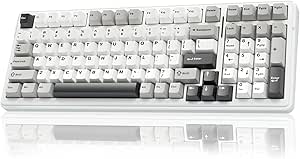 | Best for a Compact Layout with a Number Pad | Layout: 96%, 99 keys | Connectivity: Bluetooth 5.0, 2.4 GHz wireless, USB-C | Multi-device support: Up to 5 devices | VIEW LATEST PRICE | See Our Full Breakdown |
| AULA F75 75% Wireless Mechanical Keyboard, 81-Key, Hot-Swappable, RGB Backlit, White and Brown |  | Best for a Compact, Knob-Controlled Setup | Layout: 75%, 81 keys, QWERTY | Connectivity: Bluetooth 5.0, 2.4 GHz wireless, USB-C | Multi-device support: Up to 5 devices | VIEW LATEST PRICE | See Our Full Breakdown |
| Redragon K710 Wireless Typewriter-Style Mechanical Gaming Keyboard, Black | 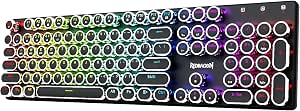 | Best for Typewriter Style and Clicky Feedback | Layout: QWERTY, 104 keys | Connectivity: USB-C wired, Bluetooth 3.0/5.0, 2.4 GHz wireless | Switches: Clicky blue mechanical switches | VIEW LATEST PRICE | See Our Full Breakdown |
| AULA F75 Pro 75% Wireless Mechanical Keyboard with Knob, RGB Backlighting, and Hot-Swappable Reaper Switches |  | Best for a Quieter, More Tunable Compact Board | Layout: 75%, 81 keys, QWERTZ | Connectivity: Bluetooth 5.0, 2.4 GHz wireless, USB-C | Device support: Up to five devices | VIEW LATEST PRICE | See Our Full Breakdown |
| Redragon K768 PRO Wireless 100-Key Gasket Gaming Keyboard with Control Knob |  | Best for a Larger Battery and Near-Full Layout | Layout: 100-key QWERTY | Connectivity: USB-C, Bluetooth, 2.4 GHz wireless | Battery capacity: 8000 mAh | VIEW LATEST PRICE | See Our Full Breakdown |
| Lenovo GK10 Wireless Mechanical Keyboard, 80% Layout, Tri-Mode Connectivity, Hot-Swappable Brown Switches, RGB Backlighting, Classic Milk Coffee |  | Best Compact Tactile Pick | Layout: 80%, 80 keys | Connectivity: Bluetooth, 2.4GHz wireless, USB-C wired | Switches: Brown, hot-swappable | VIEW LATEST PRICE | See Our Full Breakdown |
| Redragon K745 PRO Wireless 108-Key Gasket-Mounted RGB Gaming Keyboard |  | Best Full-Size Cushioned Pick | Layout: QWERTY, 108 keys | Connectivity: USB-C, Bluetooth, 2.4GHz wireless | Mounting design: Gasket-mounted | VIEW LATEST PRICE | See Our Full Breakdown |
| wireless mechanical keyboard | Layout | Connectivity | Switches | Backlighting |
|---|---|---|---|---|
| Redragon K671KS Wireless Mecha | 81-key QWERTY | USB-C wired, Bluetooth 3.0/5.0, and 2.4 GHz wireless | Linear; listed as Cherry MX Red, with conflicting description | RGB with 16 preset effects and per-key customization |
| ProtoArc K310 Pro Backlit Wire | Full-size QWERTY, 108 keys | Bluetooth and 2.4 GHz USB receiver | Low-profile linear red | Single-color, 10 effects; adjustable brightness and speed |
| Redragon K689 PRO Wireless 108 | Full-size QWERTY, 108 keys | USB-C, Bluetooth, and 2.4 GHz wireless | Custom linear | Adjustable RGB |
| Logitech MX Mechanical Wireles | Full-size QWERTY, 104 keys | Bluetooth Low Energy or Logi Bolt USB receiver | Low-profile Tactile Quiet | Smart illumination with automatic adjustment |
| Kisnt KN85 75% Wireless Mechan | 75%, 85 keys | USB-C, 2.4 GHz, and Bluetooth 5.0 | Pre-lubed linear, 45–50 gf actuation force | — |
| AULA F99 Tri-Mode Wireless Mec | 96%, 99 keys | Bluetooth 5.0, 2.4 GHz wireless, USB-C | Pre-lubed linear; hot-swappable 3-pin and 5-pin | RGB, 16 lighting effects |
| AULA F75 75% Wireless Mechanic | 75%, 81 keys, QWERTY | Bluetooth 5.0, 2.4 GHz wireless, USB-C | Pre-lubricated linear; hot-swappable 3-pin and 5-pin | RGB, 16.8 million colors |
| Redragon K710 Wireless Typewri | QWERTY, 104 keys | USB-C wired, Bluetooth 3.0/5.0, 2.4 GHz wireless | Clicky blue mechanical switches | RGB, up to 16 modes |
| AULA F75 Pro 75% Wireless Mech | 75%, 81 keys, QWERTZ | Bluetooth 5.0, 2.4 GHz wireless, USB-C | Pre-lubricated linear Reaper; hot-swappable 3-pin and 5-pin | RGB, 16 preset effects |
| Redragon K768 PRO Wireless 100 | 100-key QWERTY | USB-C, Bluetooth, 2.4 GHz wireless | Custom linear; hot-swappable 3-pin and 5-pin | Customizable RGB |
| Lenovo GK10 Wireless Mechanica | 80%, 80 keys | Bluetooth, 2.4GHz wireless, USB-C wired | Brown, hot-swappable | Customizable RGB |
| Redragon K745 PRO Wireless 108 | QWERTY, 108 keys | USB-C, Bluetooth, 2.4GHz wireless | Custom linear, hot-swappable; supports 3-pin and 5-pin switches | RGB |
More Details on Our Top Picks
Redragon K671KS Wireless Mechanical Gaming Keyboard, 81-Key, Tri-Mode, Hot-Swappable, RGB Backlit
The Redragon K671KS is a strong fit for buyers who want wireless flexibility without giving up the option to customize switches. Its three connection modes and support for up to five devices give it an advantage over the Logitech MX Mechanical, which pairs with up to three. Hot-swap sockets and included spare switches also make this easier to adapt or repair than a keyboard with fixed switches. Its 81-key layout saves space, though it leaves out the number pad found on the full-size ProtoArc K310 Pro. Per-key RGB, PBT keycaps, and a metal enclosure round out the feature set. The main caveat is uncertainty: battery life is not listed, and the switch model is inconsistently identified as Cherry MX Red and Redragon switches.
Pros:- USB-C, Bluetooth, and 2.4 GHz connectivity support a broad range of setups.
- Can pair with up to five devices.
- Hot-swappable switches and included spares allow replacement and customization.
- PBT keycaps and a metal enclosure offer a more durable build than basic plastic designs.
Cons:- Battery life is not specified, making wireless runtime hard to judge.
- Switch model information conflicts between the listing and description.
- The 81-key layout omits a dedicated number pad.
Best for: PC and laptop users who switch among several devices and want a compact keyboard with hot-swappable linear switches.
Not ideal for: Buyers who need a number pad or want a clearly stated battery runtime and unambiguous switch specifications.
- Layout:81-key QWERTY
- Connectivity:USB-C wired, Bluetooth 3.0/5.0, and 2.4 GHz wireless
- Multi-device support:Up to 5 devices
- Switches:Linear; listed as Cherry MX Red, with conflicting description
- Hot-swappable:Yes
- Backlighting:RGB with 16 preset effects and per-key customization
- Keycaps and enclosure:Double-injection PBT keycaps; metal enclosure
- Compatible devices:PC, laptop, smartphone, and tablet
Our verdict“Choose the K671KS if you want a compact, highly adaptable wireless keyboard and can accept unclear battery and switch details.”
ProtoArc K310 Pro Backlit Wireless Mechanical Keyboard
The ProtoArc K310 Pro prioritizes a familiar full-size layout and quieter linear typing over gaming-focused customization. Its low-profile red switches and aluminum top case suit office work, while Bluetooth and a 2.4 GHz receiver let it connect with up to three devices. The Logitech MX Mechanical is the closer alternative for quiet productivity: it adds tactile feedback and smart illumination, while the ProtoArc offers a full-size layout with adjustable single-color lighting and macro controls. Those macros have a notable limitation: customization works only over the 2.4 GHz connection, and some keys are excluded. The listed standby time is generous, but charging takes six to eight hours. I’d choose this over the more enthusiast-oriented Redragon K689 PRO for a restrained, low-profile workspace, not for switch experimentation or vivid RGB.
Pros:- Full-size 108-key layout includes a dedicated number pad.
- Low-profile linear red switches are designed for quiet, smooth typing.
- Connects to up to three devices over Bluetooth or 2.4 GHz.
- Aluminum top case and adjustable backlighting suit a work-focused desk.
Cons:- Macro customization is limited to the 2.4 GHz connection and excludes some keys.
- Single-color lighting is less flexible than the RGB options on the Redragon K689 PRO.
- The listed six-to-eight-hour charging time is lengthy.
Best for: Office users who want a full-size wireless keyboard, quiet linear switches, and connections for a computer plus mobile devices.
Not ideal for: People who want RGB effects, broad macro access across connection modes, or hot-swappable switches.
- Layout:Full-size QWERTY, 108 keys
- Switches:Low-profile linear red
- Connectivity:Bluetooth and 2.4 GHz USB receiver
- Multi-device support:Up to 3 devices
- Backlighting:Single-color, 10 effects; adjustable brightness and speed
- Battery:USB-C rechargeable; up to 150 days standby
- Charging time:6–8 hours
- Materials and dimensions:Aluminum top case and plate; 17.64 × 6.1 × 1.77 in
- Compatible operating systems:Windows, macOS, Android, iOS, and iPadOS
Our verdict“Pick the K310 Pro for quiet, full-size work across several devices, but skip it if you want extensive macro control or customizable RGB.”
Redragon K689 PRO Wireless 108-Key Gasket-Mounted RGB Gaming Keyboard
The Redragon K689 PRO is the full-size pick for buyers who care more about a cushioned keystroke and sound control than a compact footprint. Its gasket mount and three-layer dampening set it apart from the more conventional aluminum-topped ProtoArc K310 Pro, while hot-swap sockets accept both 3-pin and 5-pin switches for later tuning. It also brings three connection modes, adjustable RGB, and four dedicated shortcut keys. The tradeoff is that its custom linear switches won’t suit anyone who prefers a tactile bump, and the plastic enclosure is less premium in material than the ProtoArc’s aluminum top case. Wireless battery life is not stated, so buyers who need predictable runtime may prefer the Logitech MX Mechanical, whose battery estimates are provided.
Pros:- Gasket mounting and three-layer dampening are designed to soften typing feel and reduce noise.
- Hot-swap sockets support both 3-pin and 5-pin switches.
- USB-C, Bluetooth, and 2.4 GHz offer flexible connection choices.
- Four shortcut keys, adjustable RGB, and PBT keycaps add customization.
Cons:- Custom linear switches may not provide the tactile feedback some typists prefer.
- Wireless battery life is not specified.
- Plastic enclosure lacks the aluminum top case of the ProtoArc K310 Pro.
Best for: Full-size keyboard owners who want a softer, dampened typing feel, switch flexibility, and wireless or wired connectivity.
Not ideal for: Buyers who prefer tactile switches, need published wireless battery life, or want an aluminum enclosure.
- Layout:Full-size QWERTY, 108 keys
- Connectivity:USB-C, Bluetooth, and 2.4 GHz wireless
- Mounting and dampening:Gasket-mounted with three-layer noise dampening
- Switches:Custom linear
- Hot-swap compatibility:3-pin and 5-pin switches
- Keycaps:Round PBT
- Backlighting:Adjustable RGB
- Additional features:Four dedicated shortcut keys; water resistant
- Enclosure:Plastic
Our verdict“Choose the K689 PRO for a dampened, customizable full-size board, but look elsewhere if material quality or known battery life comes first.”
Logitech MX Mechanical Wireless Illuminated Keyboard, Tactile Quiet, Graphite
The Logitech MX Mechanical is the most work-focused choice here: its low-profile Tactile Quiet switches provide feedback without the sharper sound and taller key feel associated with many gaming boards. Smart backlighting adjusts to the surroundings, and the keyboard pairs with up to three devices across a broad range of operating systems. Compared with the ProtoArc K310 Pro, the Logitech offers tactile rather than linear switches and specified battery estimates; the ProtoArc, by contrast, includes macro recording and an aluminum top case. The MX Mechanical’s battery is rated for up to 15 days with lighting on or up to 10 months with it off, though actual runtime varies. Some features rely on Logi Options+ software, and its 104-key layout is less expansive than the ProtoArc’s 108-key design.
Pros:- Quiet tactile switches provide feedback without a loud typing profile.
- Pairs with up to three devices and supports many desktop and mobile operating systems.
- Smart illumination adjusts automatically to lighting conditions.
- Battery estimates are stated for backlighting on and off, with USB-C charging.
Cons:- Some features require Logi Options+ software.
- Battery runtime varies with use and computing conditions.
- It does not offer the hot-swappable switches found on the Redragon K671KS.
Best for: Professionals who move between computers or mobile devices and want quiet tactile feedback, adaptive lighting, and cross-platform support.
Not ideal for: Switch enthusiasts seeking hot-swap customization or users who want RGB effects and extensive onboard macros.
- Layout:Full-size QWERTY, 104 keys
- Switches:Low-profile Tactile Quiet
- Connectivity:Bluetooth Low Energy or Logi Bolt USB receiver
- Multi-device pairing:Up to 3 devices
- Backlighting:Smart illumination with automatic adjustment
- Battery:Rechargeable 1500 mAh Li-Po
- Battery life:Up to 15 days with backlighting; up to 10 months with backlighting off
- Charging:USB-C
- Dimensions and weight:1.02 × 17.08 × 5.18 in; 29.2 oz (828 g)
Our verdict“Choose the MX Mechanical for quiet, low-profile typing across devices, not for RGB customization or switch swapping.”
Kisnt KN85 75% Wireless Mechanical Keyboard, Tri-Mode Connectivity, RGB Backlighting, Hot-Swappable Linear Switches, Retro Beige
The Kisnt KN85 keeps function and arrow keys in a compact 75% layout, giving it a more space-conscious shape than the full-size Redragon K689 PRO while preserving more direct navigation than a smaller minimalist board. Its gasket-mounted build, pre-lubed linear switches, and 3-pin/5-pin hot-swap support make it the enthusiast-leaning compact option in this group. Tri-mode connectivity covers USB-C, 2.4 GHz, and Bluetooth 5.0, and the 4000mAh rechargeable battery is a useful capacity figure, though no runtime is provided. The Redragon K671KS supports more devices, but the Kisnt specifies a compact 75% arrangement and a broader stated hot-swap compatibility. Its missing number pad and Windows-limited remapping software are meaningful compromises for desk and workflow users.
Pros:- 75% layout retains function and arrow keys while taking less desk space than a full-size board.
- USB-C, 2.4 GHz, and Bluetooth 5.0 provide flexible connectivity.
- Hot-swap sockets accept 3-pin and 5-pin switches.
- Gasket mounting, pre-lubed linear switches, PBT keycaps, and RGB add customization.
Cons:- No dedicated number pad.
- Remapping and macro software is limited to Windows and USB or 2.4 GHz connections.
- Not water resistant, and battery runtime is not specified.
Best for: Desk-conscious typists who want arrow and function keys, tri-mode wireless, RGB, and the ability to change switches.
Not ideal for: Spreadsheet-heavy users who rely on a number pad or Mac users who need remapping and macro software outside Windows.
- Layout:75%, 85 keys
- Dimensions:13.68 × 5.51 × 1.77 in
- Connectivity:USB-C, 2.4 GHz, and Bluetooth 5.0
- Battery:Rechargeable, 4000mAh
- Switches:Pre-lubed linear, 45–50 gf actuation force
- Hot-swap compatibility:3-pin and 5-pin switches
- Backlighting and keycaps:RGB backlighting; PBT keycaps
- Compatible operating systems:Windows 8 or later, Android, Linux, and macOS
- Water resistance:Not water resistant
Our verdict“Pick the KN85 for a compact, switch-customizable wireless setup, but choose a full-size board if you depend on a number pad.”
AULA F99 Tri-Mode Wireless Mechanical Keyboard, 99-Key, Hot-Swappable, RGB Backlit
The AULA F99 suits buyers who want a number pad without giving a full-size keyboard all the desk space. Its 96% layout keeps 99 keys in a more compact footprint, while Bluetooth, 2.4 GHz, and USB-C give it more connection flexibility than a single-mode board. Support for up to five devices is handy for switching between a work computer, tablet, and phone. Compared with the 75% AULA F75, the F99 keeps the number pad but takes up more room and offers less compact typing space. Hot-swappable sockets and sound-dampening construction add room for tuning, though the listing does not state battery life. The near-full layout can also take adjustment if you rely on familiar full-size key spacing.
Pros:- Bluetooth, 2.4 GHz, and USB-C connectivity with support for up to five devices
- 96% layout retains a number pad while reducing the key count from a standard full-size board
- Hot-swappable sockets accept 3-pin and 5-pin switches
- Sound-dampening construction and double-shot PBT keycaps
Cons:- Its compact 96% arrangement may require adjustment for users accustomed to standard full-size spacing
- Battery life is not specified, despite the 8000 mAh capacity
- Larger than 75% options such as the AULA F75
Best for: People who regularly enter numbers and want a more compact alternative to a full-size wireless keyboard, with multiple device connections.
Not ideal for: Minimalist desk setups or users committed to a small 75% layout; the number pad and 99-key arrangement take up more space than the AULA F75.
- Layout:96%, 99 keys
- Connectivity:Bluetooth 5.0, 2.4 GHz wireless, USB-C
- Multi-device support:Up to 5 devices
- Switches:Pre-lubed linear; hot-swappable 3-pin and 5-pin
- Battery capacity:8000 mAh
- Keycaps:Double-shot PBT
- Backlighting:RGB, 16 lighting effects
- Rollover:N-key rollover
Our verdict“Choose the F99 if you need a number pad and multi-device wireless connections but want to save some space over a full-size keyboard.”
AULA F75 75% Wireless Mechanical Keyboard, 81-Key, Hot-Swappable, RGB Backlit, White and Brown
The AULA F75 is the more space-conscious choice among these two 75% boards, retaining dedicated arrow keys while leaving out a number pad. Its multifunction knob gives quick access to lighting or media controls, which is useful when those adjustments matter more than extra keys. Like the larger AULA F99, it offers Bluetooth, 2.4 GHz, and USB-C plus support for up to five devices; unlike the F99, it has a 4000 mAh battery and a smaller footprint. Hot-swappable 3-pin and 5-pin sockets make switch changes accessible, but the plastic enclosure is a less substantial-feeling choice than the metal-panel Redragon K710. Custom lighting and key programming also depend on driver software, so this is not the simplest option for someone who wants to avoid setup.
Pros:- Compact 75% layout keeps dedicated arrow keys
- Bluetooth, 2.4 GHz, and USB-C connectivity with support for up to five devices
- Hot-swappable sockets support 3-pin and 5-pin switches
- Multifunction knob and customizable RGB lighting
Cons:- Plastic enclosure may feel less substantial than the metal-panel Redragon K710
- No number pad
- Advanced lighting and key programming require driver software
Best for: Desk-space-conscious users who want arrow keys, a media or lighting knob, and wireless switching between several devices.
Not ideal for: People who need a number pad, prefer a metal enclosure, or want to customize lighting and keys without using driver software.
- Layout:75%, 81 keys, QWERTY
- Connectivity:Bluetooth 5.0, 2.4 GHz wireless, USB-C
- Multi-device support:Up to 5 devices
- Switches:Pre-lubricated linear; hot-swappable 3-pin and 5-pin
- Battery capacity:4000 mAh
- Backlighting:RGB, 16.8 million colors
- Additional controls:Multifunction knob
- Enclosure:Plastic
Our verdict“Pick the F75 for a compact wireless keyboard with arrow keys and a handy control knob, provided you can do without a number pad.”
Redragon K710 Wireless Typewriter-Style Mechanical Gaming Keyboard, Black
The Redragon K710 takes a different route from the understated compact boards in this group: its round, retro-style keycaps and clicky blue switches make sound and appearance part of the appeal. The 104-key layout preserves a familiar full-size arrangement, while the metal panel gives it a sturdier construction than the plastic-enclosure AULA F75. It also covers the practical wireless basics with Bluetooth, 2.4 GHz, and USB-C, plus RGB lighting and programmable keys. That full layout is useful for number entry, but it occupies more desk space than the F75 or AULA F75 Pro. The main compromise is acoustic: clicky switches can be distracting in shared rooms, especially beside the quieter linear-switch options. The listed operating-system compatibility is Windows, so other systems are not confirmed.
Pros:- Full 104-key layout includes a number pad
- Clicky blue switches and retro round keycaps provide a distinct typing feel and look
- USB-C, Bluetooth, and 2.4 GHz connection options
- Metal panel, RGB lighting, and programmable keys
Cons:- Clicky switches can be noisy in shared spaces
- Full-size layout uses more desk space than the AULA F75
- Windows is the only compatible operating system listed
Best for: Windows users who want a full-size wireless board with clicky typing feedback, retro round keycaps, and a metal panel.
Not ideal for: People working near others, users who prefer quiet linear switches, or buyers who need confirmed compatibility beyond Windows.
- Layout:QWERTY, 104 keys
- Connectivity:USB-C wired, Bluetooth 3.0/5.0, 2.4 GHz wireless
- Switches:Clicky blue mechanical switches
- Backlighting:RGB, up to 16 modes
- Battery capacity:4000 mAh
- Panel material:Metal
- Anti-ghosting:104-key support
- Listed operating system:Windows
Our verdict“Choose the K710 if you want a full-size wireless keyboard with a retro look and audible clicky feedback, and noise is not a concern.”
AULA F75 Pro 75% Wireless Mechanical Keyboard with Knob, RGB Backlighting, and Hot-Swappable Reaper Switches
The AULA F75 Pro adds a more deliberate acoustic setup to the compact 75% format: its five-layer sound-dampening construction is aimed at softening the keyboard’s sound, while pre-lubricated Reaper linear switches avoid the click of the Redragon K710’s blue switches. A multifunction knob and tri-mode connectivity make daily control and device switching convenient, and hot-swappable sockets let owners change compatible switches without soldering. Compared with the standard AULA F75, the Pro specifies side-printed PBT keycaps and water-repellent construction, but both have 81 keys, a 4000 mAh battery, and a compact layout without a number pad. The tradeoffs are its QWERTZ layout, which differs from standard US QWERTY, and a Windows 7 compatibility listing that may not answer questions about other systems.
Pros:- Five-layer sound-dampening construction and pre-lubricated linear switches
- Bluetooth, 2.4 GHz, and USB-C connectivity with support for up to five devices
- Hot-swappable sockets support 3-pin and 5-pin switches
- Side-printed PBT keycaps, multifunction knob, and water-repellent construction
Cons:- QWERTZ layout may not suit users expecting standard US QWERTY
- 75% layout omits a number pad
- Listed operating-system compatibility is limited to Windows 7
Best for: Compact-keyboard buyers who prefer linear switches, want a knob and sound-dampening features, and are comfortable with a QWERTZ layout.
Not ideal for: US QWERTY typists, number-pad users, or buyers who need clearly specified compatibility beyond the listed Windows 7 system.
- Layout:75%, 81 keys, QWERTZ
- Connectivity:Bluetooth 5.0, 2.4 GHz wireless, USB-C
- Device support:Up to five devices
- Switches:Pre-lubricated linear Reaper; hot-swappable 3-pin and 5-pin
- Keycaps:Side-printed PBT
- Battery capacity:4000 mAh
- Backlighting:RGB, 16 preset effects
- Additional features:Multifunction knob, N-key rollover, Windows key lock, water-repellent construction
Our verdict“Pick the F75 Pro for a compact, quieter-feeling linear keyboard with a knob, as long as QWERTZ suits your typing habits.”
Redragon K768 PRO Wireless 100-Key Gasket Gaming Keyboard with Control Knob
The Redragon K768 PRO is a sensible fit for buyers who want most of a full-size layout without going all the way to the 104-key Redragon K710. Its 100-key QWERTY arrangement, gasket design, PBT keycaps, and control knob combine familiar typing with direct access to media or RGB adjustments. The standout practical feature is its 8000 mAh battery, matching the AULA F99’s stated capacity and exceeding the 4000 mAh batteries listed for the 75% AULA models. Tri-mode connections and hot-swappable 3-pin and 5-pin sockets add flexibility, though the listing does not give a runtime figure. Its custom linear switches will not satisfy everyone, and the near-full layout is still a poor match for desks where minimizing keyboard footprint matters most. The lilac color is also a specific style choice.
Pros:- 8000 mAh battery capacity
- 100-key QWERTY layout retains more keys than a 75% keyboard
- Tri-mode USB-C, Bluetooth, and 2.4 GHz connectivity
- Gasket design, PBT keycaps, hot-swap sockets, and control knob
Cons:- Custom linear switches may not suit users who prefer tactile or clicky feedback
- Larger than compact options such as the AULA F75 Pro
- Battery capacity is listed, but runtime is not specified
Best for: Users who want a near-full QWERTY layout, a large stated battery capacity, and a knob for media or lighting control.
Not ideal for: Small-desk users who favor a compact 75% board, or typists who specifically want tactile or clicky switches.
- Layout:100-key QWERTY
- Connectivity:USB-C, Bluetooth, 2.4 GHz wireless
- Battery capacity:8000 mAh
- Switches:Custom linear; hot-swappable 3-pin and 5-pin
- Keycaps:PBT
- Backlighting:Customizable RGB
- Design:Gasket
- Compatible devices:PC, laptop, tablet
Our verdict“Choose the K768 PRO if you want a near-full wireless layout, an 8000 mAh battery, and a control knob, and you prefer linear switches.”
Lenovo GK10 Wireless Mechanical Keyboard, 80% Layout, Tri-Mode Connectivity, Hot-Swappable Brown Switches, RGB Backlighting, Classic Milk Coffee
The Lenovo GK10 makes the strongest case here for a compact wireless board that keeps the keys many typists rely on: its 80% layout retains the function row and arrow keys while taking up less desk space than the full-size Redragon K745 PRO. Its brown tactile switches provide feedback without the sharper click of clicky switches, making it a more restrained fit for shared rooms or everyday work. Bluetooth and 2.4GHz wireless cover cable-free setups, while USB-C offers a wired option; hot-swappable switches also let owners change the feel without soldering. The tradeoff is fewer keys than a full-size layout, and the supplied details do not state battery life. Choose it over the K745 PRO when desk space and a tactile typing feel matter more than a number pad.
Pros:- 80% layout retains function and arrow keys while using less desk space than a full-size keyboard
- Bluetooth, 2.4GHz wireless, and USB-C support flexible device and wired setups
- Hot-swappable brown switches allow switch changes without soldering
- Tactile switches offer feedback without the louder click associated with clicky switches
Cons:- No dedicated number pad, unlike the full-size Redragon K745 PRO
- Battery life is not specified in the supplied product details
Best for: Laptop and PC users who want arrow and function keys in a space-saving layout, plus tactile switches for both work and casual gaming.
Not ideal for: People who regularly enter numbers on a dedicated keypad, need a full-size layout, or want published battery-life details before buying.
- Layout:80%, 80 keys
- Connectivity:Bluetooth, 2.4GHz wireless, USB-C wired
- Switches:Brown, hot-swappable
- Backlighting:Customizable RGB
- Key arrangement:QWERTY
- Compatible devices:Laptop, PC
- Dimensions:12.63 x 5.35 x 1.52 in
- Color:Classic Milk Coffee
Our verdict“Choose the Lenovo GK10 if you want a compact, tri-mode wireless keyboard with tactile hot-swappable switches and can do without a number pad.”
Redragon K745 PRO Wireless 108-Key Gasket-Mounted RGB Gaming Keyboard
Where the compact Lenovo GK10 saves space, the Redragon K745 PRO puts a 108-key full-size layout first, including four dedicated shortcut keys for buyers who want more controls close at hand. Its gasket mount and five layers of noise dampening are aimed at a cushioned, quieter typing feel, while hot-swappable linear switches and software customization offer room to tailor the setup. Tri-mode connectivity lets it work wirelessly over Bluetooth or 2.4GHz, or through USB-C; translucent PBT keycaps also let the RGB lighting show through. The larger footprint is the clear cost of keeping the number pad, so this is a less practical choice for a crowded desk than the GK10. Water resistance is listed, but no rating is provided, so I would not treat it as protection against spills.
Pros:- 108-key full-size layout includes a number pad and four dedicated shortcut keys
- Gasket mounting and five dampening layers support a cushioned, quieter typing feel
- Tri-mode connectivity includes Bluetooth, 2.4GHz wireless, and USB-C
- Hot-swappable switches support both 3-pin and 5-pin options
Cons:- Full-size layout takes more desk space than compact options such as the Lenovo GK10
- Water resistance is stated without a specific rating
- Linear switches may not suit typists who prefer tactile feedback
Best for: PC, laptop, or tablet users who want a full-size wireless keyboard with a number pad, dedicated shortcuts, and a cushioned linear typing feel.
Not ideal for: Desk-limited users who prefer a compact layout, or buyers who need a clearly specified water-resistance rating.
- Layout:QWERTY, 108 keys
- Connectivity:USB-C, Bluetooth, 2.4GHz wireless
- Mounting design:Gasket-mounted
- Switches:Custom linear, hot-swappable; supports 3-pin and 5-pin switches
- Keycaps:Translucent round PBT
- Backlighting:RGB
- Noise dampening:5 layers
- Hotkeys:4 dedicated shortcut keys
- Weight:0.88 kg
Our verdict“Pick the Redragon K745 PRO if you need a full-size wireless board with a number pad and cushioned linear feel, and have room for its larger footprint.”

How We Picked
I compared these keyboards by the factors that change everyday ownership: layout and desk footprint, wireless connection options, switch type and customization, build approach, and the intended balance of work and gaming. A compact board earns credit for saving space only if its smaller layout makes sense for the buyer; a fuller layout earns credit for keeping useful keys without being treated as automatically better. I also distinguished features by their practical purpose: hot-swap support helps buyers who want to change switches, while gasket mounting is a construction choice tied to typing feel.
The ranking favors versatility and clear buyer fit over feature count alone. The AULA F99 leads because its 99-key layout and tri-mode, hot-swappable design cover a broad range of setups. The Logitech MX Mechanical ranks as a specialist choice for quieter office typing rather than a gaming all-rounder, and compact boards such as the AULA F75 Pro rank well for space-conscious users. Products with overlapping layouts and feature sets are separated by their stated design focus; each still has a tradeoff, whether that is a less familiar layout, a gaming-first emphasis, or fewer reasons to choose it over a closely related option.
Factors to Consider When Choosing Wireless Mechanical Keyboards
Before choosing a model, I would match the keyboard to the way you work and the space you have, not simply count its modes or lighting effects. These buying factors help sort out which specifications change the daily experience and which may be secondary for your setup.
Choose a Layout Around Your Actual Tasks
Keyboard percentages and key counts can be misleading because two boards with similar counts may place navigation keys differently. A compact 75% layout can leave room for a mouse and still retain a function row, while a 99-key model keeps a number pad in a tighter footprint than a conventional full-size board. If you enter figures frequently, removing the number pad may slow familiar workflows; if you mostly type and game, it may take up space without earning its place. Check where the arrow keys, navigation cluster, and function row sit before choosing. A common mistake is buying the smallest layout for desk space, then relying on layers for keys you use all day. Pick the layout by routine, not by the percentage label alone.
Match Wireless Modes to Your Devices
Tri-mode designs can combine Bluetooth, a 2.4 GHz receiver, and wired USB, but the useful combination depends on your devices and habits. Bluetooth can suit switching among computers or tablets, while a receiver-based connection may be preferable for a gaming PC; wired mode can help when charging or when wireless use is not practical. Confirm which modes the exact model supports and how it changes between them rather than assuming every tri-mode board handles device switching the same way. If your setup has only one computer, extra modes may add little value. Also check whether the receiver can be stored with the keyboard and whether your computer has a suitable port. The best wireless feature set is the one you will actually use.
Decide Whether Switch Customization Is Worth It
Hot-swappable sockets let owners replace compatible switches without soldering, which can make a board easier to personalize or repair. That flexibility is useful if you already know you want a different feel, but it does not guarantee that every switch will fit or behave identically; check socket compatibility before buying replacements. Buyers who prefer a ready-to-type keyboard may be happier choosing a switch feel they already like and leaving it unchanged. Do not confuse hot-swap support with adjustable typing feel: gasket mounting is a separate construction feature. A board can offer one, both, or neither. Pay for customization when you expect to use it, not just because it appears on a feature list.
Prioritize the Right Typing Sound and Setting
Mechanical keyboards vary in sound, and a label such as quiet or gasket-mounted does not make any board silent. Switch design, keycaps, case construction, desk surface, and typing force all shape what coworkers or people nearby hear. For a shared office, favor a model positioned for quieter tactile typing and plan to check switch details before purchase; gaming-oriented boards may place more emphasis on lighting and feel than noise control. For home use, sound may be less of a concern, but a loud board can still become tiring during long sessions. Avoid choosing by switch name alone, since the same broad switch category can feel different across boards. Consider where the keyboard will be used and who else will hear it.
Think Through Battery and Lighting Habits
Wireless convenience comes with a charging routine, and backlighting can change how often that routine comes around. If you keep RGB effects on, battery demands may differ from a setup with lighting dimmed or disabled, so treat dramatic battery expectations cautiously unless the manufacturer provides clear conditions. A keyboard used mostly at a desk can stay connected by cable when needed, making battery capacity less central than it is for a frequently moved setup. Check how charging works and whether you can keep typing while connected. Buyers sometimes focus on wireless modes but overlook whether the board suits their daily charging habits. Choose lighting for visibility or preference, then decide whether it is worth the extra upkeep.
Pay for Build Features That Solve a Real Need
Gasket mounting, a control knob, RGB, and hot-swap support can all add appeal, but none automatically makes a keyboard a better fit. A knob can speed up common controls if you use it; otherwise, it may be a feature you rarely touch. Gasket construction may appeal to buyers seeking a particular feel, while those focused on quiet office use should still prioritize sound and switch characteristics. Extra lighting options matter most to people who value customization or need visibility in low light. Compare the feature with the problem it solves before treating it as an upgrade. This approach helps avoid paying attention to a long specification list while missing the basic fit of layout, typing feel, and connection method.
Frequently Asked Questions
Is a 75% keyboard too small for everyday work?
Not necessarily: a 75% board usually retains a function row and arrow keys while removing some spacing and dedicated navigation keys. It can work well for writing, browsing, and general office tasks, especially when desk space matters. The adjustment is harder if you regularly use a number pad or specific navigation keys without layers. Compare the key arrangement rather than relying only on the percentage label. If you are unsure, a 99-key layout can keep more familiar keys while taking less room than a standard full-size keyboard.
Should I choose tri-mode wireless if I only use one computer?
It can still be useful if you want a choice between Bluetooth, a receiver, and wired operation, but you may not use every mode. A receiver connection can be convenient for a desktop gaming setup, while wired use can help during charging or when wireless access is unavailable. If your one computer stays in one place and you are content with a single connection method, extra modes should not outweigh a better layout or typing feel. Check how the board switches between connections and whether the included receiver suits your ports. Treat tri-mode as flexibility, not a guarantee of better performance.
Does hot-swappable mean I can install any mechanical switch?
No. Hot-swap support means switches can be changed without soldering, but socket type, pin layout, and other compatibility details still matter. Confirm that replacement switches match the keyboard’s sockets before ordering them. Switch changes can alter feel and sound, but they do not change the keyboard’s layout or wireless behavior. If you do not plan to experiment or replace a faulty switch, a non-hot-swappable board may still meet your needs. For a first switch change, follow the keyboard maker’s instructions and remove switches carefully to avoid damaging the socket.
Is a wireless mechanical keyboard suitable for gaming?
Many wireless mechanical keyboards are designed with gaming in mind, but the connection mode and the rest of your setup matter. For a desktop gaming system, check whether the keyboard offers a receiver-based 2.4 GHz mode in addition to Bluetooth, and confirm the manufacturer’s stated compatibility. Bluetooth can be convenient for general use, but buyers focused on gaming should not assume all wireless modes behave alike. A wired option can also be useful for charging or when you prefer a cable. Choose based on the games you play, your device, and the connection method available on the specific model.
Should I choose the Logitech MX Mechanical or a gaming-focused model?
The Logitech MX Mechanical is the clearer match if you value a quiet, office-oriented typing focus and do not need a gaming-first feature set. Models such as the AULA F99 or Redragon K689 PRO place more emphasis on gaming styling, RGB, and customization features. That does not make one category better for everyone: shared workspaces may favor quieter typing, while a home gaming setup may benefit more from layout choice and switch flexibility. Think about the environment where you type most and which features you will use daily. If you split time between work and gaming, prioritize the connection modes and layout that suit both devices.
Conclusion
For most buyers seeking one board for work and play, I recommend the AULA F99 as best overall: its 99-key format balances dedicated keys with a smaller footprint, and its tri-mode, hot-swappable design leaves room to adapt. The best value direction is a simpler compact board such as the AULA F75 if you want the essential 75% layout and do not need a knob or a fuller key set. For a best premium, office-focused choice, the Logitech MX Mechanical is the standout for buyers who put quieter tactile typing ahead of gaming extras. Beginners should start with the layout and switch feel they already understand; the ProtoArc K310 Pro is worth considering if a straightforward backlit wireless board is the priority, while buyers who want room to customize can choose a hot-swappable option. For specific needs, pick the AULA F75 Pro for a compact board with a knob, the Redragon K689 PRO for a gasket-mounted gaming style, or a 108-key Redragon model when a fuller layout matters more than desk space. My final recommendation is to choose the layout and typing setting first, then treat wireless modes and extras as tie-breakers.
Evergreen bestsellers Picks

Apple AirPods Pro 3 Wireless Earbuds with Active Noise Cancellation

Bose QuietComfort Headphones (2nd Gen), Wireless Over-Ear Noise-Cancelling Headphones, Black

Breville Bambino Espresso Machine, Brushed Stainless Steel
As an affiliate, we earn on qualifying purchases.