📊 Full opportunity report: Mac vs GPU Tower for Local LLMs: The Heat-and-Noise Tradeoff on ThorstenMeyerAI.com — validation score, market gap, and execution plan.

Get the latest gadgets delivered free with Prime
- Fast, free delivery on millions of items
- Prime Video, Amazon Music and more included
- Member-only deals all year
TL;DR
This article compares Mac Studio with Apple Silicon and GPU towers with NVIDIA GPUs for running local large language models. The key difference lies in heat, noise, capacity, and throughput, influencing which system suits different AI workloads.
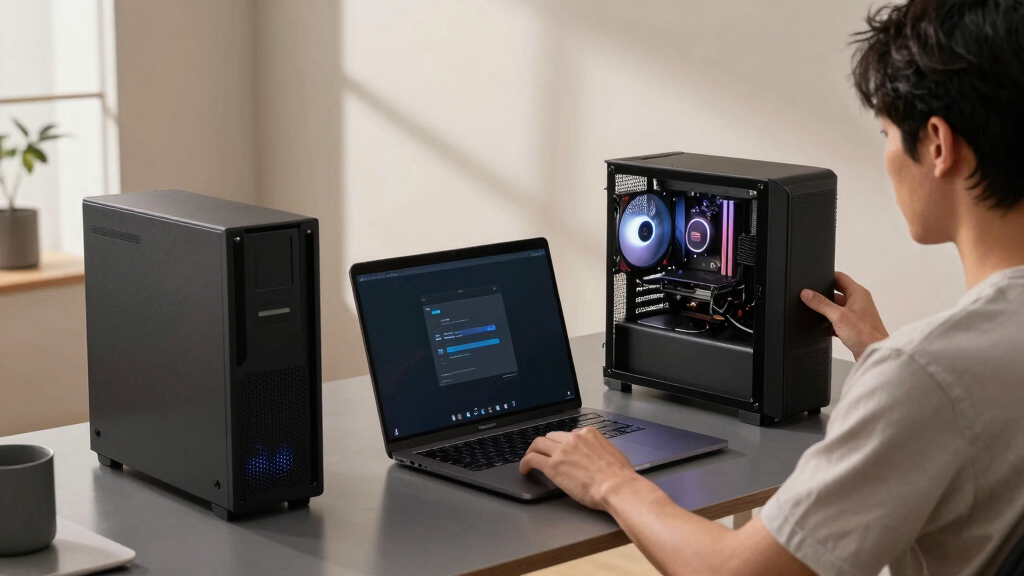
Apple Silicon-based Macs, like the Mac Studio with M3 Ultra, operate near-silently and consume significantly less power than GPU towers equipped with high-end NVIDIA GPUs, which generate substantial heat and noise. This fundamental difference influences their suitability for different AI workloads, especially for local large language model inference.
The core distinction between these two architectures is their optimization focus: GPU towers prioritize memory bandwidth, offering faster inference speeds for models that fit within VRAM, while Macs leverage their large unified memory pools to run larger models that exceed GPU VRAM capacity. GPU towers with RTX 5090 cards deliver approximately 1,792 GB/s of bandwidth, enabling high throughput for models within 24–32GB VRAM. In contrast, Mac Studio with M3 Ultra provides up to 512GB of shared memory, allowing it to load models like 70B parameter quantized models, which cannot fit into typical GPU VRAM.
Thermally, GPU towers operate as space heaters, with single GPUs drawing around 575W and multi-GPU setups exceeding 800W, requiring extensive thermal management, cooling solutions, and noise mitigation efforts. Conversely, Apple Silicon chips are designed for low power consumption and minimal heat output, resulting in near-silent operation suitable for continuous, on-desk use without thermal adjustments.
Performance tradeoffs are clear: GPU towers excel in throughput and ecosystem support for CUDA-based fine-tuning and training, with upgradeability through adding or replacing GPUs. Macs, however, excel at running large models that surpass GPU VRAM limits, with the benefit of silent operation and lower power demands. The choice hinges on workload specifics: whether the priority is maximum speed for models fitting in VRAM or capacity to handle larger models with quieter, power-efficient hardware.
Mac vs GPU tower
for local LLMs.
What if you sidestep the heat entirely with a different kind of machine? A tower is a high-bandwidth furnace you spend five levers quieting. Apple Silicon is near-silent by design — but asks for different tradeoffs. Match your priority in Part 2.
Put the loud, hot machine where its noise doesn’t matter, and the quiet one where you do. SSH into the tower when you need raw power; let the Mac handle everything else, silently.
Implications for AI Hardware Choices
This comparison matters because it highlights the fundamental tradeoffs in AI hardware design: performance versus practicality. For users needing maximum inference speed on small-to-medium models, GPU towers remain superior. However, for those working with very large models or requiring silent, always-on operation, Apple Silicon Macs offer a compelling alternative. Understanding these differences helps inform purchasing decisions for AI practitioners, hobbyists, and organizations deploying local AI solutions.
Popular right now

Breville Bambino Espresso Machine, Brushed Stainless Steel

De'Longhi Linea Classic Espresso Machine with Adjustable Milk Frother

Ninja Luxe Café Mini Plus Espresso and Drip Coffee Machine with AutoFroth, Stainless Steel, ES351
As an affiliate, we earn on qualifying purchases.
Evolution of Local AI Hardware Strategies
The debate between GPU towers and Apple Silicon for local AI has intensified as models grow larger and hardware options diversify. Historically, NVIDIA GPUs with CUDA have dominated AI training and fine-tuning due to their ecosystem and raw performance. Recent advances in Apple Silicon, notably the M3 Ultra, have expanded their capacity to run larger models directly on a desktop, challenging the traditional GPU-centric approach. This shift reflects broader trends toward energy-efficient, quiet, and integrated hardware for AI workloads, especially in office or home environments.
"The heat and noise of GPU towers are a significant consideration, but the real question is whether you need the maximum throughput or the capacity to run larger models silently."
— Thorsten Meyer
Remaining Questions About Long-Term Performance
It is still unclear how well Apple Silicon machines will scale in performance for training or fine-tuning large models over time, as their ecosystem support and hardware upgradeability differ from GPU towers. Additionally, real-world benchmarks for large model inference on Mac Silicon are limited, and software optimizations are ongoing.
Future Developments in AI Hardware Compatibility
Expect ongoing benchmarking and testing to clarify performance limits of Mac Silicon for large models. Hardware updates from Apple and GPU manufacturers may shift the landscape, with potential improvements in unified memory, thermal management, and ecosystem support. Users should monitor these developments to optimize their hardware choices for local AI deployment.
Key Questions
Can a Mac Studio run all large language models effectively?
Mac Studio with M3 Ultra can run models up to approximately 70B parameters in quantized form, which is larger than what fits in typical GPU VRAM, but performance may be slower compared to GPU towers for models within VRAM limits.
Is noise a significant factor when choosing between these systems?
Yes. GPU towers generate substantial heat and noise, requiring thermal management, whereas Apple Silicon Macs operate quietly and with minimal heat, making them ideal for quiet environments.
What about upgradeability and future-proofing?
GPU towers offer upgradeability by adding or replacing GPUs, while Macs are fixed at purchase with no hardware expansion options, which may influence long-term planning.
Which system is more energy-efficient for running large models?
Apple Silicon Macs are significantly more power-efficient, consuming a fraction of the power of GPU towers, making them suitable for continuous, low-power operation.
Will software ecosystem support improve for Mac Silicon in AI tasks?
Yes. Apple is continuously improving ML frameworks like MLX, but currently, CUDA remains dominant for training and fine-tuning large models. Ecosystem support on Macs is expected to grow over time.
Source: ThorstenMeyerAI.com