
TL;DR

Get the latest gadgets delivered free with Prime
- Fast, free delivery on millions of items
- Prime Video, Amazon Music and more included
- Member-only deals all year
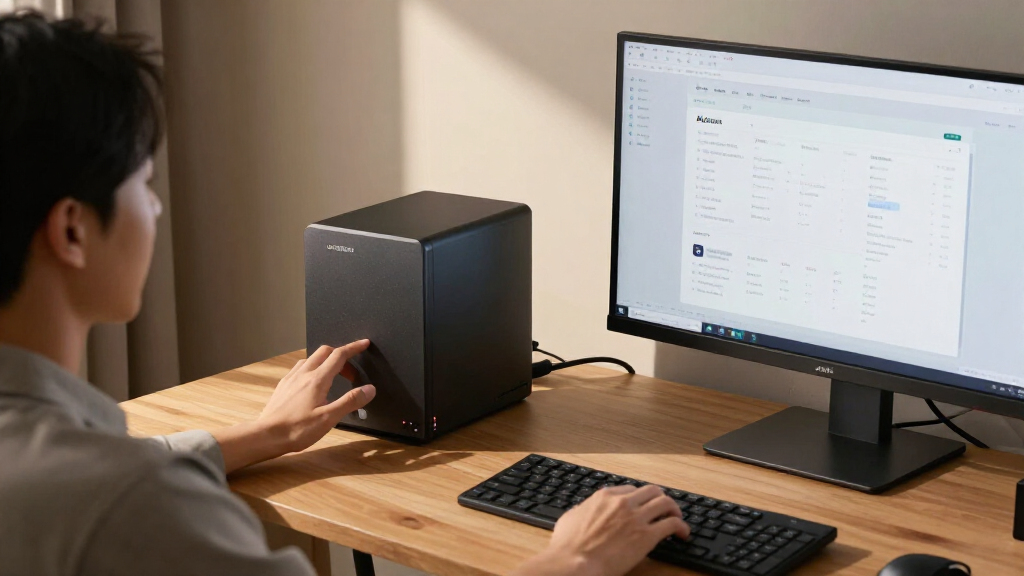
The UGREEN NAS DXP4800 Pro pairs four drive bays with an Intel Core i3-1315U, expandable memory and 10GbE and 2.5GbE networking. The product assessment describes on-device AI photo organization as a feature, but provides no independent performance results or details about its accuracy. Its appeal depends on whether buyers will use its server and networking capabilities, and they must account for the cost of drives, which the assessment does not state as included.
The UGREEN NAS DXP4800 Pro combines four drive bays, an Intel Core i3-1315U processor and up to 10GbE networking in a network storage device aimed at home labs, creators and small teams, according to the original assessment. The assessment also identifies on-device AI photo organization as a feature, but provides no test results showing how well it performs. The listed hardware offers room for services and high-speed file transfers; buyers who need only backups and shared folders may not make use of that capacity.
The product assessment lists 8GB of DDR5 memory, expandable to 96GB, and a processor with six cores and eight threads that can reach a stated maximum frequency of 4.5GHz. It says the NAS supports Docker and virtual machines. That gives users the option to run services alongside file storage, though the assessment reports no benchmark results or testing under particular workloads.
For storage, the assessment says the enclosure has four 3.5-inch drive bays and two PCIe 4.0 M.2 slots. Its listed ceiling of 144TB depends on the drives installed; the assessment does not say that drives are included. It lists RAID 0, 1, 5 and 10 configurations. RAID can support continued access after certain drive failures, depending on the configuration, but it is not a substitute for a separate backup.
The assessment lists 10GbE and 2.5GbE networking ports and a stated maximum transfer speed of 1.25GB/s. Actual transfer rates depend on the network equipment, cabling, client devices, storage and workload. It also describes UGOS Pro features for media, photos and cloud synchronization, as well as tool-free drive trays. The assessment provides no independent testing of these software features.
Practical Product Assessment · Network Storage
A Practical Look At The UGREEN NAS DXP4800 Pro For AI
The DXP4800 Pro combines four drive bays, expandable memory and fast networking with server capabilities. Its on-device AI photo organization is listed as a feature, but its accuracy and real-world performance are not independently established here.
Will you use the extra capacity, processing headroom and network speed?
Its appeal depends on your setup and workload. Basic backups may not need this much hardware.Where the extra hardware pays off
The platform is aimed at users who want storage and other services in one machine. Its value depends on having a workload that benefits from that combination.
Large project files
Fast transfers may help when moving large video files over compatible 10GbE equipment. Actual speed depends on the whole connection and workload.
Services alongside storage
The assessment lists Docker and virtual machine support. Memory needs will vary with the number and demands of the services you run.
Shared project space
More bays and faster ports may suit shared files when clients, switches and cabling can support the connection speeds.
Four bays, with setup choices attached
The stated capacity is a configuration ceiling, not included storage. Buyers select the drives and decide how to arrange them.
Depends on installed drives and configuration. The assessment does not say drives are included.
Plan for storage and redundancy
The assessment lists RAID 0, 1, 5 and 10. RAID can preserve access after certain drive failures, depending on the configuration, but it does not replace a separate backup.
Two PCIe 4.0 M.2 slots add storage options; the assessment does not explain the supported configurations for them.
Network speed is a chain
The 1.25GB/s figure is a stated maximum, not a measured result. Every link between the NAS and your device can affect transfer rates.
What this assessment does not establish
Use the listed specifications as a starting point. The assessment does not provide independent testing or enough detail to verify outcomes.
Price and value
No price or publication date is provided, so value against current alternatives cannot be assessed from this material.
AI photo behavior
No examples, accuracy measures, supported formats or explanation of image data handling are given.
Measured performance
No independent transfer tests or workload benchmarks are reported. The stated maximum is not a guaranteed result.
Check your setup before buying
A few practical checks can show whether the hardware matches your needs and what the full cost will involve.
Confirm the listing
Check current price and whether drives are included. Budget for drives if they are sold separately.
Map your network
Verify your switch, cabling and clients support 2.5GbE or 10GbE if faster transfers matter.
Estimate the workload
Compare your services and virtual machines with the included 8GB memory and stated 96GB limit.
Verify software needs
Check current UGOS Pro documentation and seek hands-on evidence for AI photo features you plan to use.
Key questions
Quick answers based on the product assessment.
Does it include drives?
The assessment does not say. Its 144TB maximum depends on installed drives, so check the specific listing and budget for storage as needed.
What does the AI feature do?
The assessment says UGOS Pro can organize photos using on-device AI. Its methods, accuracy and supported formats are not described.
Will 10GbE make my home network faster?
Only if the rest of the connection supports it. The switch, cabling, client, storage and workload can all limit speeds.
Is it suitable for basic backups?
It can serve for file storage and backups, but the assessment says its hardware may exceed basic needs. Compare cost and setup with a simpler two-bay NAS.
Where the Extra Hardware Pays Off
The DXP4800 Pro’s value depends on whether a buyer has work for its processing headroom, extra bays and faster network ports. The product assessment suggests that a creator moving large video files over compatible 10GbE equipment, or a home-lab user running containers and virtual machines, may benefit from combining those jobs with storage. A small team could also use the larger drive capacity and faster connections for shared project files, provided its network and client devices can support faster transfers.
Those benefits carry practical costs and setup choices. Buyers need to select and purchase drives, decide how to arrange them, and may need compatible networking equipment to use the higher-speed ports. The assessment characterizes the unit as more machine than many basic household uses require. For people who mainly want automatic backups or a shared folder, a less capable two-bay NAS may be a closer fit and may avoid paying for capacity they will not use.
The AI feature is relevant to people managing growing photo collections, but the available product assessment supports only the fact that on-device photo organization is advertised. It does not establish how images are analyzed, what hardware or software is required, or whether the feature meets a particular user’s needs. Buyers should treat it as a listed capability, not as a measured outcome.
Popular right now

Samsung 85-Inch QN70H Neo QLED 4K Smart TV (2026)

TCL T7 Series 85-Inch 4K 144Hz QLED Smart Google TV

TCL QM64L 85-Inch QD-Mini LED 4K Smart Fire TV
As an affiliate, we earn on qualifying purchases.
A Four-Bay NAS With Server Ambitions
A network-attached storage device can hold files for access across a home or workplace. Basic models often focus on backups and shared folders. The product assessment positions the DXP4800 Pro above that tier by pairing four drive bays with a processor and memory that can also support services and virtual machines. Its two M.2 slots add storage options, though the assessment does not explain which configurations are supported for those drives.
The assessment compares the DXP4800 Pro with the Synology DS223 and DS223j, describing the UGREEN as offering more bays and a more expandable hardware platform. It provides no prices, measured performance comparisons or detailed feature-by-feature evaluation of those models. Buyers comparing them would need current pricing and software requirements alongside the listed hardware.
Network speeds are a feature of the whole connection, not just the NAS port. A 10GbE port cannot deliver its stated potential if a switch, computer, cabling or storage setup becomes a bottleneck. On a gigabit network, the faster port alone will not raise transfer speeds to its maximum. The product assessment’s 1.25GB/s figure is a stated maximum, not a reported result from a particular test.
What the Product Assessment Does Not Establish
The product assessment does not give a price, publication date or independent test results, so it is not possible to assess value against current alternatives or verify real-world transfer rates. It also does not say whether drives are included; the stated 144TB capacity depends on the buyer’s chosen drives and configuration.
For the AI photo feature, the assessment gives no examples, accuracy measurements, supported formats or explanation of how the feature handles image data. It is not clear which UGOS Pro version was assessed, what software support period applies, or how updates and compatibility affect the listed Docker and virtual-machine functions. Those details could matter to buyers who plan to rely on the NAS for particular services.
Check the Setup Before Buying
Prospective buyers should confirm the current price, whether the listing includes drives, and which drive capacities and configurations meet their needs. They should also check that their network supports 2.5GbE or 10GbE if faster transfers are part of the reason for choosing this model. For virtual machines or several simultaneous services, they should compare the planned workload with the included 8GB of memory and the stated upgrade limit in the product assessment.
Readers interested in the AI photo tools should look for product documentation or hands-on testing that explains how the feature works and what results to expect. The assessment offers a hardware and feature overview rather than test evidence, so real-world performance and AI behavior remain unverified here.
Key Questions
Does the DXP4800 Pro include drives?
The product assessment does not say that drives are included. It describes a 144TB maximum configuration that depends on the drives installed, so buyers should check the specific listing and budget for storage if needed.
What does the NAS’s AI feature do?
The assessment says UGOS Pro can organize photos using on-device AI. It does not describe the feature’s methods, accuracy or supported formats, so those details remain unclear.
Will its 10GbE port make my home network faster?
Only if the rest of the connection can support the speed. The computer, switch, cabling, storage and workload can all limit transfers. The assessment’s stated 1.25GB/s maximum is not a guaranteed speed on every network.
Is it suitable for basic backups?
It can be used for file storage and backups, but the assessment says its hardware may exceed what simple backup and shared-folder use requires. Buyers should compare the price and setup needs with a simpler two-bay NAS.
Source: Thorsten Meyer AI