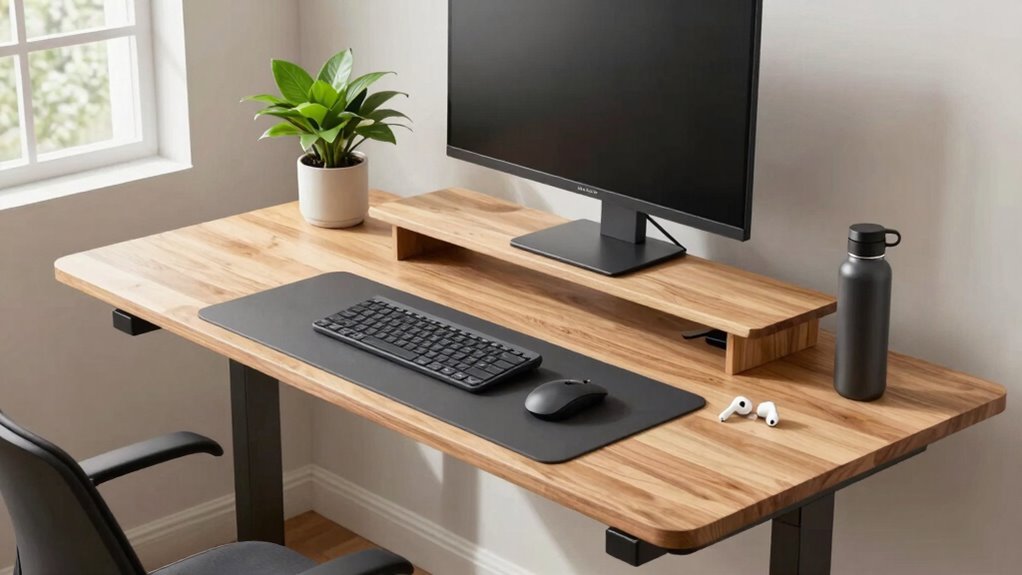

To make your WFH experience less exhausting, guarantee your standing desk is set to the right height so your elbows are at about 90°, reducing shoulder tension. Use ergonomic accessories like a monitor stand at eye level, anti-fatigue mats, and footrests to support comfort and proper circulation. Adjust your desk and monitor positions frequently to prevent strain. Keep these tips in mind, and you’ll discover more ways to create a healthier, more comfortable workspace.

Get the latest gadgets delivered free with Prime
- Fast, free delivery on millions of items
- Prime Video, Amazon Music and more included
- Member-only deals all year
Key Takeaways
- Use an adjustable sit-stand desk or converter to easily switch between sitting and standing positions.
- Elevate your monitor to eye level with risers or monitor stands to prevent neck strain.
- Incorporate ergonomic accessories like footrests and anti-fatigue mats to reduce fatigue during standing periods.
- Ensure your desk height supports a 90° elbow angle for comfortable typing and arm posture.
- Take regular breaks to change positions, stretch, and promote circulation, reducing overall exhaustion.
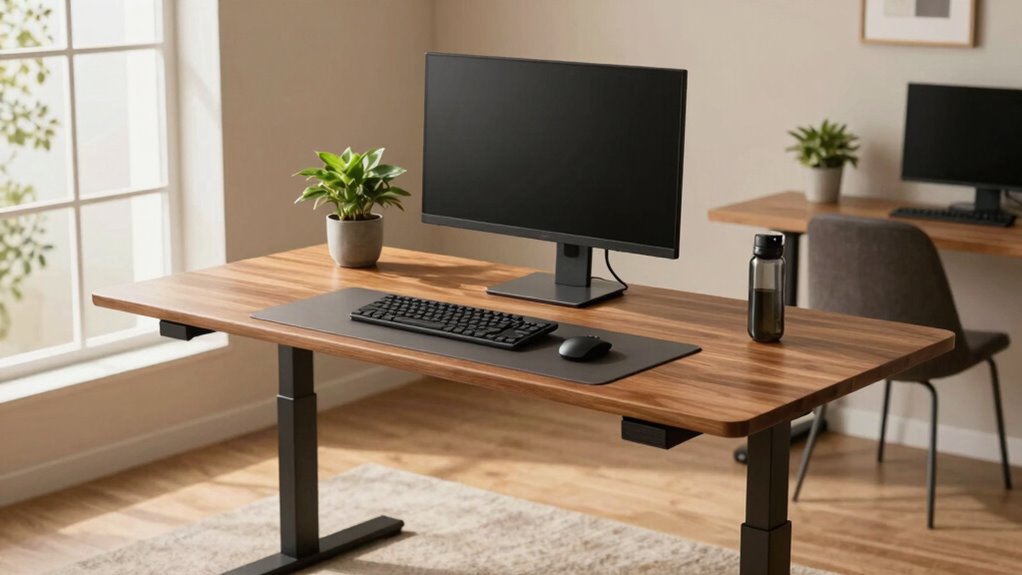
If your standing desk setup isn’t quite right, it can lead to discomfort and even injury over time. The key to making your work-from-home experience less exhausting is ensuring your workspace supports good posture and reduces strain. One of the most effective ways to do this is by investing in ergonomic accessories that help you stay comfortable throughout your workday. These accessories, like a supportive anti-fatigue mat, a footrest, or an ergonomic keyboard and mouse, can make a significant difference. They help distribute your weight evenly, prevent pressure points, and keep your muscles relaxed. But beyond adding accessories, the foundation of a comfortable standing desk setup is a properly adjusted desk height. Adjusting your desk height is crucial because it dictates your posture and the ease with which you work. Your desk should be set so that your elbows are at a roughly 90-degree angle when your hands are on the keyboard. This position minimizes shoulder tension and reduces the risk of repetitive strain injuries. To achieve this, you might need to use desk height adjustment features or add risers if your desk isn’t adjustable. If you’re using an adjustable desk, take the time to find the perfect height—don’t just settle for a rough estimate. Fine-tune it until your wrists are straight and your monitor is at eye level, which prevents neck strain. Incorporating ergonomic accessories can complement your desk height adjustment by providing additional support. For instance, if your monitor is too low, a monitor stand or riser can bring it to eye level. This prevents you from hunching over or craning your neck. Meanwhile, a sit-stand converter can give you flexibility to switch between sitting and standing, which is vital for avoiding fatigue. Recognizing the importance of ergonomic design can significantly enhance your comfort and productivity. Making sure your workspace is properly adjusted is essential for long-term health and efficiency. Paying attention to proper ergonomic principles can help you create a healthier workspace. Ensuring your workspace promotes proper posture can prevent long-term health issues. The goal is to create a workspace where your body feels supported rather than strained. Proper desk height and ergonomic accessories work hand-in-hand to promote better circulation, reduce muscle fatigue, and keep your focus sharp.
adjustable sit-stand desk converter
As an affiliate, we earn on qualifying purchases.
As an affiliate, we earn on qualifying purchases.
Frequently Asked Questions
How Do I Prevent My Standing Desk From Causing Leg Fatigue?
To prevent leg fatigue at your standing desk, make sure you wear ergonomic footwear that supports your feet properly. Take regular breaks to stretch your legs, switching between standing and sitting to reduce strain. Incorporate leg stretching exercises into your routine to improve circulation and ease tension. Adjust your desk height to maintain a comfortable posture, and avoid standing for prolonged periods without movement, ensuring your legs stay relaxed and energized throughout the day.
What Are the Best Anti-Fatigue Mats for Standing Desks?
You should choose anti-fatigue mats that offer good cushioning and support, like those with textured surfaces for grip. Pairing the mat with ergonomic footwear helps reduce leg strain during long hours. Additionally, using foot massage tools can alleviate fatigue after standing. Look for mats with gel or foam padding, ensuring they’re durable and comfortable, and incorporate foot massage tools into your routine for extra relief.
How Often Should I Switch Between Sitting and Standing?
You should switch between sitting and standing every 30 to 60 minutes to prevent fatigue and promote ergonomic wrist and keyboard positioning. Research shows that alternating frequently reduces discomfort and enhances productivity. When standing, keep your keyboard at elbow height and maintain a neutral wrist position. Remember, regular breaks help avoid strain, so listen to your body and change positions often to stay comfortable and avoid long-term issues.
Can Standing Desks Improve Posture Long-Term?
Yes, standing desks can improve your long-term posture if you set them up correctly. Adjust your desk height so your elbows are at a 90-degree angle, and use an ergonomic chair when sitting. Regularly switching between sitting and standing prevents strain, helping you maintain proper alignment and reduce discomfort. Over time, this balance encourages better spinal health and minimizes the risk of postural issues associated with prolonged sitting.
What Accessories Enhance Comfort at a Standing Desk?
You might think accessories aren’t essential, but ergonomic accessories like cushioned mats and anti-fatigue mats considerably boost comfort. They reduce strain on your feet and legs during long standing periods. Also, good desk organization keeps your workspace tidy, preventing awkward postures. Adjustable monitor arms and footrests help maintain proper alignment, making your standing desk setup more comfortable and sustainable. Incorporating these accessories can turn your WFH experience into a more enjoyable, less exhausting routine.
As an affiliate, we earn on qualifying purchases.
Conclusion
Now, with this simple standing desk fix, you’ll find work less draining—no more aching back or tired legs. It’s a small change that transforms your entire workday, making it feel almost effortless. Imagine trading exhaustion for energy, discomfort for comfort, and fatigue for focus. While your coworkers struggle with aches, you’ll enjoy a more energized, productive day. Sometimes, the smallest adjustments create the biggest difference—so take this step and watch your WFH routine improve dramatically.
As an affiliate, we earn on qualifying purchases.
As an affiliate, we earn on qualifying purchases.
Halloween Picks
halloween
As an affiliate, we earn on qualifying purchases.