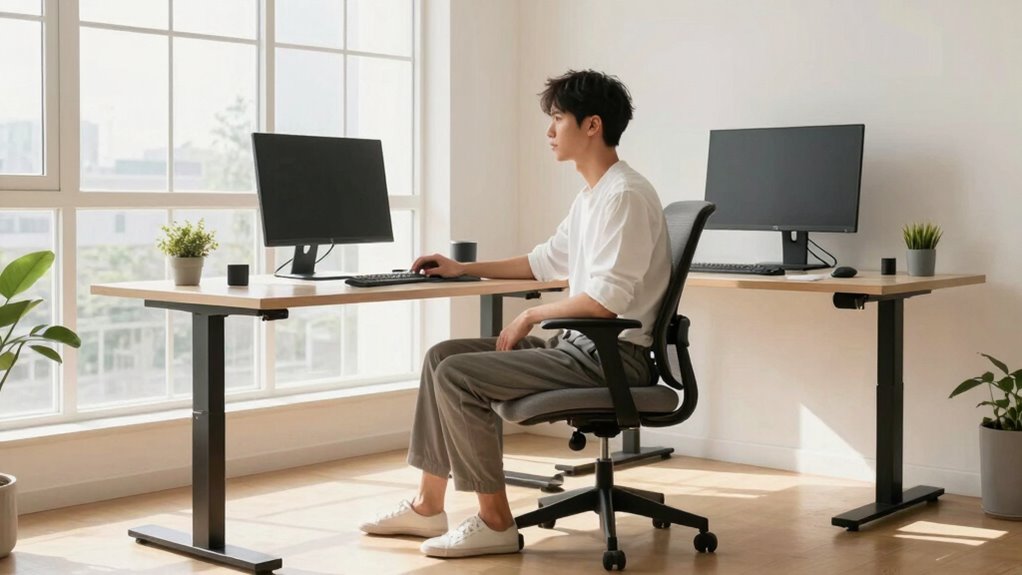

To improve your posture during the workday, focus on staying aware of your body alignment, take regular breaks to stretch, and adjust your workspace with ergonomic accessories like an adjustable chair, sit-stand desks, and monitors at eye level. Keep your feet flat and shoulders relaxed, and avoid crossing your legs or slouching. Small, consistent habits build better posture over time, and you’ll discover more tips to stay comfortable and healthy throughout your day.

Get the latest gadgets delivered free with Prime
- Fast, free delivery on millions of items
- Prime Video, Amazon Music and more included
- Member-only deals all year
Key Takeaways
- Adjust your chair and monitor to promote proper alignment and reduce neck and back strain.
- Incorporate regular stretching and movement breaks to prevent stiffness and improve circulation.
- Keep feet flat on the floor and avoid crossing legs to maintain proper hip and lower back support.
- Use ergonomic accessories like lumbar support and sit-stand desks to support natural posture.
- Be mindful of posture habits, correcting slouching and relaxing shoulders throughout the day.
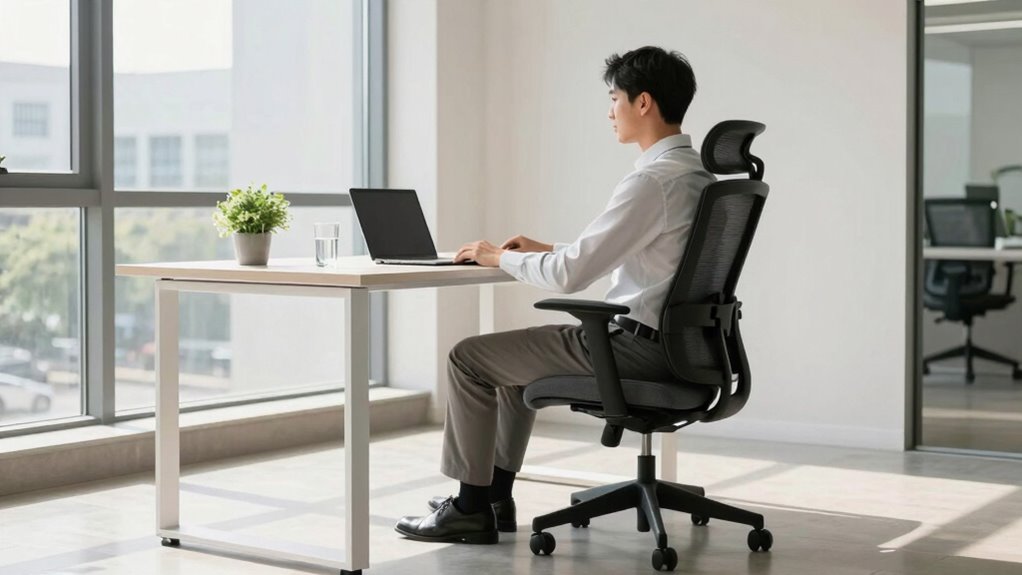
Maintaining good posture during the workday can considerably reduce discomfort and prevent long-term health issues. When you sit correctly, you’re less likely to experience aches in your neck, shoulders, and back, and you help avoid more serious conditions like repetitive strain injuries. To achieve this, consider investing in ergonomic accessories that support proper alignment. An ergonomic chair with adjustable height and lumbar support encourages you to sit upright, while a sit-stand desk allows you to switch positions throughout the day. Using a keyboard tray that keeps your wrists straight and a monitor at eye level reduces strain on your neck and eyes. These accessories aren’t just luxuries—they’re essential tools to help you maintain good posture effortlessly.
Ergonomic accessories like adjustable chairs and sit-stand desks help maintain proper posture effortlessly.
But accessories alone aren’t enough. You need to incorporate stretching routines into your daily schedule to keep your muscles flexible and prevent stiffness. Regular stretching helps counteract the sedentary nature of work, loosening tight muscles and promoting circulation. Simple stretches, like shoulder rolls, neck tilts, and back bends, can be performed at your desk or in a quick break room session. For example, gently tilting your head from side to side relieves tension in your neck, while stretching your arms overhead stretches the muscles in your upper body. These routines don’t have to take long—just a few minutes every hour can make a significant difference in how you feel. Incorporating proper ergonomic practices into your routine can further enhance your posture and overall comfort. Additionally, understanding the importance of ergonomic design can help you choose the right accessories for your workspace. Recognizing ergonomic principles can also guide you in creating a healthier, more efficient workspace.
To make the most of your effort, set reminders to take short breaks for stretching and repositioning. When you notice yourself slouching or hunching forward, straighten up immediately. Keep your feet flat on the floor, with your knees at a 90-degree angle, and avoid crossing your legs for extended periods. Your hips and lower back will thank you. Remember to keep your shoulders relaxed and your chest open, rather than hunched forward. Regularly adjusting your posture and incorporating stretching routines helps reinforce good habits, turning proper posture into a natural part of your workday.
Ultimately, maintaining good posture isn’t a one-time fix; it’s a continuous practice. Use ergonomic accessories to support your body’s natural alignment and develop stretching routines that keep your muscles limber. By paying attention to how you sit, stand, and move, you’ll reduce discomfort, boost productivity, and protect your long-term health. Small adjustments now can lead to significant improvements in comfort and well-being over time.
Popular right now

KitchenAid Artisan 5-Quart Tilt-Head Stand Mixer, Almond Cream

De'Longhi Linea Classic Espresso Machine with Adjustable Milk Frother

Ninja Luxe Café Mini Plus Espresso and Drip Coffee Machine with AutoFroth, Stainless Steel, ES351
As an affiliate, we earn on qualifying purchases.
Frequently Asked Questions
How Often Should I Take Breaks to Improve Posture?
You should take a break every 30 to 60 minutes to improve posture and reduce eye strain. During these breaks, incorporate quick stretching routines to loosen up muscles and alleviate tension. Also, look away from your screen for a few moments to prevent eye strain. Regular short breaks help maintain good posture, boost circulation, and keep you comfortable throughout the workday.
Can Posture Correction Exercises Be Done at My Desk?
Like a river flowing smoothly, you can do posture correction exercises right at your desk. Try simple desk stretches and focus on maintaining proper sitting alignment. These exercises are easy to do without leaving your workspace and help reduce tension. Regularly practicing them keeps your spine aligned and prevents discomfort, making it easier to stay focused and comfortable throughout your workday.
Are Ergonomic Chairs Truly Effective for Posture?
Yes, ergonomic chairs are effective for improving your posture because of their ergonomic design and adjustable features. They support your natural spine curve, reduce strain, and promote better alignment. By making chair adjustments—like height, lumbar support, and armrest positioning—you can customize the chair to fit your body, which helps prevent discomfort and long-term posture issues. Investing in an ergonomic chair can make a noticeable difference during your workday.
What Signs Indicate My Posture Is Causing Health Issues?
You might notice muscle tension in your neck, shoulders, or back, which signals poor posture. Nerve compression can cause tingling, numbness, or pain radiating down your limbs. If you experience frequent headaches or fatigue, your posture could be the culprit. Pay attention to these signs, and consider adjusting your sitting habits or consulting a professional to prevent long-term health issues caused by poor posture.
How Long Does It Take to See Posture Improvements?
You can start noticing posture improvements in as little as two weeks with consistent effort. Incorporate better posture habits and use ergonomic accessories at your workstation. Regularly practicing these habits speeds up progress, and by maintaining awareness, you’ll see changes in comfort and alignment. Remember, small daily adjustments lead to lasting results, so stay committed to your posture routine and give your body time to adapt.
Conclusion
By making small adjustments, you’ll find your posture becoming stronger and more natural, like a tree rooted firmly in the ground. Remember, good posture isn’t a fleeting moment but a steady journey that supports your health and productivity. Keep these tips in mind, and soon your workday will feel less like a battle against your body and more like a harmonious dance. Stand tall—you’re worth it.