
To stay comfortable and boost productivity, spend just seven minutes doing simple stretches at your desk. Start with arm overhead stretches, neck rolls, and chest openers to relieve tension. Move on to seated twists and hamstring stretches, then stretch wrists and hands. Keep your posture upright and relaxed throughout. Incorporating these quick moves into your day can prevent stiffness and soreness. Keep going to discover a full routine that keeps you feeling your best all day long.

Get the latest gadgets delivered free with Prime
- Fast, free delivery on millions of items
- Prime Video, Amazon Music and more included
- Member-only deals all year
Key Takeaways
- Incorporate a quick 7-minute routine to relieve muscle stiffness and improve circulation during long desk hours.
- Focus on upper body stretches like arm overhead reaches and neck rolls to reduce tension and headaches.
- Include chest openers and shoulder stretches to counteract poor posture and promote proper alignment.
- Add lower back twists and hamstring stretches to alleviate discomfort from prolonged sitting.
- Finish with wrist and hand stretches to prevent repetitive strain injuries and support overall ergonomic health.
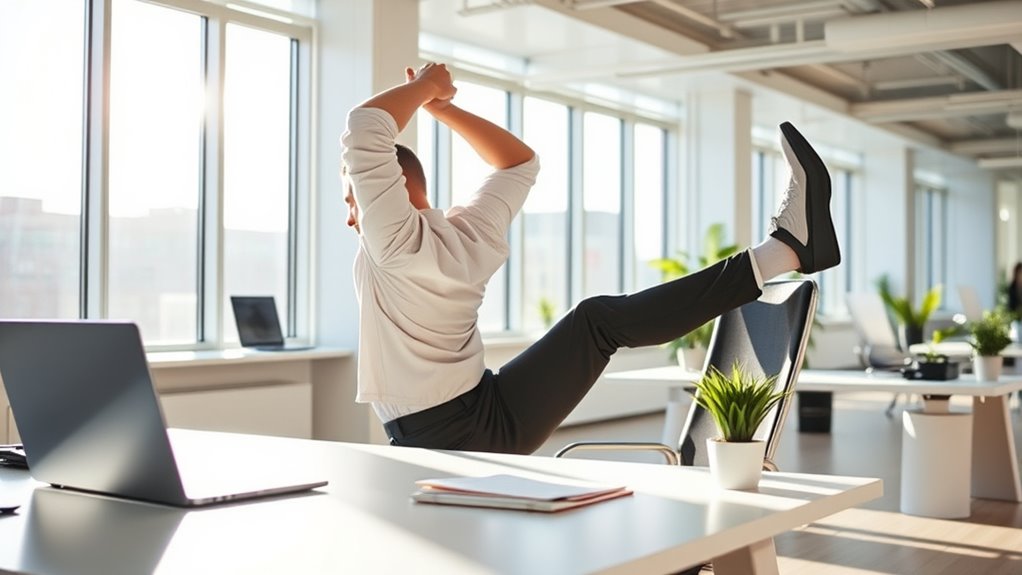
Spending hours at a desk can lead to stiffness, soreness, and reduced productivity. That’s why incorporating a quick, effective stretch routine into your day is essential. When you’re seated for long periods, your office posture often suffers, causing tension in your neck, shoulders, and back. To combat this, using ergonomic accessories like adjustable chairs, footrests, and monitor stands can make a notable difference, promoting better alignment and reducing strain. But even with the right tools, your body still needs movement. A dedicated 7-minute stretch routine helps loosen tight muscles and improves circulation, making it easier to stay focused and comfortable throughout the day.
Start by standing up and stretching your arms overhead. Reach as high as you can, feeling the stretch along your sides and shoulders. This simple move counteracts the slumped posture that often develops from leaning forward at your desk. Next, do some neck rolls: gently tilt your head towards your shoulder, then slowly roll your chin across your chest to the other side. Repeat this a few times to release tension built up from staring at screens. These neck stretches help alleviate stiffness and reduce the risk of headaches caused by poor posture.
Moving on, stretch your chest and shoulders. clasp your hands behind your back and gently lift them while opening your chest. This counters the rounded shoulders that come from hunching over a keyboard. As you do this, focus on maintaining good office posture—sitting upright with your feet flat on the floor and your back supported. If you notice your shoulders creeping up towards your ears, take a moment to relax them down. Combining these stretches with ergonomic accessories ensures your workspace supports proper alignment, reducing strain and enhancing comfort.
Next, stretch your lower back by sitting on the edge of your chair and gently twisting your torso to one side, holding the position for a few seconds before switching sides. This helps relieve tension from prolonged seated positions. Follow that with a hamstring stretch: stand up, place one heel on a low surface, keep your leg straight, and gently lean forward. This stretch targets the back of your thigh and relieves tightness from prolonged sitting. Remember to breathe deeply and move slowly to maximize the benefits. Incorporating best practices from ergonomic design can further improve your workspace setup.
Finally, finish with some wrist and hand stretches. Extend your arm in front, palm facing up, and gently pull back your fingers with your other hand. Repeat with the other hand. This helps prevent repetitive strain injuries. Throughout your routine, stay mindful of your office posture—sit upright, keep your shoulders relaxed, and avoid slouching. Incorporating ergonomic accessories into your workspace complements these stretches, ensuring your body remains aligned and comfortable. Taking just seven minutes to stretch can greatly improve how you feel and perform at work, making your day more productive and pain-free.
Frequently Asked Questions
Can These Stretches Prevent Long-Term Back Pain?
You might wonder if these stretches can prevent long-term back pain. Regular stretching offers ergonomic benefits by improving muscle flexibility, which helps maintain proper posture and reduces strain. When you incorporate these routines into your day, you actively support your back health. While they may not eliminate all pain, consistent stretching can markedly lower the risk of developing chronic issues, making it a smart addition to your ergonomic strategy.
Are These Stretches Safe for Pregnant Desk Workers?
Did you know that over 50% of pregnant women experience discomfort from prolonged sitting? When it comes to stretches, it’s vital to prioritize prenatal safety. You should always seek pregnancy modifications and avoid any poses that strain your abdomen or back. Before starting the routine, consult your healthcare provider to make sure these stretches are safe for your pregnancy stage, preventing any risk or discomfort.
How Often Should I Do This Routine Daily?
You should aim to do this routine at least 2-3 times daily to keep your muscles flexible and reduce fatigue. Incorporate ergonomic tips like adjusting your chair and monitor height to support proper posture during office exercises. Regularly stretching helps prevent strain and discomfort, especially during long work hours. Make it a habit to break up your day with these quick stretches, ensuring you stay comfortable and energized throughout your workday.
Can These Stretches Help With Carpal Tunnel Syndrome?
They say, “Prevention is better than cure,” and these stretches can help. While they may improve wrist flexibility and offer nerve relief, they aren’t a guaranteed fix for carpal tunnel syndrome. Regularly doing the routine can reduce strain, but if symptoms persist, consult a healthcare professional. Incorporate these stretches into your daily routine to support wrist health and potentially ease discomfort.
Do I Need Special Equipment or Attire?
You don’t need special equipment or attire for these stretches. Just wear comfortable, loose-fitting clothes that allow movement, and if you prefer, use ergonomic clothing designed for better flexibility. While stretching mats aren’t necessary, they can provide extra comfort on hard floors. Focus on performing the stretches gently and with proper form, and you’ll experience the benefits without any extra gear.
Conclusion
By dedicating just seven minutes to this stretch routine, you’ll transform your workday into a smoother, more energized journey. Think of your body as a well-tuned instrument, each stretch tuning your muscles to play a harmonious tune of comfort and productivity. So, step away from your desk, breathe deep, and let these simple moves be the gentle breeze that keeps your body sailing smoothly through even the busiest days. Your future self will thank you for it.
Fall Picks
fall essentials
As an affiliate, we earn on qualifying purchases.