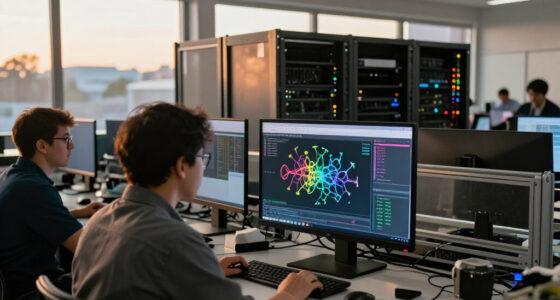

🔍 Read the full analysis: A Multi-Mac AI Workflow With Claude, Codex, And T3 Code on ThorstenMeyerAI.com

Get the latest gadgets delivered free with Prime
- Fast, free delivery on millions of items
- Prime Video, Amazon Music and more included
- Member-only deals all year
TL;DR
Thorsten Meyer says he has moved his multi-machine AI coding workflow to T3 Code, connecting eight Macs and a Linux server in one workspace. He uses Claude Code and Codex across the setup, but reports no measured productivity gain and warns that several multi-machine features remain in beta.
Before the switch, Meyer ran agents in a mixture of terminal windows, a terminal multiplexer and Claude Code’s desktop app. Each Mac had its own sessions, while Codex typically handled checks in separate terminals. He says the main difficulty was coordinating the tools: he had to visit individual machines to see what was running, carry context between the agent that wrote a change and the one checking it, and spot sessions waiting for approval.
Meyer describes T3 Code as a free, MIT-licensed open-source app that its makers call a “control plane for coding agents.” It connects to coding tools that users have already authenticated, rather than reselling their tokens, according to the project’s description. The project lists Claude Code, Codex and several other agent tools as supported options. Meyer says his current setup connects eight Macs and one Linux server to the workspace on his laptop.
His account identifies three reasons for the move: managing sessions across machines from one interface, using Claude and Codex in the same app, and monitoring multiple agents through a thread list rather than a collection of terminal windows. T3 Code supports several connection methods, according to its documentation, including local network pairing, Tailscale HTTPS and SSH. The project also offers T3 Connect, described as free “for now” and limited to three machines per account; its documentation lists a paid plan for connecting more machines.
My switch to T3 Code · before and after
From terminal windows on many Macs to one workspace
The agents did not change. Claude Code and Codex still run on the Macs that do the work. What changed is where I see them: in one list of threads, on the laptop or the phone.
- 1 · BeforeSessions sit in terminal windows on each Mac. Nothing tells you which agent did what, or which one waits for you.
- 2 · One workspaceEach Mac runs T3 Code. One app connects to all of them, over the local network, Tailscale, SSH or T3 Connect.
- 3 · ThreadsOne thread per task. Claude Code builds, Codex checks. Busy threads fold away; a thread that needs an answer comes back to the top.
- 4 · RemoteThe phone approves the next step. The Mac keeps doing the work and has to stay on.
Sources: T3 Code README and user docs (remote access, working with threads, mobile notifications, FAQ), read November 18, 2026. Setup: the author’s own. Drawing: a generic interface, not a product screenshot.
Graphic: Powered by Thorsten Meyer AI
One View Across Coding Machines
For developers running several agents at once, the problem Meyer describes is not just generating code. It is keeping track of which agent changed which files, where it is running and whether it needs a decision. A shared thread list could reduce the need to check machines one by one, while putting a builder and a reviewer in the same workspace may make it easier to pass work between them.
The arrangement also carries practical limits. T3 Code’s documentation says agents run on the machine doing the work, which must stay on; a phone can act as a remote for viewing or responding, rather than running the coding task itself. Meyer’s account offers a description of one person’s workflow, not evidence that the app improves output or saves time for other users. He explicitly says he has not measured a productivity gain.
Popular right now

Samsung 65-Inch S90H OLED 4K Smart TV Bundle with HW-B630F Soundbar, Subwoofer, and Screen Cleaner (2026)

Dyson V9 Motorbar Cordless Vacuum

KitchenAid Classic Series 4.5-Quart Tilt-Head Stand Mixer, Onyx Black
As an affiliate, we earn on qualifying purchases.
From Separate Terminals to Threads
Meyer’s previous setup combined several ways of running agents: Claude Code in terminals, a terminal multiplexer and its desktop app, with Codex in other terminal windows. Those tools operated on multiple Macs, leaving him to locate sessions and carry information between them. His article focuses on that coordination gap and his subsequent move, rather than presenting a formal review or benchmark of T3 Code.
The project’s listed features include switching agents within a thread and creating threads in separate Git worktrees. Its documentation says a handoff transfers the conversation, but not the prior agent’s reasoning, tool-call state or attachments. It also describes launching the same prompt with multiple models in separate threads and worktrees. Meyer notes that agents on different machines can launch, message and stop one another through “Linked environments,” a feature marked beta.
The account dates the cited release as T3 Code version 0.1.10, published November 17, 2026, one day before Meyer’s article. He characterizes the project as young and fast-moving. Its open-source status and listed integrations do not establish that every connection or workflow is equally mature; users need to check the current documentation and their own providers’ terms and plan limits.
““I have not measured a productivity gain, so I won’t quote one.””
— Thorsten Meyer, writing on ThorstenMeyerAI.com
Beta Features and Unmeasured Results
The article does not independently verify the app’s feature claims or assess its security, reliability or performance. Meyer says several multi-machine capabilities remain in beta and describes the project as moving quickly; the version cited in his account was 0.1.10 on November 17, 2026. The project’s connection options, machine limits and pricing may change, and T3 Connect is described as free “for now.”
It is also unclear how much time, if any, Meyer’s setup saves, or whether the same workflow suits developers with fewer agents or machines. He provides no measured comparison with his previous setup. Provider subscription limits and terms still apply, according to the source material, and the connected computers must remain available for agents to keep working.
What Users Should Check Before Switching
Meyer’s account does not announce a company milestone or a scheduled product release. The immediate next step for interested users is to review T3 Code’s current documentation and confirm which connection method, machine allowance and provider sign-ins fit their setup. They should also check which features are still beta and whether their computers can remain on while agents run.
For Meyer, the described workflow is already in use across eight Macs and a Linux server. Whether the project expands those capabilities or changes its plans is not specified in the article. Any future judgment about productivity would require measurements that Meyer says he has not yet taken.
Key Questions
What is T3 Code?
It is a free, MIT-licensed open-source app that its makers describe as a control plane for coding agents. It connects to agents users have authenticated with their own provider accounts, according to the project and Meyer’s account.
Which machines and agents does Meyer use?
Meyer says his workspace connects eight Macs and one Linux server. He runs Claude Code and Codex across the setup; the article does not specify that every agent is active on every machine at all times.
Can a phone run the coding agents?
No. The project documentation quoted by Meyer describes the phone as a remote. The computer running the agent does the work and needs to stay on; the phone can receive alerts and allow responses, depending on the connection setup.
Does Meyer report a productivity improvement?
No measured improvement is reported. Meyer says he has not measured a productivity gain; he describes operational changes such as a shared thread list and a shorter handoff between building and checking code.
Are all T3 Code multi-machine features ready for general use?
Not according to Meyer’s account. He says several multi-machine features remain in beta, and the cited version was 0.1.10 on November 17, 2026. Users should check the project’s current documentation for feature status and connection limits.
Source: ThorstenMeyerAI.com