For most first-time buyers, I’d start with the Bambu Lab A1: it offers a ready-to-use path into FDM printing without the enclosed design of a premium machine. The Bambu Lab A1 mini is a better fit when desk space matters, while the Entina Tina2C keeps things simple for small starter projects. The main tradeoff is between a compact, approachable machine and a larger or more capable printer that asks for more space and setup attention. Multicolor models add creative options, though they also add complexity. Read on for how the 15 options compare and which one fits your first prints.

Get the latest gadgets delivered free with Prime
- Fast, free delivery on millions of items
- Prime Video, Amazon Music and more included
- Member-only deals all year
Complete the kit


Key Takeaways
- The Bambu Lab A1 is my best overall pick for a first printer when a ready-to-use FDM setup matters more than an enclosure.
- The A1 mini and Tina2C prioritize a smaller footprint; their compact size suits desk use, but limits the scale of projects.
- Multicolor combos add creative flexibility, while giving beginners more features and setup choices to learn.
- The Bambu Lab P1S stands apart with an enclosed design, which may suit buyers planning to explore materials or projects that benefit from a covered print area.
- Several entries are duplicate or closely repeated listings, including the Tina2C and Adventurer 5M, so compare the exact kit and included accessories before choosing.
| Creality Ender-3 V3 Neo Combo Multicolor 3D Printer |  | Best for Multicolor Projects | Printing: Multicolor with automatic filament refill | Maximum print speed: 500 mm/s | Typical print speed: 300 mm/s | VIEW LATEST PRICE | See Our Full Breakdown |
| Bambu Lab A1 mini 3D Printer with LED Lamp Kit |  | Best for Creative First Projects | Product dimensions: 15.21 × 16.77 × 17.94 inches | Item weight: 12.1 pounds | Model number: PF002-M-EU | VIEW LATEST PRICE | See Our Full Breakdown |
| Entina Tina2C Mini 3D Printer for Beginners |  | Best for Guided STEM Learning | Printer type: FDM 3D printer | Print volume: 3.9 × 3.9 × 3.9 inches | Dimensions: 8 × 6.5 × 10 inches | VIEW LATEST PRICE | See Our Full Breakdown |
| Fully Assembled Mini 3D Printer Starter Kit for Kids and Beginners |  | Best Ready-to-Print Starter Kit | Printing speed: Up to 250 mm/s | Precision: 0.01 mm | Included accessories: Test PLA filament, SD card, and additional accessories | VIEW LATEST PRICE | See Our Full Breakdown |
| Entina Tina2C Mini 3D Printer for Beginners |  | Best for Compact App-Controlled Printing | Setup: Fully assembled; guided setup in as little as 5 minutes | Build volume: 3.9 × 3.9 × 3.9 inches | Connectivity: 2.4 GHz WiFi; TF card | VIEW LATEST PRICE | See Our Full Breakdown |
| Anycubic Kobra X Multicolor FDM 3D Printer |  | Best for Expandable Multicolor Printing | Printer type: FDM | Build volume: 260 × 260 × 260 mm | Maximum print speed: 600 mm/s | VIEW LATEST PRICE | See Our Full Breakdown |
| Creality SPARKX i7 Nano Combo Multi‑Color 3D Printer for Beginners |  | Best for Guided Multicolor Setup | Model: i7 Nano Combo | Print speed: Up to 500 mm/s | Bed leveling: Automatic | VIEW LATEST PRICE | See Our Full Breakdown |
| TINA2S Fully Assembled Mini 3D Printer Starter Kit | 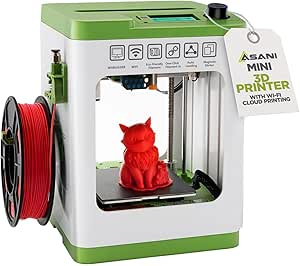 | Best First Printer for Kids and Small Spaces | Model: TINA2S | Dimensions: 8.3 × 8.3 × 11.4 inches | Weight: 6.4 pounds | VIEW LATEST PRICE | See Our Full Breakdown |
| Bambu Lab P1S Enclosed FDM 3D Printer |  | Best Enclosed Upgrade for Advanced Materials | Printer type: FDM | Design: Enclosed | Print speed: Up to 500 mm/s | VIEW LATEST PRICE | See Our Full Breakdown |
| Flashforge Adventurer 5M 3D Printer |  | Best for Fast, Expandable Single-Color Printing | Model: AD5M | Build volume: 8.7 × 8.7 × 8.7 inches | Print speed: Up to 600 mm/s | VIEW LATEST PRICE | See Our Full Breakdown |
| FLASHFORGE Adventurer 5M High-Speed 3D Printer |  | Best for Fast Prototyping | Build volume: 220 × 220 × 220 mm | Maximum print speed: 600 mm/s | Acceleration: 20,000 mm/s² | VIEW LATEST PRICE | See Our Full Breakdown |
| Anycubic Kobra S1 ACE 2 Pro Combo FDM 3D Printer, 250 x 250 x 250 mm |  | Best for Multicolor Projects | Build volume: 250 × 250 × 250 mm | Maximum print speed: 600 mm/s | Noise level: 44 dB | VIEW LATEST PRICE | See Our Full Breakdown |
| Flashforge Adventurer 5M 3D Printer |  | Best for Quick Nozzle Changes | Build volume: 220 × 220 × 220 mm | Maximum print speed: 600 mm/s | Acceleration: 20,000 mm/s² | VIEW LATEST PRICE | See Our Full Breakdown |
| Bambu Lab A1 3D Printer – Ready-to-Use FDM Printer for Beginners and Kids |  | Best for Guided, Low-Fuss Printing | Acceleration: 10,000 mm/s² | Noise level: ≤48 dB | Calibration: Full automatic | VIEW LATEST PRICE | See Our Full Breakdown |
| HEPHI3D TINA2C Mini 3D Printer for Beginners |  | Best Compact Starter | Printer type: Mini 3D printer | Dimensions: 8.27 × 6.7 × 9.84 inches | Weight: 5.46 pounds | VIEW LATEST PRICE | See Our Full Breakdown |
| 3D printers for beginner | Weight | Dimensions |
|---|---|---|
| Creality Ender-3 V3 Neo Combo | — | — |
| Bambu Lab A1 mini 3D Printer w | — | — |
| Entina Tina2C Mini 3D Printer | 5.28 pounds | 8 × 6.5 × 10 inches |
| Fully Assembled Mini 3D Printe | 6.61 pounds | 10.63 × 10.12 × 15.94 inches |
| Entina Tina2C Mini 3D Printer | 5.5 pounds | 6.5 × 8 × 10 inches |
| Anycubic Kobra X Multicolor FD | — | 17.93 × 17.53 × 18.16 inches |
| Creality SPARKX i7 Nano Combo | 21.4 pounds | 18.38 × 16.65 × 17.9 inches |
| TINA2S Fully Assembled Mini 3D | 6.4 pounds | 8.3 × 8.3 × 11.4 inches |
| Bambu Lab P1S Enclosed FDM 3D | 38.9 pounds | 15.31 × 18.03 × 15.31 inches |
| Flashforge Adventurer 5M 3D Pr | — | — |
| FLASHFORGE Adventurer 5M High- | 23.8 pounds | — |
| Anycubic Kobra S1 ACE 2 Pro Co | 39.6 pounds | — |
| Flashforge Adventurer 5M 3D Pr | 22 pounds | — |
| Bambu Lab A1 3D Printer | 22 pounds | 21.76 × 20.83 × 12.87 inches |
| HEPHI3D TINA2C Mini 3D Printer | 5.46 pounds | 8.27 × 6.7 × 9.84 inches |
More Details on Our Top Picks
Creality Ender-3 V3 Neo Combo Multicolor 3D Printer
I’d choose the Ender-3 V3 Neo Combo for a beginner who wants to explore multicolor prints without starting with manual filament changes. Its automatic filament refill, bed leveling, and quick assembly reduce setup chores, while vibration compensation and flow calibration are meant to support consistent results at higher speeds. Compared with the Bambu Lab A1 mini, this Creality offers a larger 220 mm cube build area and multicolor capability, but it also takes up more space and weighs more. The tradeoff is that the build volume still limits oversized projects, and the fast speed claims don’t remove the learning curve that comes with tuning multicolor prints. I’d pick it for color experiments and roomier models, but beginners seeking the smallest, simplest setup should look at the A1 mini.
Pros:- Automatic filament refill supports more convenient multicolor printing
- Automatic bed leveling and quick assembly reduce initial setup work
- Vibration compensation and flow calibration support high-speed printing
- Quick-swap nozzle simplifies routine maintenance
Cons:- The 220 × 220 × 220 mm build volume limits larger projects
- Its 21-pound weight and larger footprint require more dedicated space
Best for: Beginners with room for a larger printer who want to try multicolor prints and make models up to 220 mm on each side
Not ideal for: New users with limited desk space or those mainly printing larger-than-220 mm projects
- Printing:Multicolor with automatic filament refill
- Maximum print speed:500 mm/s
- Typical print speed:300 mm/s
- Build volume:220 × 220 × 220 mm
- Product dimensions:21.47 × 14.5 × 18.52 inches
- Item weight:21 pounds
- Manufacturer:Creality
Our verdict“Choose this Creality if multicolor printing and a larger build area matter more to you than a compact footprint.”
Bambu Lab A1 mini 3D Printer with LED Lamp Kit
The A1 mini with LED Lamp Kit gives a beginner a focused starting point: automatic calibration, simple setup, and access to models through MakerWorld and the Bambu Handy app. The included lamp kit adds a project direction beyond standard figures and parts, though compatible lamp models must be printed separately. At 12.1 pounds and a stated noise level of 48 dB or less, it’s easier to place in a shared home than the larger Creality Ender-3 V3 Neo Combo. The Creality is the better fit for a 220 mm cube build area and multicolor printing; the A1 mini’s compact form makes more sense when small projects and an approachable setup take priority. Its central compromise is project size: buyers who expect to print larger objects may outgrow this option.
Pros:- Automatic calibration and simple setup lower the barrier to a first print
- Included LED Lamp Kit supports decorative lighting projects
- Quiet operation is suited to shared spaces
- MakerWorld and Bambu Handy app provide model access and print management
Cons:- Compact size limits printable project dimensions
- Lamp models must be printed separately to use the kit
Best for: Beginners who want guided access to small creative projects and a printer suited to shared home spaces
Not ideal for: Makers planning large models or buyers who expect the included lamp kit to print complete lamps without compatible models
- Product dimensions:15.21 × 16.77 × 17.94 inches
- Item weight:12.1 pounds
- Model number:PF002-M-EU
- Noise level:≤48 dB
- Included accessory:LED Lamp Kit
- Model access:MakerWorld
- Print management:Bambu Handy app
Our verdict“Pick the A1 mini if you value guided small projects and a quieter, lighter setup over the Creality’s larger build area.”
Entina Tina2C Mini 3D Printer for Beginners
For a child, classroom, or first-time maker who wants help finding things to print, the Entina Tina2C pairs guided app setup with access to more than 3,500 models and 25+ creative modules. It arrives fully assembled, and its flexible plate and quick-swap printhead reduce some of the handling and maintenance hurdles that can put newcomers off. Compared with the Fully Assembled Mini 3D Printer Starter Kit for Kids and Beginners, the Tina2C lists more specific digital learning resources and WiFi plus TF card printing. The tradeoff is its 3.9-inch cubic print volume, which confines it to small objects, and its WiFi works on 2.4 GHz only. I’d choose it for guided experimentation and STEM activities, while buyers who want room for larger models should consider a bigger-format printer.
Pros:- Fully assembled design and guided app setup make starting more approachable
- Poloprint Cloud offers more than 3,500 models and 25+ creative modules
- WiFi and TF card printing provide app-based and offline options
- Flexible build plate and quick-swap printhead simplify use and upkeep
Cons:- The 3.9-inch cubic build volume rules out larger projects
- WiFi supports 2.4 GHz only
Best for: Families and educators seeking a compact, guided printer for small STEM projects and app-based model discovery
Not ideal for: Makers who want to print objects larger than 3.9 inches on a side or need WiFi on a 5 GHz network
- Printer type:FDM 3D printer
- Print volume:3.9 × 3.9 × 3.9 inches
- Dimensions:8 × 6.5 × 10 inches
- Weight:5.28 pounds
- Connectivity:2.4 GHz WiFi and TF card
- Bed leveling:Automatic
- Compatible operating systems:Windows, macOS, Linux, Chromebook
- Compatible software:Cura, Simplify3D
Our verdict“Choose the Tina2C for guided STEM projects and a large model library, provided its small build area suits your needs.”
Fully Assembled Mini 3D Printer Starter Kit for Kids and Beginners
This mini starter kit is aimed at a beginner who wants the basic supplies in the box and minimal assembly before starting. It includes test PLA filament and an SD card, along with automatic leveling, nozzle cleaning, and one-touch filament loading; together, those details reduce the number of separate setup steps a first-time user faces. Its PEI heated bed and stated 250 mm/s maximum speed add capability, though speed alone won’t make a beginner’s first prints easier. Compared with the Entina Tina2C, this kit specifies a quicker stated top speed and bundled supplies, while the Tina2C offers a documented app model library and WiFi/TF card options. The bundled filament is only a test roll, and 1 kg spools need a separate holder, so plan for additional supplies as use grows.
Pros:- Fully assembled design is ready to use with little setup
- Automatic leveling, nozzle cleaning, and one-touch loading simplify early prints
- Includes test PLA filament and an SD card
- PEI heated bed supports the listed starter setup
Cons:- Included filament is a test roll rather than a full ongoing supply
- A separate holder is needed for 1 kg spools
Best for: Parents or first-time makers who want a fully assembled compact printer with starter filament and an SD card included
Not ideal for: Buyers who want detailed app-based model discovery or expect the included filament to support extended printing
- Printing speed:Up to 250 mm/s
- Precision:0.01 mm
- Included accessories:Test PLA filament, SD card, and additional accessories
- Bed:PEI heated bed
- Dimensions:10.63 × 10.12 × 15.94 inches
- Weight:6.61 pounds
- Service policy:30-day return/replacement policy and 12-month free repair service
Our verdict“Choose this kit for a straightforward first setup with basic supplies included, and expect to add filament and a spool holder later.”
Entina Tina2C Mini 3D Printer for Beginners
This Tina2C configuration suits a beginner who wants to start quickly and manage small prints through an app. It comes fully assembled, with guided setup described as taking as little as five minutes, plus automatic bed leveling and power-loss recovery. The 3.9-inch cube build area and 5.5-pound weight make it notably more compact than the Creality Ender-3 V3 Neo Combo, but that Creality gives buyers much more room for each project and supports multicolor printing. Here, the appeal is simpler placement and a library of 3,500+ models and 25+ DIY projects, along with a flexible magnetic plate and quick-swap nozzle. Its small capacity and 2.4 GHz-only WiFi are real limits; I’d reserve it for modest models and desk-friendly use.
Pros:- Fully assembled printer with guided setup described as taking as little as five minutes
- Automatic bed leveling and power-loss recovery support a more hands-off start
- WiFi app control offers access to 3,500+ models and 25+ DIY projects
- Flexible magnetic build plate and quick-swap nozzle ease handling and maintenance
Cons:- The 3.9 × 3.9 × 3.9 inch build volume restricts project size
- WiFi is limited to 2.4 GHz
Best for: Beginners with limited space who want app-guided access to small models and DIY projects
Not ideal for: Users who need larger prints or whose WiFi network requires 5 GHz connectivity
- Setup:Fully assembled; guided setup in as little as 5 minutes
- Build volume:3.9 × 3.9 × 3.9 inches
- Connectivity:2.4 GHz WiFi; TF card
- Bed leveling:Automatic
- Features:Power-loss recovery, flexible magnetic build plate, quick-swap nozzle, built-in LED lighting
- Software compatibility:Cura and Simplify3D
- Dimensions:6.5 × 8 × 10 inches
- Weight:5.5 pounds
- Included model library:3,500+ models and 25+ DIY projects
Our verdict“Choose this Tina2C if compact, app-guided printing matters more than making models larger than its small build area allows.”
Anycubic Kobra X Multicolor FDM 3D Printer
The Anycubic Kobra X suits beginners who want room to grow into multicolor projects without giving up a generous build area. Its 260 × 260 × 260 mm volume accommodates larger models than the compact TINA2S, while automatic 49-point leveling reduces one of the common first-printer setup hurdles. The camera adds remote viewing and AI detection for print problems, though it does not remove the need to learn how to diagnose failures. Four colors are supported as standard; reaching as many as 19 requires adding up to four ACE 2 Pro units. That expansion path is flexible, but it adds equipment and setup complexity. Its broad material list is appealing, although a beginner may get the most straightforward start with PLA before trying more demanding filaments.
Pros:- 49-point automatic bed leveling simplifies initial setup
- Four-color printing is supported without the additional ACE units
- Build volume is larger than the TINA2S mini printer
- 720p camera supports monitoring and AI error detection
Cons:- Printing beyond four colors requires up to four additional ACE 2 Pro units
- Its feature set and upgrade options may add complexity for a first-time user
- The camera can help spot problems but cannot prevent every failed print
Best for: New makers who want a larger print area and a clear path from single-color projects to multicolor printing
Not ideal for: Beginners seeking the smallest, simplest starter printer or anyone who wants more than four colors without adding extra hardware
- Printer type:FDM
- Build volume:260 × 260 × 260 mm
- Maximum print speed:600 mm/s
- Color printing:4 colors standard; up to 19 with 4 ACE 2 Pro units
- Supported materials:PLA, PETG, TPU, PVA, ASA
- Bed leveling:LeviQ 3.0, 49-point automatic leveling
- Camera:720p
- Dimensions:17.93 × 17.53 × 18.16 inches
Our verdict“Choose the Kobra X if you want a beginner-friendly leveling system and a larger multicolor platform you can expand over time.”
Creality SPARKX i7 Nano Combo Multi‑Color 3D Printer for Beginners
The Creality SPARKX i7 Nano Combo focuses on reducing hands-on filament management, a useful distinction for someone learning both the printer and the software. Auto Feed & Retract and automatic filament refill can make multicolor jobs less fiddly, while automatic leveling and AI monitoring offer help with setup and oversight. Compared with the TINA2S, it is a much more feature-rich choice for color projects, but it also weighs more than 21 pounds and takes up substantially more space. The advertised 500 mm/s speed is a capability rather than a guarantee that every beginner print will benefit from running that fast. Wi-Fi and Creality Cloud add a connected workflow, though buyers who prefer simple offline printing may not need those extras.
Pros:- Auto Feed & Retract and filament refill reduce manual filament changes
- Automatic bed leveling helps with first-time setup
- AI camera monitoring can assist with spotting print issues
- Tool-free modular parts simplify routine maintenance
Cons:- At 21.4 pounds, it is heavy for a printer marketed as compact
- Creality Cloud and the range of automation features may be more involved than a basic starter printer
- A maximum speed of 500 mm/s does not mean every print is suited to high-speed settings
Best for: Beginners who want to experiment with multicolor printing and prefer automated filament handling and app-based monitoring
Not ideal for: Learners with very limited desk space or those who want a lightweight, minimal printer with few connected features
- Model:i7 Nano Combo
- Print speed:Up to 500 mm/s
- Bed leveling:Automatic
- Connectivity:Wi-Fi, Creality Cloud
- Dimensions:18.38 × 16.65 × 17.9 inches
- Weight:21.4 pounds
Our verdict“Pick the SPARKX i7 Nano Combo if automated filament handling and multicolor capability matter more to you than a lightweight, simple setup.”
TINA2S Fully Assembled Mini 3D Printer Starter Kit
The TINA2S is the approachable choice for a first print at home, in a classroom, or on a dorm desk. It arrives fully assembled and includes 10 m of PLA, a preloaded microSD card, and one-touch filament loading, so a beginner can start with fewer separate purchases and setup steps than with the larger Anycubic Kobra X. Automatic leveling and a flexible magnetic plate also simplify routine use. Its compact size is the main compromise: the print area is much smaller than the Kobra X’s, and the listed materials are limited to PLA, PLA Pro, and TPU. That makes it a good learning tool for small objects, but a poor fit for users already planning larger models or broad material experiments.
Pros:- Fully assembled, with starter filament and accessories included
- Auto-leveling and one-touch filament loading lower the setup burden
- Lightweight, compact body fits small home or classroom workspaces
- Wi-Fi and compatibility with Mac, Windows, and Linux support flexible workflows
Cons:- Small footprint limits the size of projects
- Material compatibility is narrower than the Anycubic Kobra X
- The proximity sensor needs a magnetic metal build plate to work properly
Best for: Parents, teachers, or first-time makers who want an assembled printer for small PLA projects and have limited workspace
Not ideal for: Beginners who want to print large models, use a wide range of materials, or avoid checking the magnetic plate needed by its proximity sensor
- Model:TINA2S
- Dimensions:8.3 × 8.3 × 11.4 inches
- Weight:6.4 pounds
- Filament compatibility:1.75 mm PLA, PLA Pro, TPU
- Included filament:10 m PLA
- Build plate:Flexible magnetic
- Connectivity:Wi-Fi
- Compatible operating systems:Mac, Windows, Linux
Our verdict“Choose the TINA2S for an easy, compact introduction to small PLA prints, but move up to a larger machine if project size matters.”
Bambu Lab P1S Enclosed FDM 3D Printer
The Bambu Lab P1S makes more sense for a beginner who already knows they want to explore materials that benefit from an enclosure than for someone seeking the simplest possible first machine. Its enclosed design and automatic bed leveling give it a more ready-to-use feel for varied filament projects than the open-frame Flashforge Adventurer 5M, which needs a separate enclosure upgrade. The P1S supports materials including ABS and ASA, and can add multicolor printing through an optional AMS. That flexibility comes with a significant footprint in practice: at 38.9 pounds, it is the heaviest choice in this batch, and multicolor use requires extra hardware. For PLA learning projects, the TINA2S is smaller and more focused; choose the P1S when enclosure and material range are priorities.
Pros:- Enclosed design is better suited than the open Adventurer 5M to materials such as ABS and ASA
- Automatic bed leveling cuts down on manual setup
- Supports a broad range of listed filaments, including TPU and PVA
- Optional AMS enables printing up to 16 colors
Cons:- AMS is required for multicolor printing and is optional hardware
- At 38.9 pounds, it is substantially heavier than the TINA2S
- Carbon- or glass-fiber-reinforced filaments are not recommended
Best for: Beginners with a dedicated workspace who plan to learn with PLA first and then try enclosed printing with ABS or ASA
Not ideal for: Casual first-time users with limited room, or anyone expecting multicolor printing without buying the optional AMS
- Printer type:FDM
- Design:Enclosed
- Print speed:Up to 500 mm/s
- Acceleration:20,000 mm/s²
- Color printing:Up to 16 colors with Bambu Lab AMS
- Supported filaments:PLA, PETG, TPU, PVA, PET, ABS, ASA
- Dimensions:15.31 × 18.03 × 15.31 inches
- Weight:38.9 pounds
Our verdict“Pick the P1S if an enclosure and room to explore ABS or ASA matter more than a compact, low-complexity first printer.”
Flashforge Adventurer 5M 3D Printer
The Flashforge Adventurer 5M is a practical pick for beginners who want quick single-color prints and straightforward bed setup, with room to adapt the machine later. Its CoreXY system can reach 600 mm/s, while 25-point automatic leveling and a removable PEI plate take some repeated setup work off the user. Compared with the enclosed Bambu Lab P1S, this model is an open-frame machine, so its supplied configuration is less suited to materials such as ABS and ASA; an enclosure requires a separate upgrade. The quick-change nozzle system and range of nozzle sizes give learners options for balancing detail against throughput, but those capabilities can add decisions before a beginner has settled on preferred print settings. It is the most sensible fit here for speed and flexibility, rather than multicolor projects.
Pros:- CoreXY motion system supports speeds up to 600 mm/s
- 25-point automatic leveling reduces manual bed setup
- Removable PEI plate helps with print removal
- Quick-change nozzles and remote monitoring add flexibility
Cons:- Enclosure is a separate upgrade, unlike the enclosed Bambu Lab P1S
- Some capabilities depend on optional accessories
- A range of nozzle sizes can add setup choices for a first-time user
Best for: New makers who want a fast CoreXY printer for PLA or PETG projects and value a removable build plate and nozzle options
Not ideal for: Beginners who need an enclosed printer for ABS or ASA from the outset, or who want multicolor printing without extra equipment
- Model:AD5M
- Build volume:8.7 × 8.7 × 8.7 inches
- Print speed:Up to 600 mm/s
- Acceleration:20,000 mm/s²
- Build plate:Removable PEI
- Nozzle temperature:Up to 280°C
- Nozzle sizes:0.25–0.8 mm
- Auto bed leveling:25-point detection
Our verdict“Choose the Adventurer 5M if you want a fast, adaptable open-frame printer and can start with materials suited to that setup.”
FLASHFORGE Adventurer 5M High-Speed 3D Printer
I’d choose the Adventurer 5M for a beginner who wants to move quickly from a design to a physical draft. Its one-click bed leveling helps reduce first-layer setup, while the removable PEI plate makes finished prints easier to take off. The 220 mm cube build area suits common household parts and prototypes, though it offers less room than the Anycubic Kobra S1 ACE 2 Pro Combo’s 250 mm cube. Both advertise speeds up to 600 mm/s, but the Flashforge is an open-frame, single-filament printer; the Anycubic adds an enclosure, multicolor printing, and a filament dry box. Runout sensing and power-loss recovery can save a long job from some interruptions. Its speed figures are a ceiling, and carbon-fiber filament calls for a separate 0.6 mm nozzle.
Pros:- One-click automatic bed leveling reduces manual first-layer setup.
- Removable PEI build plate simplifies print removal.
- Filament runout detection and power-loss recovery can help protect longer jobs.
- Supports PLA, PETG, TPU, and listed carbon-fiber blends.
Cons:- Open-frame design offers less containment than an enclosed printer.
- Carbon-fiber filaments require a 0.6 mm nozzle.
- Its 220 mm build volume is smaller than the Anycubic Kobra S1 ACE 2 Pro Combo’s.
Best for: New makers focused on quick, single-color prototypes who want automatic leveling and a removable build plate.
Not ideal for: Beginners who need multicolor prints, an enclosed workspace, or a larger build area; the Anycubic Kobra S1 ACE 2 Pro Combo better fits those needs.
- Build volume:220 × 220 × 220 mm
- Maximum print speed:600 mm/s
- Acceleration:20,000 mm/s²
- Maximum nozzle temperature:280°C
- Nozzle flow:32 mm³/s
- Bed leveling:Automatic, one-click
- Supported filaments:PLA, PETG, TPU, PLA-CF, PETG-CF
- Weight:23.8 pounds
Our verdict“Choose the Adventurer 5M for fast, mostly single-color prototyping with automatic leveling, and skip it if you want an enclosure or multicolor prints.”
Anycubic Kobra S1 ACE 2 Pro Combo FDM 3D Printer, 250 x 250 x 250 mm
For a beginner already drawn to colorful models, the Kobra S1 ACE 2 Pro Combo removes a major extra step: it supports four filaments out of the box, with expansion to sixteen colors. Its enclosed CoreXY setup also distinguishes it from the open-frame Flashforge Adventurer 5M, while the 250 mm cube build area gives larger projects more room. A built-in 65°C dry box helps protect filament from humidity, and the stated 44 dB noise level may suit shared spaces. The tradeoff is a substantial machine weighing 39.6 pounds, so it is a poor fit for a desk that needs to be cleared or moved often. Its ACE Pro and ACE 2 Pro cannot run together, which limits flexibility for buyers expecting to combine both systems.
Pros:- Supports four filament colors out of the box and can expand to sixteen.
- Enclosed CoreXY design pairs high stated speed with a contained build space.
- Built-in 65°C dry box helps protect filament from humidity.
- Larger 250 mm cube build volume than the Flashforge Adventurer 5M.
Cons:- At 39.6 pounds, it is difficult to move frequently.
- ACE Pro and ACE 2 Pro cannot be used simultaneously.
- Multicolor setup and expanded capability may be more than a first-time single-color user needs.
Best for: Beginners who want multicolor prints from the start, have a stable dedicated workspace, and value an enclosure and filament drying.
Not ideal for: Makers with limited desk space or who need to move their printer often; the lighter Flashforge Adventurer 5M is simpler to place.
- Build volume:250 × 250 × 250 mm
- Maximum print speed:600 mm/s
- Noise level:44 dB
- Hotend temperature:320°C
- Dry box temperature:65°C
- Filament colors out of the box:4
- Maximum filament colors:16
- Weight:39.6 pounds
Our verdict“Pick the Kobra S1 ACE 2 Pro Combo if multicolor printing and a larger enclosed build area matter more than a light, simple setup.”
Flashforge Adventurer 5M 3D Printer
The Adventurer 5M gives beginners a quick way to start printing and keep a busy workflow moving: its automatic bed leveling handles a common setup hurdle, and its nozzle can be changed in a stated three seconds. A dual-sided PEI plate adds flexibility when choosing a build surface. Like the FLASHFORGE Adventurer 5M High-Speed model in this roundup, it is a 220 mm cube, open-frame printer rated for speeds up to 600 mm/s, so neither is the pick for built-in multicolor printing or an enclosure. This listing also specifies remote monitoring through Flash Studio, which can help users check a print without standing beside the machine. Its speed and warm-up claims do not remove the need to learn slicing and print settings, and its 22-pound weight makes it less portable than the tiny HEPHI3D TINA2C.
Pros:- Automatic bed leveling reduces manual setup for first layers.
- Stated three-second nozzle changes make swapping nozzles less involved.
- Dual-sided PEI build plate offers two surface options.
- Flash Studio app supports remote monitoring and control.
Cons:- Open-frame design lacks an enclosure.
- 220 mm cube build area is smaller than the Anycubic Kobra S1 ACE 2 Pro Combo’s.
- At 22 pounds, it is less suited to frequent relocation than a mini printer.
Best for: Beginners who expect to change nozzle sizes or materials and want a fast printer with remote monitoring.
Not ideal for: Users who want multicolor printing, an enclosure, or a compact starter machine; the Anycubic Kobra S1 ACE 2 Pro Combo adds multicolor and an enclosure, while the HEPHI3D TINA2C takes up less room.
- Build volume:220 × 220 × 220 mm
- Maximum print speed:600 mm/s
- Acceleration:20,000 mm/s²
- Maximum extruder temperature:280°C
- Nozzle change time:3 seconds
- Warm-up time:35 seconds
- Build plate:Dual-sided PEI
- Weight:22 pounds
Our verdict“Choose this Adventurer 5M if quick nozzle swaps and remote monitoring suit your workflow; look elsewhere for multicolor capability or a small footprint.”
Bambu Lab A1 3D Printer – Ready-to-Use FDM Printer for Beginners and Kids
The Bambu Lab A1 is aimed at beginners who want automatic setup support without committing to multicolor printing on day one. Full-auto calibration and active flow rate compensation help manage print consistency, while its touchscreen and stated noise level of 48 dB or less make day-to-day use more approachable in a shared home. Unlike the Anycubic Kobra S1 ACE 2 Pro Combo, the A1’s multicolor printing depends on buying the optional AMS Lite; that keeps the initial setup simpler but adds another decision for anyone planning colorful projects. Its 10,000 mm/s² acceleration is specified, but the supplied data does not give a build volume or maximum print speed, so buyers cannot compare capacity directly with the Flashforge Adventurer 5M. The 21.76-inch listed dimension also points to a sizable footprint.
Pros:- Full-auto calibration reduces manual setup.
- Active flow rate compensation is designed to support consistent extrusion.
- Optional AMS Lite provides a path to multicolor printing.
- Quick-swap nozzle can simplify maintenance.
Cons:- AMS Lite is required for multicolor printing and is optional.
- The listed dimensions suggest a large footprint for a home workspace.
- Product data supplied here does not state build volume or maximum print speed.
Best for: First-time home users and families who value automatic calibration, a quiet stated operating level, and the option to add multicolor later.
Not ideal for: Buyers who want multicolor included or need a clearly specified build volume; the Anycubic Kobra S1 ACE 2 Pro Combo includes four-color printing and lists its capacity.
- Acceleration:10,000 mm/s²
- Noise level:≤48 dB
- Calibration:Full automatic
- Flow compensation:Active flow rate compensation
- Multicolor system:Optional AMS Lite
- Nozzle:Quick-swap
- Dimensions:21.76 × 20.83 × 12.87 inches
- Weight:22 pounds
Our verdict“Choose the A1 for guided setup and the option to add multicolor later, but check the available workspace and capacity details before buying.”
HEPHI3D TINA2C Mini 3D Printer for Beginners
The TINA2C makes the strongest case here for a first printer that can fit on a crowded desk. It arrives fully assembled and factory preset, with automatic bed leveling, included PLA, tools, and a TF card with test models and slicer software. Its app, Wi-Fi, USB-C, and TF card options give newcomers several ways to send a print, while the library of more than 3,500 ready-to-print models lowers the barrier to trying a first project. The tradeoff is that the listing does not specify print volume or speed, making it hard to judge whether it will handle a particular project. Compared with the Bambu Lab A1, it is far smaller and more starter-focused, but the supplied data does not describe comparable calibration features or optional multicolor printing.
Pros:- Fully assembled and factory preset to reduce initial setup.
- Automatic bed leveling helps simplify first-layer preparation.
- App and Wi-Fi control join USB-C and TF card transfer options.
- Includes PLA, tools, and a TF card with test models and slicer software.
Cons:- Compact format may restrict project size.
- Supplied product data does not state print volume or speed.
- The feature set is focused on starter use rather than the larger build area and speed figures listed for the Flashforge Adventurer 5M.
Best for: Beginners with limited workspace who want a preassembled mini printer, included starter supplies, and guided model access.
Not ideal for: Makers planning larger parts or who need a confirmed build volume and speed before choosing; the Flashforge Adventurer 5M lists a 220 mm cube build area.
- Printer type:Mini 3D printer
- Dimensions:8.27 × 6.7 × 9.84 inches
- Weight:5.46 pounds
- Setup:Fully assembled; factory preset
- Bed leveling:Automatic
- Control and file transfer:App, Wi-Fi, USB-C, or TF card
- Model library:More than 3,500 ready-to-print models
- Included accessories:PLA filament, tools, and TF card
Our verdict“Pick the TINA2C for a compact, ready-to-start introduction to printing, and choose a larger specified printer for projects with known size requirements.”
How We Picked
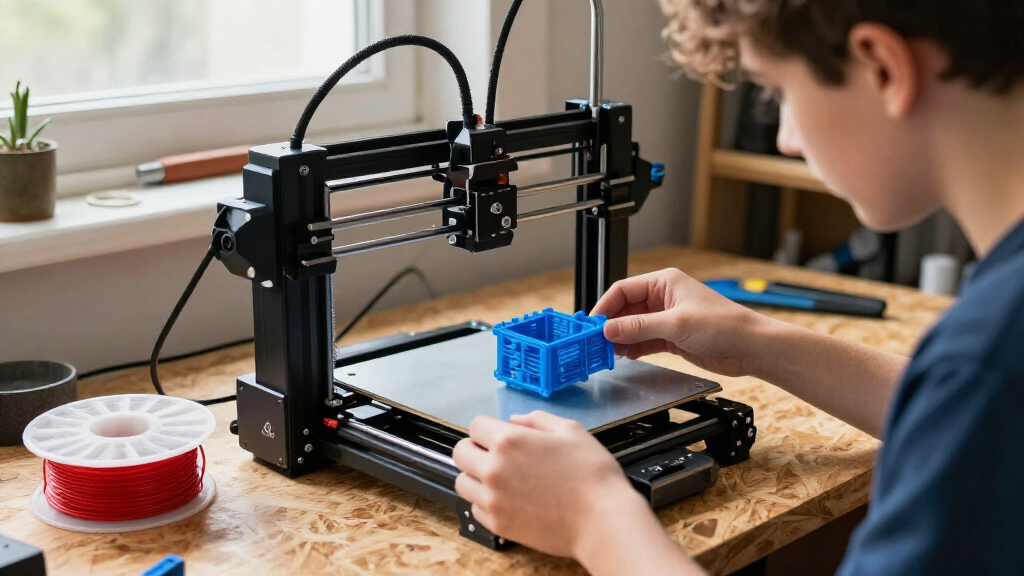
I ranked these printers around the questions that matter most to a beginner: how approachable the setup appears, whether the machine fits a home workspace, how much room it offers for prints, and what extra complexity comes with multicolor or enclosed designs. I gave more weight to a straightforward first experience than to features that mainly benefit an experienced hobbyist. Build style, stated use case, and the likely learning curve shaped how each option fits a new owner.
The order reflects those tradeoffs rather than a claim that one feature wins for everyone. The ready-to-use Bambu Lab A1 leads as a balanced entry point; compact and mini printers follow for buyers who value space and simplicity. Larger, enclosed, or multicolor options suit more specific goals and rank lower for a general beginner because their added capability may bring extra decisions. The supplied list includes repeated product names, so those entries should be distinguished by exact model, bundle, and included accessories rather than treated as separate designs.
Factors to Consider When Choosing 3D Printers For Beginners
I’d choose a first 3D printer by matching the machine to the space, objects, and amount of setup you actually want. A short check of these factors can prevent a common mismatch: buying features you won’t use while overlooking a limit that affects every print.
Match the Build Area to Your Typical Prints
Think about the largest object you expect to print before comparing machines. Mini printers can be a comfortable way to learn with small models, tags, and simple parts, but a larger design may need to be split into sections. That adds extra steps in your software and can affect how finished parts fit together. A larger build area gives you more room to grow, though it takes up more of your workspace. I’d measure the printer’s footprint and allow room to reach the spool and finished print. Avoid choosing by the biggest number alone if most of your projects will fit a compact machine.
Decide How Much Setup You Want to Learn
Beginners differ in whether they want the printer to feel like an appliance or a hands-on hobby. A ready-to-use or fully assembled model can reduce early assembly work, but it does not remove the need to learn slicing software, material loading, and basic troubleshooting. Before buying, check what the kit includes and what you must supply separately. Look for clear setup instructions and an accessible path to replacement parts, since those details matter when something goes wrong. If tinkering sounds enjoyable, more manual control may be a welcome learning opportunity. If you mainly want to make objects, prioritize a simple first setup over a long feature list.
Treat Multicolor as a Workflow Choice
Multicolor printing can make labels, figures, and display pieces more expressive, but it changes the printing workflow. The printer may need to manage multiple filaments, and each color change can add steps or waste material. Consider whether you will use color often enough to justify that added complexity. A single-color machine is usually easier to understand while you learn bed preparation, first-layer behavior, and basic print settings. You can still make colorful objects by printing separate parts and assembling them. Choose a multicolor setup because your projects call for it, rather than because the feature sounds like a default upgrade.
Choose an Enclosure for Your Materials and Space
An enclosure can help contain drafts and keep the print area covered, which may matter for some materials and household layouts. It can also make the printer larger and less open to inspect while it runs. For many first projects using common beginner materials, an enclosure may not be the feature that determines whether you enjoy printing. Check the manufacturer’s guidance for the materials you plan to use instead of assuming a covered printer supports every filament. Also think about ventilation, access, and where the machine will sit. Pay for an enclosure when it matches your intended materials or workspace needs.
Plan for the Space Around the Printer
A printer needs more room than its base dimensions suggest. You may need access for filament changes, cleaning, removing prints, and occasional maintenance. A compact model can be easier to place on a desk, but confirm that the surface is stable and that the machine’s movement will not crowd nearby items. Larger machines can handle bigger projects while calling for a more deliberate home setup. Consider noise and household routines when deciding whether the printer belongs in a shared room. Measuring first is a simple way to avoid choosing a model that becomes awkward to use.
Compare Bundles and Exact Model Names
Product listings can use similar names for different versions, bundles, or included accessories. This roundup includes repeated Tina2C and Adventurer 5M entries, so a repeated name alone does not establish a distinct printer or a meaningful upgrade. Read the exact model identifier and verify which accessories are included before comparing options. A bundle may add useful items, but it can also include extras you do not need. Check the manufacturer’s specifications for build area, enclosure, and supported materials rather than relying on a shortened listing title. This is especially helpful when a product name contains words such as “combo” or “starter kit.”
Frequently Asked Questions
Should I choose a mini printer or a full-size printer for my first machine?
I’d choose a mini printer if your first projects are small and your workspace is tight. A compact machine can make it easier to find a stable place for printing and to begin with manageable objects. Its build area can become frustrating when a project is wider or taller than expected. A full-size option leaves more room for larger prints, but needs more space at home. If you already have a list of projects, compare their dimensions with each printer’s build volume before deciding.
Is a multicolor 3D printer a good first printer?
It can be, if multicolor objects are a major reason you want to print. The extra filament handling and color changes add decisions that a single-color printer avoids. For a first machine, I’d ask whether you value those results enough to learn the added workflow. You can also make multicolor designs from separately printed parts, though that requires assembly. If learning the fundamentals is your priority, a simpler setup may offer a gentler start.
Do I need an enclosed printer as a beginner?
Not necessarily; the right choice depends on the materials you plan to print and where the machine will live. An enclosure can help manage drafts and keep the print area covered, but it adds size and may make access less convenient. Check material guidance from the manufacturer before treating an enclosure as a requirement. If you expect to begin with common beginner materials, an open printer may be enough for your first projects. Give more weight to enclosure features when your planned materials or workspace make them useful.
What should I check when two listings have the same printer name?
Compare the exact model identifier, included accessories, and stated specifications. In this lineup, the Tina2C and Adventurer 5M each appear more than once, so the names alone do not show whether a listing differs in a useful way. Check the build area, any bundled equipment, and whether the listing describes a particular revision. Manufacturer documentation can help resolve vague or shortened titles. If the details match, treat the listings as the same basic option rather than separate reasons to buy.
How much print space should I leave around a beginner 3D printer?
Leave enough room to reach the filament, remove finished prints, and handle routine cleaning. The printer’s listed dimensions describe the machine, not the full working area you may need. A mini model can fit more easily on a desk, while larger printers and accessories call for more space. Choose a stable surface and keep nearby objects clear of moving parts. Measuring the intended spot before purchase helps you avoid a machine that is difficult to access once set up.
Conclusion
For a balanced first setup, I’d choose the Bambu Lab A1 as best overall, especially if a ready-to-use FDM printer suits your projects. The Entina Tina2C is my compact value pick for small prints and limited desk space, while the A1 mini is another strong compact option for buyers drawn to that model’s small footprint. Beginners who want the simplest scale of projects should look at the Tina2C or the fully assembled starter kits, checking the exact bundle first. For a more capable enclosed setup, consider the Bambu Lab P1S; for color-focused projects, compare the multicolor combos. Match the build area and workflow to what you plan to make, then choose the printer that fits your workspace and learning style.
Halloween Picks
halloween
As an affiliate, we earn on qualifying purchases.