
📊 Full opportunity report: How To Create A Searchable Archive From Office Paperwork on IdeaNavigator AI — validation score, market gap, and execution plan.
TL;DR
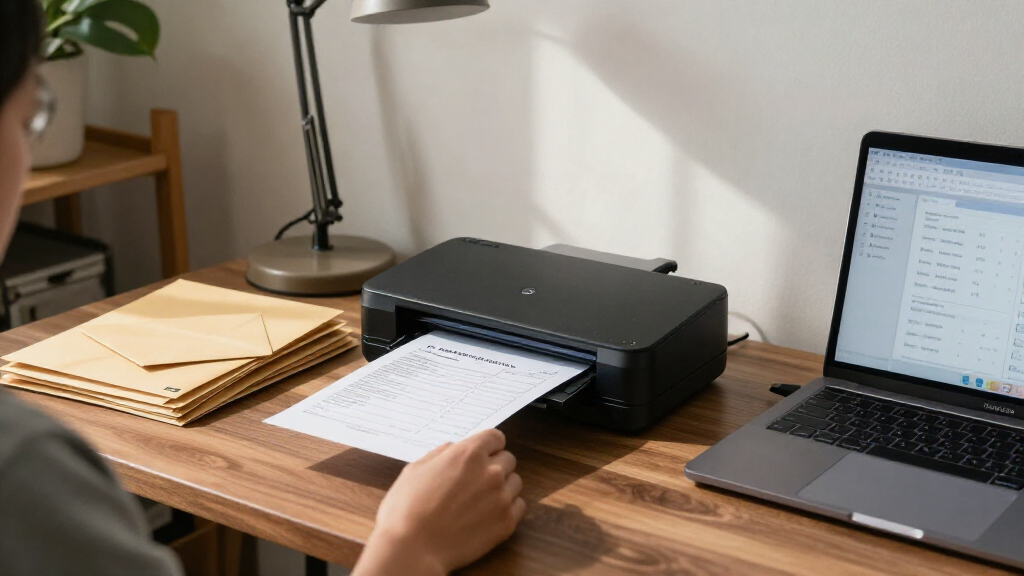
A proposal from IdeaNavigator AI outlines a phone-based scanner app that would classify paperwork, extract key details and save searchable PDFs for small offices. It recommends testing the workflow with five offices and 200 documents each; no pilot results or product launch are reported.
IdeaNavigator AI has proposed a phone-based scanning workflow to help small nonprofits, clinics and law offices turn paper records into searchable, automatically named PDFs. The proposal recommends a one-week pilot with five offices, but provides no test results, product launch or evidence that the suggested system is already in use.
According to IdeaNavigator AI’s proposal, the app would let an office worker photograph a stack of documents with a phone. It would then use optical character recognition (OCR) to read the pages, suggest a document category and filename, and save searchable PDFs to a shared folder. The proposal gives an invoice labeled with its date and vendor as an example.
IdeaNavigator AI identifies office managers at small nonprofits, clinics and law offices as the target users, describing organizations where forms, invoices and records can accumulate in filing cabinets. The proposal says ordinary scanner apps may leave staff with unsorted image files rather than searchable documents with useful names or extracted fields.
For an initial test, IdeaNavigator AI suggests asking five small offices to scan 200 real backlog documents each over one week. The proposal names the system’s correct classification rate and staff willingness to pay as suggested measures. It also sketches a business model: a monthly per-seat subscription with a page limit and additional charges for usage beyond it.
Less Time Searching Paper Records
If the workflow performs reliably, it could reduce the manual work involved in sorting, naming and retrieving paperwork for offices without dedicated IT staff. Searchable PDFs could let staff look up documents by text and identify records without repeatedly checking filing cabinets or opening batches of unlabelled scans.
The value depends on accuracy and how well the app handles different forms, layouts and image quality. Misclassified or incorrectly named records could make retrieval harder, and extracted information may need staff review. For clinics and law offices in particular, any digital filing process also has to fit the organization’s privacy, access-control and retention requirements. The proposal does not describe how those requirements would be addressed.
portable document scanner for small offices
As an affiliate, we earn on qualifying purchases.
As an affiliate, we earn on qualifying purchases.
From Scanning to Filing
The idea addresses a gap between capturing a document image and building a usable digital archive. A basic scanner can create a file, but an office still needs a process to make its contents searchable, choose a consistent filename and place it in the right shared location. The proposed workflow combines those steps into one app-based process.
IdeaNavigator AI argues that on-device and API-based OCR, alongside models that can interpret document layouts, have become affordable and accurate enough to make automation worth testing without a dedicated IT team. That is the proposal’s rationale, not a reported benchmark: it gives no performance figures, named software, pricing or comparison with existing tools.
OCR document scanning app for smartphones
As an affiliate, we earn on qualifying purchases.
As an affiliate, we earn on qualifying purchases.
Accuracy, Privacy and Costs
No pilot findings are available, so the suggested classification accuracy, time savings and willingness to pay remain untested. The proposal does not state how often workers would need to correct filenames or extracted fields, whether documents with handwriting or poor image quality would be supported, or what page-volume cap and overage fees might cost.
It also leaves open how sensitive paperwork would be stored, whether processing would happen on a phone or through an external service, who could access shared files, and how long records would be retained. No launch date, finished product or participating offices are identified.
As an affiliate, we earn on qualifying purchases.
A Pilot Would Test the Workflow
IdeaNavigator AI outlines a one-week trial at five small offices, with each office scanning 200 documents from its existing backlog. A useful evaluation would record correct document classifications, filename and field errors, staff corrections, and how quickly workers can retrieve a saved record. The proposal specifically calls for measuring classification accuracy and willingness to pay per seat.
Until a pilot is conducted and its results are reported, the approach remains a product concept rather than a demonstrated solution. The proposed test could establish whether automated filing works well enough on real office paperwork to justify a paid service, but IdeaNavigator AI provides no timeline or further development plans.
Source: IdeaNavigator AI
office document organization tools
As an affiliate, we earn on qualifying purchases.
As an affiliate, we earn on qualifying purchases.
Key Questions
What would the proposed app do?
According to IdeaNavigator AI’s proposal, it would use a phone to photograph paperwork, apply OCR, suggest a document type and filename, and save the result as a searchable PDF in a shared folder.
Who is the workflow intended for?
IdeaNavigator AI’s proposal targets office managers at small nonprofits, clinics and law offices that handle substantial amounts of paper records.
Has the app been launched or tested?
IdeaNavigator AI reports no launch or completed test. Its proposal recommends a one-week pilot with five offices, scanning 200 documents at each office.
How would the proposed service make money?
IdeaNavigator AI suggests a monthly subscription per seat, with a page-volume cap and extra charges for use beyond that limit. The proposal gives no prices.
What would the pilot need to establish?
The proposal says the pilot should measure how often documents are classified correctly and whether office staff would pay per seat. Accuracy, privacy practices and operating costs are not yet established.
Source: IdeaNavigator AI


![Musk Swaps Grok Parameters For A 4-Model AI Router [2026] – Https://tech-insider.org/](https://elfysworld.com/wp-content/uploads/2026/10/musk-swaps-grok-parameters-for-a-4-model-ai-router-2026-https-tech-insider-org-featured-260x140.jpg)