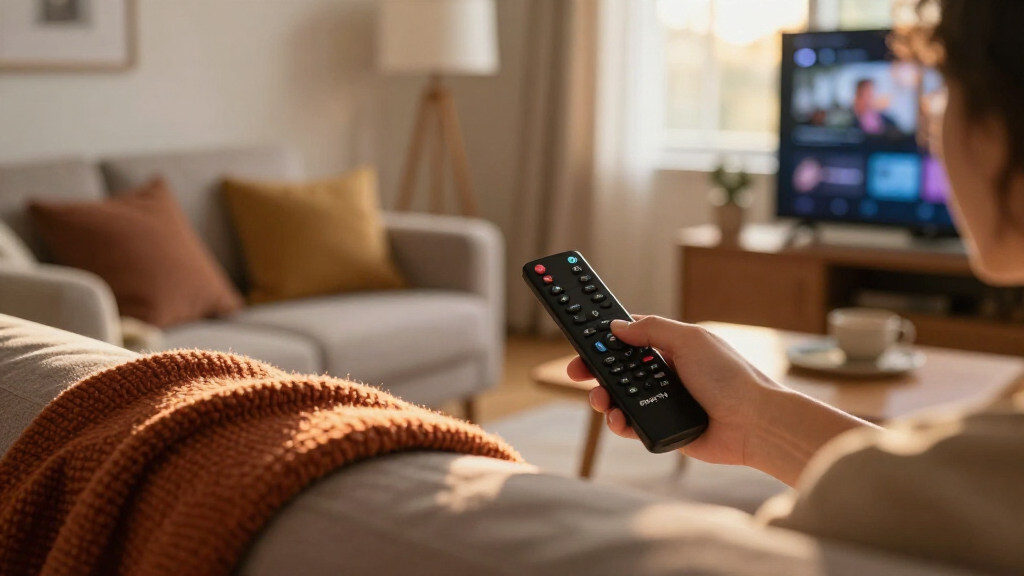

Amazon’s Fire TV lineup has grown into a family of streaming sticks and boxes that all run the same software but differ meaningfully in speed, picture quality, and hands-free features. The Fire TV Cube (3rd Gen) stands out as the most complete option, pairing flagship processing with built-in Alexa far-field microphones so you can control your entire setup by voice. If you want near-flagship performance for less, the Fire TV Stick 4K Max (2nd Gen) covers Dolby Vision and Wi-Fi 6E in a compact stick, while the Fire TV Stick HD handles the basics for older 1080p TVs. The main tradeoffs you’ll face are price versus processing power, whether you need 4K at all, and whether hands-free Alexa matters enough to justify a Cube. Read on for the full breakdown of all nine devices, including refurbished picks and bundled protection plans.

Get the latest gadgets delivered free — and shop member deals
- Fast, free delivery on millions of items
- Access to Prime Big Deal Days deals on October 6–7
- Prime Video, Amazon Music and more included
Complete the kit



Key Takeaways
- The Fire TV Cube (3rd Gen) earned the top spot because it’s the only device in the lineup that combines flagship-grade processing with far-field microphones, letting you search and control playback without touching the remote.
- For most 4K TV owners, the Fire TV Stick 4K Max (2nd Gen) delivers nearly all the performance of the Cube at a stick form factor — the main sacrifice is hands-free Alexa.
- The Fire TV Stick HD is the right call only for 1080p TVs; buying a 4K-capable stick for an HD panel wastes money on picture quality you can’t display.
- Refurbished picks (the Cube and the Stick 4K) offer genuine savings on current-generation hardware, but they suit patient buyers more than those who want the newest remote features.
- Bundles with 2-year protection plans only make sense for households with kids or heavy daily use — most buyers are better served putting that money toward a higher-tier device.
| Amazon Fire TV Stick 4K Max (2nd Gen) Streaming Device with Alexa Voice Remote |  | Best Overall | Processor: Quad-core, 2.0 GHz | Storage: 16GB | Wi-Fi: Wi-Fi 6E tri-band, 2.4/5/6 GHz | VIEW LATEST PRICE | See Our Full Breakdown |
| Amazon Fire TV Stick 4K Select Bundle with 2-Year Protection Plan |  | Best for Added Protection | Processor: Quad-core, 1.7 GHz | Storage: 8GB internal | Wi-Fi: Dual-band MIMO, 802.11a/b/g/n/ac | VIEW LATEST PRICE | See Our Full Breakdown |
| Amazon Fire TV Cube (3rd Gen) Streaming Media Player with Alexa |  | Best for Hands-Free Control | Processor: Octa-core: 4 × 2.2 GHz and 4 × 2.0 GHz | Memory and storage: 2GB memory; 16GB storage | Wi-Fi: Wi-Fi 6E tri-band | VIEW LATEST PRICE | See Our Full Breakdown |
| Amazon Fire TV Cube (Like-New, Refurbished) – Hands-Free Streaming Device with Alexa, Wi-Fi 6E, 4K Ultra HD |  | Best Refurbished Cube | Condition: Like-New, certified refurbished | Processor: Octa-core | Wi-Fi: Wi-Fi 6E | VIEW LATEST PRICE | See Our Full Breakdown |
| Amazon Fire TV Stick HD (Newest Model) with Alexa Voice Remote |  | Best for HD TVs | Resolution: Full HD | Connectivity: Wi-Fi 6, Bluetooth, HDMI, USB-C | Power: Direct power from TV via included USB-C cable | VIEW LATEST PRICE | See Our Full Breakdown |
| Amazon Fire TV Stick 4K (Newest Model, Like-New Refurbished) with AI-Powered Search, Wi-Fi 6, and Alexa Voice Remote |  | Best Budget 4K Pick | Resolution: 4K Ultra HD | HDR Support: Dolby Vision, HDR10+ | Audio: Dolby Atmos | VIEW LATEST PRICE | See Our Full Breakdown |
| Amazon Fire TV Cube (3rd Gen) with Alexa Voice Remote Pro |  | Best Premium Pick | Processor: Octa-core (4 x 2.2 GHz, 4 x 2.0 GHz) | Wi-Fi: Wi-Fi 6E tri-band (802.11a/b/g/n/ac/ax) | Ports: HDMI 2.1 in/out, USB-A 2.0, Ethernet (10/100 Mbps), IR extender | VIEW LATEST PRICE | See Our Full Breakdown |
| Amazon Fire TV Stick HD (2nd Gen) with 2-Year Protection Plan |  | Best for Beginners | Resolution: 1080p / 720p up to 60 fps | Processor: Quad-core 1.7 GHz | Wi-Fi: Dual-band Wi-Fi 6 (2.4 GHz and 5 GHz) | VIEW LATEST PRICE | See Our Full Breakdown |
| Amazon Fire TV Stick 4K Plus (Newest Model) with AI-Powered Fire TV Search, Wi-Fi 6, and Alexa+ |  | Best Overall | Max Resolution: 2160p (4K) up to 60 fps | HDR Support: Dolby Vision, HDR10, HDR10+, HLG | Processor: Quad-core 1.7 GHz, 650MHz GPU | VIEW LATEST PRICE | See Our Full Breakdown |
| Amazon Fire TV streaming device | Processor | Wi-Fi | Bluetooth | Audio |
|---|---|---|---|---|
| Amazon Fire TV Stick 4K Max | Quad-core, 2.0 GHz | Wi-Fi 6E tri-band, 2.4/5/6 GHz | Bluetooth 5.2 + BLE | — |
| Amazon Fire TV Stick 4K Select | Quad-core, 1.7 GHz | Dual-band MIMO, 802.11a/b/g/n/ac | Bluetooth 5.0 + BLE | — |
| Amazon Fire TV Cube | Octa-core: 4 × 2.2 GHz and 4 × 2.0 GHz | Wi-Fi 6E tri-band | Bluetooth 5.0 + LE | Dolby Atmos, 7.1 surround, stereo, HDMI pass-through up to 5.1 |
| Amazon Fire TV Cube | Octa-core | Wi-Fi 6E | — | Dolby Atmos |
| Amazon Fire TV Stick HD | — | — | — | — |
| Amazon Fire TV Stick 4K | — | — | — | Dolby Atmos |
| Amazon Fire TV Cube | Octa-core (4 x 2.2 GHz, 4 x 2.0 GHz) | Wi-Fi 6E tri-band (802.11a/b/g/n/ac/ax) | — | Dolby Atmos, 7.1 surround, HDMI passthrough up to 5.1 |
| Amazon Fire TV Stick HD | Quad-core 1.7 GHz | Dual-band Wi-Fi 6 (2.4 GHz and 5 GHz) | Bluetooth 5.3 + LE | — |
| Amazon Fire TV Stick 4K Plus | Quad-core 1.7 GHz, 650MHz GPU | Dual-band Wi-Fi 6 (2.4/5 GHz) | 5.2 + BLE | Dolby Atmos, 7.1 surround, passthrough up to 5.1 |
More Details on Our Top Picks
Amazon Fire TV Stick 4K Max (2nd Gen) Streaming Device with Alexa Voice Remote
For a compact stick that can handle a demanding 4K setup, I’d put the Fire TV Stick 4K Max (2nd Gen) first. Its 16GB storage gives more room for apps than the 4K Select’s 8GB, while Wi-Fi 6E and Dolby Vision support suit homes with a compatible router and TV. The included enhanced remote can also control a TV, soundbar, or receiver, reducing the need to juggle remotes. The Fire TV Cube is the stronger fit if you want hands-free Alexa and extra connections, but its tabletop footprint is less discreet. This stick’s gains depend on compatible equipment, and streaming subscriptions remain separate; buyers with an HD-only TV may get more than they need.
Pros:- 16GB storage offers more room for apps than the Fire TV Stick 4K Select
- Wi-Fi 6E support for compatible networks
- 4K video with Dolby Vision, HDR10+, and Dolby Atmos support
- Included enhanced remote controls compatible TVs and audio equipment
Cons:- Wi-Fi 6E benefits require a compatible router
- 4K and HDR playback require a compatible TV and supported content
- Cloud gaming and many streaming services require separate subscriptions
Best for: 4K TV owners who want a small, capable streamer, extra app storage, and one remote for their TV and audio gear
Not ideal for: People with an HD-only TV, a router without Wi-Fi 6E who expect its full wireless advantage, or buyers who want hands-free Alexa
- Processor:Quad-core, 2.0 GHz
- Storage:16GB
- Wi-Fi:Wi-Fi 6E tri-band, 2.4/5/6 GHz
- Bluetooth:Bluetooth 5.2 + BLE
- Maximum resolution:2160p at up to 60 fps
- Video formats:Dolby Vision, HDR10, HDR10+, HLG, H.265, H.264, VP9, AV1
- Audio formats:Dolby Atmos, 7.1 surround, stereo, Dolby Digital Plus
- Dimensions and weight:99 × 30 × 14 mm; 43.5 g
Our verdict“Choose the 4K Max if you want a compact 4K stick with extra storage and broad picture and audio format support.”
Amazon Fire TV Stick 4K Select Bundle with 2-Year Protection Plan
This bundle’s clearest distinction is the two-year protection plan, which covers up to three claims with replacement devices shipped after a valid claim. That can suit a household where a streaming stick gets moved between rooms or handled by several people. The device itself offers 4K and HDR10+, much like the 4K Max, but has 8GB storage and dual-band Wi-Fi instead of the Max’s 16GB and Wi-Fi 6E. For many viewers, that is enough for a straightforward app lineup; the Max is a better match for someone who wants more storage headroom or newer wireless support. Check the plan’s eligibility window: it applies to a 4K Select purchased within the prior 30 days. Subscriptions may still be needed for much of the content.
Pros:- Two-year protection plan includes up to three claims
- Replacement device shipping is listed as 2–3 days after a valid claim
- 4K output with HDR10+ support
- Remote includes IR control for compatible TVs and audio devices
Cons:- 8GB internal storage is half the 4K Max’s 16GB
- Wi-Fi is dual-band 802.11a/b/g/n/ac rather than Wi-Fi 6E
- Protection plan eligibility is limited to a 4K Select bought within the prior 30 days
Best for: 4K Select buyers who want a defined replacement plan for a stick used in a busy household
Not ideal for: Viewers who want Wi-Fi 6E or more than 8GB of device storage, or buyers whose 4K Select purchase falls outside the plan’s eligibility window
- Processor:Quad-core, 1.7 GHz
- Storage:8GB internal
- Wi-Fi:Dual-band MIMO, 802.11a/b/g/n/ac
- Bluetooth:Bluetooth 5.0 + BLE
- Maximum resolution:2160p at up to 60 fps
- Video formats:HDR10, HDR10+, HLG, H.265, H.264, VP9, AV1
- Protection plan:2 years, up to 3 claims; replacement shipping in 2–3 days after a valid claim
- Dimensions and weight:99 × 30 × 14 mm; 42 g
Our verdict“Pick this bundle if the 4K Select fits your setup and you value its included replacement coverage.”
Amazon Fire TV Cube (3rd Gen) Streaming Media Player with Alexa
If your goal is to control the entertainment setup by voice from across the room, I’d choose the Fire TV Cube (3rd Gen). Its built-in microphones and speaker let Alexa respond without reaching for a remote, and its HDMI input, Ethernet, USB-A, and IR extender offer more ways to connect equipment than the Fire TV Stick 4K Max. The Cube also has an octa-core processor and 16GB storage, with 4K, Dolby Vision, HDR10+, and Dolby Atmos support. Those extras make it the most capable fit here for a device-rich setup, but they come with a larger tabletop box and more connections to manage. If a discreet HDMI stick is the priority, the 4K Max is simpler; streaming subscriptions are separate either way.
Pros:- Built-in microphones and speaker enable hands-free Alexa
- Octa-core processor and 16GB internal storage
- HDMI input/output, Ethernet, USB-A, and IR extender provide varied connections
- Supports 4K, Dolby Vision, HDR10+, and Dolby Atmos
Cons:- Larger tabletop unit takes more space than the Fire TV Stick 4K Max
- Wi-Fi 6E requires a compatible 6 GHz network with WPA3
- Streaming services may require separate subscriptions
Best for: Viewers building a connected living-room setup who want hands-free Alexa and wired or IR device connections
Not ideal for: People who want a low-profile stick behind the TV or do not need hands-free voice control and the Cube’s extra ports
- Processor:Octa-core: 4 × 2.2 GHz and 4 × 2.0 GHz
- Memory and storage:2GB memory; 16GB storage
- Wi-Fi:Wi-Fi 6E tri-band
- Bluetooth:Bluetooth 5.0 + LE
- Maximum resolution:2160p at up to 60 fps
- Video formats:Dolby Vision, HDR10, HDR10+, HLG, H.265, H.264, VP9, AV1
- Audio:Dolby Atmos, 7.1 surround, stereo, HDMI pass-through up to 5.1
- Ports:HDMI 2.1 input and output, IR extender, USB-A 2.0, Ethernet 10/100 Mbps
- Dimensions and weight:86 × 86 × 77 mm; 513 g
Our verdict“Choose the Cube if hands-free Alexa and connections for other living-room devices matter more than a compact stick.”
Amazon Fire TV Cube (Like-New, Refurbished) – Hands-Free Streaming Device with Alexa, Wi-Fi 6E, 4K Ultra HD
This refurbished Fire TV Cube keeps the appeal of a Cube-centered setup—hands-free Alexa, Wi-Fi 6E, and 4K streaming with Dolby Vision and Dolby Atmos—in a certified Like-New unit. Compared with the new Fire TV Cube (3rd Gen) in this roundup, the supplied details do not list the same full port set or processor figures, so I would choose the new model if those specifics matter to your installation. The refurbished option includes the same limited warranty as a new device and an electronic microphone disconnect button, giving buyers a clear privacy control. It may arrive in generic Amazon-branded packaging, and the listed specs are less detailed than the new Cube’s. This is a fit for shoppers comfortable with refurbished gear who want Cube-style voice control.
Pros:- Hands-free Alexa with built-in microphones and speaker
- 4K streaming with Dolby Vision, HDR, and Dolby Atmos support
- Wi-Fi 6E support
- Same limited warranty as a new device and an electronic mic disconnect button
Cons:- Refurbished unit may arrive in generic packaging
- Provided specifications do not detail ports, memory, or processor speed
- Streaming services may require separate subscriptions
Best for: Buyers comfortable with certified refurbished electronics who want hands-free Alexa and 4K Cube features
Not ideal for: People who want original retail packaging or need detailed port and processor specifications before choosing
- Condition:Like-New, certified refurbished
- Processor:Octa-core
- Wi-Fi:Wi-Fi 6E
- Resolution:4K Ultra HD
- HDR support:Dolby Vision, HDR
- Audio:Dolby Atmos
- Voice assistant:Alexa hands-free
- Warranty:Same limited warranty as a new device
Our verdict“Choose this refurbished Cube if hands-free voice control matters and you are comfortable with certified refurbished hardware.”
Amazon Fire TV Stick HD (Newest Model) with Alexa Voice Remote
For a television that tops out at Full HD, the Fire TV Stick HD avoids paying for 4K capabilities the screen cannot show. This newest model pairs Wi-Fi 6 with a small HDMI stick and USB-C direct power from the TV, so its setup can be tidier than the 4K Fire TV sticks that target higher-resolution displays. The Alexa remote handles TV power and volume, while Alexa+ search and recommendations help find content across apps. Compared with the Fire TV Stick 4K Max, it gives up 4K, Dolby Vision, and the Max’s 16GB storage; that is a sensible compromise only if your display is HD. Powering from the TV also means the available USB-C power connection matters, and many streaming services require subscriptions.
Pros:- Full HD streaming in a compact HDMI stick
- Wi-Fi 6 support
- USB-C direct power from the TV can reduce cable clutter
- Alexa remote includes TV power and volume buttons
Cons:- Does not provide 4K playback like the Fire TV Stick 4K Max
- TV-powered setup depends on a usable USB-C power connection
- Many streaming services require subscriptions, and free content may include ads
Best for: Owners of Full HD televisions who want a compact streamer with TV power and volume controls
Not ideal for: 4K TV owners who want Ultra HD or Dolby Vision playback, or viewers who need a separate power adapter setup
- Resolution:Full HD
- Connectivity:Wi-Fi 6, Bluetooth, HDMI, USB-C
- Power:Direct power from TV via included USB-C cable
- Remote:Alexa Voice Remote with TV power and volume buttons
- Voice features:Alexa+ voice search and smart home control
- Streaming apps:Prime Video, Netflix, YouTube, Disney+, Apple TV, HBO Max, Hulu, Peacock, Paramount+ and others
Our verdict“Choose the HD stick for a Full HD screen when compact setup and TV controls matter more than 4K.”
Amazon Fire TV Stick 4K (Newest Model, Like-New Refurbished) with AI-Powered Search, Wi-Fi 6, and Alexa Voice Remote
This refurbished Fire TV Stick 4K stands out for buyers who want full 4K Dolby Vision streaming without paying new-unit pricing. Compared with the Fire TV Stick 4K Plus, it gives up the newer Alexa+ interface and HDMI 2.1 output, but the core picture quality, Wi-Fi 6, and Dolby Atmos support are effectively the same — which is why the savings matter here. It also handles Xbox Game Pass cloud gaming, something the cheaper Fire TV Stick HD can’t do comfortably. The tradeoff is cosmetic and psychological: the unit may arrive in generic packaging, and some buyers simply prefer sealed boxes. Since Amazon certifies it and backs it with the same limited warranty as a new device, the risk is low.
Pros:- 4K with Dolby Vision, HDR10+, and Dolby Atmos at a lower cost than new equivalents
- Certified refurbished with the same limited warranty as a new device
- Wi-Fi 6 holds up on busy home networks
- Xbox Game Pass cloud gaming without a console
Cons:- May arrive in generic, non-retail packaging
- Most streaming services still require separate paid subscriptions
Best for: Value-focused streamers with a 4K TV who don’t mind refurbished hardware in exchange for flagship picture features at a lower cost
Not ideal for: Gift-givers and buyers who want pristine retail packaging — the generic box undercuts the unboxing experience
- Resolution:4K Ultra HD
- HDR Support:Dolby Vision, HDR10+
- Audio:Dolby Atmos
- Connectivity:Wi-Fi 6
- Remote:Alexa Voice Remote with TV power and volume control
- Gaming:Xbox Game Pass cloud gaming support
- Condition:Like-New refurbished, tested and certified
- Warranty:Same limited warranty as new device
Our verdict“The smart choice for anyone who cares about picture quality over packaging and wants flagship 4K features for less.”
Amazon Fire TV Cube (3rd Gen) with Alexa Voice Remote Pro
The Fire TV Cube bundle is the most capable option in this lineup, and it earns its premium role through raw hardware and convenience. An octa-core processor makes apps launch noticeably faster than any stick here, including the Fire TV Stick 4K Plus, and it’s the only device in this batch with Wi-Fi 6E, an Ethernet port, and HDMI 2.1. The bundled Alexa Voice Remote Pro adds a backlit button layout, two customizable shortcuts, and a remote-finder — genuinely useful upgrades over the standard remote that ships with the sticks. Unlike every stick model, the Cube works as a hands-free Alexa speaker, so you can control the TV without touching anything. The tradeoffs are physical and financial: it’s a box that needs shelf space, a free HDMI input, and a bigger budget than any stick.
Pros:- Octa-core processor delivers the fastest app loads in the lineup
- Wi-Fi 6E plus built-in Ethernet for the most stable connection
- Hands-free Alexa voice control without the remote
- Alexa Voice Remote Pro with backlit buttons, custom shortcuts, and remote finder
Cons:- Requires a compatible 4K TV and high-speed HDMI to actually benefit
- Larger and pricier than any stick option in this roundup
Best for: Home theater enthusiasts who want the fastest interface, wired Ethernet, hands-free Alexa, and a premium backlit remote in one package
Not ideal for: Travelers and minimalist setups — it’s a 1.13 lb set-top box, not a pocketable stick, and it costs considerably more
- Processor:Octa-core (4 x 2.2 GHz, 4 x 2.0 GHz)
- Wi-Fi:Wi-Fi 6E tri-band (802.11a/b/g/n/ac/ax)
- Ports:HDMI 2.1 in/out, USB-A 2.0, Ethernet (10/100 Mbps), IR extender
- Video:Dolby Vision, HDR10, HDR10+, HLG, AV1, up to 2160p at 60 fps
- Audio:Dolby Atmos, 7.1 surround, HDMI passthrough up to 5.1
- Storage / Memory:16 GB storage, 2 GB RAM
- Remote:Alexa Voice Remote Pro (backlit, 2 customizable buttons, remote finder)
- Dimensions:3.38 x 3.38 x 2.99 in, 1.13 lbs
Our verdict“If speed, hands-free control, and connection flexibility matter more than price or portability, this is the device to buy.”
Amazon Fire TV Stick HD (2nd Gen) with 2-Year Protection Plan
For a first streaming device or a secondary TV, this bundle strips away everything a casual viewer doesn’t need. Full HD resolution covers bedrooms, kitchens, and older 1080p sets where the Fire TV Stick 4K‘s extra pixels would go to waste, and the compact stick hides entirely behind the TV. Setup is as simple as the lineup gets: plug into HDMI, connect to Wi-Fi 6, and the Alexa Voice Remote handles searching so no one has to type with a d-pad. What separates this from the standard Fire TV Stick HD is the two-year protection plan with up to three claims — a smart inclusion for households with kids, vacation rentals, or less careful users. The honest tradeoff: no 4K, slower quad-core performance than the pricier sticks, and subscriptions still cost extra.
Pros:- Full HD streaming with modern Wi-Fi 6 support
- Compact stick tucks behind the TV with no visible clutter
- Alexa voice search avoids tedious on-screen typing
- Two-year protection plan covers up to three claims
Cons:- Capped at 1080p — no 4K or Dolby Vision
- Quad-core processor feels slower than the 4K sticks when loading apps
Best for: First-time streamers and households adding a simple, protected device to a 1080p bedroom or kitchen TV
Not ideal for: Owners of 4K TVs — the Fire TV Stick 4K costs a bit more and delivers a visibly better picture
- Resolution:1080p / 720p up to 60 fps
- Processor:Quad-core 1.7 GHz
- Wi-Fi:Dual-band Wi-Fi 6 (2.4 GHz and 5 GHz)
- Bluetooth:Bluetooth 5.3 + LE
- Storage:8 GB
- Ports:HDMI output, USB-C power
- Protection Plan:2 years, up to 3 claims
Our verdict“An easy, low-risk entry point for casual viewers on HD sets, especially where accidental damage is a real possibility.”
Amazon Fire TV Stick 4K Plus (Newest Model) with AI-Powered Fire TV Search, Wi-Fi 6, and Alexa+
This is the pick I’d point most buyers toward, because it nails the balance the rest of the lineup tips one way or another. It matches the refurbished Fire TV Stick 4K on Dolby Vision, HDR10+, Dolby Atmos, Wi-Fi 6, and Xbox cloud gaming, but adds the redesigned 2026 Fire TV experience with Alexa+ — a smarter, conversational way to search across services that older models won’t get. Its HDMI 2.1 output with ARC support also gives it a cabling edge over the standard 4K stick. It can’t match the Fire TV Cube‘s octa-core speed, Ethernet, or hands-free Alexa, but it delivers roughly 90% of that experience in a stick that hides behind the TV for far less. Just know the caveats: 4K streaming needs a compatible TV and ideally a Wi-Fi 6 router, and the remote’s IR functions can be finicky with some TVs.
Pros:- Full 4K with Dolby Vision, HDR10+, and Dolby Atmos
- Newest Fire TV interface with Alexa+ conversational search
- HDMI 2.1 output with ARC support for cleaner soundbar setups
- Xbox Game Pass cloud gaming plus free ad-supported content
Cons:- Full feature set requires a 4K TV and Wi-Fi 6 router
- Remote IR functions may not control all TVs reliably
Best for: Most households with a 4K TV who want the newest software experience and flagship picture formats in a discreet, affordable stick
Not ideal for: Power users who want wired Ethernet, hands-free Alexa, or maximum app-launch speed — the Fire TV Cube covers those better
- Max Resolution:2160p (4K) up to 60 fps
- HDR Support:Dolby Vision, HDR10, HDR10+, HLG
- Processor:Quad-core 1.7 GHz, 650MHz GPU
- Wi-Fi:Dual-band Wi-Fi 6 (2.4/5 GHz)
- Ports:HDMI 2.1 output (ARC support), micro USB
- Audio:Dolby Atmos, 7.1 surround, passthrough up to 5.1
- Bluetooth:5.2 + BLE
- Voice Control:Alexa+ via Alexa Voice Remote or Fire TV app
Our verdict“The default recommendation: flagship 4K streaming and the newest Alexa experience in a stick, at a price well below the Cube.”
How We Picked
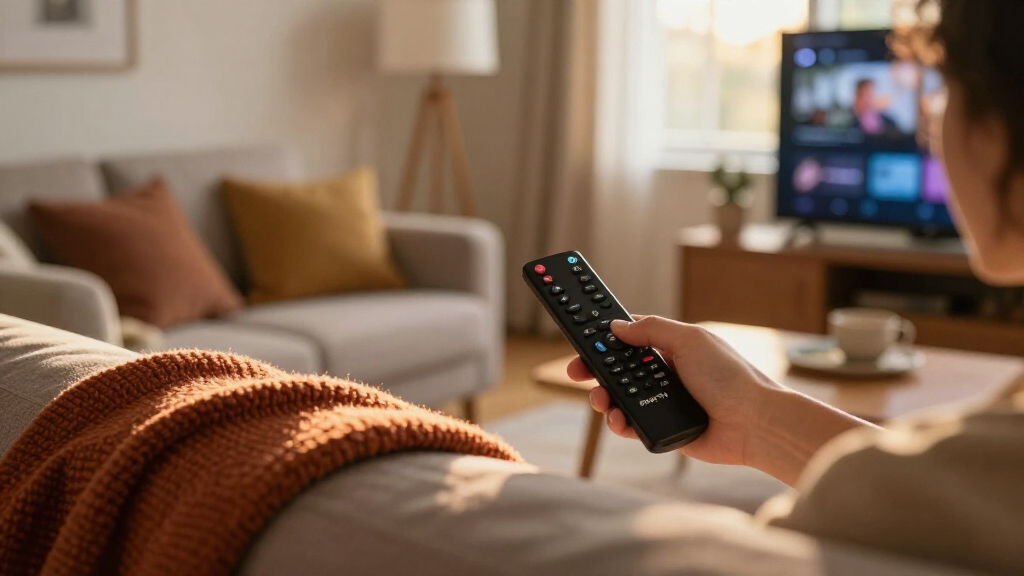
I evaluated these nine devices against the factors that actually shape daily viewing: processor speed and interface responsiveness, video format support (HD, 4K, HDR10+, Dolby Vision), Wi-Fi generation, remote quality, and whether the device offers hands-free Alexa. Because every Fire TV device runs identical software with the same app catalog, the differences between them come down almost entirely to hardware — so the ranking rewards models that feel faster today and stay responsive as apps grow more demanding. Form factor and expandability mattered too: a Cube connects via Ethernet-friendly setups and controls other gear, while sticks hide entirely behind the TV.
I also weighed who each product is for rather than ranking raw specs alone. A refurbished current-gen device can outrank a slower new one if the value equation favors it, and bundles were judged on whether the protection plan justifies its premium for realistic buyers. Devices lower in the ranking aren’t bad — they’re simply narrower fits, whether that’s limited to HD TVs, older Wi-Fi, or buyers who specifically want an included warranty.
| Amazon Fire TV streaming device | Audio |
|---|---|
| Amazon Fire TV Stick 4K Max | — |
| Amazon Fire TV Stick 4K Select | — |
| Amazon Fire TV Cube | Dolby Atmos, 7.1 surround, stereo, HDMI pass-through up to 5.1 |
| Amazon Fire TV Cube | Dolby Atmos |
| Amazon Fire TV Stick HD | — |
| Amazon Fire TV Stick 4K | Dolby Atmos |
| Amazon Fire TV Cube | Dolby Atmos, 7.1 surround, HDMI passthrough up to 5.1 |
| Amazon Fire TV Stick HD | — |
| Amazon Fire TV Stick 4K Plus | Dolby Atmos, 7.1 surround, passthrough up to 5.1 |
Factors to Consider When Choosing Amazon Fire TV Streaming Devices
Before settling on a specific Fire TV device, it helps to understand what actually separates the models — and where buyers commonly overspend or underbuy.Match the Device to Your TV’s Resolution
The single most common mistake is buying more streaming power than your TV can display. A 4K stick plugged into a 1080p panel will work fine, but you’re paying for Dolby Vision and higher bitrates your screen can’t show. Conversely, pairing a basic HD stick with a new 4K TV produces a visibly softer picture on large screens, especially with fast-moving sports. Check your TV’s resolution and HDR support before choosing — HD sticks are for HD TVs, 4K sticks are for 4K TVs. If you’re unsure of your TV’s specs, its model number in the settings menu will tell you everything, and it takes thirty seconds to check. Buyers who plan to upgrade their TV within a year or two may reasonably buy the 4K device now and carry it forward to the next set.
Processing Power Determines How Long It Lasts
Fire TV devices slow down as apps get heavier — this is why a stick that felt quick in year one can lag by year three. The gap between the entry-level HD stick’s chipset and the Cube’s processor is dramatic, and it widens over time. If you stream daily or use heavyweight apps like live TV services with channel guides, a faster processor is the feature most worth paying extra for, because it affects everything you do rather than one niche capability. Light streamers who watch one or two apps occasionally can safely choose the cheaper hardware. Think of it this way: picture quality features get used only when content supports them, but responsiveness is felt on every single menu interaction.”
Wi-Fi Generation and Router Compatibility
Hands-Free Alexa: Convenience or Redundancy?
Only the Cube offers true hands-free Alexa with far-field microphones built in, meaning you can pause a show or dim the lights without the remote. If you already own an Echo speaker near the TV, that hardware largely duplicates this function, which weakens the Cube’s case. But if the Cube would be your only Alexa device, it doubles as a full smart speaker and can replace an Echo entirely, changing its value math considerably. Voice control is also genuinely practical during meals, workouts, or when the remote has vanished into the couch again. Buyers who never talk to their devices should skip the premium and choose a stick instead — the remote-based Alexa on every stick handles the same commands when held.
Are Refurbished Fire TV Devices Worth It?
Amazon’s Like-New refurbished program covers current-generation hardware, which makes it a different proposition than buying an outdated model. The tradeoffs are cosmetic chance (minor scratches possible), potentially shorter included warranty terms, and non-original packaging. For a device that hides behind a TV, cosmetics barely matter, so the value case is strong for the Cube in particular, where the savings on premium hardware are largest. Refurbished sticks are a softer deal since new sticks are already inexpensive. Buy refurbished for big-ticket items in the lineup, buy new for the cheap ones — that’s the simplest rule. Also verify the listing specifies the current generation, as older refurbished stock of discontinued models still circulates.
Bundles and Protection Plans: When They Make Sense
Frequently Asked Questions
What’s the difference between the Fire TV Cube and the Fire TV Stick 4K Max?
Both stream 4K with HDR10+ and Dolby Vision, and both support fast Wi-Fi, so picture quality alone doesn’t separate them. The Cube adds a faster processor, built-in far-field microphones for hands-free Alexa, an HDMI port and Ethernet-friendly connections, and the ability to control soundbars, receivers, and cable boxes by voice. The Stick 4K Max wins on discretion — it tucks behind the TV and costs meaningfully less. If you already have an Echo speaker near the TV and just want fast 4K streaming, the stick covers your needs. If the Cube would be your first Alexa device or you want one hub controlling the whole entertainment center, it earns its premium.
Do I need a 4K Fire TV device if my internet is slow?
Your TV’s resolution matters more than your internet speed when picking a Fire TV device. A 4K stick on a 1080p TV gains you nothing, while a 4K TV benefits from a 4K device even on modest connections, because apps adaptively drop to lower bitrates rather than failing. That said, if your connection consistently falls below roughly 15 Mbps, you’ll rarely stream true 4K quality, so a standard HD stick paired with an HD TV is an honest, sensible setup. Also remember that other household devices sharing the network eat into available bandwidth during peak evening hours. The device decision should follow the TV; the streaming quality will follow the network.
Is the Fire TV Stick 4K Plus worth it over the regular Stick 4K models?
The Stick 4K Plus sits between the standard Stick 4K and the 4K Max, offering Wi-Fi 6 and the newer AI-powered Fire TV Search with Alexa+. That AI search genuinely changes daily use — it handles natural-language requests and jumps into content faster than the older search — and the newer processor keeps menus snappier than the base model. If you’re choosing between the Plus and the Max, the Max pulls ahead on raw speed and Wi-Fi 6E, so it comes down to whether you value saving a bit or future-proofing your network. Compared with the base Stick 4K, the Plus is the better long-term buy for daily streamers. Casual, occasional viewers will be perfectly content with the cheaper model.
Can a Fire TV Stick replace cable TV?
For most households, yes — every Fire TV device supports the major live TV apps (YouTube TV, Hulu + Live TV, Sling, Fubo) alongside all the on-demand services. The Cube makes the switch smoother because its voice control can change channels and manage live guides hands-free, and it can even control a cable box during a phased transition. Sticks handle the same apps but rely entirely on the remote for navigation, which feels slower when channel-surfing. The honest caveat is cost accounting: live TV streaming subscriptions now approach cable pricing, so savings depend on which channels you actually watch. Run a one-month trial of a live TV service on any Fire TV device before canceling cable.
Will a Fire TV device work on an older non-smart TV?
Yes, as long as the TV has an HDMI port — Fire TV devices turn any HDMI-equipped TV into a smart TV, which is one of their strongest use cases. For older 720p/1080p sets, the Fire TV Stick HD is the logical match since the panel can’t display 4K anyway. One thing to check is whether the TV’s HDMI ports are easily reachable; sticks plug directly in, and on wall-mounted TVs a short HDMI extender (often included) prevents fit issues. Older TVs may also have weak built-in upscaling, and Fire TV devices generally handle scaling better than aging TV processors. If your TV predates HDMI entirely, you’d need an analog converter, which usually isn’t worth the hassle compared with a modest TV upgrade.
Conclusion
After comparing all nine devices, the right choice maps cleanly to buyer type. For the best overall pick, the Fire TV Cube (3rd Gen) earns it with flagship speed, hands-free Alexa, and full entertainment-center control — a genuinely all-in-one hub. The best value goes to the Fire TV Stick 4K Plus, which brings AI-powered search and Wi-Fi 6 to a mid-tier price, while the refurbished Fire TV Cube is the smartest premium play for budget-aware buyers who want top hardware for less. Beginners and owners of older 1080p TVs should start with the Fire TV Stick HD, the simplest and cheapest capable option. For specific needs: daily power users who don’t want a Cube should grab the Stick 4K Max for its Wi-Fi 6E and speed, households with kids will find the 2-year protection bundles worthwhile, and the Cube with the Alexa Voice Remote Pro suits smart-home enthusiasts who want backlighting and a remote-finder. Match the device to your TV, your network, and how you actually watch — that’s the decision that matters most.
Fall Picks
fall essentials
As an affiliate, we earn on qualifying purchases.