
Choosing the best business laptop for working from home involves balancing performance, portability, and budget. The HP 14 stands out as a lightweight, affordable option with decent performance for basic tasks, while the Dell Inspiron 15 offers a powerful setup ideal for multitasking and demanding applications. Many buyers face tradeoffs between speed, screen size, and price, making it important to match your specific needs. Continue reading for a detailed breakdown of these top contenders and how they compare.
Key Takeaways
- The top-ranked laptops balance performance and portability, with models like the Dell Inspiron excelling in multitasking and power.
- Affordability varies widely, but budget options like the HP 14 still offer essential features for working from home.
- Larger screens (15.6” and above) are favored for extended work sessions, but they often come with increased weight and size.
- Premium models with faster processors and more RAM provide smoother multitasking but come at higher costs.
- Features like backlit keyboards, biometric security, and Wi-Fi 6 support enhance remote work convenience, especially on mid-range and high-end laptops.




More Details on Our Top Picks
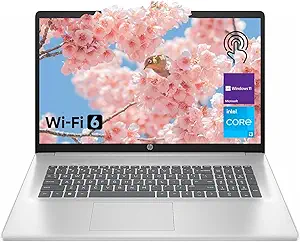
HP 14 Laptop, Intel Celeron N4020, 4 GB RAM, 64 GB Storage, 14-inch Micro-edge HD Display, Windows 11 Home, Thin & Portable, 4K Graphics, One Year of Microsoft 365 (14-dq0040nr, Snowflake White)
This HP 14 stands out for its ultra-lightweight design and impressive battery life, making it ideal for those who need a portable device for light work or browsing. Compared to the Lenovo IdeaPad, it offers less processing power but excels in portability and battery longevity, which is perfect for users always on the move. Its Intel Celeron N4020 performs well for basic tasks but struggles with multitasking or demanding applications. The 4K-ready Intel UHD Graphics 600 allows streaming and casual gaming, yet the 64 GB storage is quite limited, requiring cloud or external storage for larger files. The 14-inch HD display, with a 79% screen-to-body ratio, provides a more immersive viewing experience than bulkier alternatives. Its 11+ hours of battery life and fast-charging support suit users who prioritize all-day use without frequent recharges. However, the low RAM and storage make it unsuitable for intensive multitasking or modern productivity apps.
Pros:- Extremely lightweight and slim, ideal for portability
- Long battery life up to 11.5 hours with fast charging
- Micro-edge bezel enhances viewing area and immersion
- Preloaded with Windows 11 Home in S mode for security
Cons:- Limited to 4 GB RAM, restricting multitasking
- Only 64 GB eMMC storage, insufficient for large files or extensive software
- HD resolution (1366 x 768) feels outdated compared to Full HD options
Best for: Students or professionals needing a highly portable, affordable device for light tasks and media consumption
Not ideal for: Power users or those running demanding software, due to its limited RAM and storage capacity
- Display Size:14 inches
- Resolution:1366 x 768 pixels
- Processor:Intel Celeron N4020, 2.8 GHz
- RAM:4 GB
- Storage:64 GB eMMC
- Battery Life:up to 11.5 hours
Bottom line: Best suited for students or casual users prioritizing portability and battery life over processing power.
Auusda Business Laptop Computer for Work, Notebook PC for College Students, 15.6″ FHD Display, 4-Core Processor, Backlit Keyboard, Fingerprint ID, Up to 10TB Storage, 16GB DDR4 RAM, 1TB NVMe, Silver
This Auusda offers a compelling combination of high performance and extensive storage, making it ideal for professionals or students with demanding multitasking needs. Unlike the Dell Inspiron with its 32 GB RAM, it provides a slightly more affordable option with similar or better storage options, but with a focus on value. Its 16 GB DDR4 RAM and 1TB NVMe SSD ensure smooth performance across multiple applications and fast data access, suitable for heavy multitasking, media editing, or large project files. The 15.6-inch FHD IPS display with a backlit keyboard enhances user comfort in various lighting conditions. The fingerprint reader adds security for sensitive work, and the 10TB storage capacity surpasses many competitors. Its weight and size are manageable for daily commuting, yet it’s not as ultraportable as smaller models. The main tradeoff involves the bulkier form factor and potentially reduced battery longevity compared to lighter options.
Pros:- Massive 10TB storage capacity, ideal for large files
- 16GB DDR4 RAM supports heavy multitasking
- Full backlit keyboard for productivity in low-light conditions
- Fingerprint ID enhances security
Cons:- Bulkier and heavier than ultraportable laptops
- Battery life may be limited with high-performance components
- Design is somewhat basic, lacking premium aesthetics
Best for: Power users and students needing large storage and robust multitasking capability on a budget
Not ideal for: Those who prioritize extreme portability or long battery life, as it’s slightly heavier and less mobile than ultralights
- Display Size:15.6 inches
- Resolution:1920 x 1080
- Processor:Intel Core i5, 4 cores, up to 3.4 GHz
- RAM:16 GB DDR4
- Storage:1TB NVMe SSD
- Weight:approx. 3.7 lbs
Bottom line: A high-performance, large-storage laptop perfect for professionals or students with intensive data needs on a budget.
Dell Inspiron 15 Touchscreen Laptop for 2025-2026 Business Student Home, AI Computer, 15.6″ FHD, 10-Core Intel i5, 32GB RAM, 1TB Storage (512GB SSD+500GB Ext) MarxsolAddon, Win 11 Pro, Lifetime Office
This Dell Inspiron is tailored for demanding multitaskers, students, and business users seeking power and expandability. Its standout feature is the 10-core 13th Gen Intel i5 processor, which outperforms many competitors like the HP Pavilion with its 8GB RAM, by offering a substantial 32GB DDR4 RAM for seamless multitasking. The 15.6-inch FHD touchscreen with wide angles enhances productivity and media use. The 1TB combined SSD and external drive provide ample space for large projects, content, and backups. Windows 11 Pro preloaded ensures advanced security and business features, while the included Microsoft Office suite streamlines daily productivity. Its relatively light weight makes it portable, but the high specs come at a higher price point. The main tradeoff involves the premium cost and slightly shorter battery life than lighter models, which may impact all-day portability.
Pros:- Powerful 10-core 13th Gen Intel i5 CPU for demanding tasks
- Generous 32GB DDR4 RAM supports multitasking
- Large 1TB SSD for quick access and storage
- Preloaded with Windows 11 Pro and Microsoft Office
Cons:- Relatively heavier than ultra-portables
- Higher price compared to basic models
- Battery life might be shorter under heavy load
Best for: Business professionals, students, or content creators needing high RAM and processing power for multitasking
Not ideal for: Light users or those looking for ultra-lightweight devices, as it’s somewhat heavier and more expensive
- Display Size:15.6 inches
- Resolution:1920 x 1080
- Processor:Intel Core i5, 10-core, up to 4.6 GHz
- RAM:32 GB DDR4
- Storage:1TB SSD (512GB + 500GB external)
- Weight:approx. 3.9 lbs
Bottom line: Ideal for professionals or students who need a high-performance device with extensive multitasking capabilities.
Lenovo IdeaPad Business Laptop, 15.6″ FHD Touchscreen Display, Intel 13th 10-Core i5 CPU (Up to 4.6 GHz), 16GB RAM, 1TB SSD, Copilot AI Ready, Wi-Fi 6, Windows 11 Pro with Microsoft Office, WOWPC USB
This Lenovo IdeaPad excels in combining high power with portability, making it ideal for professionals and students who need a versatile machine. Its 13th Gen 10-core i5 CPU with Wi-Fi 6 and Windows 11 Pro provides a fast, secure, and future-proof platform. The 16GB DDR4 RAM supports smooth multitasking, and the 1TB SSD offers quick data access and ample storage. The 15.6″ FHD touchscreen with anti-glare coating gives clear visuals for work and entertainment, while the included Microsoft Office license simplifies setup. Its slim profile and lightweight design make it suitable for on-the-go use. Compared to the HP Pavilion, it offers more expandability and business features, though at a slightly higher price. The main tradeoff involves the slightly smaller RAM compared to the ultra-high configurations but remains sufficient for most productivity needs.
Pros:- High-performance 10-core 13th Gen Intel i5 CPU
- 16GB DDR4 RAM for smooth multitasking
- Large 1TB SSD for fast storage and ample space
- Slim, lightweight design with touchscreen
Cons:- Higher price point compared to entry-level models
- Integrated graphics limit gaming/graphics-intensive work
- No dedicated GPU for demanding creative tasks
Best for: Business users and students seeking a powerful, expandable, and portable laptop
Not ideal for: Users needing a dedicated graphics card or ultra-lightweight ultraportable, as it’s mid-weight with integrated graphics
- Display Size:15.6 inches
- Resolution:1920 x 1080
- Processor:Intel Core i5, 10-core, up to 4.6 GHz
- RAM:16 GB DDR4
- Storage:1TB SSD
- Weight:approx. 3.9 lbs
Bottom line: Perfect for professionals and students who need a powerful yet portable device with expandability.
HP 17 Inch Laptop, 17.3″ FHD IPS Display, AMD Ryzen 5 7430U (Up to 4.5GHz), 20 GB RAM, 512 GB SSD, Wi-Fi 6, Bluetooth 5.4, Windows 11 Pro, Copilot AI Key, Numeric Keypad, w/RECOLX AI Voice Recorder
This HP 17-inch laptop stands out for its expansive display, making multitasking and content creation more comfortable than smaller models like the Lenovo V-Series V15. Its AMD Ryzen 5 7430U processor delivers responsive performance for daily productivity, while 20GB RAM ensures smooth handling of multiple applications. Compared to the HP 14-inch, its larger screen reduces eye strain during long work sessions, though the bulkier design means less portability. The 512GB SSD provides quick boot times and ample space for files, but the large size makes it less suited for frequent travel. Its Windows 11 Pro and Copilot AI Key enhance efficiency with AI assistance, although the 3-cell battery offers only about 9 hours of mixed usage, slightly less than ultra-portable options. This pick makes the most sense for users who prioritize a large display and multitasking capability from a home office, willing to compromise on weight.
Pros:- Large 17.3″ FHD IPS display reduces eye strain and improves productivity
- 20GB high-bandwidth RAM handles multiple applications smoothly
- Responsive AMD Ryzen 5 7430U processor for daily tasks
- Dedicated AI Copilot Key for quick AI assistance
Cons:- Bulky size at over 4.5 lbs limits portability
- Battery life around 9 hours may be insufficient for all-day use
- Lack of touchscreen reduces versatility for some tasks
Best for: Home professionals who need a large screen and powerful multitasking performance.
Not ideal for: Travelers or those with limited space who prefer lightweight, compact laptops.
- Processor:AMD Ryzen 5 7430U
- Display Size:17.3 inches
- RAM:20 GB DDR4
- Storage:512 GB SSD
- Battery Life:Up to 9 hours
- Connectivity:Wi-Fi 6, Bluetooth 5.4
Bottom line: Ideal for users who want a large, distraction-free display for extended work sessions at home but can accept some weight for better performance.
Lenovo V-Series V15 Business Laptop, 15.6″ FHD Display, AMD Ryzen 7 7730U, 16GB RAM, 1TB SSD, Numeric Keypad, HDMI, RJ45, Webcam, Wi-Fi, Windows 11 Pro, Black
Compared to the HP 17-inch, the Lenovo V15 prioritizes portability without sacrificing performance, thanks to its AMD Ryzen 7 7730U processor and 16GB RAM, suitable for demanding multitasking. Its 1TB SSD offers ample storage for large files and projects, making it a strong contender against more expensive models like the HP 17. The 15.6″ FHD display is sharp, though not as immersive as the larger screen, but the laptop’s lightweight design at just over 3.5 pounds makes it easier to carry around. Its array of ports, including HDMI and RJ45, enhances connectivity for remote work, but the battery life may fall short for all-day use under heavy load. This model is well-suited for professionals needing a high-performance yet portable machine for home or on-the-go work, especially where space is limited.
Pros:- Powerful AMD Ryzen 7 7730U processor for demanding multitasking
- Fast 1TB SSD for large data storage and quick access
- Lightweight at around 3.6 lbs for portability
- Multiple connectivity options including HDMI and RJ45
Cons:- Battery life may be limited during intensive use
- No touchscreen functionality
- Display brightness limited to 250 nits, less vivid in bright environments
Best for: Mobile professionals and students who need a powerful, portable laptop with large storage.
Not ideal for: Users who prefer larger screens or require touchscreen functionality for creative tasks.
- Processor:AMD Ryzen 7 7730U
- Display Size:15.6 inches
- RAM:16 GB DDR4
- Storage:1TB SSD
- Weight:3.59 lbs
- Connectivity:Wi-Fi 6, HDMI, RJ45
Bottom line: A highly portable, high-performance choice for professionals who need speed and storage in a compact form factor.
HP 17.3″ Laptop for Home, Students, Business, Lifetime Office 365 for The Web, 17.3″ Touchscreen, 8-Cores Intel CPU, w/Copilot, 8GB RAM, 128GB eMMC, Camera Privacy Shutter, Win11
This HP 17.3″ touchscreen laptop offers a budget-friendly option with solid basic performance, featuring an Intel Core i3-N305 processor and 8GB RAM, making it suitable for light productivity tasks. While it doesn’t match the raw power of the Ryzen 7 in the Lenovo, it provides a larger display perfect for consuming content and basic multitasking, especially for home or student environments. The 128GB eMMC storage is modest but sufficient for web use and document storage, though it may be limiting for large files. Its touchscreen and privacy shutter add convenience and security, making it ideal for users primarily engaged in browsing, light editing, or online classes. Compared to premium models, its lower price is balanced by its simplicity and ease of use, although it’s less suited for heavy workloads or extended hours.
Pros:- Large 17.3″ touch-enabled display for easy interaction
- Affordable price point suitable for basic tasks
- Privacy shutter enhances security during video calls
- Includes Windows 11 and Office 365 Web for productivity
Cons:- Limited 128GB eMMC storage restricts large file handling
- Lower processing power compared to Ryzen models
- Battery life is limited and may not last a full day
Best for: Students or home users seeking a large touchscreen device on a tight budget.
Not ideal for: Power users or professionals needing extensive storage and processing power.
- Processor:Intel Core i3-N305
- Display Size:17.3 inches
- RAM:8 GB
- Storage:128 GB eMMC
- Touchscreen:Yes
- Battery Life:Limited
Bottom line: A good choice for budget-conscious users who prioritize a large touchscreen and basic functionality for home or educational use.
HP Laptop Computer 15.6 for Business Home and Student, with Office 365 for The Web, Windows 11 Home, Thin and Lightweight Notebook, IPS, Intel Dual Core, 4GB RAM, 256GB SSD, Wi-Fi6, Webam, with Hub
This HP 15.6″ laptop offers a balanced blend of portability and decent performance, featuring an Intel Dual-Core CPU and 4GB RAM, suitable for light office work, web browsing, and streaming. Compared to the AMD Ryzen 7 in the Lenovo, it’s less powerful but more lightweight and affordable, making it ideal for those who prioritize portability over processing power. Its 256GB SSD ensures quick startups and ample space for documents and media, though multitasking with many applications may cause lag. The IPS display provides decent viewing angles, but the 720p resolution limits clarity for detailed work. The inclusion of Office 365 for the Web and Windows 11 Home makes it ready out-of-the-box for daily tasks, though it’s not designed for intensive workloads or long hours of continuous use. This makes it a practical choice for students or remote workers needing a simple, lightweight device.
Pros:- Lightweight and thin design for portability
- Fast SSD for quick boot-up times
- Pre-installed with Windows 11 Home and Office 365 Web
- IPS display provides decent viewing angles
Cons:- Limited 4GB RAM may hinder multitasking
- Lower resolution (720p) less sharp for detailed work
- Processor may struggle with heavier workloads
Best for: Students or casual home users needing a lightweight, affordable device for basic tasks.
Not ideal for: Power users or professionals requiring more RAM and processing power for multitasking.
- Processor:Intel Dual-Core
- Display Size:15.6 inches
- RAM:4 GB
- Storage:256 GB SSD
- Display Technology:IPS
- Weight:Less than 4 lbs
Bottom line: A straightforward, portable option for light daily use and basic productivity needs at home or school.
HP Ultrabook 14 Laptop Computer Business Study & Home 2026, MS Office for The Web + Win11 Home, Quad-Core Intel CPU, 128GB SSD, WiFi 6, Bundle Thunderobot Wireless Mouse
This HP Ultrabook emphasizes portability, weighing just over 3.2 pounds with a Quad-Core Intel CPU and a modest 128GB SSD, making it suitable for users who prioritize mobility over extensive storage or processing power. Its 14-inch display is compact but offers a clear viewing experience with anti-glare coating, ideal for working in various environments. Unlike the larger HP models, it’s less suited for heavy multitasking or large file storage, but it’s excellent for quick tasks, browsing, and note-taking on the go. The inclusion of Wi-Fi 6 and Bluetooth 5.3 ensures fast and stable connections, and bundled with a wireless mouse, it’s ready for mobile productivity. Its lower power profile means shorter battery life compared to larger models, but it compensates with rapid charging. This pick is perfect for students or remote workers who need a lightweight device for light tasks and frequent travel.
Pros:- Ultra-lightweight at just over 3.2 lbs for easy portability
- Quad-Core processor provides decent performance for everyday tasks
- Fast Wi-Fi 6 and Bluetooth 5.3 for reliable connectivity
- Includes bundle with wireless mouse for mobility
Cons:- Limited 128GB SSD storage restricts large files
- Battery life may be shorter with intensive use
- No touchscreen or high-resolution display
Best for: Students or commuters needing a lightweight, quick-to-carry device for light tasks and web browsing.
Not ideal for: Power users or those needing significant storage or multitasking capabilities.
- Processor:Quad-Core Intel
- Display Size:14 inches
- RAM:8 GB
- Storage:128 GB SSD
- Connectivity:Wi-Fi 6, Bluetooth 5.3
- Weight:3.24 lbs
Bottom line: Best suited for users who need a lightweight, portable device for light work and quick mobility without heavy storage needs.

How We Picked
To determine the best business laptops for working from home, I considered key factors such as processing power, RAM, storage capacity, build quality, and portability. I prioritized models that deliver reliable performance for common remote work tasks like video conferencing, document editing, and multitasking. Battery life, keyboard comfort, and connectivity options also played a role, as these directly impact daily usability. The ranking reflects a balance between value and features, favoring devices that suit a range of budgets while maintaining core business functionality.Factors to Consider When Choosing Best Business Laptops For Working From Home
When selecting a business laptop for working from home, several factors should influence your decision. Understanding these can help you avoid common pitfalls and choose a device that truly meets your needs without overspending. From processing power to portability, each aspect impacts daily performance and long-term satisfaction.Performance and Processing Power
For remote work, a capable processor and sufficient RAM are essential to handle multiple applications simultaneously. A quad-core Intel i5 or AMD Ryzen 5 processor generally provides a good balance of speed and efficiency for most tasks. If your work involves heavy multitasking, video editing, or large spreadsheets, opting for higher-end CPUs and at least 16GB of RAM can prevent slowdowns. However, investing in top-tier specs may not be necessary if your tasks are light, so consider your typical workload carefully.
Display Size and Screen Quality
Screen size impacts comfort and productivity; larger displays (15.6” or bigger) reduce eye strain during long work sessions and improve multitasking with multiple windows. Touchscreens add convenience but can increase device weight and cost. A high-resolution display (Full HD or better) ensures clear visuals, especially during video calls and detailed work. However, larger screens often mean a bulkier device, so balance your workspace needs with portability.
Portability and Battery Life
If you frequently move between rooms or work in different locations, lightweight laptops with long battery life are preferable. Devices under 3 pounds offer easier portability, but may sacrifice some ports or processing power. Battery life varies; models with 8+ hours of endurance reduce reliance on chargers during busy workdays. Consider your mobility needs carefully—if you mostly stay at your desk, a slightly heavier but more powerful machine might make more sense.
Connectivity and Security Features
Reliable Wi-Fi 6 support ensures fast, stable internet connections essential for video calls and cloud-based apps. Multiple USB ports, HDMI, and SD card slots expand your connectivity options. Security features such as fingerprint scanners or facial recognition add peace of mind when working with sensitive data. Prioritize these features if remote work involves confidential information or frequent device sharing.
Budget and Long-Term Value
While budget models can meet basic needs, investing slightly more often yields better durability, performance, and future-proofing. Look for laptops with a solid build, good customer reviews, and warranty options. Avoid overly cheap devices that may require early replacement or lack essential features. Balance your current budget with anticipated needs to find the best long-term value.
Frequently Asked Questions
Is a touchscreen necessary for working from home?
While a touchscreen can enhance ease of use, especially for annotations or quick navigation, it is not a necessity for remote work. Many budget-friendly laptops omit touchscreens without sacrificing core functionality. If your workflow benefits from touch input or you prefer a tablet-style experience, then prioritizing a touchscreen makes sense. Otherwise, you can save money by choosing a traditional non-touch display that offers better battery life or performance.
How much RAM do I really need for remote work?
For most remote work tasks like document editing, email, and video calls, 8GB of RAM is sufficient. However, if you tend to run multiple applications simultaneously or use demanding programs, upgrading to 16GB can improve responsiveness and reduce lag. Future-proofing with more RAM can also extend the lifespan of your device, especially as software requirements increase. Consider your multitasking habits when choosing the right amount of memory.
Should I prioritize a larger screen or portability?
This depends on your typical work environment. Larger screens—15.6” or bigger—improve comfort and multitasking but come with increased weight, which may hinder portability. If you work mostly from a dedicated home office, a bigger display is advantageous. Conversely, if you need to carry your laptop frequently or have limited space, a smaller, lighter model might be more practical. Balance your mobility needs with screen size for the best fit.
Are premium features worth the extra cost?
Premium features like faster processors, more RAM, higher-quality displays, and biometric security can significantly enhance your remote work experience. However, they come at higher prices. If your tasks are basic, investing in mid-range models often provides the best value. For power users or those with demanding workflows, spending more on premium features can pay off in improved productivity and device longevity.
How important is battery life for working from home?
Battery life remains important even when working primarily from home, especially if you move around your space or work remotely in different locations. A long-lasting battery reduces interruptions and allows you to work comfortably without constantly searching for power outlets. Look for laptops with at least 8 hours of battery life if you value mobility, but remember that real-world endurance varies based on usage and settings.