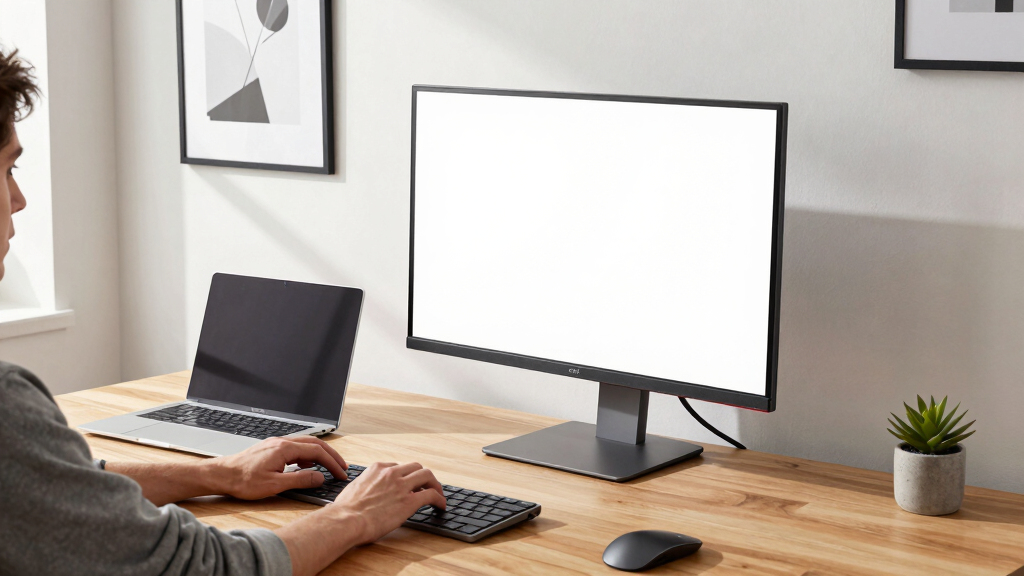

Choosing the best monitor for a home office involves balancing display size, resolution, connectivity, and eye comfort features. The Samsung 34″ ViewFinity S50GC Series stands out as the overall top pick for its ultrawide workspace and vibrant HDR10 support. For those on a budget, the Philips 24″ Frameless Full HD offers essential features with a four-year warranty, making it a reliable choice. Meanwhile, professionals seeking high-resolution clarity might prefer the Dell 27″ 4K S2725QS for crisp visuals and color accuracy. The main tradeoffs in this category typically involve screen size versus desk space, and high-end features versus budget constraints. Keep reading for a detailed breakdown of these options and what to prioritize for your home setup.
Key Takeaways
- Ultrawide monitors like the Samsung S50GC excel for multitasking and immersive workspaces, but they can take up significant desk space and often come at a higher price.
- High-resolution options such as 4K displays provide crisp visuals, ideal for detailed tasks, though they tend to cost more and require more powerful hardware.
- Refresh rate matters less for typical office work but can benefit users who also engage in light gaming or want smoother visuals; 75Hz or 100Hz options are sufficient.
- Eye care features like flicker-free screens and low Blue Light modes are increasingly common and important for reducing eye strain during long work sessions.
- Connectivity options such as USB-C and HDMI vary widely; choosing a monitor with versatile ports ensures easier integration with multiple devices.


More Details on Our Top Picks
Samsung 34″ ViewFinity S50GC Series Ultrawide QHD Monitor, 100Hz, 5ms, HDR10, AMD FreeSync, Ultrawide Screen, Eye Care, Thin Bezels, PIP, PBP, LS34C50DGANXZA, 2023, Black
This monitor stands out for its expansive 21:9 ultrawide aspect ratio, making it ideal for multitasking and immersive workflows, especially compared to the Dell 34 Plus for its nearly bezel-free design and seamless multi-input features. Its Ultra-WQHD resolution coupled with HDR10 over a billion colors delivers stunning visual depth, perfect for creative professionals and power users. The monitor’s eye care features like Flicker Free and ambient light sensors reduce strain during long sessions, though the 100Hz refresh rate, while good, isn’t as high as some gaming-focused models like the Samsung 32″ Flat, which might appeal more to gamers. The inclusion of PBP and PIP enhances productivity by allowing multiple inputs at once, but the slim bezels and ultrawide screen come with a higher price point and slightly increased desk space needs. Overall, this pick makes the most sense for users who need a large, vibrant display for both work and entertainment with minimal distractions, but those on a strict budget or seeking higher refresh rates might consider alternatives.
Pros:- Ultra-wide 21:9 aspect ratio maximizes workspace and enhances multitasking
- Ultra-WQHD resolution with HDR10 offers rich, vivid visuals
- PBP and PIP features allow input from two sources simultaneously
- Eye care technology reduces blue light and flicker for extended use
Cons:- Higher price compared to standard 16:9 monitors
- Requires more desk space due to ultrawide design
- Limited 100Hz refresh rate, less ideal for fast-paced gaming
Best for: Creative professionals, streamers, and multitaskers who need extensive screen real estate and color accuracy.
Not ideal for: Casual users or gamers seeking ultra-high refresh rates for competitive play, as the 100Hz refresh rate may not meet their needs.
- Display Size:34 Inches
- Resolution:3440 x 1440
- Refresh Rate:100Hz
- Contrast Ratio:3000:1
- Viewing Angle:178 Degrees
- Ports:2 HDMI, 2 DisplayPort
Bottom line: This monitor is perfect for professionals who prioritize expansive, high-quality visuals and multitasking, but it may be less suited for competitive gaming or tight budgets.
Philips New 24 inch Frameless Full HD (1920 x 1080) 100Hz Monitor, VESA, HDMI x1, VGA Port x1, Eye Care, 4 Year Advance Replacement Warranty, 241V8LB, Black
This model makes the list for its balance of affordability and solid performance, offering a 24-inch Full HD display with a 100Hz refresh rate, making it suitable for general office tasks and media consumption compared to the Dell 27se. Its VA panel produces deeper blacks and better contrast than typical IPS panels, which can be advantageous for multimedia work, though it lacks the color accuracy of higher-end models like the Samsung ViewFinity. The frameless design maximizes screen real estate in a compact form factor, and the 4-year advance replacement warranty adds peace of mind, but its small size limits its utility for users who prefer larger screens or need extensive multitasking space. The inclusion of Eye Care tech helps reduce eye fatigue, but the limited ports and resolution may be less appealing for power users or those with advanced connectivity needs. Overall, this monitor offers excellent value for everyday office work and media use, but power users might require a larger or higher-resolution display.
Pros:- Affordable price point for basic office and media tasks
- Deep contrast with VA panel enhances multimedia viewing
- Frameless design maximizes screen space in small desks
- 4-year warranty ensures long-term support
Cons:- Limited connectivity options with only one HDMI and VGA
- Resolution of 1920×1080 may be insufficient for detailed editing or large spreadsheets
- Small 24-inch size may be restrictive for multitasking
Best for: Budget-conscious professionals or home office users who need a reliable, compact monitor for daily tasks.
Not ideal for: Creative professionals or gamers requiring higher resolutions or faster refresh rates for detailed work or fast action.
- Display Size:24 Inches
- Resolution:1920 x 1080
- Refresh Rate:100Hz
- Contrast Ratio:1300:1
- Viewing Angle:178 Degrees
- Ports:HDMI, VGA
Bottom line: A solid choice for everyday office use on a budget, but less suitable for power users needing larger or higher-resolution displays.
HP Series 3 27 inch FHD Monitor, Full HD Display (1920 x 1080), IPS Panel, 1300:1 Contrast Ratio, 250 Nits, Eye Ease with Eyesafe Certification, Black, 327se (2025)
This monitor excels for users who need consistent color and wide viewing angles, comparable to the Dell S3425DW but with a focus on visual clarity and color fidelity. Its 27-inch IPS panel delivers accurate colors and wide angles, making it suitable for tasks like photo editing or detailed spreadsheets, though its resolution is standard FHD which is less sharp than 4K options like the Dell 27 Plus. The 1300:1 contrast ratio and 250 nits brightness provide good visual depth, and the Eye Ease technology ensures prolonged comfort. Its ergonomic stand and multiple ports, including HDMI, VGA, and DisplayPort, support flexible connectivity, but it lacks higher refresh rates that gamers might desire. The sleek borderless design enhances aesthetic appeal, yet the resolution may limit its use for highly detailed work or future-proofing. Overall, it’s a dependable, color-accurate monitor for productivity and casual multimedia use, with ergonomic features for comfort.
Pros:- IPS panel with accurate, consistent colors from all angles
- Borderless design maximizes workspace aesthetics
- Multiple connectivity options including HDMI, VGA, and DisplayPort
- Eyesafe certification reduces blue light and eye strain
Cons:- Standard FHD resolution may be insufficient for detailed tasks
- Limited refresh rate at 60Hz, less ideal for gaming
- Brightness of 250 nits might be lower than some competitors
Best for: Home office users and content creators needing accurate color and comfortable viewing for long hours.
Not ideal for: Gamers or high-end creative professionals requiring 4K resolution or higher refresh rates for fast-paced work.
- Display Size:27 Inches
- Resolution:1920 x 1080
- Refresh Rate:60Hz
- Contrast Ratio:1300:1
- Viewing Angle:178 Degrees
- Ports:HDMI, VGA, DisplayPort
Bottom line: Ideal for color-sensitive work and extended productivity sessions, but not for fast-paced gaming or ultra-high resolution needs.
Samsung 32-Inch Flat Computer Monitor, 75Hz, Borderless Display, AMD FreeSync, Game Mode, Advanced Eye Care, HDMI and DisplayPort, LS32B304NWNXGO, 2024
Compared to the Dell S3425DW, this Samsung offers a slightly larger 32-inch flat panel with a 75Hz refresh rate, making it suitable for casual gaming and multimedia consumption. Its borderless design creates a clean aesthetic, and AMD FreeSync ensures tear-free visuals during moderate gaming or video playback. The 75Hz refresh rate is adequate for general use, but less responsive than the 120Hz or higher monitors like the Dell 34 Plus, which might matter for fast-paced gaming or editing. The monitor’s Eye Care features like Flicker Free and blue light reduction are beneficial for extended office use, while the Game Mode enhances visual clarity for gaming. However, the lower refresh rate and 250 nits brightness limit its appeal for competitive gaming or bright environments. Overall, this display offers good value for users who want a versatile, eye-friendly monitor for work and light gaming on a budget.
Pros:- Large 32-inch flat display maximizes workspace
- Borderless design enhances aesthetic and multi-monitor setups
- AMD FreeSync reduces tearing during casual gaming
- Advanced Eye Care technology minimizes eye fatigue
Cons:- Lower 75Hz refresh rate less suitable for competitive gaming
- Brightness of 250 nits may reduce visibility in bright rooms
- Limited resolution at 1920×1080 for larger screens
Best for: Home office workers seeking a larger, eye-comfortable display for general work and occasional gaming.
Not ideal for: Hardcore gamers or creative professionals demanding high refresh rates or color accuracy for professional editing.
- Display Size:32 Inches
- Resolution:1920 x 1080
- Refresh Rate:75Hz
- Contrast Ratio:3000:1
- Viewing Angle:178 Degrees
- Ports:HDMI, DisplayPort
Bottom line: A good all-round monitor for casual use and light gaming, but not for high-speed or professional demanding tasks.
This Dell monitor makes the list for its impressive 3440×1440 resolution on a 34-inch curved VA panel, delivering vibrant colors and deep contrast, making it ideal for creative tasks and multimedia compared to the Samsung ViewFinity’s high-end color fidelity. The 120Hz refresh rate offers a smoother experience than most standard office monitors, appealing to users who do some light gaming or video editing. Its USB-C port with 65W power delivery supports a clutter-free workspace, and the 99% sRGB with 95% DCI-P3 coverage ensures accurate, rich colors. The built-in speakers add convenience, though the curved design might not suit those preferring flat panels for multitasking or dual monitor setups. The monitor’s contrast and color gamut make it a versatile choice for professionals who value vivid visuals, though it might be overkill for simple office tasks.
Pros:- High-resolution 3440×1440 curved display maximizes immersion
- Vibrant color coverage with 99% sRGB and 95% DCI-P3
- 120Hz refresh rate for smooth visuals and light gaming
- USB-C with 65W power delivery reduces cable clutter
Cons:- Curved panel may not suit all multitasking preferences
- Limited to 1440p resolution, less sharp than 4K options
- Higher price point for a non-4K monitor
Best for: Creative professionals and multimedia users who need vibrant colors and versatile connectivity for work and entertainment.
Not ideal for: Users primarily doing text-heavy tasks or seeking ultra-high resolution for detailed design work, as it’s limited to 1440p.
- Display Size:34 Inches
- Resolution:3440 x 1440
- Refresh Rate:120Hz
- Contrast Ratio:3000:1
- Color Gamut:99% sRGB, 95% DCI-P3
- Ports:HDMI, USB-C
Bottom line: Ideal for users seeking vivid visuals, color accuracy, and flexible connectivity in a larger, curved monitor for both work and entertainment.
This Dell 27 Plus 4K monitor stands out for delivering stunning 4K visuals with a vivid color spectrum thanks to its 99% sRGB coverage and IPS panel technology. Its 120Hz refresh rate combined with AMD FreeSync Premium offers smooth, tear-free performance, making it a versatile choice for both work and entertainment. Compared to the LG 32MR50C-B, it provides higher resolution and more color accuracy, though it trades off size for more detailed visuals. Its ultra-thin bezel and sleek ash white finish give it a modern look that complements a professional setup. The built-in speakers enhance the multimedia experience, but the smaller size might not suit users needing a larger display area for multitasking. Its low response time of 0.03ms minimizes lag, ideal for fast-paced tasks. Overall, this monitor is best for professionals wanting crisp visuals and smooth performance, though it isn’t ideal for those needing a larger screen for extensive multitasking.
Pros:- Stunning 4K resolution with vibrant, true-to-life colors
- 120Hz refresh rate with AMD FreeSync for smooth performance
- Ultra-thin bezel design enhances modern aesthetics
- Integrated speakers add multimedia convenience
Cons:- Smaller 27-inch size may limit multitasking space
- No USB-C port for single-cable connectivity
- Higher price point relative to lower-resolution monitors
Best for: Creative professionals and remote workers who prioritize high-resolution clarity and color accuracy.
Not ideal for: Users who need a large, expansive display for multitasking or extensive screen real estate.
- Display Size:27 Inches
- Resolution:3840 x 2160
- Refresh Rate:120Hz
- Panel Technology:IPS
- Contrast Ratio:1500:1
- Ports:2 HDMI
Bottom line: Ideal for professionals who want crisp visuals and color fidelity in a sleek, compact package, but less suited for those needing a larger workspace.
Samsung 27″ Essential S3 (S36GD) Series FHD 1800R Curved Computer Monitor, 100Hz, Game Mode, Advanced Eye Comfort, HDMI and D-sub Ports, LS27D366GANXZA, 2024
This Samsung curved monitor excels at creating an immersive experience thanks to its 1800R curvature, which wraps around your field of vision, making it ideal for long work sessions or casual media consumption. Its 100Hz refresh rate minimizes motion blur, comparable to the LG 32MR50C-B, but with a more engaging curved design that enhances depth perception. The Game Mode and adjustable color settings are useful for multitasking and multimedia, though it’s primarily geared toward casual or gaming use rather than professional tasks requiring precise color accuracy. Its adjustable stand and multiple connectivity options, including HDMI and D-sub, add flexibility, but the curved screen may not be suitable for users who prefer traditional flat displays for detailed work. This monitor is perfect for those valuing comfort and immersion, but less so for users with extensive multitasking needs.
Pros:- Immersive 1800R curvature enhances depth perception
- 100Hz refresh rate reduces motion blur
- Adjustable color and Game Mode for versatile media
- Ergonomic stand with tilt adjustments
Cons:- Curved design may be awkward for multi-monitor setups
- Limited color precision for professional editing
- Not ideal for flat surface work that requires precise alignment
Best for: Home office users seeking an immersive, comfortable viewing experience with flexible settings.
Not ideal for: Professionals needing strict color accuracy or a flat surface for precision tasks.
- Screen Size:27 Inches
- Resolution:1920 x 1080
- Refresh Rate:100Hz
- Panel Technology:VA
- Curvature:1800R
- Ports:HDMI, D-Sub
Bottom line: Best suited for users who prioritize comfort and immersive visuals during extended use, rather than color-critical tasks.
LG 32MR50C-B Curved Monitor 32-Inch FHD 100Hz AMD FreeSync OnScreen Control Dynamic Action Sync Black Stabilizer Tilt Stand (HDMI) – Black
The LG 32MR50C-B offers a sizable 32-inch curved display with FHD resolution, making it an excellent choice for users who need more screen real estate without sacrificing budget. Its 100Hz refresh rate along with AMD FreeSync ensures smooth visuals during casual gaming and streaming, similar to the Samsung S36GD but on a slightly smaller scale. Its curved screen improves immersion and reduces eye strain over long hours, yet it doesn’t provide the same color accuracy or resolution as the Dell 4K. The tilt stand and multiple connectivity options, including HDMI and VGA, add flexibility for varied setups, but the lower resolution might be limiting for detailed work or professional editing. This monitor is best for those who want a larger, immersive display at an affordable price, though it’s less suited for color-sensitive tasks.
Pros:- Large 32-inch curved screen enhances immersion
- Affordable price point for size and features
- 100Hz refresh rate with AMD FreeSync for smooth media
- Tilt stand for customizable viewing angles
Cons:- Lower FHD resolution limits detail for professional tasks
- Color accuracy not suitable for editing work
- VGA port may be less useful with modern devices
Best for: Home office users wanting a larger screen for multitasking and media consumption on a budget.
Not ideal for: Professionals requiring high resolution or precise color accuracy for editing or detailed design work.
- Screen Size:32 Inches
- Resolution:1920 x 1080
- Refresh Rate:100Hz
- Panel Technology:VA
- Curvature:1800R
- Ports:HDMI, VGA
Bottom line: A good budget-friendly choice for larger screens in casual or multi-purpose home office environments, but not for precision-oriented work.
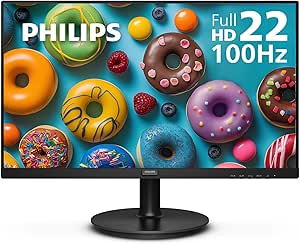
Philips 221V8LB 22 inch Class Thin Full HD (1920 x 1080) Monitor, 100Hz Refresh Rate, VESA, HDMI x1, VGA x1, LowBlue Mode, Adaptive Sync, 4 Year Advance Replacement Warranty
The Philips 221V8LB offers a compact 22-inch FHD display with a 100Hz refresh rate, making it a reliable choice for space-constrained home setups. Its slim, frameless design and VESA compatibility make it easy to mount or integrate into various workspaces. While it lacks the ultra-high resolution of the Dell 4K, its affordability and 4-year warranty make it appealing for budget-conscious users. Its Adaptive Sync and LowBlue Mode features improve visual comfort during long hours, similar to the LG 32MR50C but on a smaller scale and with a focus on basic productivity. However, its smaller size and lower resolution may not satisfy power users or those requiring detailed editing capabilities. It’s best for users with limited space seeking a dependable, budget-friendly monitor.
Pros:- Space-saving 22-inch size fits small desks
- 4-year warranty offers peace of mind
- VESA mount compatible for flexible setup
- LowBlue Mode and Adaptive Sync for eye comfort
Cons:- Lower resolution limits detailed work
- Smaller display area may hinder multitasking
- Basic features without advanced connectivity options
Best for: Home office users with limited desk space seeking reliable, budget-friendly display options.
Not ideal for: Professionals needing high resolution or large workspace for multitasking or detailed editing.
- Screen Size:22 Inches
- Resolution:1920 x 1080
- Refresh Rate:100Hz
- Panel Technology:TN
- VESA Compatibility:Yes
- Warranty:4 Years
Bottom line: A solid compact choice for budget-conscious home workers with space constraints, but not for detailed or multitasking-intensive tasks.
How We Picked
For this roundup, I focused on monitors that balance performance, usability, build quality, and value specifically for home office use. Criteria included display size, resolution, color accuracy, ergonomic features, connectivity options, and eye comfort technologies. I prioritized models that cater to different budgets and work styles, from basic setups to premium configurations. The rankings reflect a combination of practical features, user feedback, and overall versatility, with a preference for products offering strong value or unique benefits for home office environments.Factors to Consider When Choosing Best Monitors For Home Office
When selecting a monitor for your home office, several factors come into play beyond just size and resolution. Understanding these can help you avoid common pitfalls and make a more informed decision that aligns with your workflow and space constraints.Display Size and Resolution
The size of your monitor should match your available desk space and the type of work you do. Larger screens, like ultrawides or 27-inch models, improve multitasking but can overwhelm smaller desks. Resolution impacts clarity; 1080p is sufficient for basic tasks, yet 1440p or 4K screens offer sharper images and more workspace for detailed work like photo editing or multitasking. Consider your hardware capabilities as high resolutions demand more from your graphics card.
Ergonomics and Eye Comfort
Adjustable stands, tilt, swivel, and height options are vital to prevent strain during long hours. Features like flicker-free screens and low Blue Light modes help reduce eye fatigue. If you spend multiple hours daily at your desk, investing in a monitor with good ergonomics and eye care tech can improve comfort and productivity, especially in poorly lit rooms or for sensitive eyes.
Connectivity and Ports
Ensure your chosen monitor offers versatile connection options such as USB-C, HDMI, and DisplayPort. USB-C ports can simplify cable management by delivering power and video through a single cable, which is ideal for modern laptops. Check compatibility with your devices before buying, and consider models with additional USB hubs if you need to connect peripherals like keyboards, mice, or external drives.
Color Accuracy and Panel Type
If your work involves color-sensitive tasks, look for monitors with IPS panels and high sRGB or DCI-P3 coverage. These panels provide consistent color and wide viewing angles, essential for creative work. For general office tasks, TN panels might suffice but often sacrifice color and viewing angles for faster response times, which are less relevant in a home office setting.
Budget and Future-Proofing
While budget options can meet basic needs, investing a bit more can yield better build quality, higher resolution, and additional features like better connectivity or ergonomic adjustments. Consider future needs; a higher-resolution monitor with multiple ports can serve you longer as your hardware and workflows evolve, avoiding the need for frequent upgrades.
Frequently Asked Questions
Is a 4K monitor worth it for home office use?
A 4K monitor provides sharper images and more workspace, which can improve productivity, especially for multitasking or detailed tasks like graphic design. However, it also requires a capable graphics card and can consume more power. If your work benefits from detailed visuals and your hardware can support it, a 4K display is a good investment. For basic tasks, a lower resolution might be more cost-effective and sufficient.
Should I prioritize size or resolution when choosing a monitor?
Size and resolution should complement each other based on your workspace and workflow. Larger screens with lower resolution can appear pixelated, while smaller high-resolution displays maximize sharpness but may limit workspace. Ideally, aim for a balance—such as a 27-inch 1440p or 32-inch 4K monitor—so you get ample screen real estate with crisp visuals without sacrificing clarity.
Are ultrawide monitors suitable for a home office?
Ultrawide monitors offer a broader workspace, which is helpful for multitasking and complex workflows. They can reduce the need for multiple monitors, saving space and cable clutter. However, they tend to be more expensive and may require more desk space. Also, some software isn’t optimized for ultrawide aspect ratios, so check compatibility with your primary applications before committing.
How important are refresh rates for home office monitors?
For typical office tasks like document editing, browsing, and video conferencing, refresh rates of 60Hz to 75Hz are sufficient. Higher rates, such as 100Hz or above, are beneficial if you also engage in light gaming or want smoother scrolling and animations. Most home office work doesn’t demand high refresh rates, but a marginal increase can improve overall visual fluidity.
What is the best way to ensure my monitor reduces eye strain?
Look for monitors with flicker-free technology and low Blue Light modes, which help minimize eye fatigue during long sessions. Proper ergonomics, such as adjustable height and tilt, are equally important. Position your monitor at eye level, keep ambient lighting soft, and take regular breaks following the 20-20-20 rule—every 20 minutes, look at something 20 feet away for 20 seconds—to further protect your eyes.
Conclusion
For most users seeking a reliable, all-around home office monitor, the Samsung 34″ ViewFinity S50GC offers an excellent balance of size, features, and versatility, making it the best overall choice. Budget-conscious buyers will find the Philips 24″ Frameless Full HD provides solid performance at a lower price. Creative professionals or those who need high detail will benefit from the Dell 27″ 4K S2725QS for its crisp visuals. Beginners or those with limited space might prefer smaller, more straightforward models like the Samsung 27″ Essential S3. Ultimately, your choice should align with your specific work needs, workspace size, and budget.