
If you’re searching for the best tablets for note taking, you’ll find options ranging from budget-friendly e-ink devices to versatile Android tablets with stylus support. The Samsung Galaxy Tab S10 Lite stands out for its balance of performance and affordability, especially with its included S Pen. For those seeking a paper-like experience, the reMarkable Paper Pro offers exceptional writing smoothness, but at a higher price. Meanwhile, the Amazon Kindle Scribe excels for casual users who want a simple device to jot down notes and organize documents. Each option involves tradeoffs between price, writing feel, features, and ecosystem integration. Continue reading for a detailed breakdown of each tablet’s strengths and weaknesses.
Key Takeaways
- The best tablets for note taking vary significantly in price, features, and writing experience, so matching your needs to the right device is key.
- Stylus support and responsiveness are critical; models like the Galaxy Tab S10 Lite and reMarkable Paper Pro excel here, while others are more basic.
- E-ink tablets like reMarkable provide paper-like writing experiences but often lack multitasking features found in Android or tablet OS options.
- Storage capacity and expandability matter for users who want to keep large notebooks or multimedia files without cloud dependence.
- Budget options like the Kindle Scribe deliver simplicity and affordability but may fall short in versatility and advanced features.



More Details on Our Top Picks
TCL NXTPAPER 11 Gen 2 Android Tablet, 11″ Drawing Pad & Digital Notebook, Stylus & Flip Case Included, NXTPAPER 4.0 Display, Android 15, AI Tools, 6+6GB RAM, 64GB Storage, 8000mAh Battery, Gray
This tablet stands out for combining a high-quality 2K display with multiple display modes tailored for reading, drawing, and distraction-free note-taking. The NXTPAPER 4.0 screen reduces blue light and flicker, making it easier to work on for hours without eye fatigue—an advantage over the Kindle Scribe’s more traditional e-ink. The included stylus with 4096 pressure levels enables precise sketches and notes, but its bulkier design and Android UI may feel less intuitive than dedicated note tablets like reMarkable. Compared with the Galaxy Tab S10 Lite, this device offers more flexible screen modes and AI tools, though it sacrifices some processing speed and app ecosystem simplicity. Its expandable storage up to 1TB and robust battery life make it practical for all-day use, yet the device’s weight and occasional Android app limitations could hinder portability for some users.
Pros:- Multiple display modes for reading, drawing, and note-taking
- AI-powered tools for smarter productivity and translation
- Expandable storage up to 1TB and long battery life
Cons:- Heavier and bulkier than dedicated e-ink notebooks
- Android UI can be less intuitive and more cluttered
Best for: Artists, students, and professionals who need a multi-purpose device with flexible display options and AI productivity tools.
Not ideal for: Pure e-ink note takers or minimalist users who prefer a distraction-free writing experience or simplified device interface.
- Display Size:11 inches
- Display Resolution:1920 x 1200 pixels
- Processor:MediaTek Helio G80
- RAM:6GB
- Storage:64GB (expandable to 1TB)
- Battery Capacity:8000mAh
Bottom line: This pick suits users seeking a versatile, multi-mode device that balances creative flexibility with extended battery life.
Samsung Galaxy Tab S10 Lite, 6GB RAM, 128GB, 2TB Expand, Long Battery Life, 10.9” LCD, S Pen for Note-Taking, Exynos 1380, Circle to Search, AI Tools, Gray
This tablet excels in providing a smooth note-taking experience with the included S Pen, which feels responsive and natural, comparable to the experience on the Kindle Scribe’s stylus but with more flexibility due to its Android ecosystem. Its 10.9-inch LCD with a 90Hz refresh rate offers vibrant visuals suitable for reading and sketching, and the device’s long-lasting 16-hour battery supports intensive daily use—ideal for students or professionals on the go. The 128GB internal storage, expandable to 2TB via microSD, ensures ample space for notes, documents, and media, outperforming the Kindle Scribe’s limited storage options. However, the device’s Android interface includes distractions like notifications, and it’s heavier than dedicated e-ink devices, which might affect portability. Compared to the reMarkable, it offers more versatile functionality but less focused simplicity for pure note-taking.
Pros:- Responsive S Pen for natural writing and drawing
- Vivid 10.9” LCD with 90Hz refresh rate
- Long battery life with fast charging
Cons:- Android OS can introduce distractions and clutter
- Heavier and less suited for extended one-handed use
Best for: Students and professionals seeking a portable device with a responsive stylus for note-taking, drawing, and multitasking.
Not ideal for: Users who prefer a distraction-free writing environment or minimalist e-ink devices like reMarkable for focused note work.
- Display Size:10.9 inches
- Display Resolution:2112 x 1320 pixels
- Processor:Exynos 1380
- RAM:6GB
- Internal Storage:128GB, expandable to 2TB
- Battery Life:Up to 16 hours
Bottom line: This tablet is ideal for users who want a versatile, high-performance device for note-taking and multitasking on the move.
Amazon Kindle Scribe (64GB) – Your notes, documents and books, all in one place. With built-in AI notebook summarization. Includes Premium Pen – Tungsten
This device combines excellent e-ink reading with smooth handwriting, making it perfect for long reading sessions and simple note tasks. The glare-free 10.2-inch display with 300 ppi offers a paper-like experience, and the stylus supports natural writing, rivaling dedicated e-ink notebooks like reMarkable. Its 64GB storage exceeds the needs of most readers and note-takers, and the battery lasts for weeks, reducing the need for frequent charging. The AI tools for summarization and editing add a smart layer for organized notes, though the device lacks the advanced features or app ecosystem of the Galaxy Tab S10 Lite. It’s less suitable for detailed drawing or multimedia needs, but excels in distraction-free writing and reading.
Pros:- High-resolution paper-like display
- Long-lasting battery (weeks on a single charge)
- Effective AI summarization tools
Cons:- Limited to basic note-taking and reading
- No color display or multimedia support
Best for: Readers and casual note-takers who prioritize long battery life and a paper-like display for focused work.
Not ideal for: Users wanting advanced drawing features, multitasking, or app flexibility beyond note-taking and reading.
- Display Size:10.2 inches
- Display Resolution:300 ppi
- Processor:Custom AI-enhanced
- Storage:64GB
- Battery Life:Up to 12 weeks
- Weight:15.3 oz
Bottom line: This e-ink device is perfect for those who want distraction-free reading and simple note-taking with smart AI features.
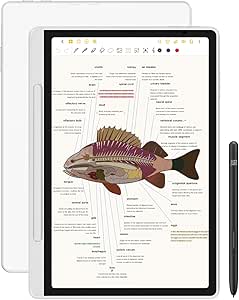
This tablet offers a genuinely paper-like feel that appeals to users who crave a traditional writing experience in a digital form. The 10.3-inch monochrome display with 1872 x 1404 resolution is optimized for writing and reviewing documents, making it ideal for writers and note-takers seeking minimal distractions. Its simple interface and absence of apps keep focus on core tasks, but this also means limited flexibility compared to Android-based devices like the Galaxy Tab S10 Lite. The included Marker Plus with eraser provides natural pen-on-paper feedback, and the leather folio enhances portability and style. However, with a maximum of 2 weeks of battery life and no color support, it may not suit users who need multimedia or color annotations. It’s best for those prioritizing a distraction-free, authentic note experience over multimedia capabilities.
Pros:- Authentic paper-like writing experience
- Natural stylus with built-in eraser
- Simple, distraction-free interface
Cons:- Limited to monochrome display and basic functions
- Shorter battery life compared to traditional tablets
Best for: Writers, students, and professionals seeking a focused, paper-like note-taking device without app distractions.
Not ideal for: Users who want multimedia, color, or app ecosystem flexibility for notes or creative projects.
- Display Size:10.3 inches
- Display Resolution:1872 x 1404 pixels
- Weight:Approximately 11 oz
- Battery Life:Up to 14 days
- Stylus:Marker Plus with eraser
- Connectivity:Wi-Fi
Bottom line: This device is ideal for users who want a dedicated, authentic paper-like note-taking experience without digital distractions.
Amazon Kindle Scribe (32GB) – Your notes, documents and books, all in one place. With built-in AI notebook summarization. Includes Premium Pen – Tungsten
This smaller-capacity version of the Kindle Scribe offers the same great e-ink display and AI tools for organizing notes, making it a solid choice for casual users who want long battery life and seamless reading and writing. Its 10.2-inch glare-free screen with 300 ppi ensures a comfortable reading experience, and the stylus delivers smooth handwriting. The 32GB storage is sufficient for most readers and note-takers, but less ideal for extensive media libraries or large collections of PDFs. The device’s long battery life and simple setup make it perfect for everyday reading and light note tasks, though it lacks the advanced features or app ecosystem of the Galaxy Tab S10 Lite. It’s suited for those prioritizing simplicity and affordability over multimedia capabilities.
Pros:- Excellent glare-free, paper-like display
- Long battery life (up to 12 weeks)
- AI tools for note organization and summarization
Cons:- Limited storage for media-heavy users
- No color or multimedia support
Best for: Casual readers and light note-takers who want long battery life and effective AI features without extra multimedia support.
Not ideal for: Power users needing color, multimedia, or complex app support for creative projects.
- Display Size:10.2 inches
- Display Resolution:300 ppi
- Storage:32GB
- Battery Life:Up to 12 weeks
- Weight:15.3 oz
- Connectivity:Wi-Fi
Bottom line: This device offers a straightforward, long-lasting e-ink experience suitable for casual reading and light notes.
Lenovo Idea Tab – College Tablet – 11″ 2.5K IPS Touchscreen Display – 90Hz – MediaTek Dimensity 6300-4 GB Memory – 128 GB Storage – Integrated Arm Mali-G57 MC2 – Tab Pen and Folio Case
This Lenovo Idea Tab stands out for combining a sharp 11-inch 2.5K display with a smooth 90Hz refresh rate, making it ideal for note-taking and streaming alike. Compared with the Galaxy Tab S10 Lite, it offers a more affordable price point but sacrifices some processing power and RAM, which may impact multitasking with larger files. Its included stylus and folio case add versatility, though the 4GB RAM can limit heavy multitasking, especially with multiple apps open. Nonetheless, the battery life of up to 12 hours supports all-day use, and the low blue light display helps reduce fatigue during long study sessions. The device’s AI-powered apps like Lenovo AI Notes facilitate organized note-taking, but the processor might struggle with more demanding tasks like video editing or extensive multitasking. Overall, this tablet is a solid pick for students seeking a budget-friendly, capable device for note-taking and media consumption, with tradeoffs in raw power.
Pros:- Sharp 11” 2.5K IPS display with 90Hz refresh rate for smooth writing and viewing
- All-day battery life up to 12 hours supports long study sessions
- Includes stylus and folio case for versatile use
Cons:- Limited 4GB RAM can slow down multitasking with multiple apps
- MediaTek processor may struggle with intensive tasks like video editing
Best for: Students who need an affordable, reliable tablet for note-taking, streaming, and light productivity.
Not ideal for: Power users or those running multiple demanding apps, as the 4GB RAM may hinder performance during intensive multitasking.
- Display Size:11 inches
- Display Resolution:2560 x 1600
- Refresh Rate:90Hz
- Processor:MediaTek Dimensity 6300
- Memory:4 GB RAM
- Storage:128 GB
- Battery Life:12 hours
- Operating System:Android 12
Bottom line: Ideal for students seeking an affordable, well-rounded tablet for note-taking and media, with some power limitations.
XPPen 3 in 1 Color Digital Notebook 10.95” Paper Note Taking Tablet with 16384 Pressure Levels Battey-Free X3 Pro Pencil 2 Magnetic Folio 6+128GB Magic Note Pad for Writing/Reading/Meeting/Study
This XPPen digital notebook excels with its AG Nano-Etched LCD screen that mimics paper texture, making it perfect for writers and artists. Unlike the reMarkable Paper Pro, which focuses on a minimalist, e-ink experience, the XPPen offers vibrant color display and 16,384 pressure levels for detailed notes and illustrations. Its 90Hz refresh rate ensures smooth strokes, and the included X3 Pro Pencil provides exceptional sensitivity, rivaling high-end styluses like those on the Galaxy Tab S10 Lite. The device’s ability to convert handwriting into text and support PDF annotations makes it highly functional for study and work, though its battery life of around 4 hours is shorter than e-ink devices, requiring frequent recharging. The magnetic folio and multiple spare tips add convenience for extended use. Overall, this tablet makes a strong case for digital artists and note-takers who value precision and color but don’t mind frequent charging and a slightly heavier form factor.
Pros:- Vivid 11.8” color display with paper-like friction for realistic writing
- High-precision 16,384 pressure levels for detailed sketches and notes
- Converts handwriting to text and supports PDF editing
Cons:- Battery life around 4 hours limits extended use without recharging
- Slightly heavier and bulkier than e-ink tablets for all-day portability
Best for: Artists, designers, and students who need precise handwriting, drawing capabilities, and color display in a portable device.
Not ideal for: Users seeking all-day battery life or a simple e-ink-like reading experience, as the short battery span and color display may not suit their needs.
- Display Size:11.8 inches
- Display Type:Color LCD
- Pressure Levels:16,384
- Refresh Rate:90Hz
- Battery Life:around 4 hours
- Included Pen:Marker Plus with Eraser
- Storage:6GB RAM, 128GB
- Connectivity:USB-C, Bluetooth
Bottom line: Best suited for creative professionals and students who prioritize precision and color for note-taking and illustrations, accepting shorter battery life.
reMarkable Paper Pro Bundle – Includes 11.8” reMarkable Paper Tablet, and Marker Plus Pen with Eraser
This reMarkable Paper Pro Bundle offers a large 11.8-inch color display with a paper-like texture, making it ideal for writers and readers who prefer a natural feel. Unlike the Kindle Scribe, which emphasizes reading and light annotation, the reMarkable provides a more authentic writing experience with ultra-low latency and a dedicated eraser, making it perfect for detailed note-taking, sketching, and reading in color. Its low-glare, reflective screen reduces eye strain, and the adjustable reading light extends usability into dim environments. While its battery life of about two weeks surpasses many tablets, it still requires recharging for intensive use. The device’s organization features, like folders and tags, streamline workflow, but the limited app ecosystem and absence of multitasking capabilities restrict productivity for more complex tasks. Overall, this device is best for individuals who want a dedicated, paper-like experience for reading and writing, especially in color, but not for heavy multitasking or app-based workflows.
Pros:- Large 11.8” color display with paper-like friction for natural writing
- Reflective low-glare screen reduces eye strain
- Extended battery life of around two weeks for continuous use
Cons:- Limited app ecosystem and no multitasking support
- Higher price compared to basic e-ink readers or tablets
Best for: Writers, readers, and students who value a natural, paper-like writing and reading experience in a dedicated device.
Not ideal for: Power users requiring multitasking or app versatility, as the reMarkable is focused primarily on reading and writing with limited app support.
- Display Size:11.8 inches
- Display Type:Color LCD, low-glare
- Battery Life:up to 2 weeks
- Color Support:Yes
- Included Pen:Marker Plus with Eraser
- Connectivity:USB-C, Bluetooth
Bottom line: Perfect for users seeking an authentic, paper-like experience for reading and writing in color, with excellent eye comfort and long battery life, but limited multitasking.

How We Picked
In selecting these tablets, I prioritized how well each device supports natural handwriting and note organization, considering stylus responsiveness, display quality, and user interface. Performance, battery life, and build quality also influenced rankings, as these factors affect daily usability. Value was another key criterion—balancing features against price—along with ecosystem compatibility for those integrated into broader device environments. Devices were ranked based on their ability to meet a range of note-taking needs, from casual jotting to professional workflows, ensuring each pick offers a clear advantage for specific user types.Factors to Consider When Choosing Best Tablets For Note Taking
Choosing the right tablet for note taking involves understanding how different features align with your personal or professional needs. Beyond just the hardware, considering software, stylus support, display quality, and ecosystem compatibility can make a significant difference in your overall experience. Knowing what tradeoffs are acceptable—such as sacrificing some versatility for a paper-like feel—can help narrow your options and avoid costly mistakes.Display Quality and Writing Experience
The tactile experience of writing on a tablet is essential; a smooth, responsive surface reduces fatigue and improves accuracy. E-ink displays, like those on reMarkable devices, mimic paper but often lack color and multitasking, while LCD or OLED screens offer vibrant visuals and multitasking but may feel less natural for handwriting. Consider how important visual clarity and writing feel are for your workflow to select the best display technology for your needs.
Stylus Support and Responsiveness
A good stylus can transform a tablet into a true digital notebook. Look for devices with low latency, pressure sensitivity, and tilt support if you want precise control. Some tablets, like Samsung’s S Pen-enabled models, include features like palm rejection, making extended writing sessions more comfortable. Cheaper styluses or those lacking pressure sensitivity can result in a less natural writing experience, so weigh your need for accuracy against your budget.
Operating System and Ecosystem Compatibility
The software environment can influence your productivity. Android tablets offer flexibility and app variety, while dedicated e-ink devices focus on simplicity. If you already own other devices, choosing a tablet that integrates smoothly—like the Kindle ecosystem or Samsung’s Galaxy line—can boost efficiency. Keep in mind that some e-ink tablets have limited app support, which might restrict multitasking or advanced features.
Battery Life and Portability
Long-lasting batteries are vital if you plan to take notes on the go without frequent recharging. E-ink tablets typically excel here, often lasting days or even weeks, whereas LCD-based tablets may need daily charging. Size and weight also matter—compact tablets are easier to carry, but larger screens can enhance writing comfort. Balance portability with your typical usage scenario to avoid frustration during long sessions away from power sources.
Price and Value
Prices for note-taking tablets vary widely, from budget-friendly options like the Kindle Scribe to premium devices like the reMarkable Paper Pro. Consider whether additional features—such as color, expandability, or multitasking—are worth the extra cost for your workflow. Sometimes investing in a higher-quality device pays off in durability and overall satisfaction, especially if you rely heavily on note taking for work or study.
Frequently Asked Questions
Is a dedicated e-ink tablet better for note taking than an iPad or Android tablet?
Dedicated e-ink tablets like the reMarkable or Kindle Scribe excel at providing a paper-like writing experience, reducing eye strain, and offering excellent battery life. However, they often lack multitasking, vibrant displays, and app ecosystems found in tablets like the iPad or Android devices. If your priority is natural handwriting and long battery life, e-ink might be better. For versatility and multimedia use, a color LCD tablet with stylus support generally offers more flexibility.
Can I use a regular stylus on all these tablets?
Not all styluses work with every tablet; many require a specific stylus for optimal performance. Devices like Samsung’s Galaxy Tab S10 Lite support the S Pen, which offers pressure sensitivity and palm rejection, whereas others might be compatible with generic capacitive styluses that lack precision. If high fidelity in your notes matters, investing in the stylus recommended by the manufacturer is usually the best choice. Cheaper styluses can feel less natural and less responsive, affecting your writing flow.
Are these tablets suitable for professional note taking and sketching?
Many of these tablets, especially those with high-quality screens and pressure-sensitive styluses like the reMarkable Paper Pro or XPPen Note Pad, are well-suited for professional work, including sketching and detailed notes. However, some, like the Kindle Scribe, are more geared toward casual use and may lack advanced features like layers or high-pressure sensitivity. Evaluate your specific needs—if you require detailed illustrations or complex workflows, opting for a device with a dedicated stylus and robust software support is advisable.
How much storage do I need for note-taking devices?
Storage needs depend on how many notes, PDFs, and other documents you plan to keep locally. Devices like the Samsung Galaxy Tab S10 Lite with 128GB and expandable storage are suitable for users with large libraries or multimedia files. E-ink tablets typically have limited built-in storage but support cloud sync or microSD cards. For most casual note takers, 64GB to 128GB is sufficient, but professionals handling multimedia files might prefer more or expandable options.
Is it worth paying more for a premium device?
Higher-priced tablets like the reMarkable Paper Pro or XPPen Note Pad often provide a more natural writing experience, longer durability, and additional features such as better stylus support and larger screens. If you rely heavily on note taking for work, study, or creative projects, investing in a premium device can significantly enhance your productivity. However, if your needs are simple and occasional, budget-friendly options may offer enough functionality without the extra cost.